Alpine Linux has no package called telnet, so apk add telnet stops with ERROR: unable to select packages and installs nothing. The client you are after is a BusyBox applet that lives in busybox-extras. That package adds about 107 KiB, installed in under half a second on our test box, and gives you a working telnet on the PATH. It’s the one we’d install on any Alpine server or container.
Below you’ll install telnet on Alpine Linux with busybox-extras and see when the GNU client from inetutils-telnet is the better pick. You will also read the three results a port test can return, quit a session with Ctrl+], and run the same checks with nc or curl when you cannot add packages. Every command was run on Alpine Linux 3.24 (BusyBox 1.37.0) against an Ubuntu 26.04 host in October 2026, on the host and inside an alpine:3.24 container.
Check that telnet is missing
A fresh Alpine install has no telnet at all, because the base BusyBox build that provides most of the system’s commands leaves that applet out to keep the base small. Alpine was the lightest general-purpose system in our test of lightweight Linux distros, and trimming applets like this one is part of how it gets there. Confirm it before you install anything. The same check shows that nc is already present, which matters if all you need is a quick port test on a box where you cannot add packages.
telnet 10.0.1.230 22
busybox --list | grep -i -E "telnet|^nc$"
Telnet isn’t on the shell’s PATH, while the BusyBox applet list does include nc. The exit code was 127, which is the shell’s “command not found”, so the binary is missing rather than broken.
ash: telnet: not found
nc
The Alpine cloud image we used has no sudo either (ash: sudo: not found). It ships doas, so the privileged commands below use doas. If you are logged in as root, drop the prefix, and if you’ve installed sudo yourself it works the same way. In a container you are root already, so plain apk add is enough. For a disposable machine to follow along on, you can run Alpine Linux with Vagrant.
Why apk add telnet fails on Alpine
The command fails because no package in the main or community repository is named telnet. Debian and RHEL ship a package with that name, which is why everyone types it first, but Alpine splits the client between two other packages and apk will not guess for you. This is the attempt, run as a regular user through doas.
doas apk add telnetERROR: unable to select packages: telnet (no such package)
apk prints exactly this and exits with status 1. The same message comes back inside an alpine:3.24 container, so it is not a missing repository line or a stale index on your machine.
ERROR: unable to select packages:
  telnet (no such package):
    required by: world[telnet]
Searching the index makes things more confusing, not less. Ask apk which package provides the telnet command and it names only the GNU client.
apk search cmd:telnetOnly inetutils-telnet matches, the GNU client. It works, but once its ncurses dependencies come along it costs about seven times the disk of the BusyBox build, so it is not the one we’d reach for first.
inetutils-telnet-2.7-r0A plain apk search telnet lists eleven packages, from inetutils-telnet to Perl and Ruby telnet libraries, and busybox-extras is not one of them either. The reason is that busybox-extras does not ship a telnet file in its package index entry at all. Its post-install script creates /usr/bin/telnet as a symlink, so the search has nothing to match. That’s why so many people land on inetutils-telnet and never learn the lighter option exists.
Install telnet on Alpine Linux with busybox-extras
busybox-extras is the package to install unless you have a specific reason to want the GNU client, because it is one small multi-call binary that needs nothing beyond the base busybox package every Alpine system already has. Refresh the package index first so apk sees the current build. It took 0.55 seconds here.
doas apk updateBoth repositories should report a version line and the total package count. If one is missing, check /etc/apk/repositories, which on our image listed main and community with the testing line commented out. busybox-extras lives in main, but inetutils-telnet and docker used later both come from community, so a system installed with community disabled reports “no such package” for them until you uncomment that line.
v3.24.2-121-g0f3ad46d7ca [https://dl-cdn.alpinelinux.org/alpine/v3.24/main]
v3.24.2-123-gee0e55516c1 [https://dl-cdn.alpinelinux.org/alpine/v3.24/community]
OK: 28693 distinct packages available
Now install the package that actually carries the telnet client. Its only dependency is the busybox package that is already installed, so apk installs exactly one package, so there is nothing else to review now or clean up later.
doas apk add busybox-extrasIt is a single package with a post-install script, and the trigger at the end is BusyBox creating the applet links. The whole install took 0.45 seconds.
(1/1) Installing busybox-extras (1.37.0-r31)
  Executing busybox-extras-1.37.0-r31.post-install
Executing busybox-1.37.0-r31.trigger
OK: 131.8 MiB in 201 packages
Check where the command landed and which package owns it. If the last line names busybox-extras, the symlink is in place and you are done with the install.
which telnet; ls -l $(which telnet); apk info -W $(which telnet)/usr/bin/telnet points at /bin/busybox-extras, and apk reports the owner of the symlink target.
/usr/bin/telnet
lrwxrwxrwx    1 root     root            19 Oct 15 08:10 /usr/bin/telnet -> /bin/busybox-extras
/usr/bin/telnet symlink target is owned by busybox-extras-1.37.0-r31
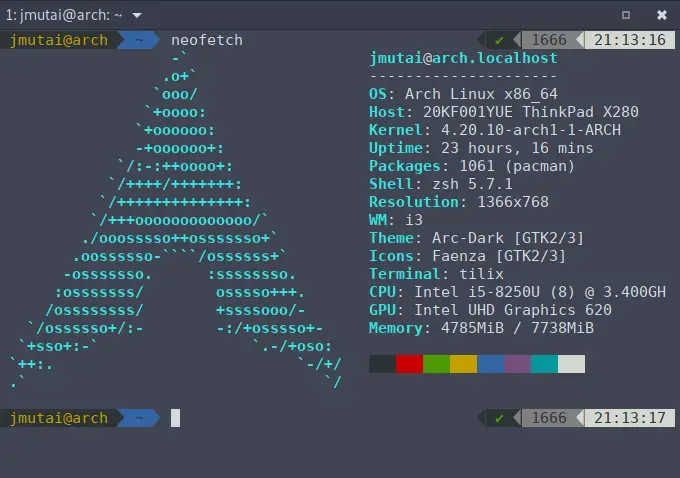
The screenshot below is the same sequence on our lab box, from the failed apk add telnet to the ownership check.

busybox-extras installs more than telnet. These applets arrive with it, as symlinks only, and none of them start a service on their own:
- telnet and telnetd
- ftpd, ftpget and ftpput
- tftp and tftpd
- httpd, inetd and tcpsvd
- udhcpd, dumpleases and dnsd
- conspy and fakeidentd
We did not run telnetd, and we wouldn’t on anything reachable from a network you don’t fully trust, because the telnet protocol sends logins and passwords in clear text. Use the client for port tests and keep SSH for logins. The help output confirms which client you have, since the BusyBox build prints its own banner and a short option list.
telnet --helpOnly two options exist, both for automatic login, which tells you this is the BusyBox client and not GNU telnet.
BusyBox v1.37.0 (2026-01-10 15:38:28 UTC) multi-call binary.

Usage: telnet [-a] [-l USER] HOST [PORT]

Connect to telnet server

	-a	Automatic login with $USER variable
	-l USER	Automatic login as USER
Test a port with telnet
Most people install telnet on Alpine to find out whether something is listening on a host and port, so give it both. Against the SSH port of our Ubuntu host, the connection opens and the server sends its banner straight away.
telnet 10.0.1.230 22BusyBox prints Connected to with no Trying... line and no escape-character hint, so do not wait for the classic three-line greeting. The banner line is the proof that a real service answered.
Connected to 10.0.1.230
SSH-2.0-OpenSSH_10.2p1 Ubuntu-2ubuntu3.2
A port with nothing behind it fails at once. We tried 2323 on the same host, where nothing listens.
telnet 10.0.1.230 2323The host answered with a TCP reset, so telnet reports a refused connection and exits with status 1.
telnet: can't connect to remote host (10.0.1.230): Connection refusedAn address with no host on it behaves differently. We pointed telnet at an unused IP on the same subnet, and it took 3.07 seconds to give up.
telnet 10.0.1.99 22This time the reason text changes from a refusal to an unreachable host, so the problem sits below TCP: a wrong address, a host that is down, or a routing gap. Don’t open firewall ports for this one, because no rule on the target helps when nothing answers at that address.
telnet: can't connect to remote host (10.0.1.99): Host is unreachableEach of those messages points to a different fix, so read them before you start changing firewall rules.
| What BusyBox telnet prints | What it means | Where to look next |
|---|---|---|
Connected to plus a banner | Port open, service answering | Nothing on the network side; the problem is in the application |
Connection refused | Host is up, nothing accepts on that port | Is the service running, and is it bound to this address? |
Host is unreachable | No reply from that address at all | Wrong IP, host down, or a routing or VLAN problem |
We didn’t capture the case where a firewall silently drops the packets, so that message isn’t shown here. If telnet sits on the connect for a long time without printing anything, that’s the situation to suspect.
telnet can also speak a text protocol by hand, which is the quickest way to see what a web backend returns without a browser or curl. HTTP waits for the client to talk first, so pipe the request in and keep stdin open for two seconds so the reply has time to arrive. We started a test page on port 8080 of the Ubuntu host for this.
(printf "GET / HTTP/1.0\r\nHost: 10.0.1.230\r\n\r\n"; sleep 2) | telnet 10.0.1.230 8080The status line, headers and body come back, then the server closes the connection.
Connected to 10.0.1.230
HTTP/1.0 200 OK
Server: SimpleHTTP/0.6 Python/3.14.4
Date: Thu, 15 Oct 2026 08:10:30 GMT
Content-type: text/html
Content-Length: 17
Last-Modified: Thu, 15 Oct 2026 08:10:29 GMT

hello from dev01
Connection closed by foreign host
That request succeeded, yet telnet still exited with status 1, because the remote side closed the session. So don’t build a script around telnet’s exit code. Use nc -z for that, covered in the last section. The same by-hand trick works for any backend you’re debugging, such as a site you’ve set up with Nginx and PHP-FPM on Alpine.
Quit a telnet session with Ctrl+]
To leave a session, press Ctrl+] and then Enter, type e and press Enter again. The Enter after Ctrl+] is the part people miss. Against a service that isn’t a telnet server (SSH in our test), BusyBox telnet stays in line mode, so it reads your escape key only once the line is sent. On our first attempt we sent Ctrl+] and e with no Enter, and nothing happened until the SSH server dropped the idle connection about two minutes later.
With the Enter keys in place, the console escape menu appears and e exits cleanly with status 0. This is the full session as the terminal showed it (^] is the echoed Ctrl+]).
telnet 10.0.1.230 22Press Ctrl+] once the banner is on screen, then Enter, and the menu prints. The e on the last line is what we typed before the final Enter:
Connected to 10.0.1.230
SSH-2.0-OpenSSH_10.2p1 Ubuntu-2ubuntu3.2
^]

Console escape. Commands are:

 l	go to line mode
 c	go to character mode
 z	suspend telnet
 e	exit telnet
e
For plain port checks you can skip the escape menu entirely. Piping (sleep 2) into telnet, as in the HTTP example, closes stdin after two seconds and the session ends on its own with the banner already printed.
Install GNU telnet from inetutils-telnet
The GNU client from inetutils-telnet is the one to install when you want the classic output (Trying... and the Escape character is '^]' hint) or you have a script that parses those lines. It is a real binary rather than a symlink, and it pulls in ncurses.
doas apk add inetutils-telnetOn a host that already had ncurses’ dependencies, apk added two packages.
(1/2) Installing ncurses (6.6_p20260516-r0)
(2/2) Installing inetutils-telnet (2.7-r0)
Executing busybox-1.37.0-r31.trigger
OK: 132.1 MiB in 203 packages
If busybox-extras is installed too, the GNU package takes over /usr/bin/telnet. Check which one you’ll get before you rely on its output format.
ls -l /usr/bin/telnet; apk info -W /usr/bin/telnet; telnet --version 2>&1 | head -2The symlink is gone, replaced by a regular 117 KiB executable owned by inetutils-telnet.
-rwxr-xr-x    1 root     root        119976 Apr  3  2026 /usr/bin/telnet
/usr/bin/telnet is owned by inetutils-telnet-2.7-r0
telnet (GNU inetutils) 2.7
Copyright (C) 2025 Free Software Foundation, Inc.
Running the same two port tests shows the format difference.
(sleep 2) | telnet 10.0.1.230 22; telnet 10.0.1.230 2323GNU telnet prints the full three-line greeting, and it words the refused case differently, so a grep written for one client will not match the other.
Trying 10.0.1.230...
Connected to 10.0.1.230.
Escape character is '^]'.
SSH-2.0-OpenSSH_10.2p1 Ubuntu-2ubuntu3.2
Connection closed by foreign host.
Trying 10.0.1.230...
telnet: Unable to connect to remote host: Connection refused
Removing the GNU package puts the BusyBox client back without any extra step, because the BusyBox trigger recreates the symlink.
doas apk del inetutils-telnet; ls -l /usr/bin/telnetapk purges both packages, and /usr/bin/telnet points at /bin/busybox-extras again.
(1/2) Purging inetutils-telnet (2.7-r0)
(2/2) Purging ncurses (6.6_p20260516-r0)
Executing busybox-1.37.0-r31.trigger
OK: 131.8 MiB in 201 packages
lrwxrwxrwx    1 root     root            19 Oct 15 08:13 /usr/bin/telnet -> /bin/busybox-extras
Two clients, and a handful of points decide which one to install. The sizes come from apk info -s inside a clean alpine:3.24 container.
| busybox-extras | inetutils-telnet | |
|---|---|---|
Found by apk search telnet | No | Yes |
What /usr/bin/telnet is | Symlink to /bin/busybox-extras | 119976-byte binary |
| Dependencies in a clean container | None beyond the base busybox | ncurses, libncursesw, ncurses-terminfo-base |
| Added to a clean container | about 107 KiB | about 773 KiB |
| Open port output | Connected to <ip> | Trying..., Connected to, escape hint |
| Refused port output | can't connect to remote host (<ip>): Connection refused | Unable to connect to remote host: Connection refused |
| Extra tools installed | 15 more applets (telnetd, ftpd, httpd, tftp…) | telnet only |
busybox-extras wins on size by a factor of seven in a container and installs nothing else. We’d only take inetutils-telnet when a script or a habit depends on the GNU output, or when you’d rather not have telnetd and friends on the disk at all.
Add telnet to an Alpine Docker container
The official alpine image has no telnet either, and the same apk add telnet error comes back inside it. Install busybox-extras with --no-cache so the index is not left in the image. If the Alpine host has no Docker yet, run the install block further down in this section first. This one-off container proves all three states in one run: the missing command, the install, and a successful connection.
doas docker run --rm alpine:3.24 sh -c "cat /etc/alpine-release; telnet 10.0.1.230 22; apk add --no-cache busybox-extras && (sleep 2) | telnet 10.0.1.230 22"After the image pull (left out here), the container reports its release, fails to find telnet, installs the package and connects. The whole run, pull included, took 4.42 seconds.
3.24.2
sh: telnet: not found
(1/1) Installing busybox-extras (1.37.0-r31)
  Executing busybox-extras-1.37.0-r31.post-install
Executing busybox-1.37.0-r31.trigger
OK: 8310 KiB in 17 packages
Connected to 10.0.1.230
SSH-2.0-OpenSSH_10.2p1 Ubuntu-2ubuntu3.2
The alpine:3.24 image is 3.94 MB of content (12.5 MB on disk) with 16 packages and about 8203 KiB installed. busybox-extras took that to 8310 KiB, while inetutils-telnet and its three ncurses packages took it to 8976 KiB. On a debugging sidecar that difference hardly matters, but on an image you ship it’s another reason to pick busybox-extras. We only tested this with docker run; in a Dockerfile it’s the same apk add --no-cache busybox-extras line in a RUN instruction. If you run Alpine nodes under k3s on Alpine Linux, the same package works in a throwaway debug pod.
To reproduce this on an Alpine host, Docker comes from the community repository and runs under OpenRC. These are the commands we used to install it, add it to the default runlevel and start it.
doas apk add docker
doas rc-update add docker default
doas rc-service docker start
doas docker version --format "{{.Server.Version}}"
A running daemon answers with its server version. If the start line says [ ok ] but this command fails, the daemon died after launch, so read its log before changing anything. That is exactly what happened to us on the first start.
 * service docker added to runlevel default
 * Starting Docker Daemon ... [ ok ]
29.8.2
iptables: Failed to initialize nft: Protocol not supported
Our first Docker start printed [ ok ] and then every docker command failed with Cannot connect to the Docker daemon at unix:///var/run/docker.sock. The real error was at the end of /var/log/docker.log.
failed to start daemon: Error initializing network controller: error obtaining controller instance: failed to register "bridge" driver: failed to create NAT chain DOCKER: iptables failed: iptables --wait -t nat -N DOCKER: iptables: Failed to initialize nft: Protocol not supportedAn earlier apk upgrade had replaced the linux-virt kernel package and deleted the modules of the kernel that was still running, so the nf_tables module could not load. You can confirm it by comparing uname -r with what’s in /lib/modules.
uname -r; ls /lib/modules/; doas modprobe nf_tablesOnly 6.18.56 modules are on disk while the box still runs 6.18.35, and modprobe cannot find the module.
6.18.35-0-virt
6.18.56-0-virt
modprobe: FATAL: Module nf_tables not found in directory /lib/modules/6.18.35-0-virt
The fix is a reboot into the new kernel. After it, the same rc-service docker start came up on 6.18.56 and the containers above ran. After any apk upgrade that replaces linux-virt or linux-lts, reboot before anything needs a new kernel module, because the running kernel’s modules are already gone from disk.
Test ports with nc or curl instead of telnet
Every Alpine system already has nc from BusyBox, and for port checks it is the better tool, because it needs no install, has a zero-I/O mode and returns an exit code you can trust. We used it on the host and inside a bare alpine:3.24 container with no packages added.
nc -zv 10.0.1.230 22An open port prints one line and exits 0. Telnet needed a pipe or the escape menu before it would return at all, so nc is the one that fits in a script.
10.0.1.230 (10.0.1.230:22) openA closed port prints nothing at all with BusyBox nc, even with -v, and exits 1. That silence surprises people who expect a “refused” message, so test the exit status rather than the text. With a three-second timeout, the pattern below is what we’d put in a script or a container entrypoint that waits for a dependency.
nc -z -w 3 10.0.1.230 22 && echo "port 22 open"; nc -z -w 3 10.0.1.230 2323 || echo "port 2323 closed"Both branches fire as expected. The -w 3 timeout only costs you time when a host never answers, because an open or refused port returns at once. That makes the line safe to loop on in an entrypoint script.
port 22 open
port 2323 closed
nc also replaces the HTTP-by-hand trick, and it does not need the sleep because it keeps reading until the server closes the connection. Swap in 3306 or 5432 and the same idea checks a database listener, for example a fresh MariaDB install on Alpine that should be listening on the network.
printf "GET / HTTP/1.0\r\n\r\n" | nc 10.0.1.230 8080nc returns the same response telnet did, minus the connection chatter.
HTTP/1.0 200 OK
Server: SimpleHTTP/0.6 Python/3.14.4
Date: Thu, 15 Oct 2026 08:12:49 GMT
Content-type: text/html
Content-Length: 17
Last-Modified: Thu, 15 Oct 2026 08:10:29 GMT

hello from dev01
curl is not installed on a minimal Alpine system, and adding it cost 4.3 MiB on our host (131.8 to 136.1 MiB), forty times what busybox-extras costs. If it’s already there, its telnet:// scheme opens a raw TCP connection, but it never returns on its own against a service that keeps the connection open, so --max-time is mandatory.
(sleep 2) | curl -sS --max-time 3 telnet://10.0.1.230:22curl prints the banner and then reports a timeout with exit code 28, even though the port was open.
SSH-2.0-OpenSSH_10.2p1 Ubuntu-2ubuntu3.2
curl: (28) Time-out
A closed port fails right away with exit code 7, which is the one case where curl’s answer is unambiguous.
curl: (7) Failed to connect to 10.0.1.230:2323 after 0 ms: Could not connect to serverAll three answer the same question, so the choice comes down to what is already on the box and whether a script reads the result. This is how we’d pick:
- Scripts and health checks:
nc -z -w 3 - Interactive sessions and banner checks: busybox-extras telnet
- A box that already has curl:
curl telnet://with--max-time - Port ranges or many hosts: a real port scanner
Telnet is for the single question of whether one port answers, and on Alpine that question costs you 107 KiB or nothing at all. Once you need to sweep a range of ports or a whole subnet, Nmap does the job properly, because it can tell a dropped packet from a refused connection and report both across hundreds of ports in one run.