Kiri started an Alpine container in 69.5 ms on a 2 vCPU Ubuntu VM, five times faster than Docker CE on an identical VM. That warm-start mean comes from Kiri 0.2.1 (benchmarked November 2026 on Ubuntu 26.04, with installs also tested on Rocky Linux 10), and the daemon idled at 3.6 MB of memory against 137 MB for dockerd plus containerd.
Speed is not the whole story, though, because the Linux code went public two weeks ago and it shows. The service does not start after install, the full RPM needs EPEL on Rocky, containers run unconfined under SELinux, and a host that also runs Docker CE silently drops Kiri container traffic until you add two iptables rules. Calling it a kiri container runtime is also a stretch: it is a Docker API engine, not something a Kubernetes node can use.
Below are the full results against Docker CE, Podman and containerd, the method, and the install steps for both distributions with every error we hit.
Kiri vs Docker, Podman and containerd: benchmark results
Every engine ran on its own fresh Ubuntu 26.04 VM of the same size, with the same images pulled first (one Docker pull aside, noted below) and the same script driving each test. Lower is better in every row. Kiri leads every start-time row and the memory row with a container running. Podman, having no daemon, holds no resident engine memory when idle or after builds. Kiri loses the image build too, where it hands the work to a BuildKit container instead of running its own builder.
| Measurement | Kiri 0.2.1 | Docker CE 29.9.3 | Podman 5.7.0 | containerd 2.2.2 (ctr) |
|---|---|---|---|---|
run --rm alpine:3.22 true, warm, mean of 20 | 69.5 ms ± 5.8 | 349.2 ms ± 10.7 | 169.0 ms ± 5.9 | 155.4 ms ± 5.4 |
| Same command, cold (engine restart and dropped caches), median of 5 | 341 ms | 767 ms | 513 ms | 551 ms |
compose up -d, nginx plus redis, median of 5 | 175 ms | 708 ms | 938 ms | not available |
Image build with --no-cache, median of 3 | 2,035 ms | 1,953 ms | 1,674 ms | not available |
| Engine memory, idle | 3.6 MB | 137.3 MB | no daemon | 44.2 MB |
| Engine memory with one nginx container | 5.4 MB | 151.1 MB | 2.5 MB conmon + 17.0 MB pasta | 57.0 MB |
| Engine memory after three builds | 82.0 MB (72.4 MB is buildkitd) | 160.4 MB | no daemon | not available |
Three rows deserve a closer reading before anyone quotes the headline number, because each one hides a cost that a single mean does not show.
- Warm start, 5.0x Docker: Kiri forks one small
kiri-initprocess per container instead of going through dockerd, containerd, a shim and runc. The spread was tight too, 61.0 to 81.9 ms over 20 runs. - Compose, 4.0x Docker: the first
compose upon every engine was slower (451 ms on Kiri, 1,060 ms on Docker). On the Docker VM the nginx:alpine pre-pull was cancelled, so its first run included that pull. The medians absorb the slow first run. - Build, slowest of three: Kiri has no BuildKit of its own, so buildx starts a
moby/buildkitcontainer on the first build (4,650 ms) and leaves it running at 72.4 MB afterwards. The 3.6 MB idle figure only holds on a box that never builds.
Vendor-run numbers are on the Kiri benchmarks page. On an Apple M3 Max with Kiri 0.1.13 they show 22 ms against 178 ms for Docker Desktop, and on Windows, with a much older Kiri 0.0.1, 78 ms against 491 ms. Kiri figures the page marks “target” are design budgets, not measurements, and neither table covers a native Linux host or Podman. Our Linux gap to Docker CE is 5x rather than the 8x of the Mac table; we did not measure why.
How the benchmark was run
We used four Google Cloud n2-standard-2 VMs (2 vCPU, 7.7 GiB, Ubuntu 26.04.1 with the 7.0 kernel), one per engine, so no engine could leave state behind for the next. Each VM ran the same bench.sh: hyperfine with 3 warmup runs and 20 timed runs for the warm start, then a timed loop for the rest. The engines and their versions came from these sources:
- Kiri 0.2.1: the full
kiri_0.2.1_amd64.deb, driven by its bundled Docker CLI 29.9.2, Compose v5.6.1 and buildx v0.38.1. - Docker CE 29.9.3: the official Docker apt repository, with containerd 2.4.2, runc 1.5.3, Compose v5.7.1 and buildx v0.39.0.
- Podman 5.7.0: the Ubuntu archive build with crun, netavark and podman-compose 1.5.0, run rootless as a normal user.
- containerd 2.2.2: the Ubuntu archive package, driven through
sudo ctr run --rm.
We planned to drive containerd with nerdctl, but neither nerdctl nor BuildKit is packaged in the Ubuntu 26.04 archive. The upstream route, the pinned nerdctl-full v2.4.2 tarball (containerd 2.4.2, BuildKit 0.34.1 and the CNI plugins), was blocked on 16 November: our lab’s download tooling only accepts a target VM we could not provision that day, so the nerdctl run never happened and containerd ran through ctr. That has two consequences. ctr has no Compose or build, hence the gaps in the table, and ctr run without a CNI plugin sets up no container network, so it does less work per start than the other three. Its 155.4 ms is a floor for containerd, not a like-for-like number.
Cold start means the engine service was restarted (Podman has none, so it got only the cache drop), the page cache dropped with echo 3 > /proc/sys/vm/drop_caches, and one container timed. Memory is the summed RSS of every engine process (daemon, init, shims, conmon, buildkitd) read from ps 30 seconds after an engine restart. Podman is rootless here, so its networking goes through pasta, which adds 17 MB per running container but nothing when idle. The scripted Podman pass caught a leftover netavark process and missed pasta.avx2, so its memory rows come from a second pass after pkill netavark. All memory figures are MiB.
What Kiri is, and what it is not
Kiri is a single Rust daemon that speaks the Docker Engine API on /run/kiri/docker.sock. Each container is one clone3 into new namespaces with its own cgroup and an overlayfs root, created by Kiri itself. There is no dockerd, no containerd, no shim and no runc anywhere on the box, which is where the start time comes from. The project is Apache-2.0 and lives at libracoder/kiri on GitHub.
Because of that design, Kiri is not a CRI runtime. A kubelet cannot talk to it the way it talks to containerd or CRI-O, so it does not replace anything on a Kubernetes node. The vendor package description calls it a “container runtime (Docker API)”, but in the terms used in our Docker, CRI-O and containerd comparison it is an engine, the same layer as dockerd. With nginx running, the process tree on the Ubuntu VM makes the point plainly.

Here nginx runs as a direct child of kiri-init, which is a child of the daemon, and pgrep finds nothing from the Docker stack. Compare that with the isolation layers covered in gVisor vs Kata Containers vs runc: Kiri sits where runc sits, not where gVisor or Kata sit, so it gives no extra isolation from the host kernel.
Step 1: Install Kiri on Ubuntu 26.04
Kiri ships two packages per format. The full kiri package carries the engine plus its own Docker CLI, Compose, buildx and a GTK desktop window. kiri-lite is the engine alone at 2.7 MB, for machines that already have a docker CLI. The two conflict, so pick one. This step uses the full package on a clean VM. Refresh the package index first:
sudo apt-get updateSkipping that update cost us a failed install. The first apt install on the fresh cloud image died on a list of 404 Not Found errors for libheif and GStreamer packages, because the full package pulls about 180 GTK, WebKit and Mesa dependencies (104 MB) and the package lists baked into the image were stale. Next, download the package and check it against the release checksums:
KIRI_VER=0.2.1   # pin: release benchmarked here #https://runkiri.com/releases/
curl -fLO https://download.runkiri.com/kiri_${KIRI_VER}_amd64.deb
sha256sum kiri_${KIRI_VER}_amd64.deb
curl -fsSL https://download.runkiri.com/SHA256SUMS-linux | grep kiri_${KIRI_VER}_amd64.deb
The hash of the download has to match the kiri_0.2.1_amd64.deb line from SHA256SUMS-linux. On our run both read as follows:
9ce1668b859b64b190d79996a7ad9c54e0f9ab9a89043a9ea0e13c45894e3872 kiri_0.2.1_amd64.debInstall the package with apt so it resolves the GTK dependencies:
sudo apt-get install -y ./kiri_${KIRI_VER}_amd64.debThis next part trips people up. The package installs kiri.service but neither starts nor enables it, and /run/kiri/docker.sock does not exist yet. The postinst script says so in a comment (“Installing alone runs nothing”), while the sample output of the install script in the docs ends with “Kiri is installed and running”. The command that actually brings the engine up is kiri host-access:
sudo kiri host-access $USERIt adds the user to the kiri group, then runs systemctl enable --now kiri. Log out and back in so the new group applies to your shell, then check the service and the socket:

Right after start, the daemon used 1.2 MB of memory. The socket is mode 0660 owned by root:kiri, and because no Docker engine held /run/docker.sock, Kiri linked that path to its own socket so Testcontainers, docker-py and IDE plugins find it. If Docker CE starts later, it takes the path back.
Treat membership of the kiri group as root on the machine, the same as the docker group. The package prints that warning itself, and we confirmed it in Step 6 by reading /etc/shadow from a container through the kiri group socket, without sudo. Only add accounts you would also give sudo.
Confirm the docker CLI is talking to Kiri
Only the full package registers its docker wrapper through update-alternatives at priority 10, and its postinst skips that step when /usr/bin/docker is already a real file, so an installed Docker CE CLI stays in place. docker version shows which engine answered:
docker version
docker info | grep -E "Storage Driver|Cgroup|Runtimes|containerd version|runc version|Operating System|Root Dir"
The server identifies itself as Kiri and reports Docker Engine 27.5.1 with API 1.47, an emulated version so that clients which check it keep working:

Our CLI negotiated down from API 1.56 to 1.47, and the empty containerd version and runc version lines are expected. Note that kiri --version is not a valid flag in 0.2.1 and only prints usage, so docker version is the place to read the engine version.
The apt repository works, though the Linux docs say it does not exist yet
The vendor’s own pages disagree on this one. The 0.1.15 release notes (3 November) announced signed apt and dnf repositories on download.runkiri.com, while the Kiri Linux docs still say there is no apt or dnf repository yet and that upgrades mean downloading the next package by hand. On a separate VM, a repository line built from the release notes’ key resolved 0.2.1 for both packages:
sudo curl -fsSL https://download.runkiri.com/kiri-archive-key.asc -o /etc/apt/keyrings/kiri-archive-key.asc
echo "deb [signed-by=/etc/apt/keyrings/kiri-archive-key.asc] https://download.runkiri.com stable main" | sudo tee /etc/apt/sources.list.d/kiri.list
sudo apt-get update
apt-cache policy kiri kiri-lite
apt fetched a signed InRelease and listed the candidates:
Get:1 https://download.runkiri.com stable InRelease [2227 B]
Get:2 https://download.runkiri.com stable/main amd64 Packages [910 B]
kiri:
  Installed: (none)
  Candidate: 0.2.1
  Version table:
     0.2.1 500
        500 https://download.runkiri.com stable/main amd64 Packages
kiri-lite:
  Installed: (none)
  Candidate: 0.2.1
  Version table:
     0.2.1 500
        500 https://download.runkiri.com stable/main amd64 Packages
Because the setup docs do not cover the repository yet, we installed from the .deb and only used the repository to confirm it answers. Rocky gets the same thing from https://download.runkiri.com/kiri.repo, a dnf repo file with gpgcheck=1 and repo_gpgcheck=1. If you add either, an apt upgrade leaves the running engine on the old binary until sudo systemctl restart kiri, which stops every container.
Step 2: Install Kiri on Rocky Linux 10
The RPMs are signed with the Kiri Releases key, so import it first and let rpm -K check the download before dnf sees it. Our Rocky VM ran 10.2 with SELinux enforcing and firewalld 2.4.3:
sudo rpm --import https://download.runkiri.com/kiri-archive-key.asc
KIRI_VER=0.2.1   # pin: release benchmarked here #https://runkiri.com/releases/
curl -fLO https://download.runkiri.com/kiri-${KIRI_VER}-1.x86_64.rpm
rpm -K kiri-${KIRI_VER}-1.x86_64.rpm
sudo dnf install -y ./kiri-${KIRI_VER}-1.x86_64.rpm
The signature checks out, and then dnf refuses the package, because the desktop window links against webkit2gtk4.1 and the Rocky BaseOS and AppStream repos do not carry it. EPEL does, and EPEL needs CRB enabled first:
sudo dnf config-manager --set-enabled crb
sudo dnf -y install epel-release
sudo dnf install -y ./kiri-${KIRI_VER}-1.x86_64.rpm
Below are the failure, the EPEL fix and the state of the service right after the second install:

That second install pulled 190 dependencies from EPEL and AppStream for a window a headless server never opens. On Rocky we would skip the full package and use kiri-lite (Step 3), which has no dependency beyond shadow-utils and needs no EPEL. As on Ubuntu, the service is left disabled and inactive.
On Rocky we started it with systemd and added the user to the kiri group by hand, which is what kiri host-access does on Ubuntu. Without the group, your user has no access to the 0660 root:kiri socket:
sudo systemctl enable --now kiri
sudo usermod -aG kiri $USER
systemctl is-active kiri
It answers active; log in again for the group to apply. Removing the package later with sudo dnf remove kiri stops the service and removes the sockets and binaries, but keeps images and volumes in /var/lib/kiri, and the RPM has no purge step to delete them.
Step 3: Install kiri-lite next to an existing Docker
kiri-lite is the 2.7 MB .deb (8.2 MiB installed, against 160.9 MiB for the full package) with only kiri, kiri-init, the unit file and a polkit policy. It is the right choice for a server, and the only sensible way to trial Kiri on a machine that already runs Docker CE. On Ubuntu:
KIRI_VER=0.2.1   # pin: release benchmarked here #https://runkiri.com/releases/
curl -fLO https://download.runkiri.com/kiri-lite_${KIRI_VER}_amd64.deb
sudo apt-get install -y ./kiri-lite_${KIRI_VER}_amd64.deb
sudo kiri host-access $USER
On Rocky, set the same KIRI_VER and fetch the RPM instead:
KIRI_VER=0.2.1   # pin: release benchmarked here #https://runkiri.com/releases/
curl -fLO https://download.runkiri.com/kiri-lite-${KIRI_VER}-1.x86_64.rpm
sudo dnf install -y ./kiri-lite-${KIRI_VER}-1.x86_64.rpm
sudo systemctl enable --now kiri
sudo usermod -aG kiri $USER
It installed cleanly with no EPEL. Log out and back in (or run newgrp kiri) so the group applies before you talk to the socket. Either way, kiri-lite brings no CLI. The package suggests a docker context for the Kiri socket; we pointed the Docker CE CLI at it with DOCKER_HOST for the shell session instead:
export DOCKER_HOST=unix:///run/kiri/docker.sock
docker version --format '{{.Server.Platform.Name}}'
It prints Kiri, and unsetting the variable sends the CLI back to Docker CE. On our Docker CE host, /run/docker.sock stayed with Docker and Kiri only used its own socket, so the two engines ran side by side without fighting over the path. The network was another story, covered in Step 7.
Step 4: Run a Compose stack and a buildx build
Both the Compose and build tests used two small files, with equivalent versions on Rocky. Create a working directory and open a Compose file:
mkdir -p ~/lab && cd ~/lab
vim compose.yaml
Paste an nginx service on port 8081 and a redis service:
services:
  web:
    image: nginx:alpine
    ports:
      - "8081:80"
  cache:
    image: redis:7-alpine
Bring the stack up, check nginx answers through the published port, and tear it down again:
docker compose up -d
docker compose ps
curl -sI localhost:8081 | head -1
docker compose down
Both containers came up on the lab_default network Compose created, and nginx answered on the published port:
NAME          IMAGE            COMMAND                  SERVICE   CREATED         STATUS         PORTS
lab-cache-1   redis:7-alpine   "docker-entrypoint.s…"   cache     3 seconds ago   Up 2 seconds
lab-web-1     nginx:alpine     "/docker-entrypoint.…"   web       3 seconds ago   Up 2 seconds   0.0.0.0:8081->80/tcp, [::]:8081->80/tcp
HTTP/1.1 200 OK
The build test is a three-line Dockerfile that installs curl into Alpine and copies a script. Create hello.sh containing echo "hello from kiri build", then open the Dockerfile:
vim DockerfileAdd these lines:
FROM alpine:3.22
RUN apk add --no-cache curl
COPY hello.sh /hello.sh
CMD ["sh","/hello.sh"]
Build with buildx, load the result into the Kiri image store and run it:
docker buildx build -t hello:1 --load .
docker run --rm hello:1
docker buildx ls
Our image prints its line, and buildx ls explains the build numbers in the results table:
hello from kiri build
NAME/NODE     DRIVER/ENDPOINT    STATUS    BUILDKIT   PLATFORMS
default*      docker-container
 \_ default    \_ default        running   v0.34.2    linux/amd64 (+4)
The builder uses the docker-container driver, so buildx started BuildKit v0.34.2 in a container called buildx_buildkit_default and left it running after the build. That container is the 72.4 MB we counted after the build test. Stop it with docker stop buildx_buildkit_default when you are done building, or Kiri ends up at half the Docker footprint instead of a fortieth of it. The same steps behaved identically on Rocky.
Step 5: Start the bundled Kubernetes cluster
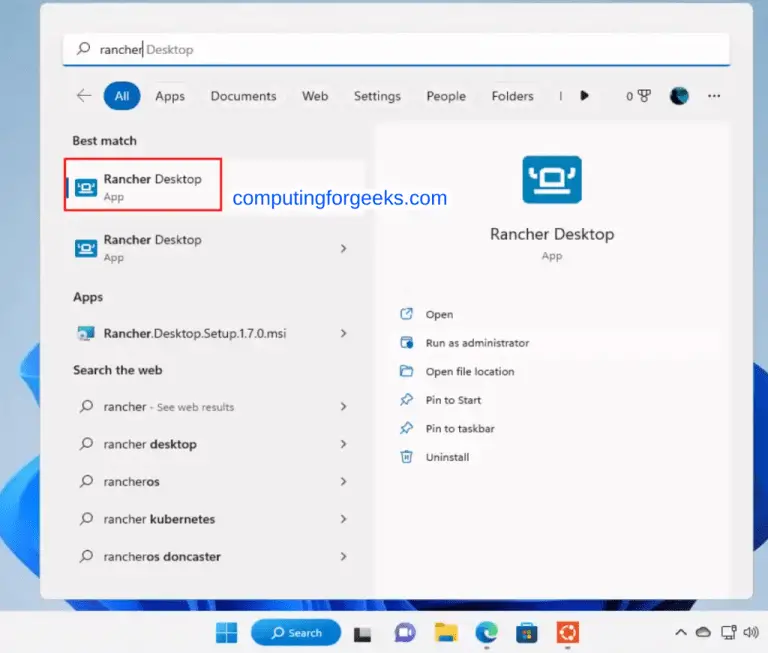
kiri k8s start runs a single-node K3s cluster inside one Kiri container, a quicker alternative to the VM-based setup in our Rancher Desktop guide when all you need is a local API server. It writes a kiri context into ~/.kube/config:
time kiri k8s start
kiri k8s status
The first start pulled rancher/k3s:v1.37.1-k3s1 and had a Ready node in 16.6 seconds on Ubuntu (14.9 seconds on Rocky). Inside the K3s container the pods still run on the containerd bundled with K3s and runc shims, so this is Kubernetes on Kiri, not Kubernetes using Kiri as its runtime:

Two things are missing. kubectl is not bundled, so which kubectl returns nothing until you install it yourself, and in the meantime docker exec kiri-k8s kubectl get pods -A works. The cluster also costs about 459 MiB, so it erases the memory gap to Docker on a small VM. kiri k8s stop (4.5 seconds) keeps its state, and kiri k8s delete removes it.
Step 6: Check SELinux and firewalld on Rocky Linux 10
Kiri ran under SELinux enforcing without a single AVC denial, but for an unflattering reason: nothing confines it. The daemon runs as unconfined_service_t, the generic type systemd gives services without a policy module, and the containers inherit that same type instead of container_t. The capture below shows the labels, with the root-equivalence check at the end:

The test file came from mkdir -p ~/data; echo hi > ~/data/f. The :Z volume option is accepted and does nothing: the file keeps its user_home_t label, where Docker or Podman would relabel it to container_file_t. And a member of the kiri group read the first line of /etc/shadow (hash redacted here) through a bind mount. On a Rocky box where SELinux is part of your container isolation story, Kiri gives you none of it.
Firewalld fared better. The Google Cloud image ships with the trusted zone as default, so we switched the interface to public before testing. With an nginx container publishing port 8080, Kiri adds its own nftables table and leaves kiri0 in no firewalld zone:
docker run -d --name web -p 8080:80 nginx:alpine
curl -sI localhost:8080 | head -1
sudo firewall-cmd --get-zone-of-interface=kiri0
sudo nft list table ip kiri
The curl gets HTTP/1.1 200 OK, firewalld answers no zone, and the Kiri table shows the masquerade bound to one interface plus a DNAT rule for the published port:
table ip kiri {
	chain postrouting {
		type nat hook postrouting priority srcnat; policy accept;
		oif "eth0" masquerade
	}

	chain forward {
		type filter hook forward priority filter; policy accept;
		oifname != "kiri*" accept
		ct state established,related accept
		ct status dnat accept
		iifname "kiri0" oifname "kiri0" accept
		drop
	}

	chain input {
		type filter hook input priority filter; policy accept;
		iifname "kiri*" ip daddr 127.0.0.0/8 ct state ! established,related ct status ! dnat drop
	}

	chain prerouting {
		type nat hook prerouting priority dstnat; policy accept;
		fib daddr type local ip daddr != 127.0.0.0/8 tcp dport 8080 dnat to 172.17.0.2:80
	}

	chain output {
		type nat hook output priority dstnat; policy accept;
		fib daddr type local ip daddr != 127.0.0.0/8 tcp dport 8080 dnat to 172.17.0.2:80
	}
}
With the public zone active, a container still reached the internet, curl localhost:8080 returned 200, and a second VM reached port 8080 on the first even though public does not open 8080. All three still worked after systemctl restart firewalld. So, as with Docker, a published port bypasses your firewalld zone, and the masquerade only covers eth0. Traffic to a Tailscale or VPN interface would leave unmasqueraded, which is the Fedora half of bug #261; we had no VPN on the Rocky VM to test it.
Step 7: Fix container networking when Docker CE shares the host
Bug #261 on the Kiri tracker was opened on Fedora 44, and a later comment reports the same silent failure on Ubuntu 26.04 with Docker 29 installed. We reproduced it on the Docker CE benchmark VM after adding kiri-lite.
wget: bad address ‘example.com’ from Kiri containers
Images pull fine, because the daemon pulls on the host, but anything inside a Kiri container that needs the network fails: DNS lookups time out and pings to 1.1.1.1 lose every packet. Docker CE containers on the same host keep working. Docker sets the iptables FORWARD policy to DROP, and an accept in the Kiri nftables table does not stop the Docker FORWARD chain from dropping the same packet. Two rules in the DOCKER-USER chain let the Kiri bridge through:
sudo iptables -I DOCKER-USER -i kiri0 -j ACCEPT
sudo iptables -I DOCKER-USER -o kiri0 -m conntrack --ctstate RELATED,ESTABLISHED -j ACCEPT
Both the failure and the recovery ran on the same host, through the Kiri socket:

After the two rules, wget fetched example.com, the ping returned, and a Docker CE container on the same host still reached the internet. We tested the rules on kiri0, the default bridge, only. A reporter on #261 says Compose networks get kiri1, kiri2 and so on, so on a host that runs Compose stacks write the interface as kiri+ in both rules, the way the Kiri nftables rules already match kiri*. The issue also links #247, which reports the same drop on a host running ufw. Persist the rules with your usual iptables tooling, because they vanish on reboot.
Is Kiri production ready?
No, and the vendor does not claim it is. The repository is two weeks old, the release is 0.2.1, and the Linux packages are tested in CI on Ubuntu 24.04 and Fedora 44 only, so Ubuntu 26.04 and Rocky 10 are untested by the vendor. What we found on top of that puts it in the developer-workstation column for now:
- Isolation: no SELinux confinement for containers,
:Zignored, anddocker infolists onlycgroupnsunder Security Options, so audit tools that read that field see no seccomp or AppArmor profile reported, even though the docs say each container gets capabilities and a seccomp filter. - Networking: #261 is open with no maintainer reply, and the masquerade follows the default route read once at engine start.
- Operations: the package repository is in the release notes but missing from the setup docs, and an upgrade needs an engine restart that stops every container.
As a Docker alternative on a Linux laptop or a CI runner that starts thousands of short-lived containers, it is already worth trying, and kiri-lite next to Docker CE is a low-risk way to do it once the iptables fix is in. For servers, stay with Docker CE or Podman; our list of Docker Engine alternatives covers the mature options. If that laptop is an Ubuntu 26.04 desktop, the lab-tested Ubuntu Desktop 26.04 guide walks through the rest of the developer setup, from Chrome and Node.js 24 to Docker and KVM.
What to watch in the next Kiri releases
Kiri ships fast (0.2.0 and 0.2.1 landed five days apart), so most of what held it back here may change within weeks. These are the measurements and behaviours we will recheck on each release before changing the verdict above:
| Watch | State in 0.2.1 | What would change our view |
|---|---|---|
| Warm start vs Docker CE | 69.5 ms vs 349.2 ms | Any regression above 100 ms as features land |
| Idle engine memory | 3.6 MB, 82 MB after builds | A built-in builder instead of a BuildKit container |
| Bug #261 | Open, reproduces next to Docker CE | Masquerade by source subnet and a firewalld zone for kiri* |
| SELinux | unconfined_service_t, :Z ignored | A policy module that runs containers as container_t |
| Service after install | Disabled until kiri host-access | Docs and install script output that match the package |
| Package repository | Answers, in the 0.1.15 notes only | Linux docs that document the apt and dnf repo |
| containerd column | ctr only, no Compose or build; nerdctl run blocked | A nerdctl-full run on the same VM size to fill the Compose and build rows and replace the floor start numbers |
If you move a Compose project over to test it, the commands are the same ones in our Docker Compose install guide, and the DOCKER_HOST or context switch is the only change. Rerun the warm-start test from the method section on your own hardware before you trust our ratio, because a 2 vCPU cloud VM flatters the engine with the least work per start.