@GitHub in Slack and Teams is generally available and more
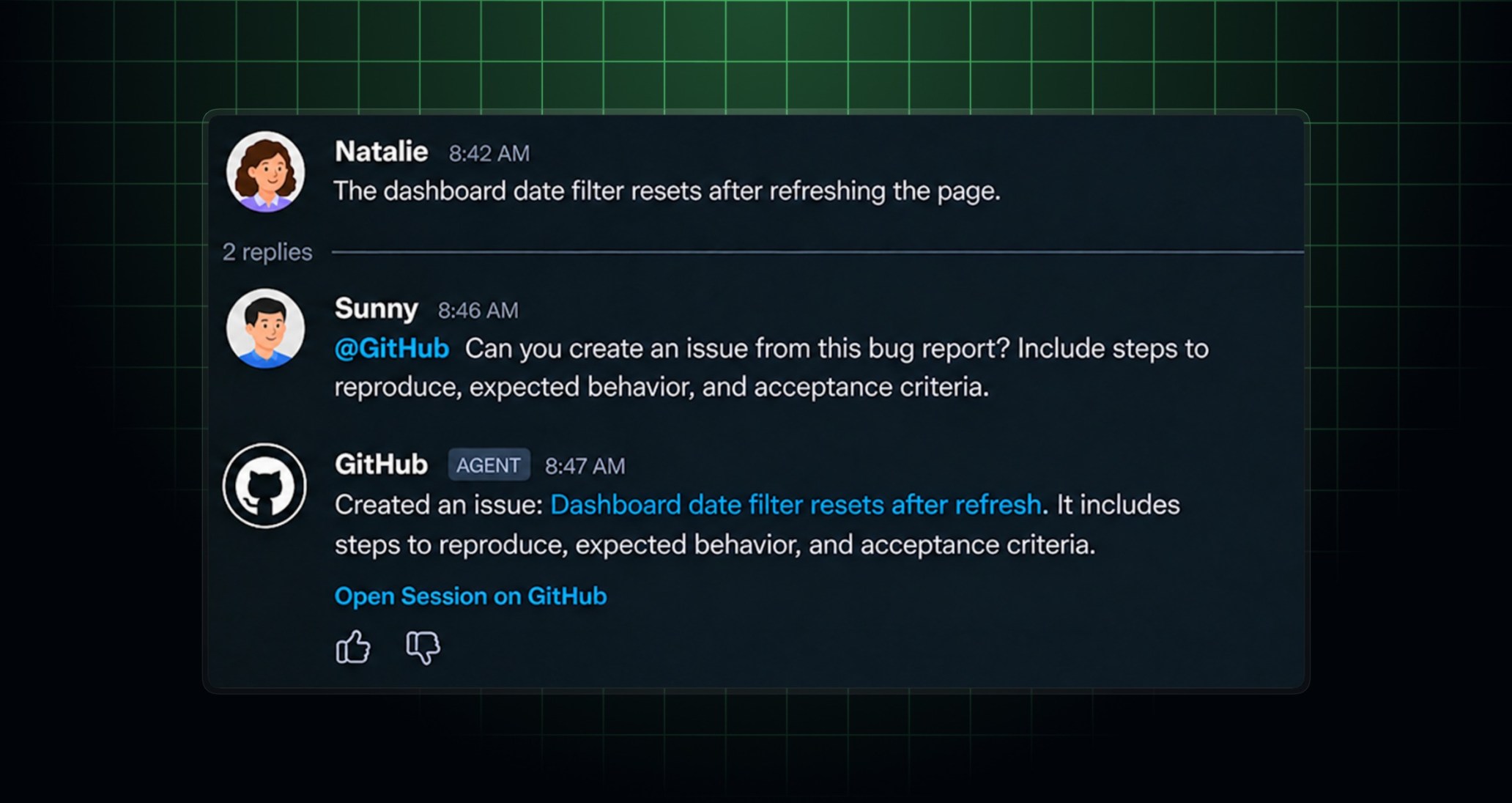
Turn conversations into code with @GitHub in Slack and Teams! Investigate bugs, create issues, implement changes, and open pull requests—all without leaving your conversation.
What’s new
Build and review together with Canvas in Teams
Turn team discussions into working code. With Canvas, you can review implementation plans, code changes, and previews alongside your conversation. Continue the discussion with teammates, share feedback, and refine the implementation together—all without leaving Teams.
Additional improvements
- Faster onboarding: Go from request to coding session with fewer steps.
@GitHubnow identifies the repository from your message and launches your session without requiring you to select it again. Getting started is also easier when you’re not signed in, don’t have a default repository, want to switch repositories, or need app access. -
More reliable conversations: Fixed an issue that could prevent responses to follow-up messages, helping you keep work moving.
-
Clearer attribution: Issues and pull requests created by
@GitHubnow include “Created from a Slack/Teams conversation with @username” in their description.
Get started
Try @GitHub in Slack or Teams.
Join the discussion in the GitHub Community.
