Repository navigation
Releases
DroidDeck 0.7.1



DroidDeck is 100% open source. No ads. No telemetry. No proprietary components. No source withheld.
0.7.1 is a fix release for 0.7.0. Since 0.7.0, 4 people sent 33 pull requests, and 2 of them are first-time contributors. It fixes Steam launches that hung at "Processing install script", the endless loading screen after quitting a game and colour on PowerVR, plus GOG DLC and a new launcher theme.
Features
- Added the Scarlet snow launcher theme, DroidDeck’s first light theme. (@EnzoDLofi, #2262)
- Added left and right picture alignment next to top and bottom. The controller pointer and direct touch follow the moved picture, also with glasses. (@EnzoDLofi, #2384)
- GOG installs the DLC you own, and the GOG search reaches GOG’s whole catalog. (@maxjivi05, #2348, #2296)
Fixed
- Fixed Steam games stuck at “Processing install script” or a download that never finishes, and the black screen with “Abort game” after quitting, which started in 0.7.0. (@xXJSONDeruloXx, #2303)
- Fixed a game launched from DroidDeck stalling at Steam’s launch screen: DroidDeck now waits for Steam to be ready. (@maxjivi05, #2362)
- Fixed an endless loading screen after a game exits back to Steam. (@maxjivi05, #2359)
- The bottom-screen Dashboard’s Notifications page is removed, so DroidDeck no longer asks to read your notifications. (@xXJSONDeruloXx, #2342)
- Fixed grayscale Steam and games on PowerVR (Pixel 10 Pro and Pro XL) since the Ubuntu 26.04 runtime. (@maxjivi05, #2287)
- Fixed games that need EasyAntiCheat never starting: Linux-only tools such as the Proton EasyAntiCheat Runtime keep their native platform. (@maxjivi05, #2313)
- Fixed a Proton picked in Steam, such as Proton Experimental, being switched back to DroidDeck-Proton, and store apps launched before Steam opens reporting that no Proton is installed. (@maxjivi05, #2284, #2392)
- Fixed games failing with
c000007bafter an installer put an x64 system DLL into an ARM64 prefix. (@maxjivi05, #2318) - Fixed emulators and other AppImage, Flatpak and Snap programs rendering through system memory on Adreno. They get the game GPU setting, and Flatpak apps open their window instead of playing audio only. (@maxjivi05, #2288, #2295, #2391)
- Fixed Linux emulators that run guest code natively hanging on launch. (@maxjivi05, #2279)
- Fixed Firefox tabs crashing and the desktop browser hanging in the Desktop session. (@xXJSONDeruloXx, @maxjivi05, #2360, #2304)
- Fixed taps on pop-up dialogs and windows away from the screen’s top-left corner doing nothing. (@maxjivi05, #2280, #2285)
- Fixed direct touch with Relative mouse: Auto turning taps into small mouse movements when no mouse is connected. (@maxjivi05, #2305)
- Fixed the Controls below the game tabs being cut off, which left the panel stuck on the trackpads. (@maxjivi05, #2302)
- Fixed GOG: owned games missing from the library since 0.6.0 are back, and install scripts’ support files reach the prefix, so modded editions start as installed. (@maxjivi05, #2296, #2294)
- Fixed stutter on devices with 13 GB of RAM or less: game memory the game reads straight back is no longer compressed again every 30 s. (@maxjivi05, #2312)
- Fixed the frame graph jumping around on the bottom-screen Dashboard’s In-game stats. (@xXJSONDeruloXx, #2345)
- Fixed smaller things: programs whose allocator calls a hooked function at startup no longer abort with the input preload,
droiddeckctlworks on shells without thecontentcommand such as the Retroid Pocket Duo’s, a full disk no longer crashes the app on an agent call, and ending a session without the graphics runtime pack no longer logs an error. (@xXJSONDeruloXx, @maxjivi05, #2361, #2321, #2325, #2316)
Community
These are everyone whose code is in 0.7.1:
| Contributor | Pull requests |
|---|---|
| @maxjivi05 | 22: Steam launch readiness, PowerVR colour, GOG DLC and library, AppImage and Flatpak GPU setting, dialog taps, EasyAntiCheat and more |
| @xXJSONDeruloXx | 8: Steam session bus, notification listener removal, Firefox in the desktop, droiddeckctl and more |
| @EnzoDLofi | 2: Scarlet snow theme, left and right picture alignment |
| @GiovanniCarbinatti | 1: README GPU support |
New contributors
- @EnzoDLofi made their first contribution in #2262.
- @GiovanniCarbinatti made their first contribution in #2311.
Built by Build APK run 42815058571 from cdff94e72c45da50af43bbceff28effaf0179caf, signed and published by Release APKs run 42816869913.
Contributors


Assets 8
DroidDeck 0.7.0

DroidDeck is 100% open source. No ads. No telemetry. No proprietary components. No source withheld.
Since 0.6.9, 39 people sent 194 pull requests, and 20 of them are first-time contributors. Our community is strongest when we can build together, and with DroidDeck 0.7.0, our community is about to get A LOT bigger!
0.7.0 introduces preliminary support for Mali, PowerVR and Xclipse GPUs! In addition, we now have GameJolt library and store, dual screen game mode + KDE Desktop, Syncthing integration, improvements for devices with low ram, customizable controller profiles and presets, hardware mouse & keyboard support, live wallpapers, and even more. Click the link in the comments below to... I mean scroll down to learn more:
Features

- Initial Mali, PowerVR and Xclipse support. DroidDeck detects the GPU and picks a driver for it, so these devices can run sessions, with MaliBridge and Venus on Mali and open driver pairs elsewhere. (@ASEbrahim, @mr-abccc, @The412Banner, @wallentx, @Leask, @stefanz92, @DavidCimo, @maxjivi05, @K11MCH1, @xXJSONDeruloXx, #1587, #2027, #1950, #2029, #2157)


- Added the KDE desktop on the bottom screen beside a Steam session or a game, next to Dashboard, Keyboard + trackpad, Terminal and Deck grips. (@xXJSONDeruloXx, #1966)
- Added swap screens: play on the bottom screen while the top screen shows the Dashboard or the desktop. Use the swap button in the panel bar or Show the game on in the session menu. (@The412Banner, #2006)

- Added shared Steam libraries with other pc gaming apps. DroidDeck can now find Steam libraries that other apps already made on your internal storage or card and suggests them, each with its game count, so one install of a game can serve both apps. You can add up to four more libraries beside internal storage and the card, rename them, and remove them any time. (@xXJSONDeruloXx, #1967, #2023, #2054)

- Added the Game Jolt store: browse, search, install, update and keep a library, in the same style as itch.io. (@FX192, #1986, #1989)

- Added built-in Syncthing, so you can sync saves and games from DroidDeck’s own storage without another app. (@superboo07, #1442)

- Added bottom-screen Dashboard for dual-screen handhelds like the Retroid Pocket Duo and AYN Thor: downloads, notifications, screenshots, Steam chat with voice controls, and In-game stats that draw a racing game’s own speed, gear, rpm and pedals from its data output. (@The412Banner, #1920, #1933, #1968)


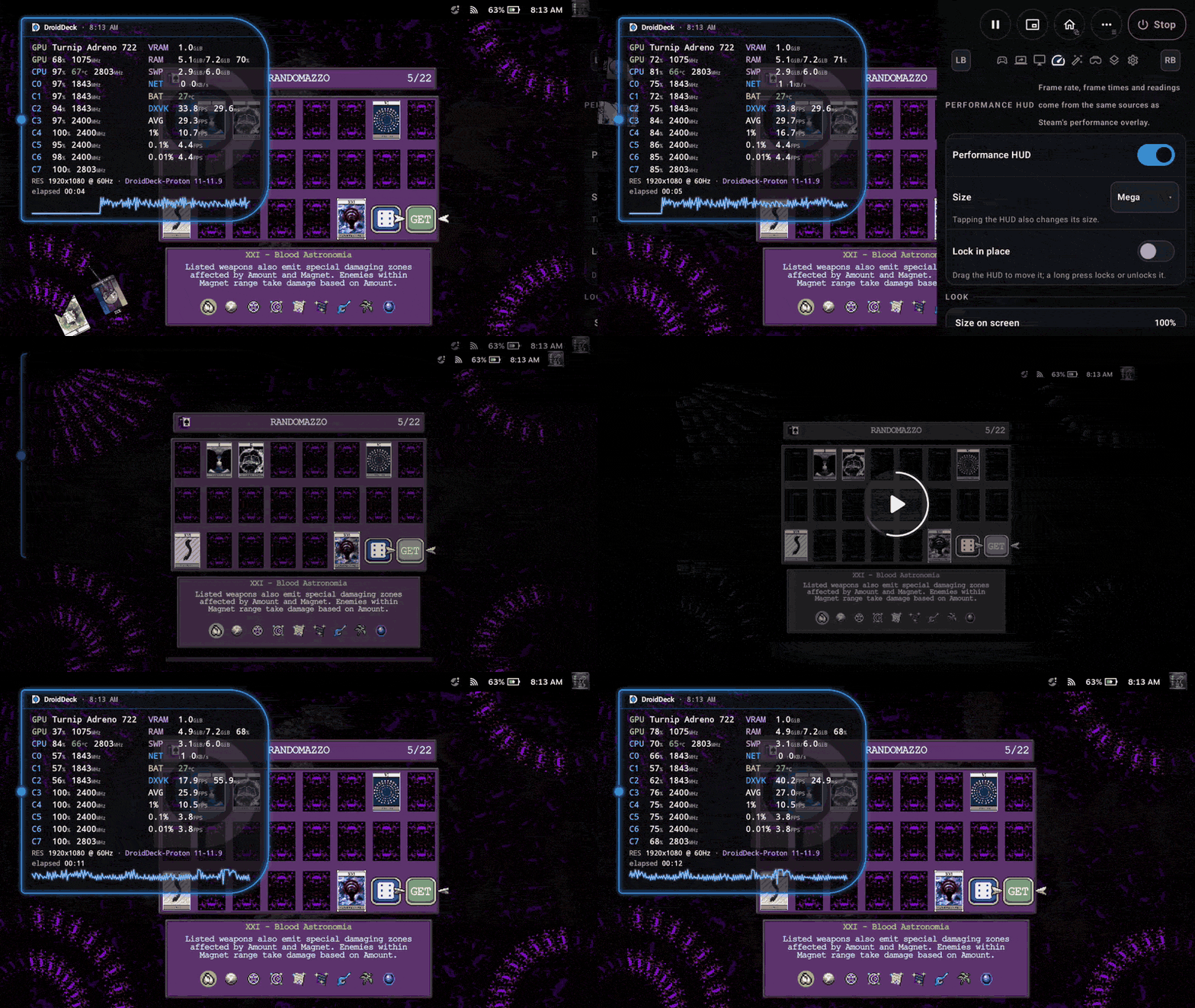
- Added a Horizontal DroidDeck HUD Style: one line across the top or bottom edge with FPS, frame-time graph, lows, GPU, CPU, VRAM, RAM, battery and the clock. All DD HUDs can now shrinks into its tab as you drag it off an edge and snaps to the sides. The Strip is lighter to draw. (@xXJSONDeruloXx, @The412Banner, @KeegantheVeganat0r, #1935, #1937, #1982, #2194, #2235)
- A hardware mouse and keyboard work like a PC: the camera no longer freezes in games that hide the cursor, the cursor shows in Steam sessions, and clicks land where you point. (@maxjivi05, #2053, #2133, #2139)

- Added unified controller profiles for Game and Desktop sessions: named profiles combine a physical controller layout with main and second screen layouts, with one full-size editor for both screens and a profile picker in the session menu. (@Delete228, @maxjivi05, @xXJSONDeruloXx, #1439, #2215, #2221, #2238, #2242)
- Added Startup choices: Never, Steam or Desktop. (@xXJSONDeruloXx, #1993)
- Added a low-storage warning switch, and an Android keyboard for game text fields setting for dual-screen sessions, off by default so Steam keeps its own keyboard. (@xXJSONDeruloXx, #2244, #2236)
- Added live wallpapers to Android’s wallpaper picker. (@xXJSONDeruloXx, #2012)
Improvements
- Auto picks DD-Turnip on Adreno 7xx, and the upstream RADV pair on Xclipse 950 and 960. Auto follows the published table on Adreno 6xx and 8xx, and a driver source that is down no longer changes the pick. (@maxjivi05, @xXJSONDeruloXx, #1978, #2158, #2151, #2233, #2255, #2226)
- A configurable stick dead zone for physical controllers, 0 to 25%. (@vitamin663-sys, #1780)
- The drawer’s frame limit works in desktop mode, up to 165 fps. (@K11MCH1, #1885)
- Faster Steam: compatibility mapping and app info load in batches, and Steam shows cached library art when it starts without a connection. SD and USB libraries answer missing-file checks from a directory cache. (@ddd-ms, @xXJSONDeruloXx, [#1755](https://github.com/Droid-D...
Contributors


Assets 8
DroidDeck 0.6.9

DroidDeck is 100% open source. No ads. No telemetry. No source withheld.
Since 0.6.7, 5 people sent 60 pull requests. 30% of the pull requests came from the community. Thank you to everyone who sent code, translations, device testing and bug reports. This is a bug fix release: most of it fixes what you reported after 0.6.7.
Fittingly for 0.6.9, the top and bottom screens on the Pocket Duo and AYN Thor have finally stopped fighting for dominance and learned to work together.
0.6.9 in 30 seconds
- Dual-screen handhelds like the Retroid Pocket Duo and AYN Thor no longer show “DroidDeck isn’t responding”, no longer jump back over other apps, and keep the bottom-screen panel you picked
- Steam stops restarting at every start to import added games, and asks first
- Steam’s UI runs at the full refresh rate again, with the heat fix kept, and a session left in picture-in-picture drops to 30 fps to save battery
- Cutscenes play again with DroidDeck-Proton, and the x86-64 Steam client starts again on the Ubuntu runtime
- Windows components survive runtime updates, and the Linux runtime updates by itself
- Xbox games run from their own folder again, so Doom 64 and Unity games start
- Banking apps open again: Android listed DroidDeck’s optional Home button accessibility service even while it was off, which some banking apps block. It never reads your screen
- New: controller button shortcuts, launch options for Steam games in DroidDeck, a frame limit for games started without Steam, and a DroidDeck HUD you can pinch to resize and dock as an FPS tab
Features
-
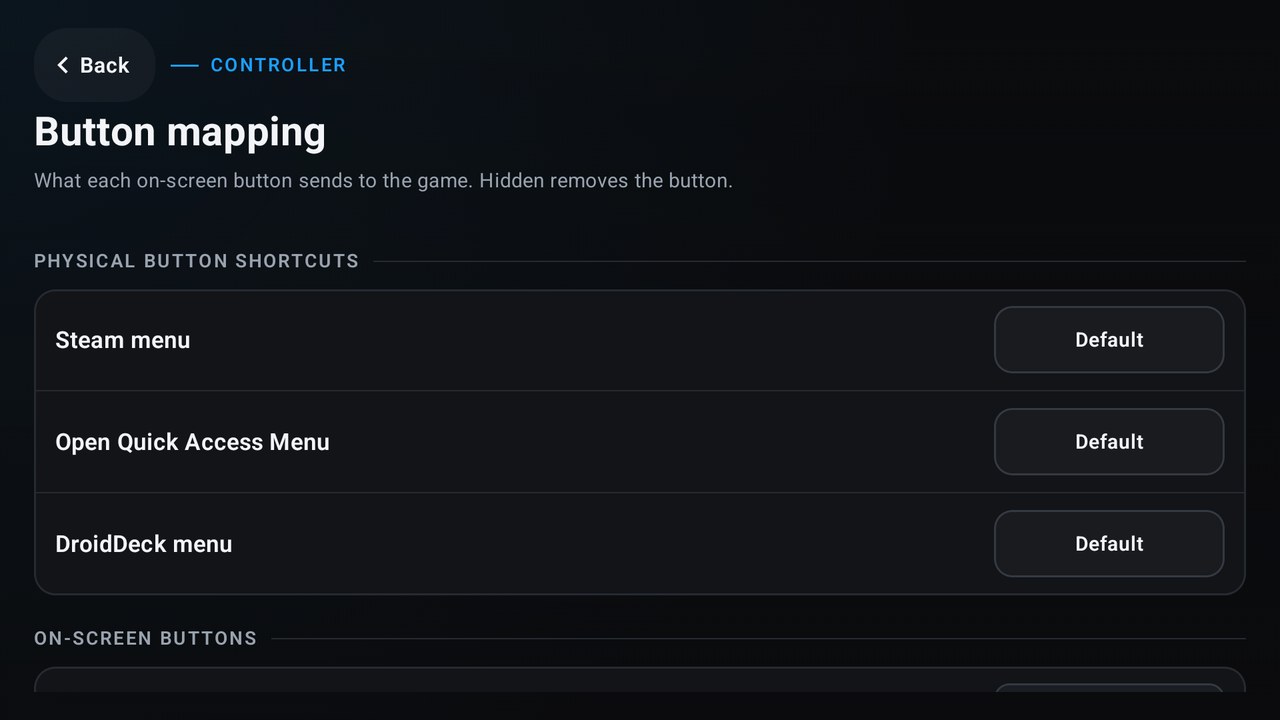
Added controller button shortcuts: physical buttons can open Steam, Quick Access or DroidDeck’s menus, set per controller, with a reset. Buttons you leave unassigned work as before. Find them in Setup > Controller > Button mapping. (@jmarti326, #1202)
-
Added launch options for Steam games to a game’s Edit screen (the pencil on its page), so you can set options such as
-dx11without opening Steam. They are the same launch options as in Steam’s Properties: a change in either one shows in both. (@K11MCH1, #1888) -
Added a Frame limit for games started without Steam, on the Display page of the session drawer: Off, 30, 40, 45, 60, 90 or 120 fps. It applies live and lasts for the session. Steam games keep Steam’s own Frame Limit. (@xXJSONDeruloXx, #1813)
-
The HUD is now DroidDeck HUD. Pinch with two fingers to resize it from 50% to 200%, and drag it past a screen edge to dock it as a small FPS tab. (@xXJSONDeruloXx, #1868)
-
x86_64 Flatpak apps run through FEX. The r2modman bundle starts and loads its list of 334 games on a RedMagic Astra 2, and Flathub installs fall back to an app’s x86_64 build when it has no ARM one. A bundle built for an architecture DroidDeck cannot run is refused with a clear message before it downloads. (@maxjivi05, #1875, #1873)
-
The Linux runtime updates by itself when a new one is out, never during a game or desktop session. (@maxjivi05, #1787)
-
itch.io updates download as patches for games with butler builds, instead of the whole game again. (@FX192, #1829)
-
The desktop’s fastfetch shows the DroidDeck mark as its logo. (@xXJSONDeruloXx, #1778)

Improvements
- .NET games start faster: they keep the FEX preset’s multiblock setting, so Stardew Valley starts in 45 s instead of 85 s on the Retroid Pocket Duo. (@maxjivi05, #1880)
- On low-memory devices, Battle.net is compressed with the Steam client while one of its games runs. Battle.net.exe alone used 345 MB on the Retroid Pocket Duo. (@maxjivi05, #1882)
- Steam’s Sleep after timers start every session as Disabled, since Android decides when the device sleeps. New Steam installs start with shader pre-caching off. (@xXJSONDeruloXx, #1848, #1861)
- The Library starts with portrait covers on new installs, and the Steam home drops its “Runtime installs on first Play” chip. Your saved layout is kept. (@xXJSONDeruloXx, #1857, #1854)
- A USB drive that is mounted but unreadable, as on some Samsung phones, now explains itself and opens the All files access page, from the side rail too. (@maxjivi05, #1872)
- Translations: every string added since the last pass is in all 32 languages. (@maxjivi05, #1855)
- Building and testing DroidDeck: test and local builds show a faint PR, commit and title watermark, and the required-check tests match the CI gate. (@xXJSONDeruloXx, @maxjivi05, #1863, #1864, #1866, #1874)
Fixed
- Fixed “DroidDeck isn’t responding” on dual-screen handhelds when input reached the bottom screen or the bottom screen took focus, which stopped controller navigation and RB/LB on the Stores tab. Seen on the AYN Thor and Retroid Pocket Duo. (@maxjivi05, #1806, #1871)
- Fixed dual-screen handhelds taking over other apps: DroidDeck no longer jumps back over apps opened from outside it, such as iisu, an app sent to the Primary screen stays in front, the update install prompt survives a bottom-screen tap, and the home launcher stays out of Recents. (@maxjivi05, @xXJSONDeruloXx, #1828, #1797, #1893)
- Fixed the bottom screen: it keeps the panel you picked, such as Trackpad or Terminal, across games, keeps DroidDeck’s controls up while a game loads, keeps the manual second-screen option when Dual screen is Off, and the Stop button no longer wraps letter by letter on the AYN Thor. (@maxjivi05, @xXJSONDeruloXx, #1803, #1840, #1777, #1805)
- Fixed the AYN Odin 2, Odin 2 Mini and Odin 2 Portal losing their side rail and Back menu: Automatic dual screen now needs a real second touchscreen. On Meta Quest the launcher opens as a landscape window. (@maxjivi05, #1801, #1893)
- Fixed games launched from a frontend such as Cocoon or iisu sitting on the home screen instead of starting. (@maxjivi05, @xXJSONDeruloXx, #1789, #1844)
- Fixed Steam restarting within seconds of every start to import added games, which cut off game shortcuts. DroidDeck now asks with Restart now or Later. (@maxjivi05, #1795)
- Fixed Steam’s UI lag and heat since 0.6.7 while keeping it at the panel’s full refresh rate, and a session left in picture-in-picture now draws at 30 fps, which saved about 1 W on a RedMagic Astra 2. (@maxjivi05, #1809, #1841, #1842)
- Fixed the performance HUD turning itself on: it is off by default again, and your own choice is kept. (@maxjivi05, #1807)
- Fixed cutscenes and in-game videos with DroidDeck-Proton: Resident Evil Revelations no longer waits forever on a loading screen and Kingdom Hearts HD 1.5+2.5 no longer crashes at cutscenes. (@maxjivi05, #1823)
- Fixed the Ubuntu runtime without the desktop installed: the x86-64 Steam client starts again and survives its first self-update, ARMSX2, melonDS and Cemu start, and Steam’s Browse buttons, smart-card and speech support and GPU info in Steam work. (@maxjivi05, #1825, #1793, #1802)
- Fixed **W...
Contributors

Assets 8
DroidDeck 0.6.7
DroidDeck is 100% open source. No ads. No telemetry. No source withheld.
Since 0.6.0, 28 people sent 210 pull requests, and 15 of them were first-timers. 68% of the pull requests came from the community. Thank you to everyone who sent code, translations, device testing and bug reports.
0.6.7 in 30 seconds
-
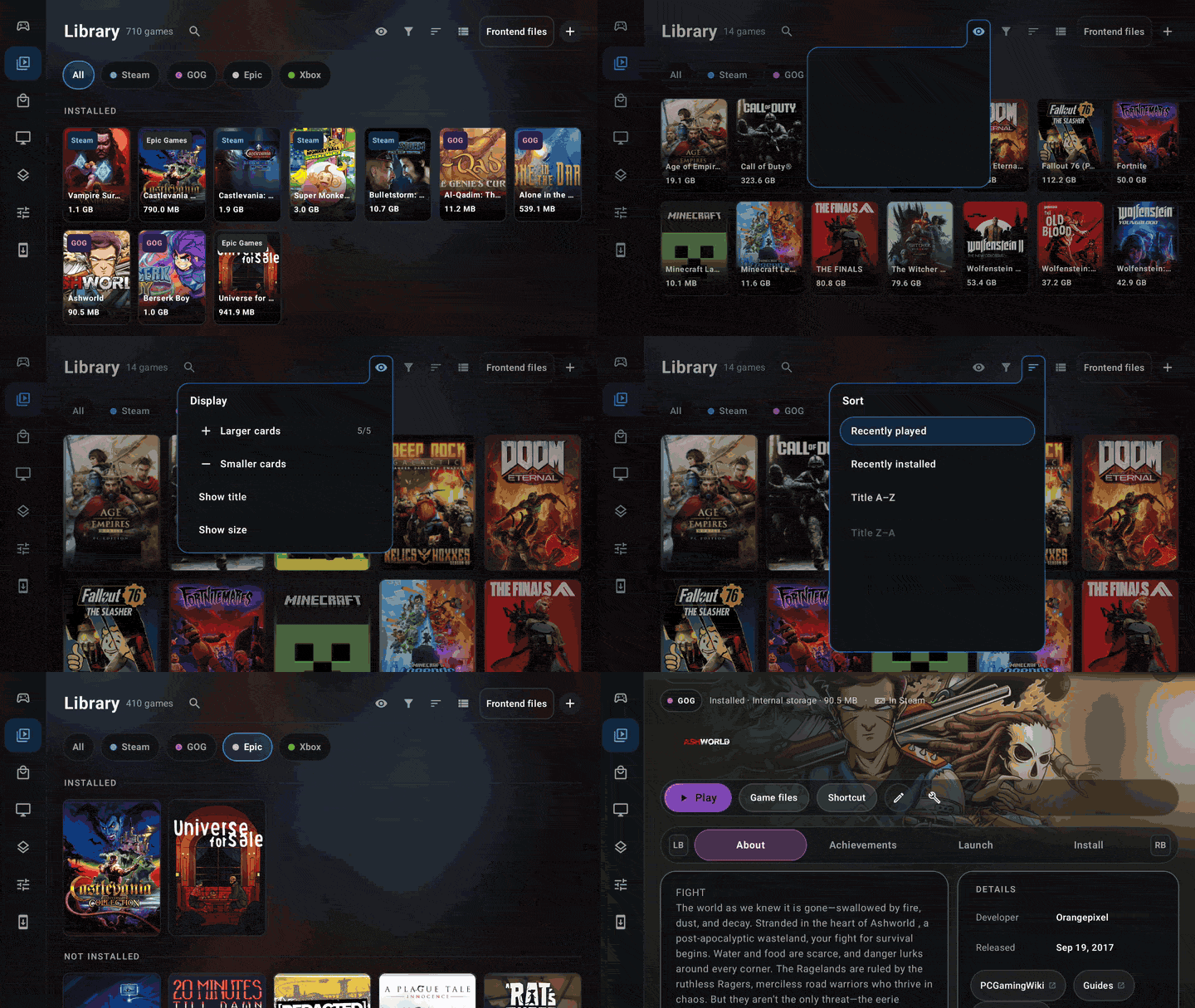
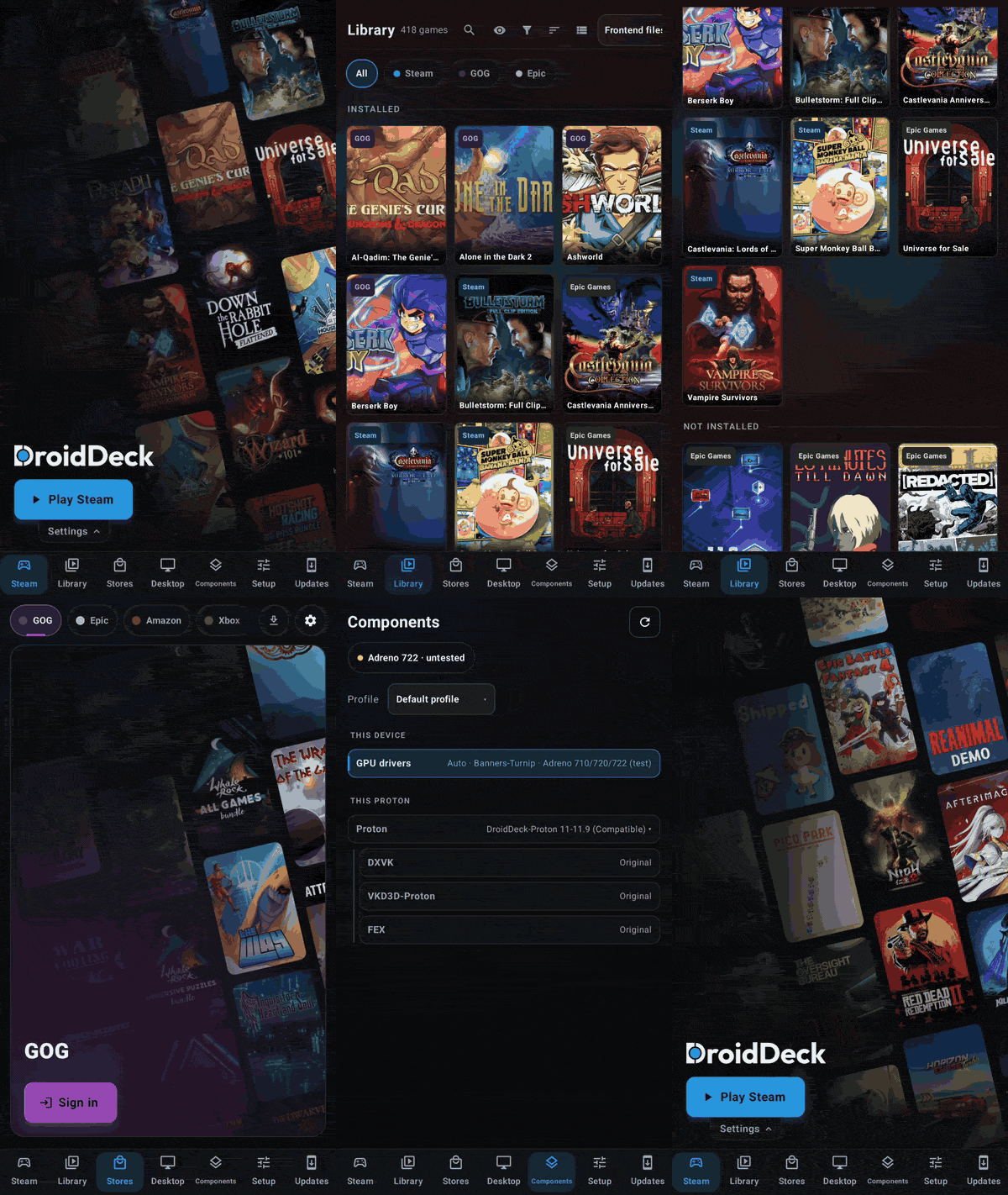
One Library for every game you own, with a new game page and art-first cards
-
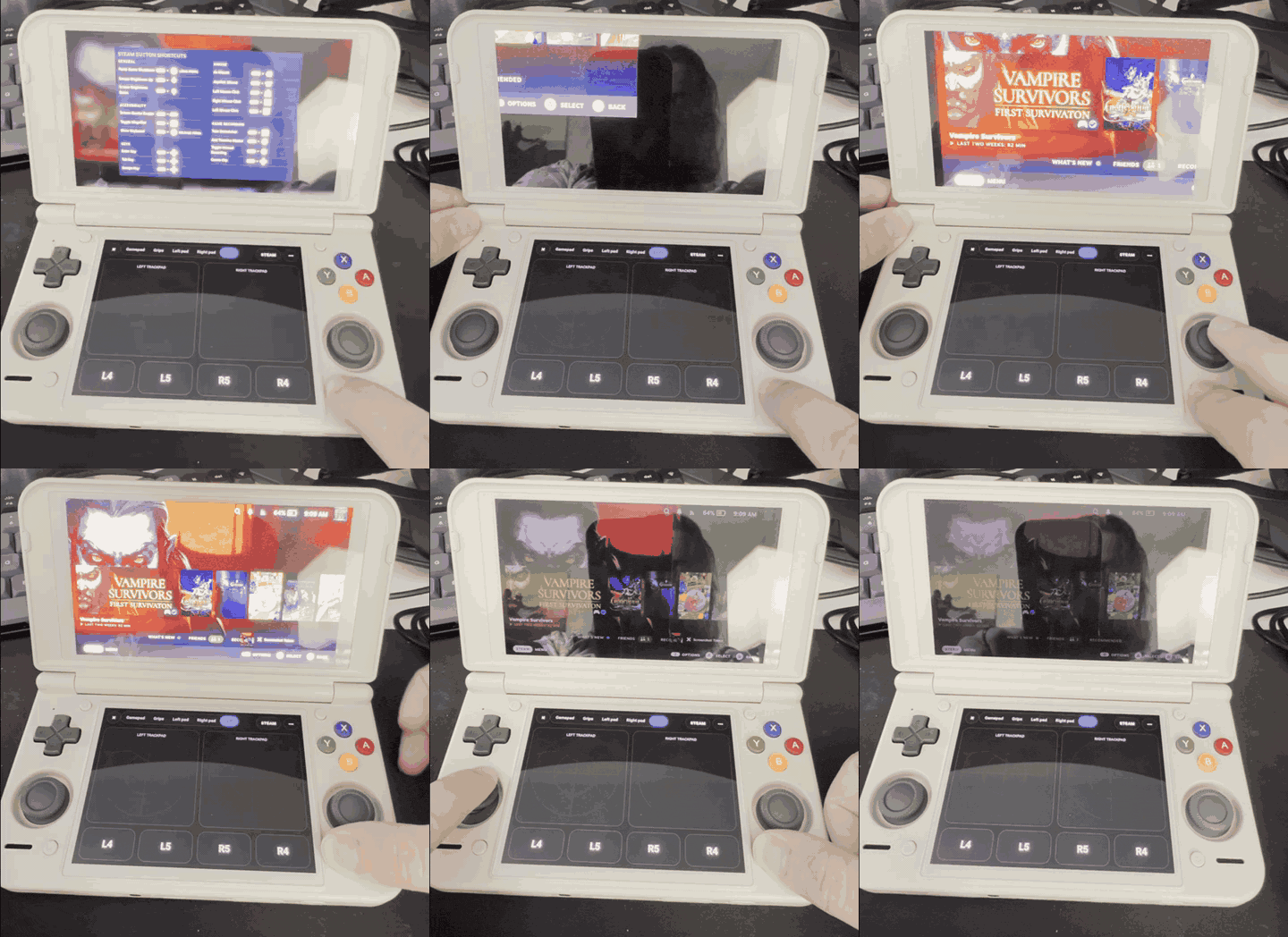
Handhelds that feel like a native SteamOS install: Steam’s brightness and volume sliders control the device, volume buttons show Steam’s indicator, and holding Back works as QAM for Steam Input chords
-
Sleep that actually sleeps: in overnight testing, a game left suspended lost only 2% battery
-
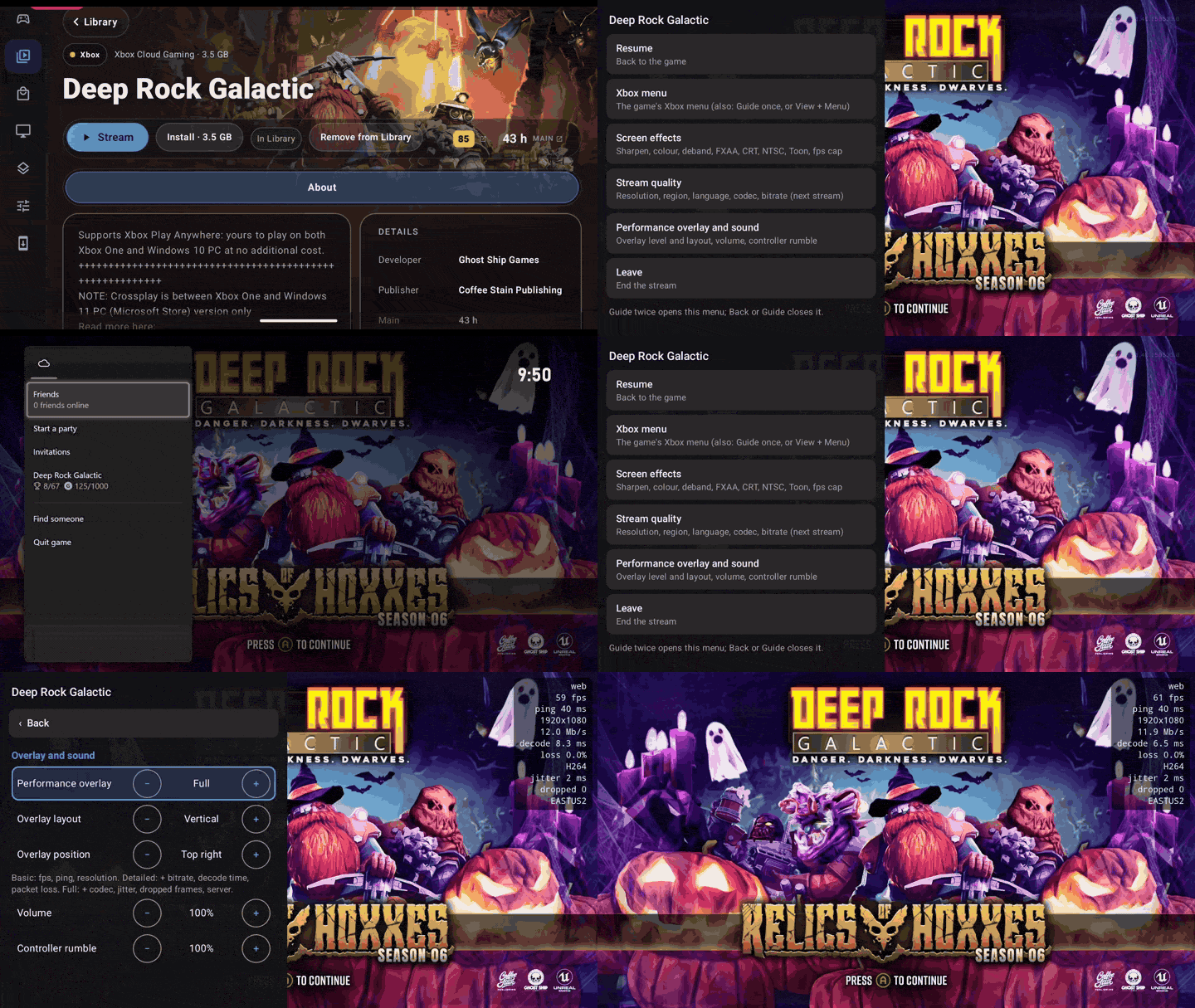
Xbox Cloud Gaming: stream a game straight from its page, with no install, and an optional native player with DroidDeck’s frame generation
-
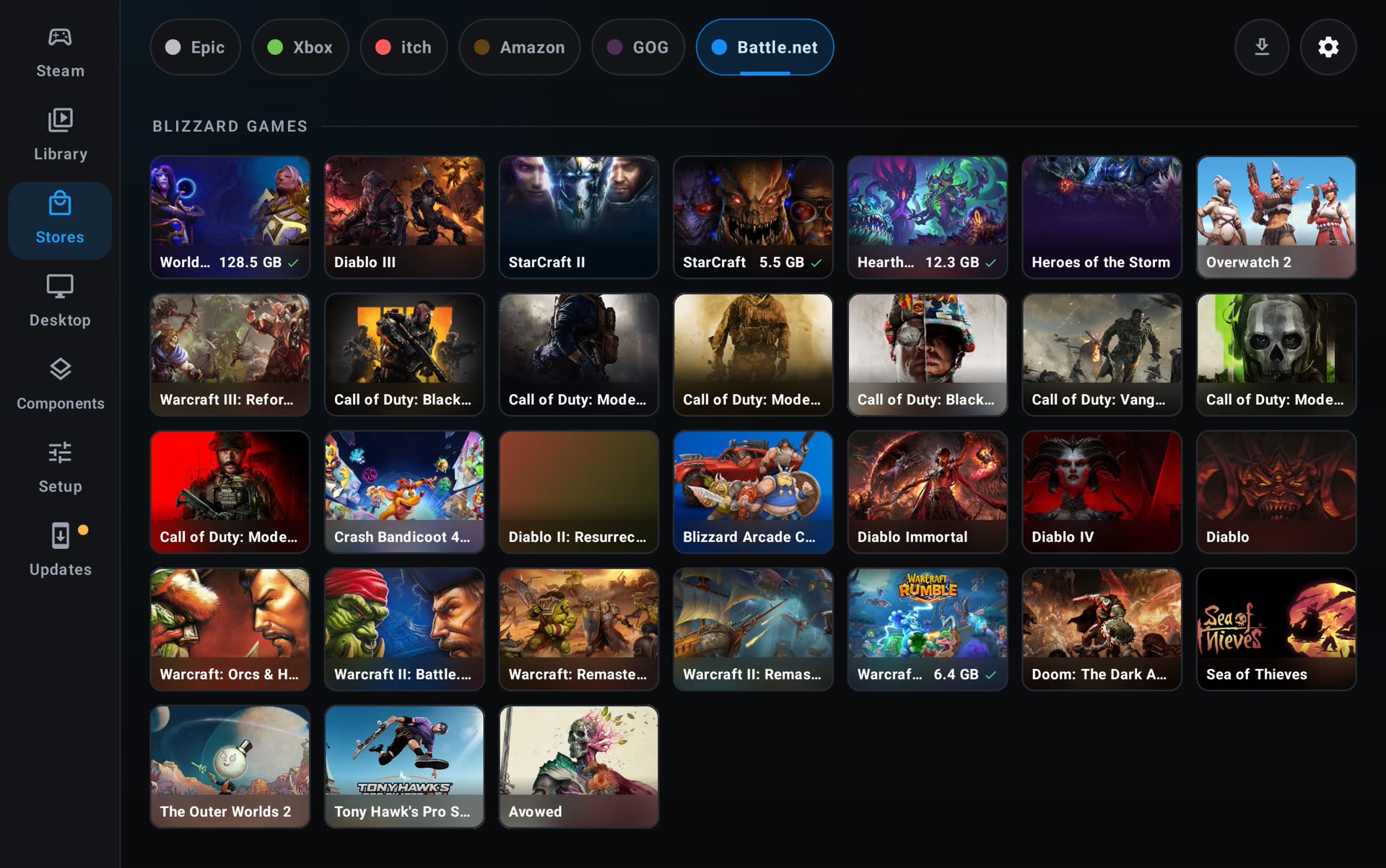
Battle.net as a store, with games installing straight from Stores
-
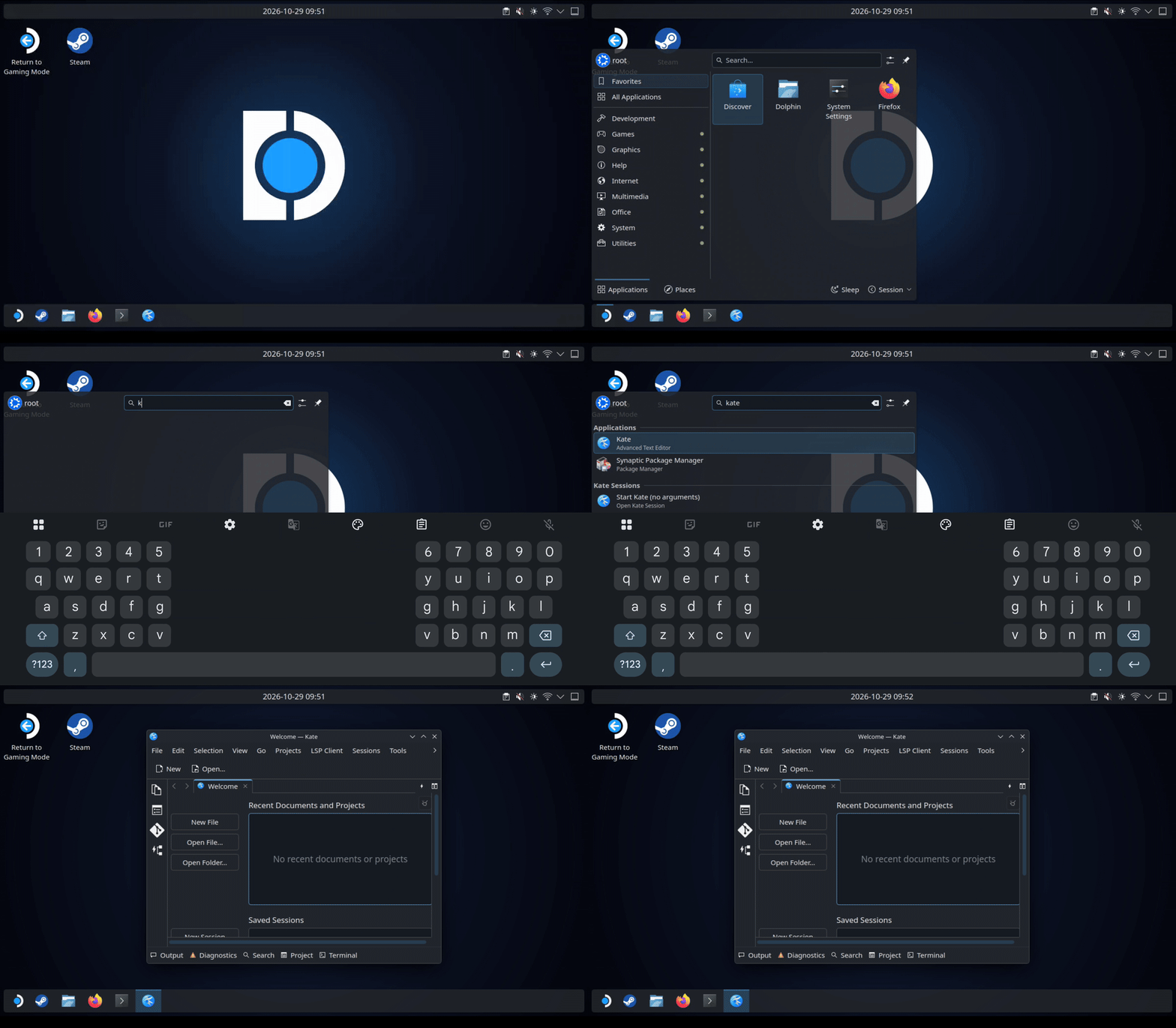
The full Ubuntu desktop experience: Ubuntu 26.04 LTS with Kubuntu’s Plasma, Discover,
apt, Flatpak and Snap. Your Android keyboard and your Android Downloads and Documents folders work right on the desktop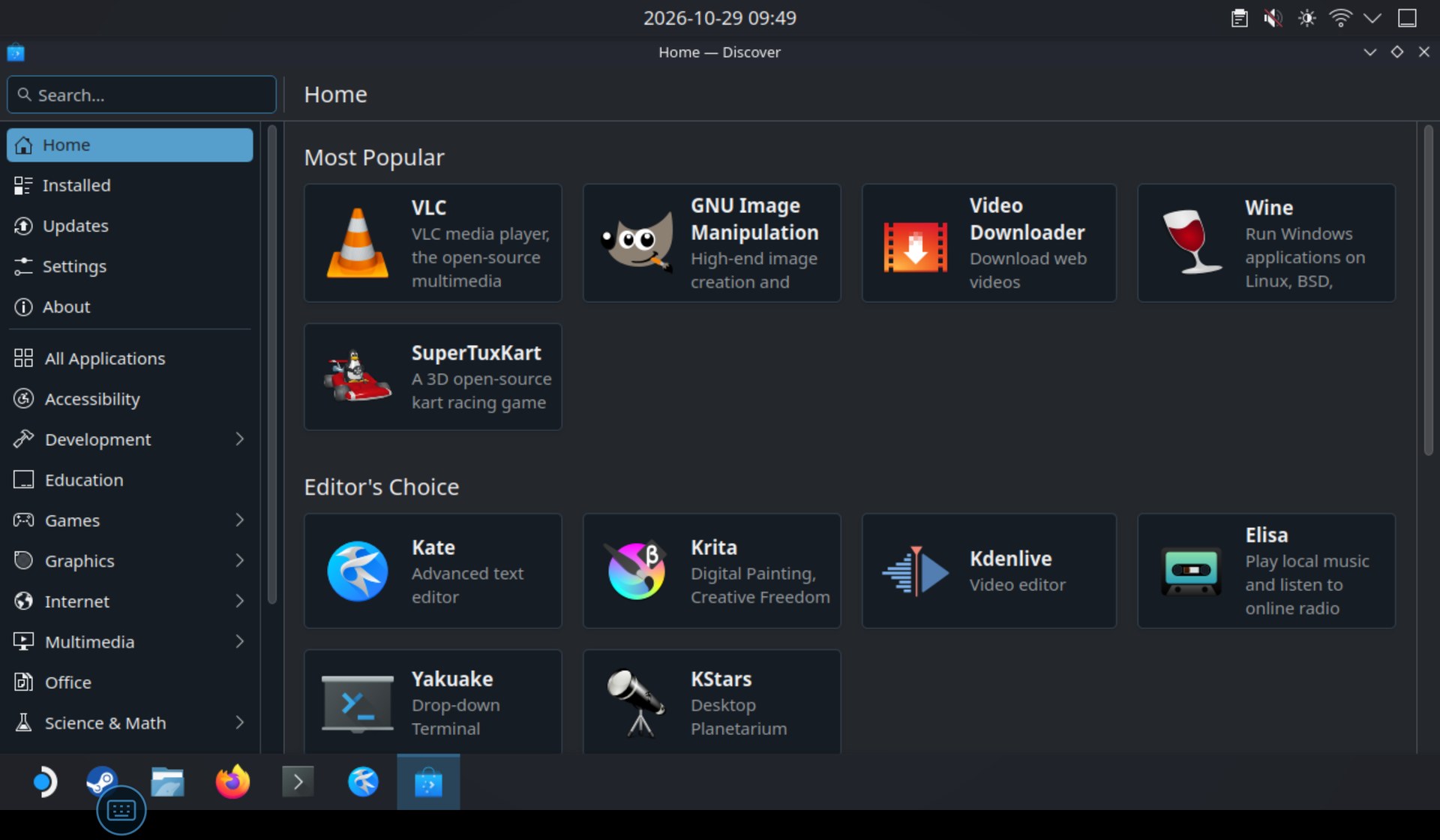
-
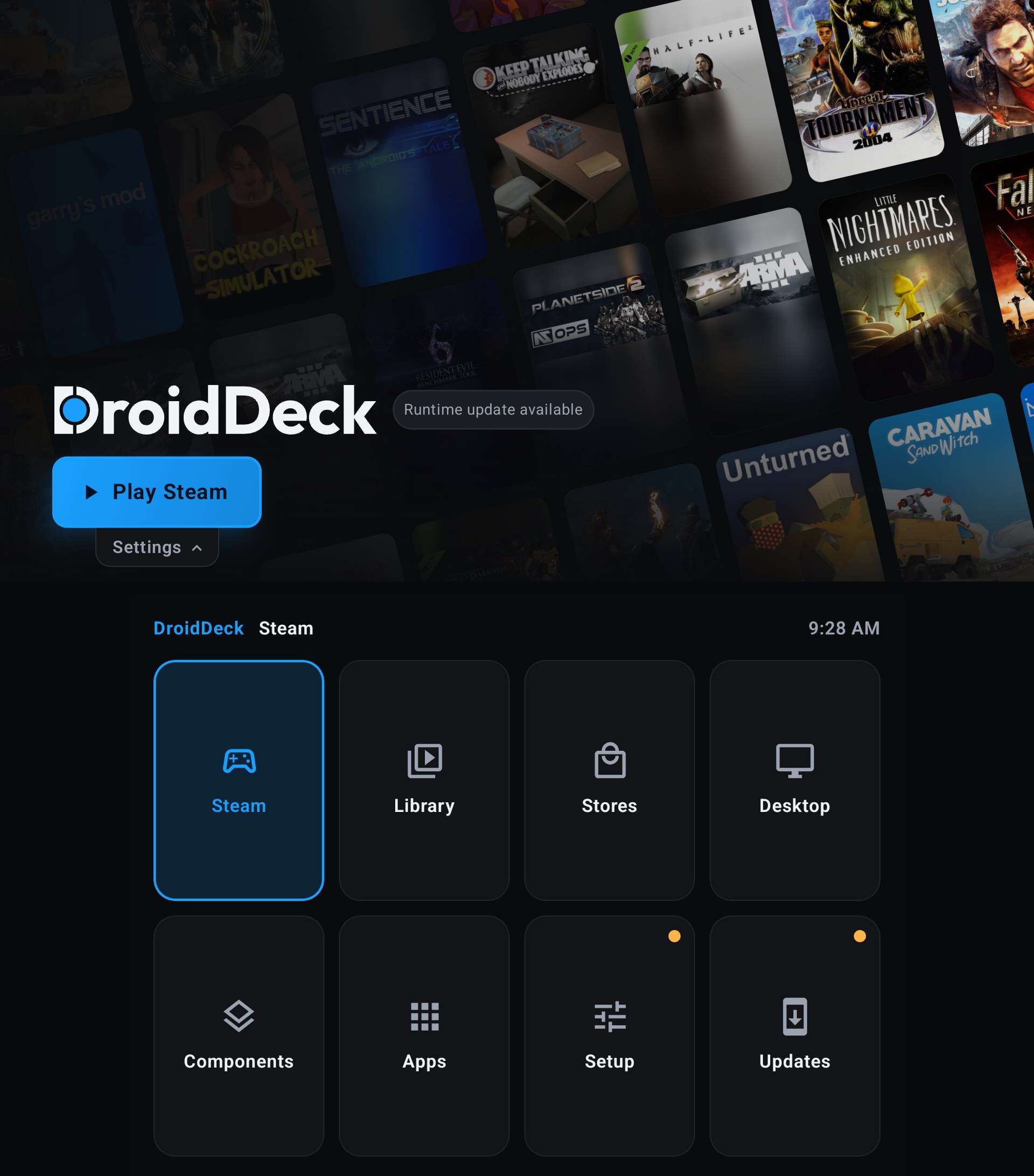
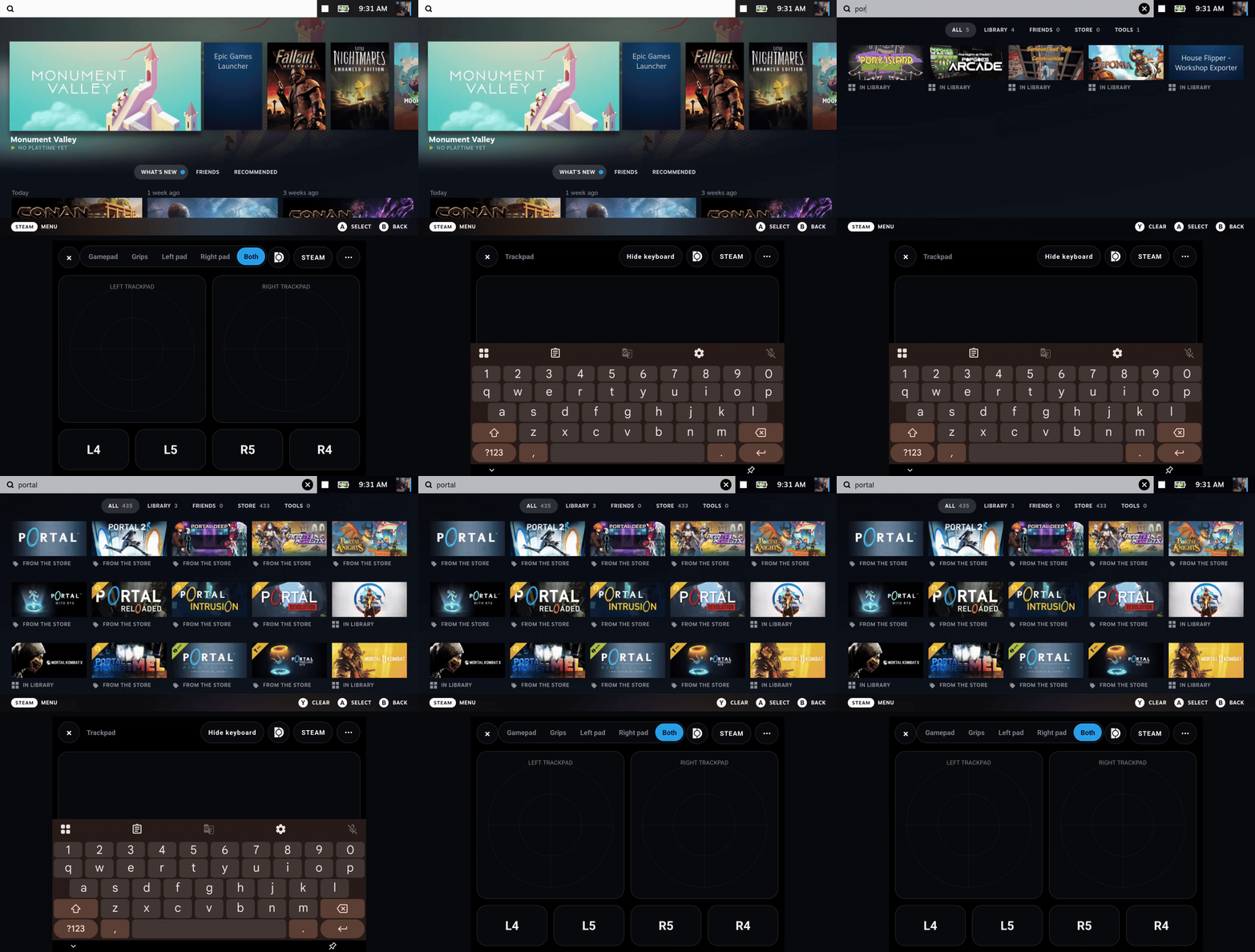
Dual-screen handhelds like the Retroid Pocket Duo and AYN Thor now use their second screen: the launcher’s menu and the keyboard move to the bottom screen while the top screen updates live, and the in-game menu can open there too
-
A much bigger itch.io store, and GOG updates, repair and offline patches
-
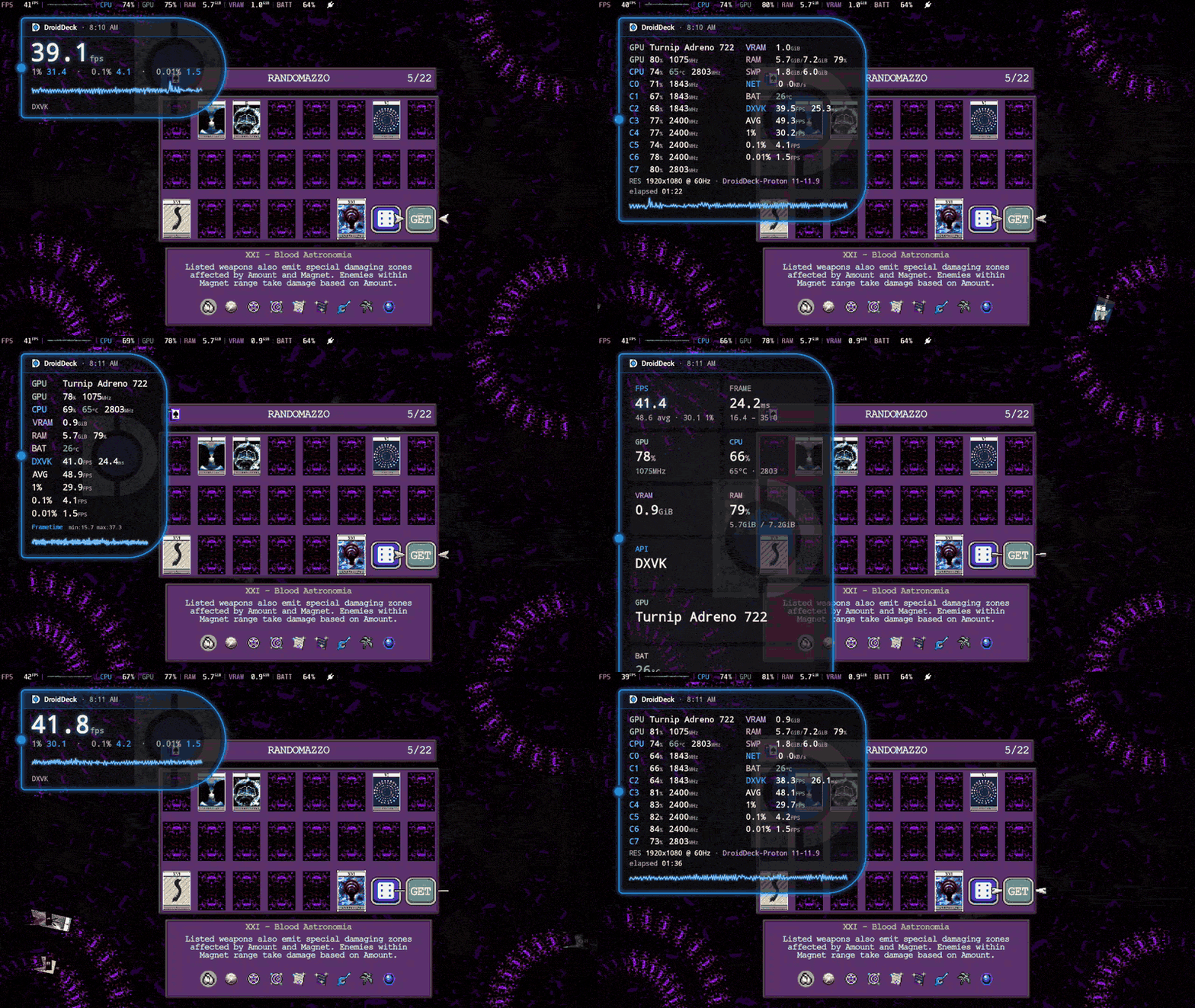
DroidDeck HUD, a new custom HUD to complement MangoHud, with lots of customizability
-
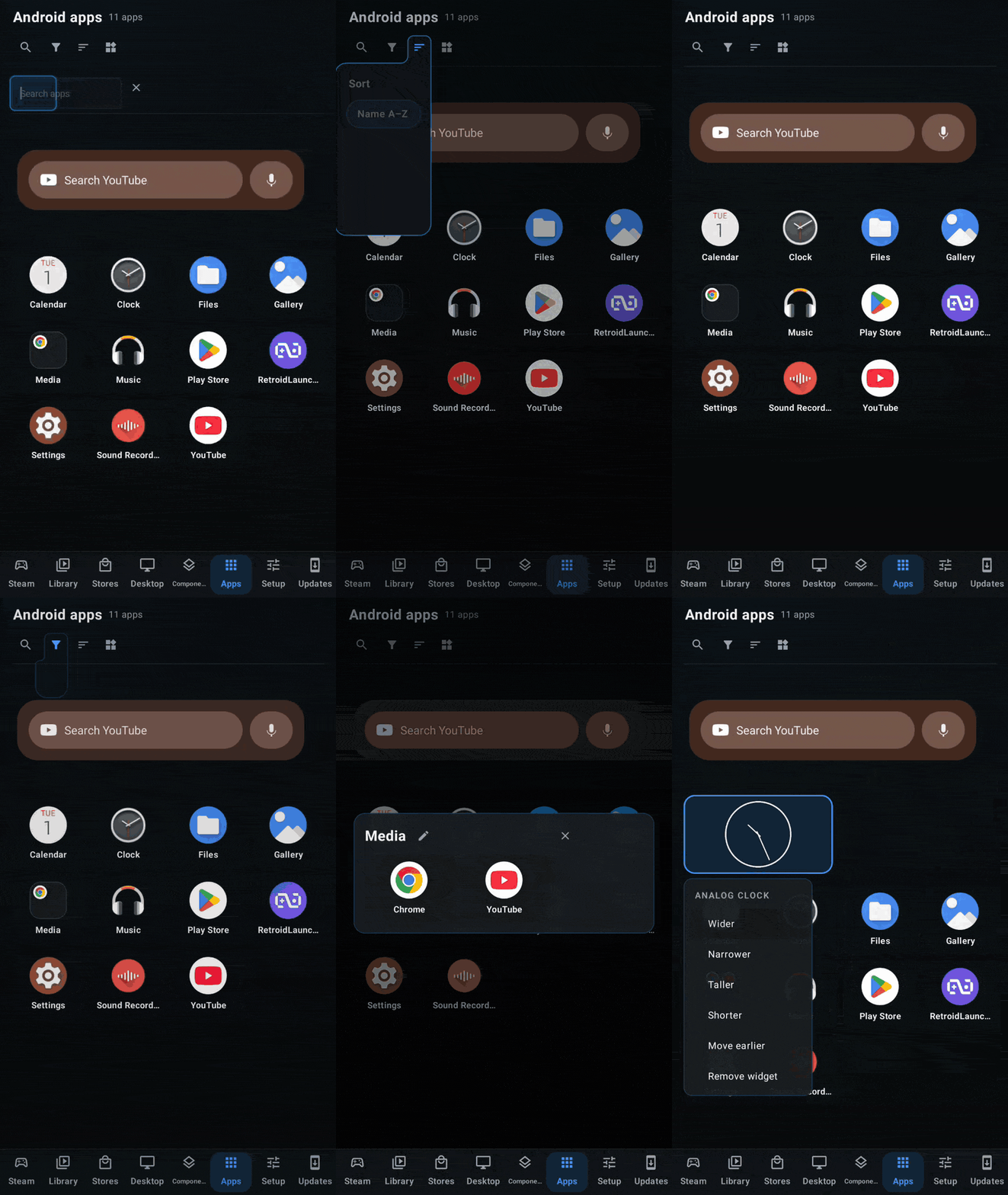
Portrait mode for the launcher and for sessions, plus a much improved Android app and widget launcher: search, sorting, filters, folders and resizable widgets
-
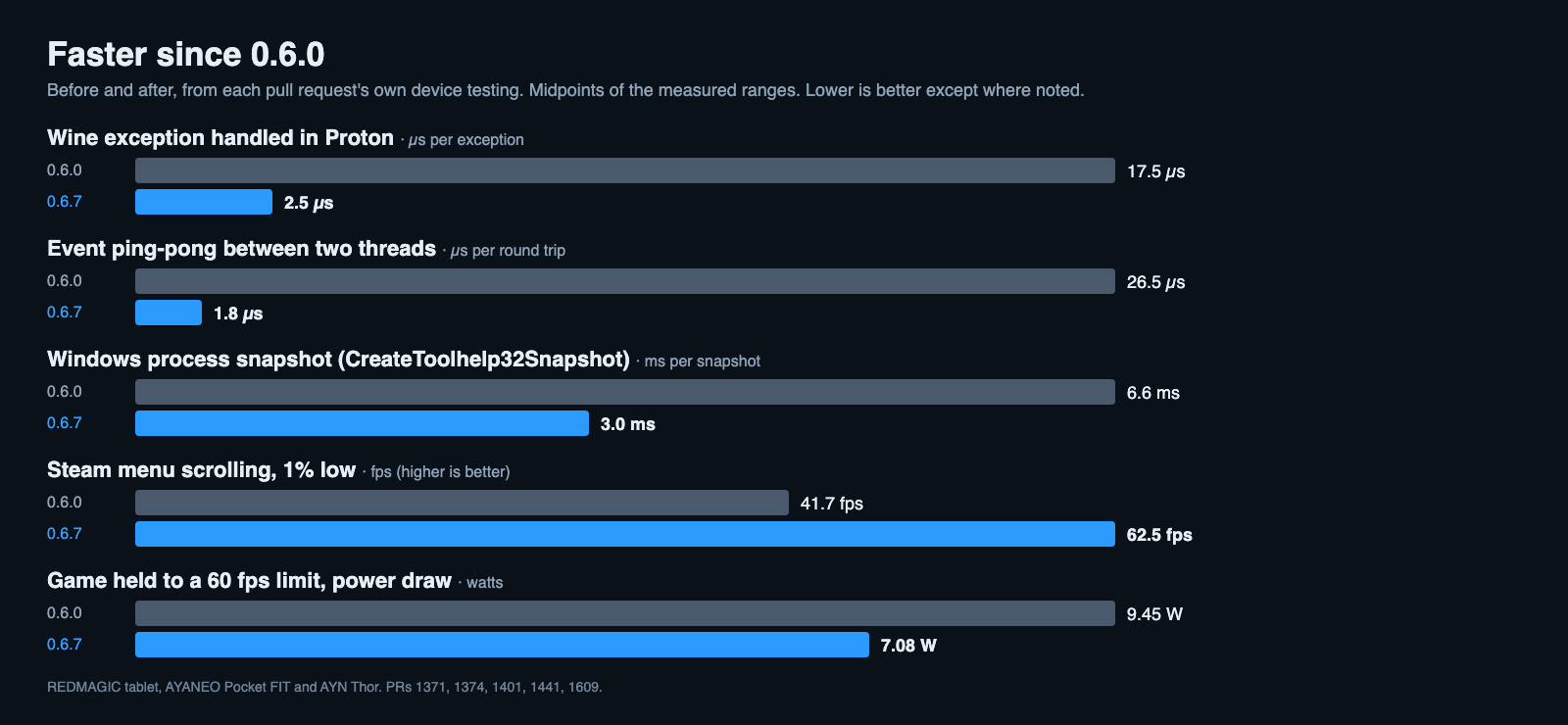
Increased performance, lower power draw when you cap the frame rate, and reduced heat


Features
-
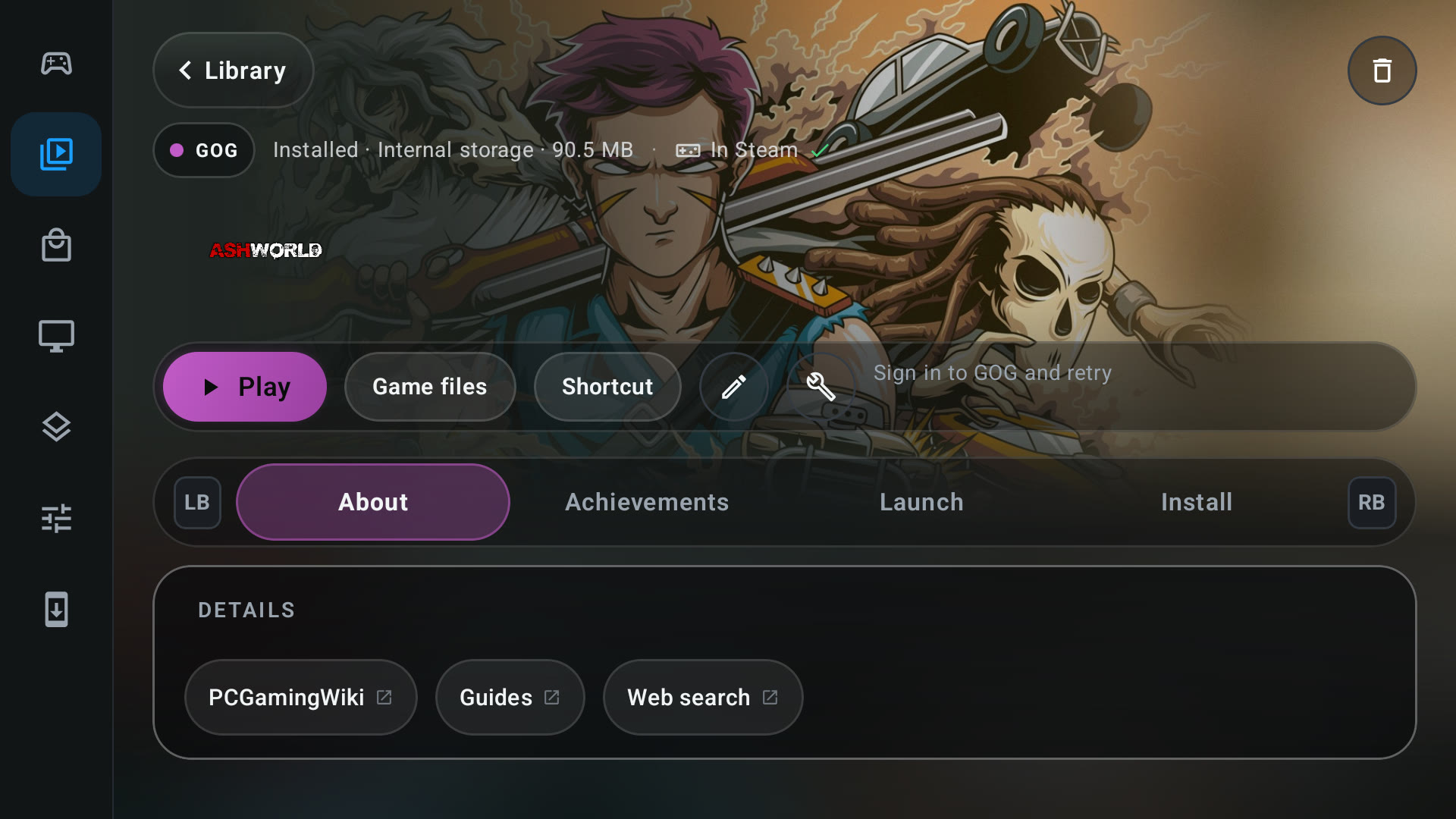
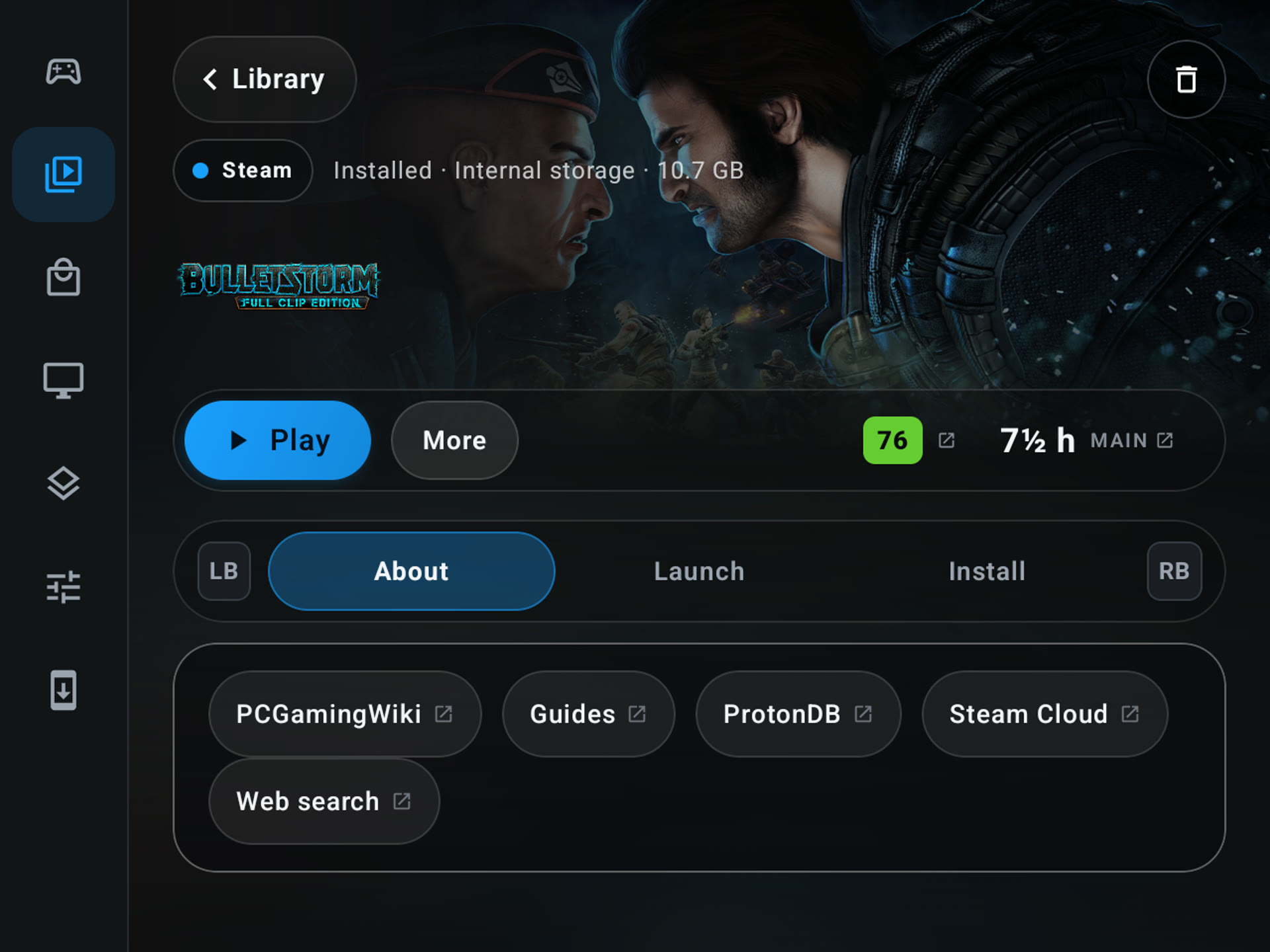
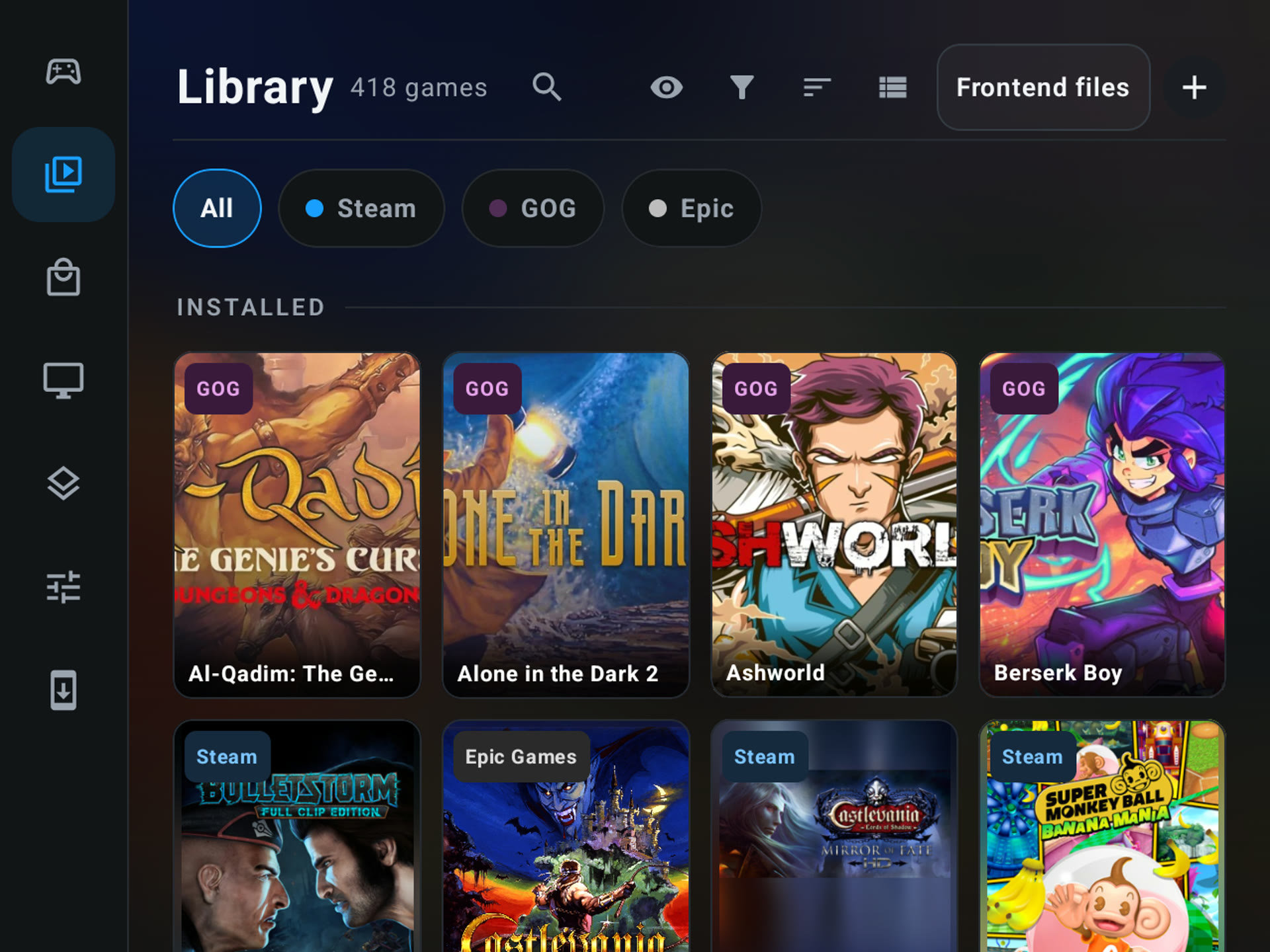
Merged Games and the store libraries into one Library, with one game page for every source. The Library lists the games you have installed and, in the same grid, the games you own in each store you are signed in to, split into Installed and Not installed. Source chips (Steam, GOG, Epic, Amazon, Xbox, itch, Added) filter the list, and LB and RB switch between them. A Filter menu next to Sort picks Installed only or All owned games and remembers the choice, and the source tabs follow the order set in Stores. Stores is now only for getting games. The game page has About, Achievements, Launch, Saves & cloud and Install tabs, works fully with a d-pad, and takes Xbox installs and content management with it. Store games show their download size and installed size again, and the filter stays available when the Stores tab is turned off. (@xXJSONDeruloXx, #1460, #1586, #1591, #1700)
-
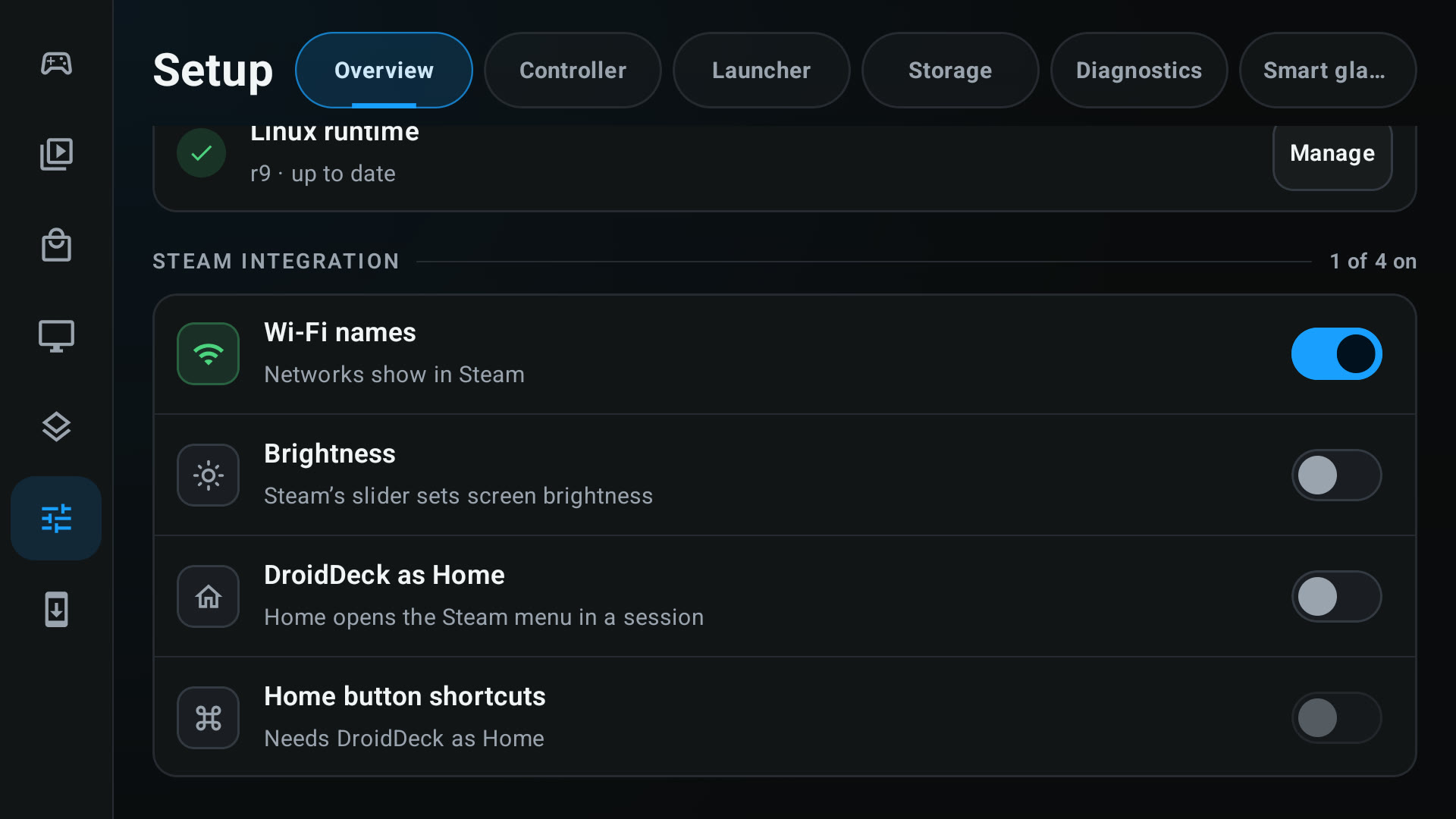
Making your handheld feel like a native SteamOS install. This is a whole group of changes with one goal. Steam’s brightness and volume sliders now control the device’s real brightness and media volume, and changes you make on the device show up in Steam. The volume buttons show Steam’s volume indicator instead of Android’s, and holding a volume key moves the slider in steady steps. Native Steam Input chords work too: holding the Back button acts like the QAM button on a real Steam Deck, with Steam’s own shortcut list on screen. Left bumper zooms, right bumper takes a screenshot, the left stick up or down changes the brightness, and holding B force quits the running game. A tap of Back still opens the session menu, and a double tap still swaps it, with a Double-tap window setting from 100 to 800 ms. It is all set up in one place, a Steam integration group in Setup > Overview (and in the Steam settings sheet), with switches for Wi-Fi names, brightness, DroidDeck as Home and Home button shortcuts. Holding Home sends the Steam Guide button, including on Retroid Nova pads, and the AYN button on the Thor keeps opening AYN’s panel. (@xXJSONDeruloXx, #1621, #1628, #1632, #1637, #1643, #1674, #1689, #1704, #1731)
-
Art-first cards. Library and store cards are now just the game's art, with the name and size on a slim fade across the bottom and a corner chip for updates, resumes and download percent. A new Display menu in both headers sets the card siz...


Contributors


Assets 8
DroidDeck 0.6.0
DroidDeck is 100% open source. No ads. No telemetry. No source withheld.
DroidDeck is a community project in the truest sense. Because all of its code is public, the people who use it can read it, fix it and improve it, and in 0.6.0 you all sure did:
153 pull requests · 23 contributors · 10 first-timers · 73% of the pull requests came from the community.
Thank you to everyone who sent code, translations, device testing and bug reports. Here’s everything we did together for this release:
Features

- Added experimental Xbox and PC Game Pass as a store. Sign in with your Microsoft account to see your owned and Game Pass games, then download them with pause and resume, update, verify and manage add-on content. Games launch through Proton or FEX from the Games tab or straight from Steam. Search results open with their artwork and details, and Game Pass titles you have not installed yet can be installed from their page. (@xXJSONDeruloXx, @moronigranja, #1156, #1164, #1170, #1193, #1279)
- Added an itch.io store. Sign in with your itch.io API key to see your library, then search the store or browse the newest, on-sale, free and top-rated shelves. DRM-free Windows builds install and launch through Steam like games from the other stores. (@kingokksa, #1064)
- Redesigned store pages. Each store has Library and Store tabs, and the library lists installed games first. A new capsule view shows portrait DVD-case art in every store. LB and RB switch between stores, and installed games get a Play button on their page. You can reorder and hide store tabs in the stores settings, and stores you are not signed in to are dimmed. (@xXJSONDeruloXx, @kingokksa, #1116, #1117, #1121, #1125, #1236)

-
Added configurable touchscreen gestures: taps, double taps, holds, one-, two- and three-finger drags and pinch zoom. Each one can be mapped to an action from a searchable list, with defaults and per-game overrides. (@Nightwalker743, @kingokksa, #940, #1214)
-
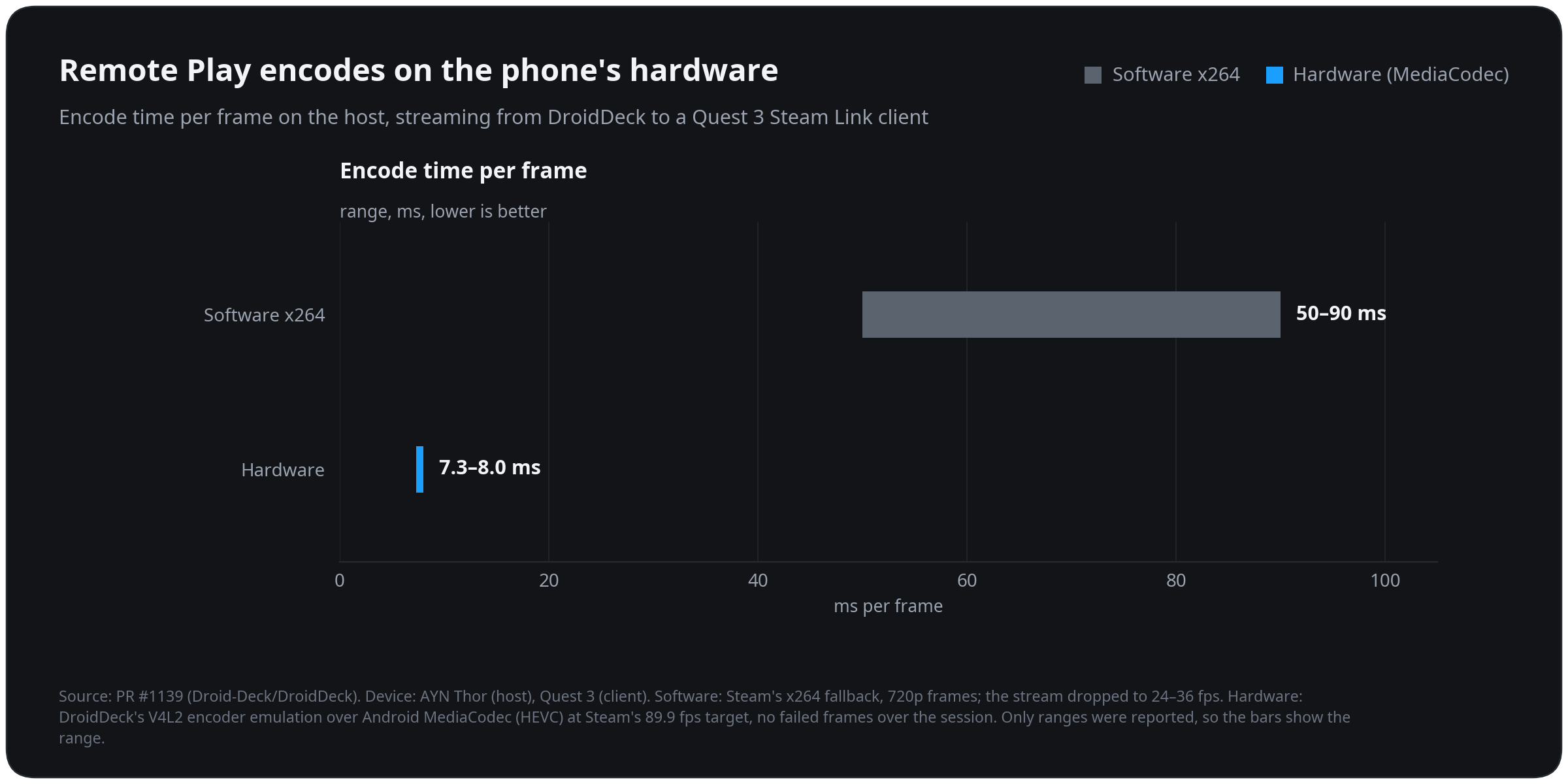
Steam Remote Play from DroidDeck now streams video as well as audio and input. The picture is captured through PipeWire, as on SteamOS, and encoded by the phone's hardware encoder. On a Thor that takes 7.3–8.0 ms per frame, down from 50–90 ms with software encoding. Touch on the client can tap and drag, and games are heard on the stream. (@xXJSONDeruloXx, #1139)


- Boot movies from SteamDeckRepo. Search SteamDeckRepo, filter by device and browse the Trending, Most downloaded, Most liked and Newest tabs, then install a movie and use it. Installed movies are listed with covers. Imported movies go into Steam's own movie folder, and the sound has volume and length sliders. (@FX192, #1036, #1229)

- The performance HUD can show a colored frame-time graph and the battery temperature. Each part can be shown or hidden, and its colors and opacity can be changed. (@0x1Nawaf, #1256)

- Added a custom Gradient theme, with primary and secondary colors chosen from a color wheel, sliders or a hex code, and a light app icon option. (@FX192, @xXJSONDeruloXx, #1309, #1104)
- SteamVR controller types. Without VR controllers, the gamepad can act as Valve Index controllers (the default), Meta Quest 3 Touch Plus, HTC Vive wands, or a regular gamepad. The sticks move you in the game by default, and pressing both sticks switches them to moving the hands. The type can be changed while SteamVR runs. With glasses, the phone becomes a control panel with Recenter, the SteamVR menu, the keyboard, brightness and battery. Flat games started from VR open as a SteamVR panel. (@xXJSONDeruloXx, #1268)
- Added Rokid Max and Air glasses, with 3DoF head tracking, SBS modes, 120 Hz on the Max and brightness control, and experimental head tracking for VITURE Pro 2 without the vendor SDK. (@xXJSONDeruloXx, @informalTechCode, @kingokksa, #1266, #1115)
- Easy Anti-Cheat games with an offline mode start without the anti-cheat bootstrapper. This is on by default and can be turned off per game. Online modes that need Easy Anti-Cheat stay unavailable. (@xXJSONDeruloXx, #1039)
- The built-in controller can be turned off (Steam settings > Controller > None), so a connected controller becomes player 1 for games that only read the first pad. (@kingokksa, #1207, #1304)
- On foldables, the unfolded controls can stay while a controller is connected, for players who use a telescopic controller and still want the trackpads and back buttons. (@ovurrsl, #996)
- The component manager offers nightly DXVK, VKD3D-Proton and FEX builds from DroidDeck-Components, with a Stable | Nightly switch on each row. (@The412Banner, #1284)
- When a game started from the Games tab closes, DroidDeck returns you to where you launched it instead of leaving you in Big Picture. (@The412Banner, #395)
- Decky Loader installs from the upstream SteamDeckHomebrew release, has a Stable or Prerelease update channel, and shows Decky's own third-party warning before a plugin ZIP is installed. (@xXJSONDeruloXx, #1090, #1263, #1264)
- Desktop mode can be uninstalled from beside Open desktop, including a desktop install that was interrupted. Games, Steam, added apps and settings are kept. (@xXJSONDeruloXx, #1311)
- GOG and Epic installs can use your language. The install dialog has a Game language choice, which follows the app's language by default, and the stores settings can pin a default. GOG games no longer download only their English files. (@LooLL, #1199)
- Games can be uninstalled or removed from their page in the Games tab. Store games use their store's uninstaller. Steam games delete their install but keep their saves and Proton prefix. Added games only lose their shor...
Contributors


Assets 7
DroidDeck 0.5.0
Features
-
Added SteamVR on Meta Quest 3 and 3S from the standard APK. Quest headsets are detected automatically and get their own driver defaults. Immersive SteamVR runs through a native OpenXR activity with headset tracking, Touch controllers and haptics, and SteamVR's dashboard and Steam library work in VR. (@xXJSONDeruloXx, @Jagger15, #642, #910, #733, #853, #905)
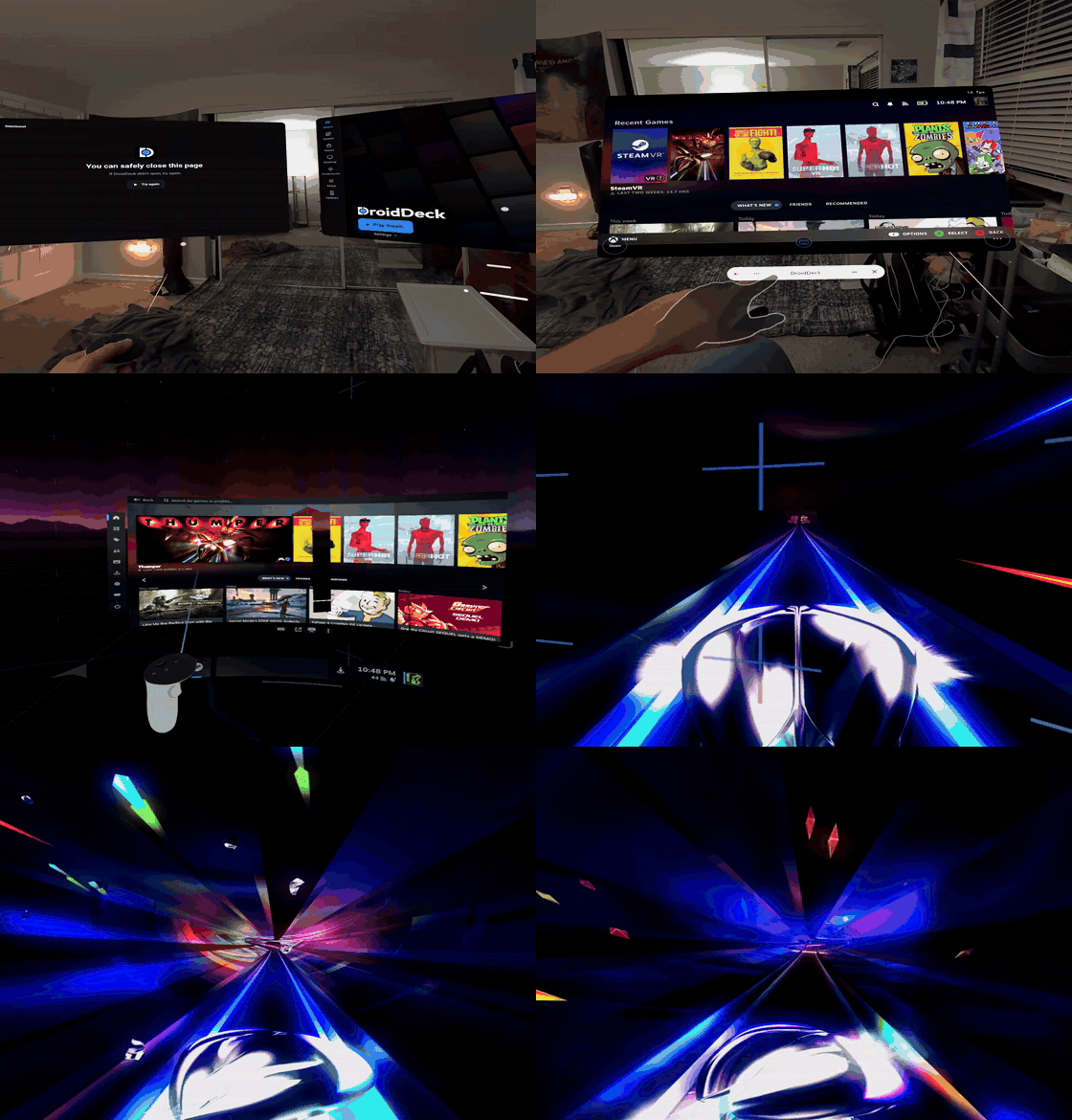
Flat games on Quest with hand tracking
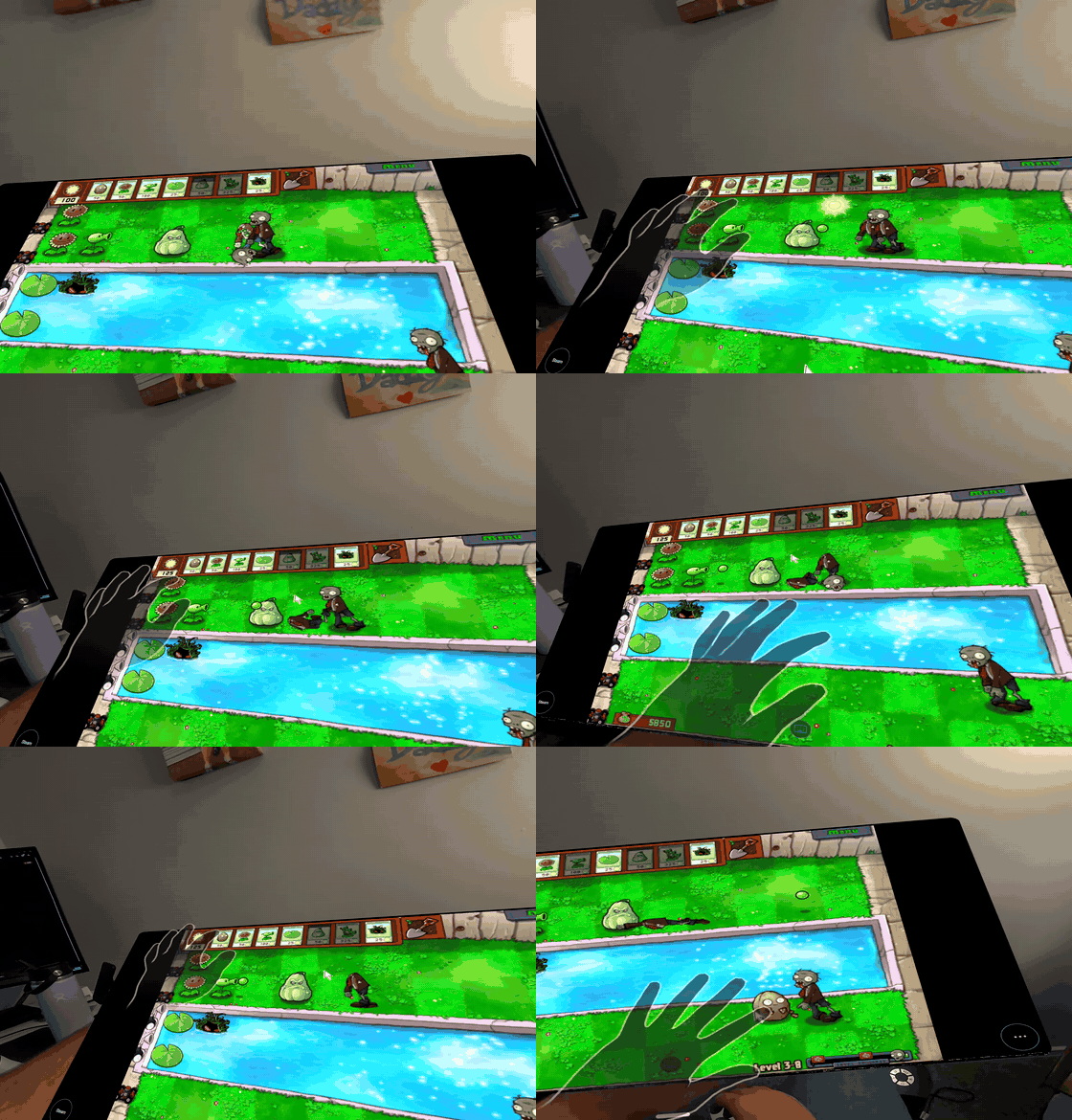
-
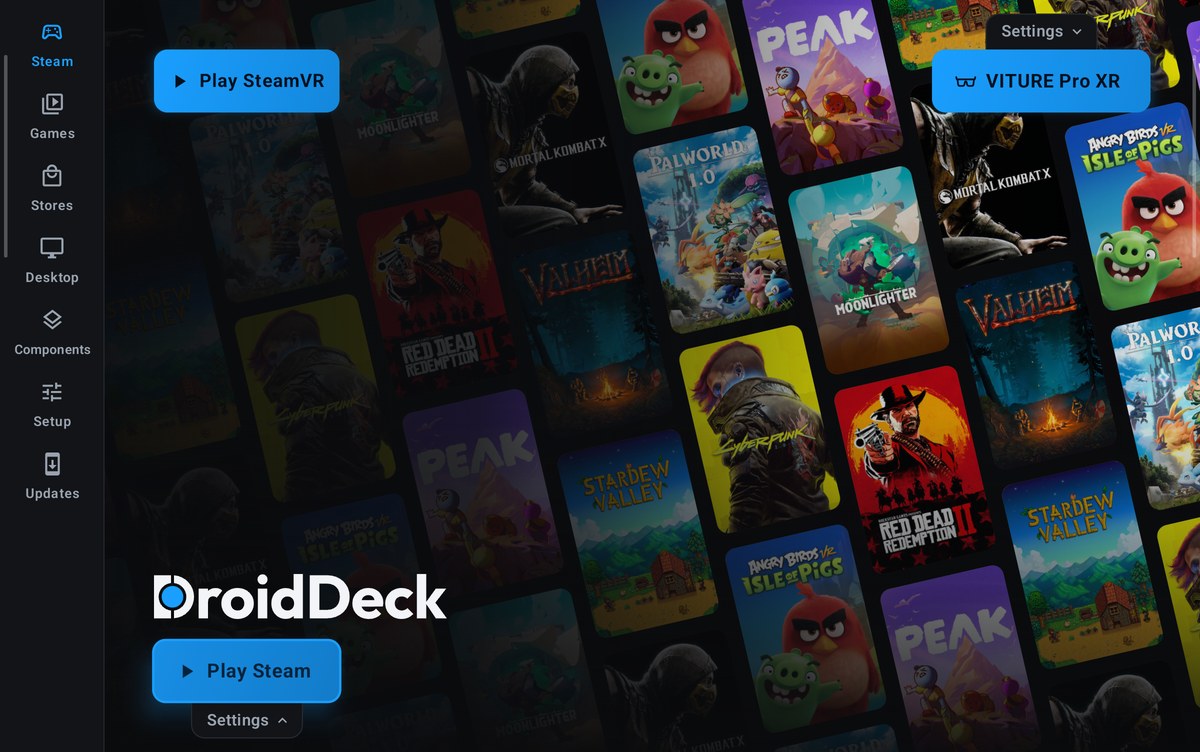
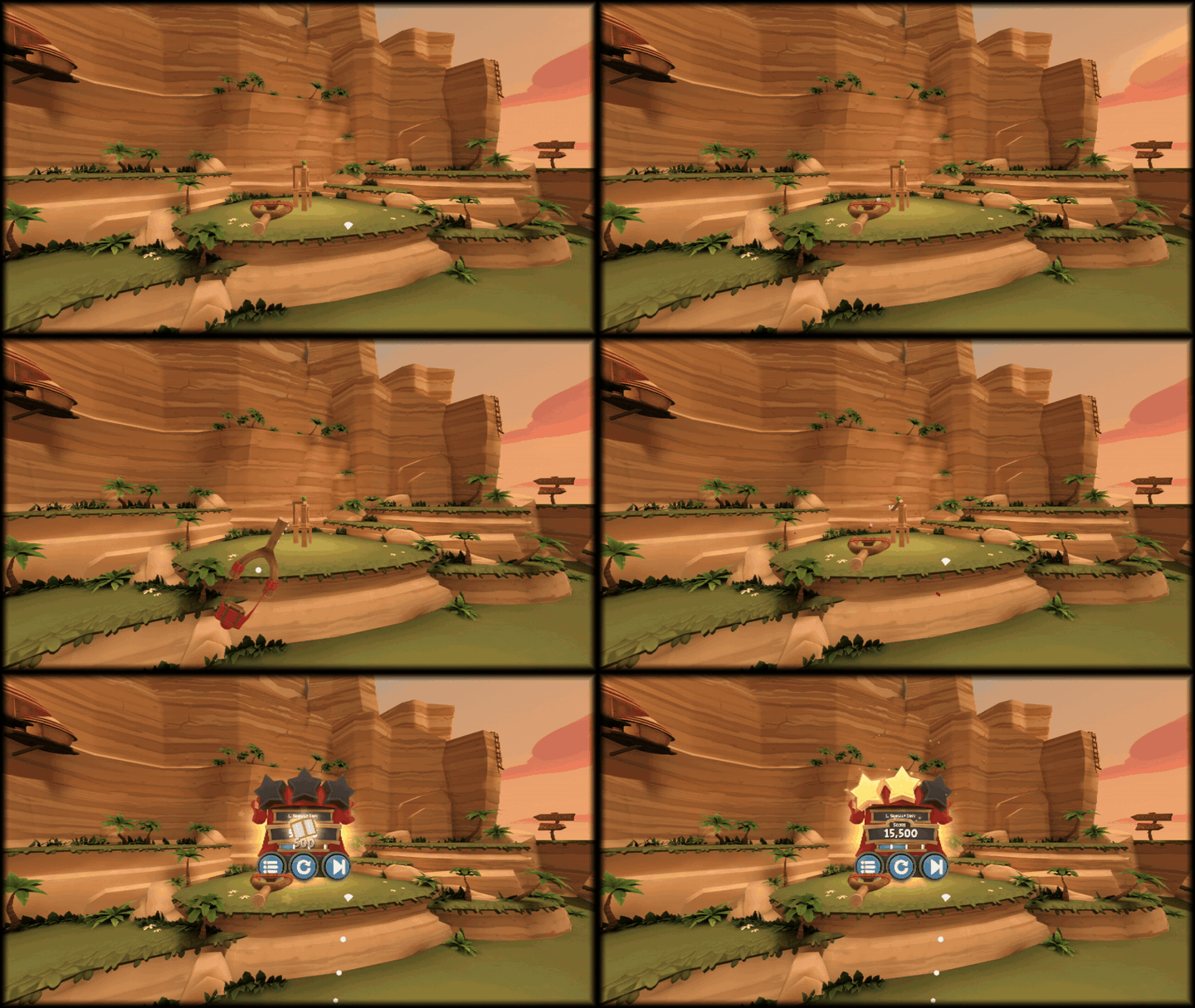
Added XR glasses support for VITURE, RayNeo and XREAL. Games play straight on the glasses at their own refresh rate while the phone becomes the controller, and the glasses' refresh rate, 3D mode, brightness, volume and sunblock can be changed from the app or the session menu. Play SteamVR appears beside Play Steam when supported glasses are connected, with head tracking from the glasses. Joy-Cons work as SteamVR hands, and the phone's camera can track bare hands with Quest-style pinch gestures. Supports VITURE Pro XR, RayNeo Air and GT glasses, and XREAL 1S (experimental). Glasses with head tracking can also show a head-tracked virtual screen everywhere in DroidDeck, in its menus, desktop sessions and games, without starting SteamVR, set up from the new Setup → Smart glasses page. (@maxjivi05, @informalTechCode, #732, #907, #1035)
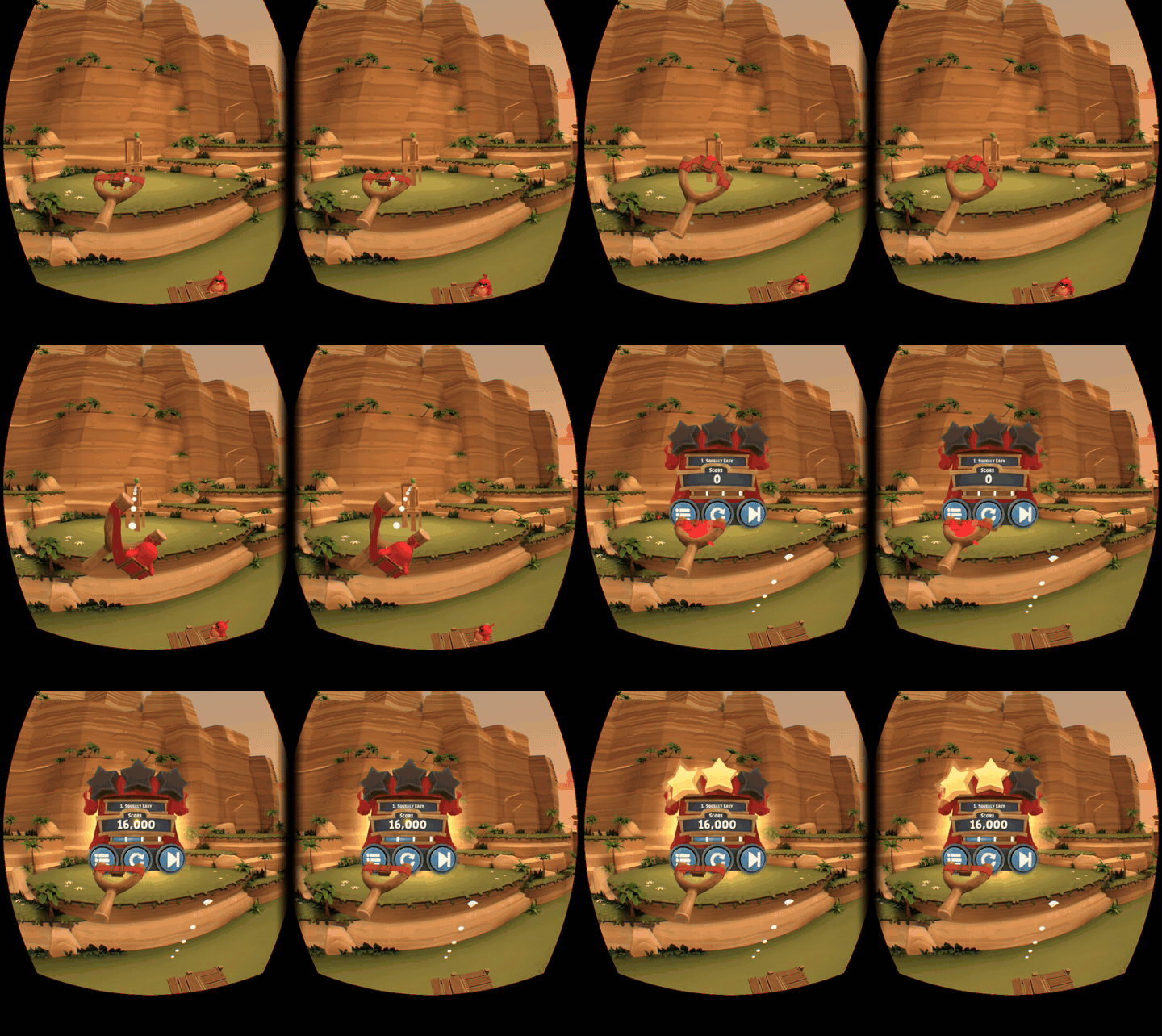
On the glasses, and gamepad hands in SteamVR
-
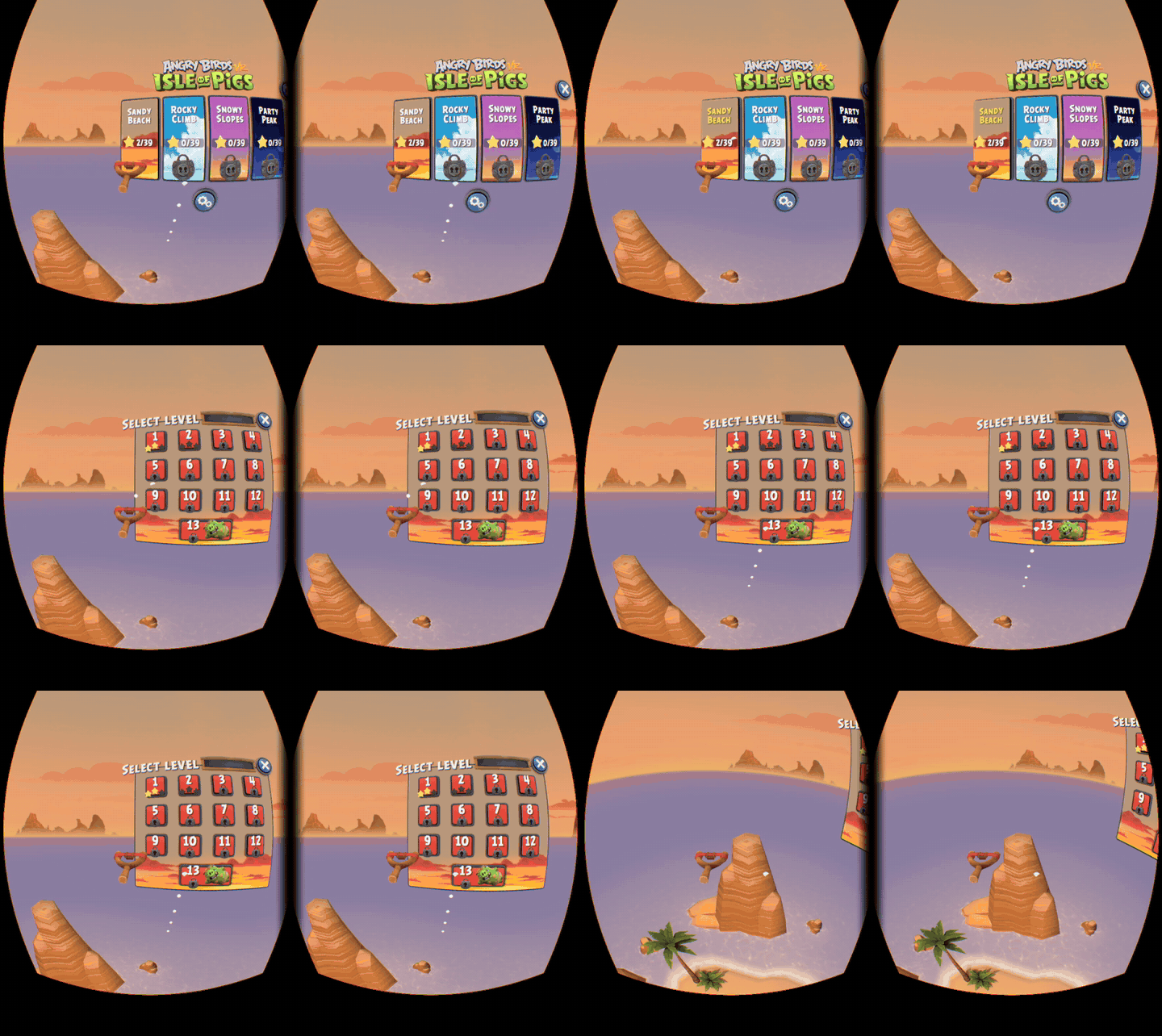
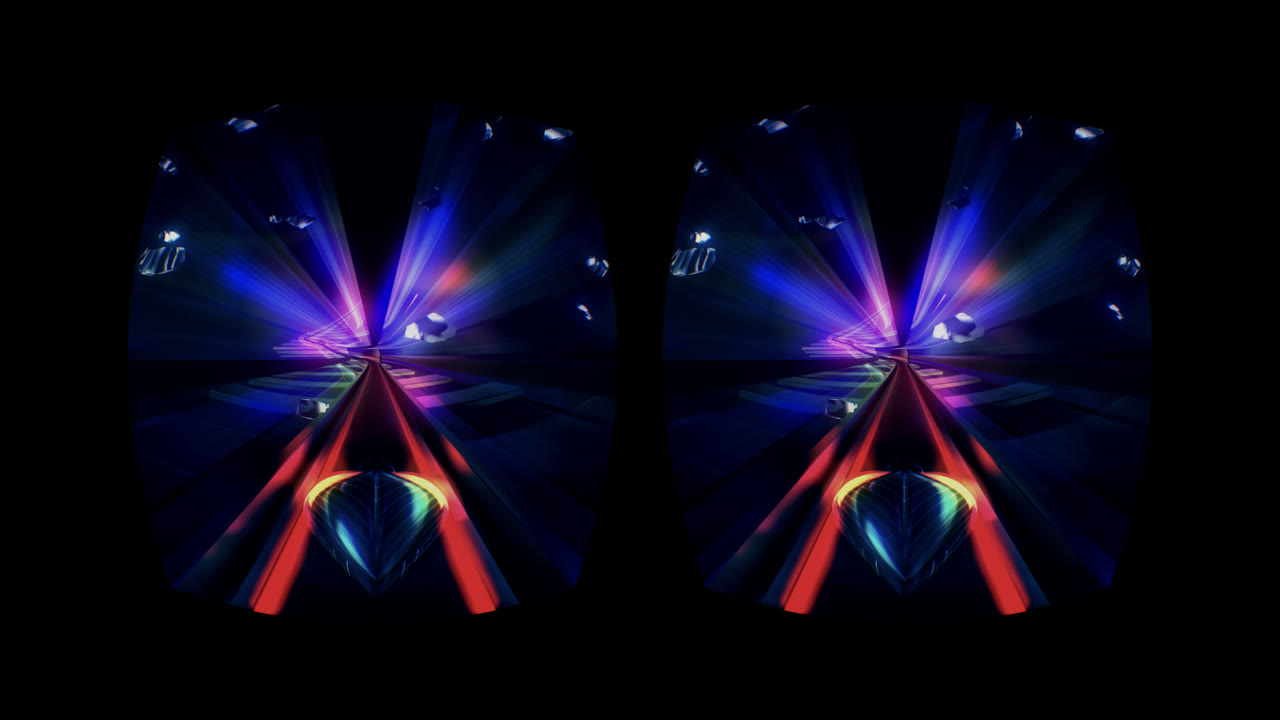
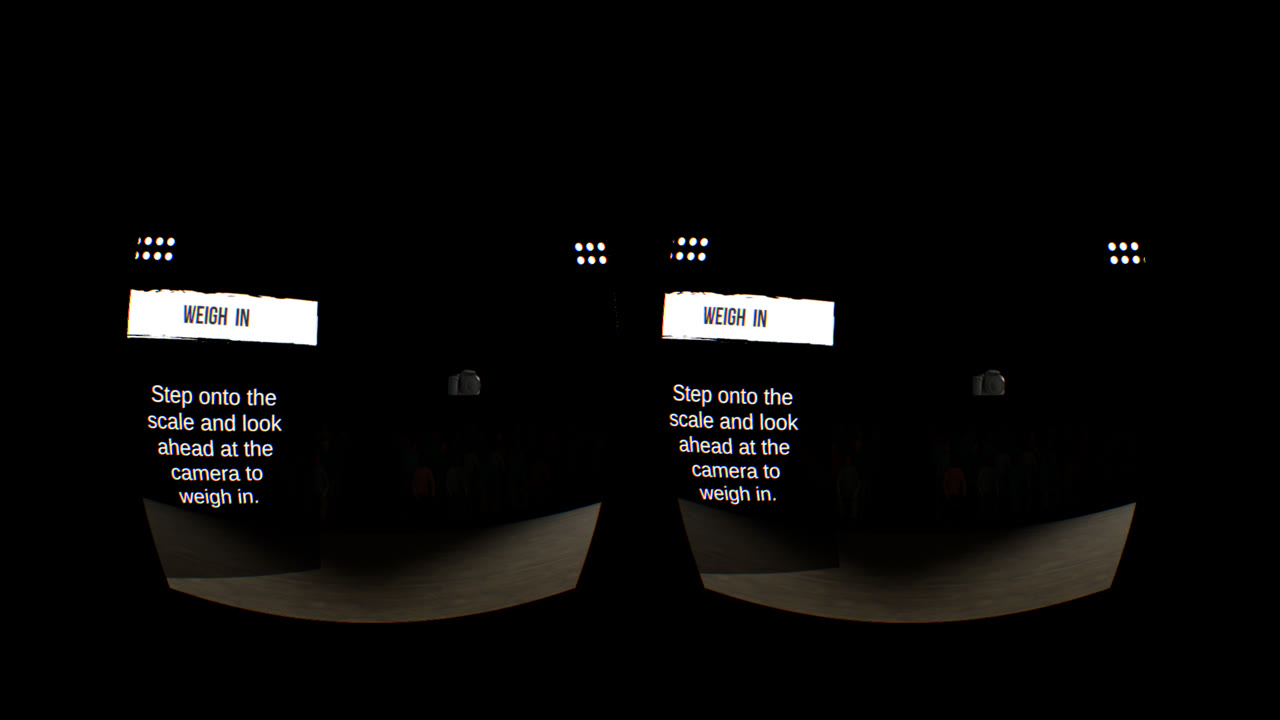
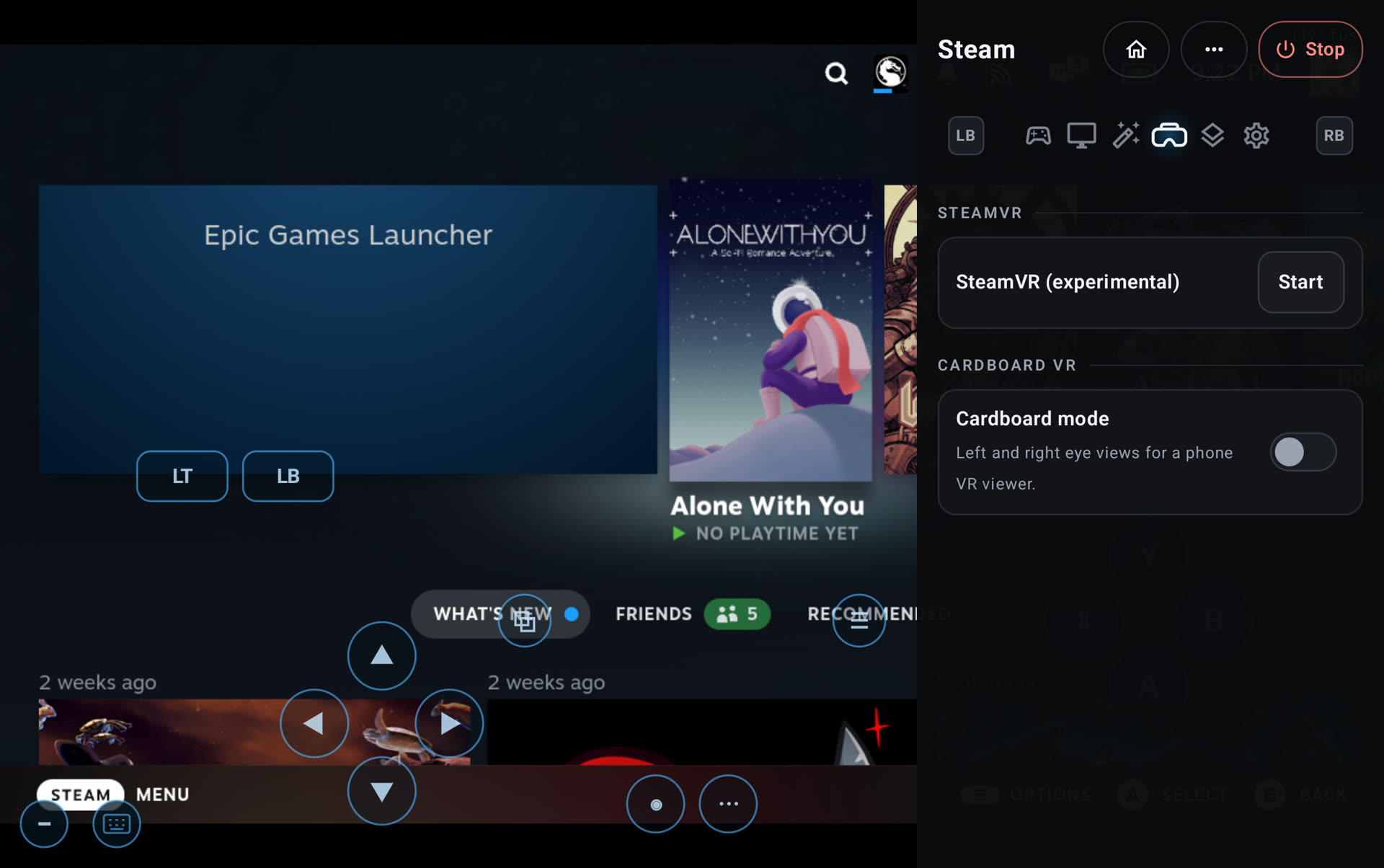
Added Cardboard VR mode with Valve's ARM64 SteamVR, splitting the screen into two lens-corrected eyes with head tracking. Windows VR games such as Thumper and The Thrill of the Fight run through Proton. SteamVR and Cardboard share one VR tab in the session menu. (@xXJSONDeruloXx, #704, #959)
-
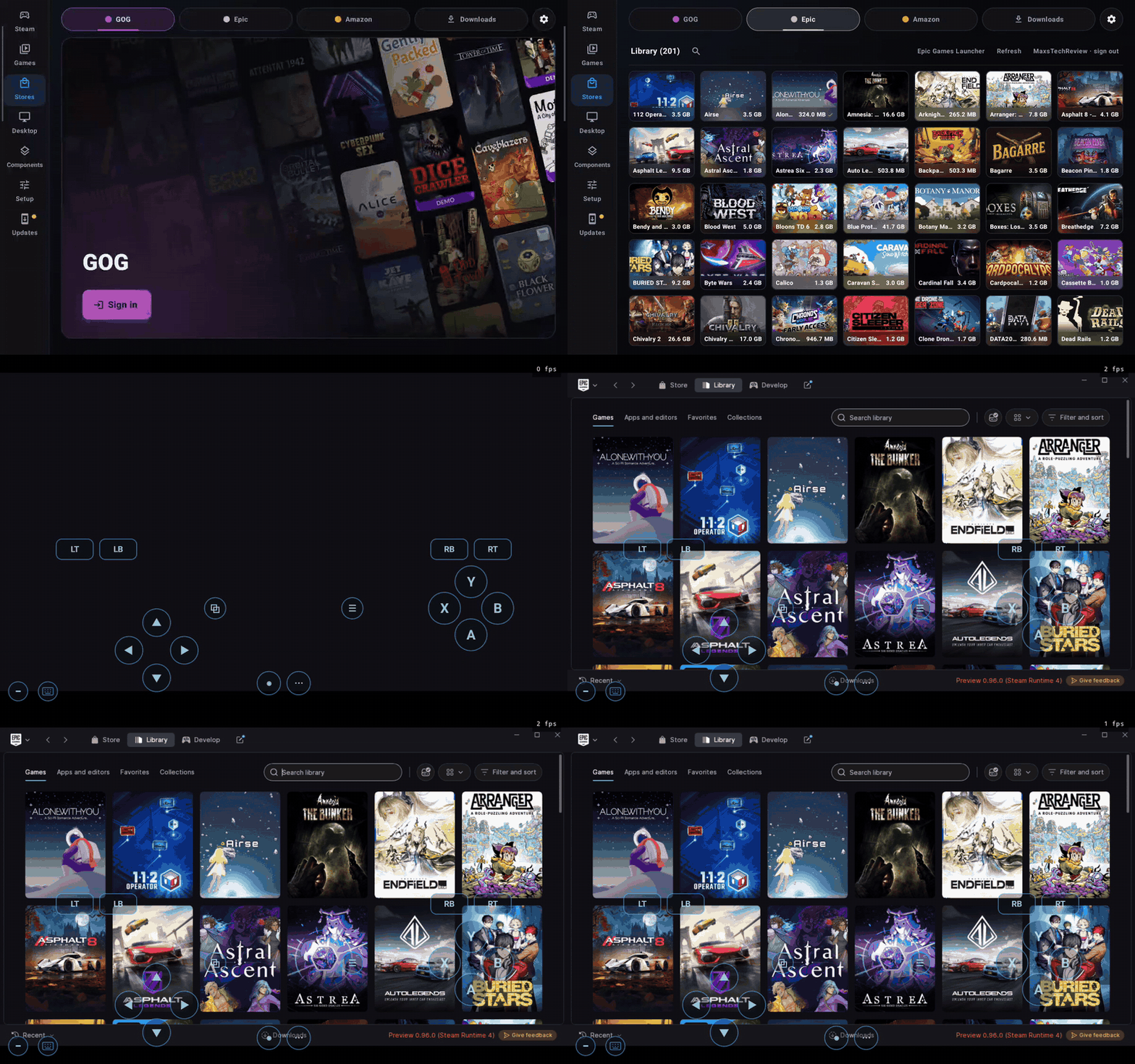
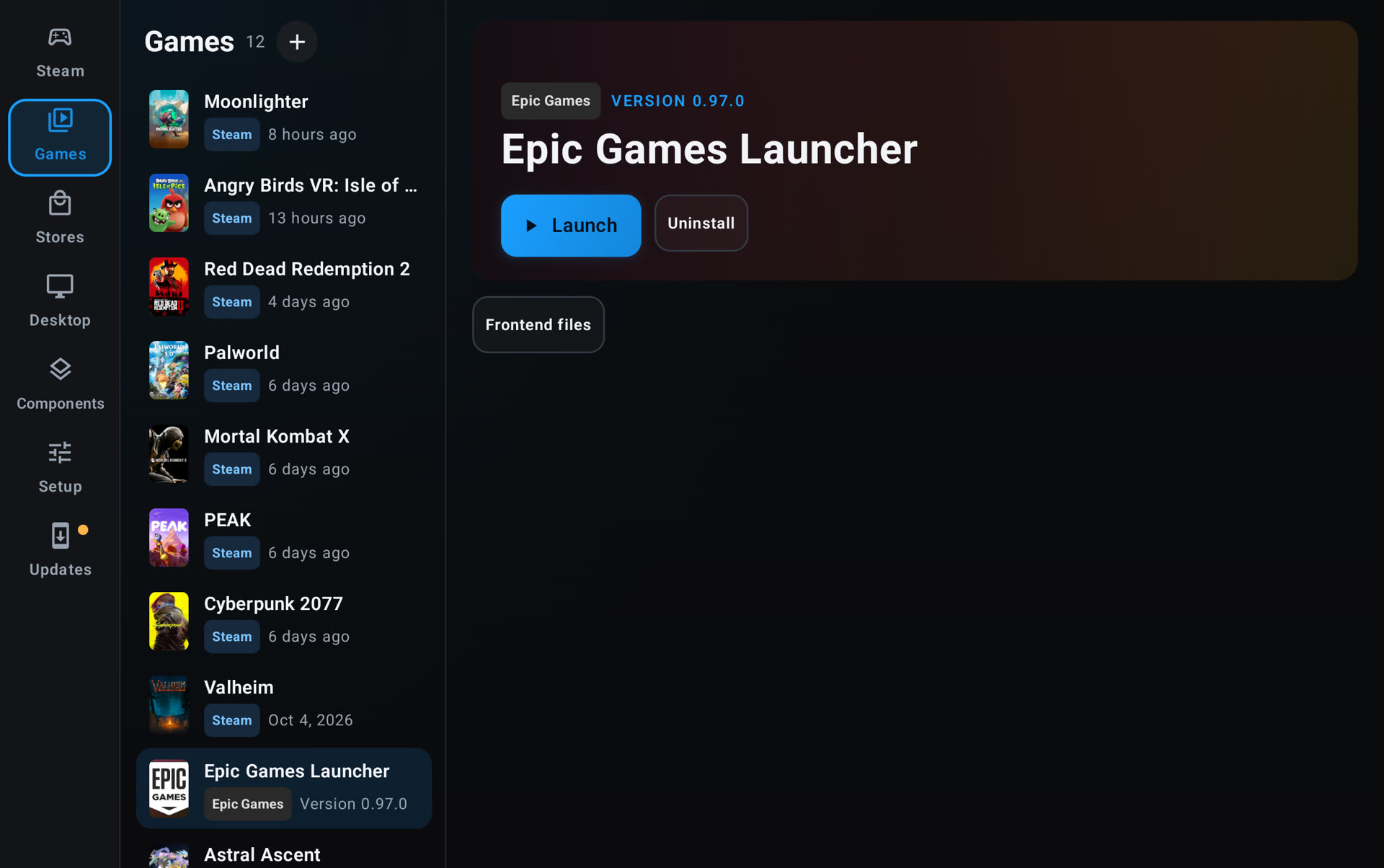
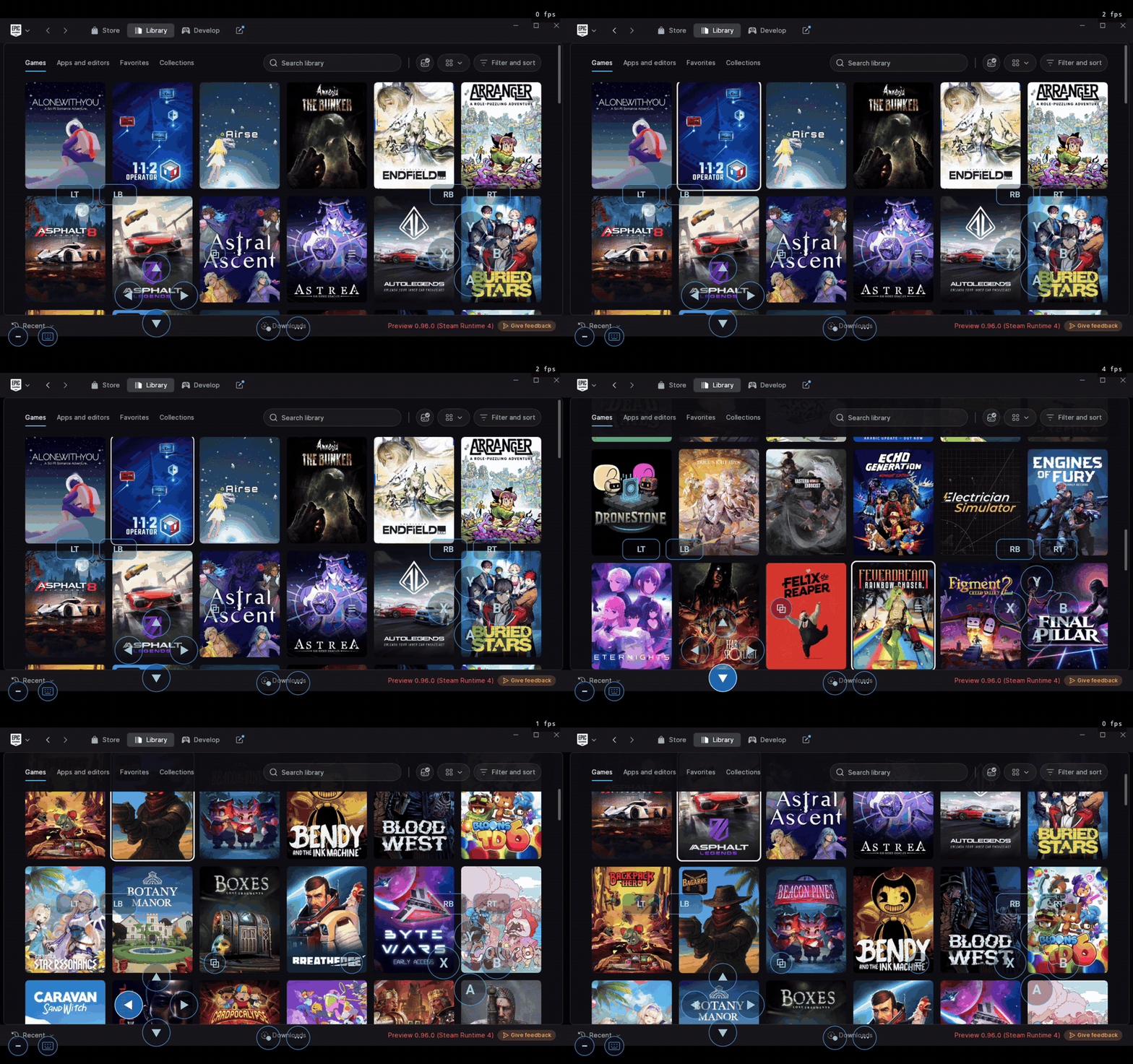
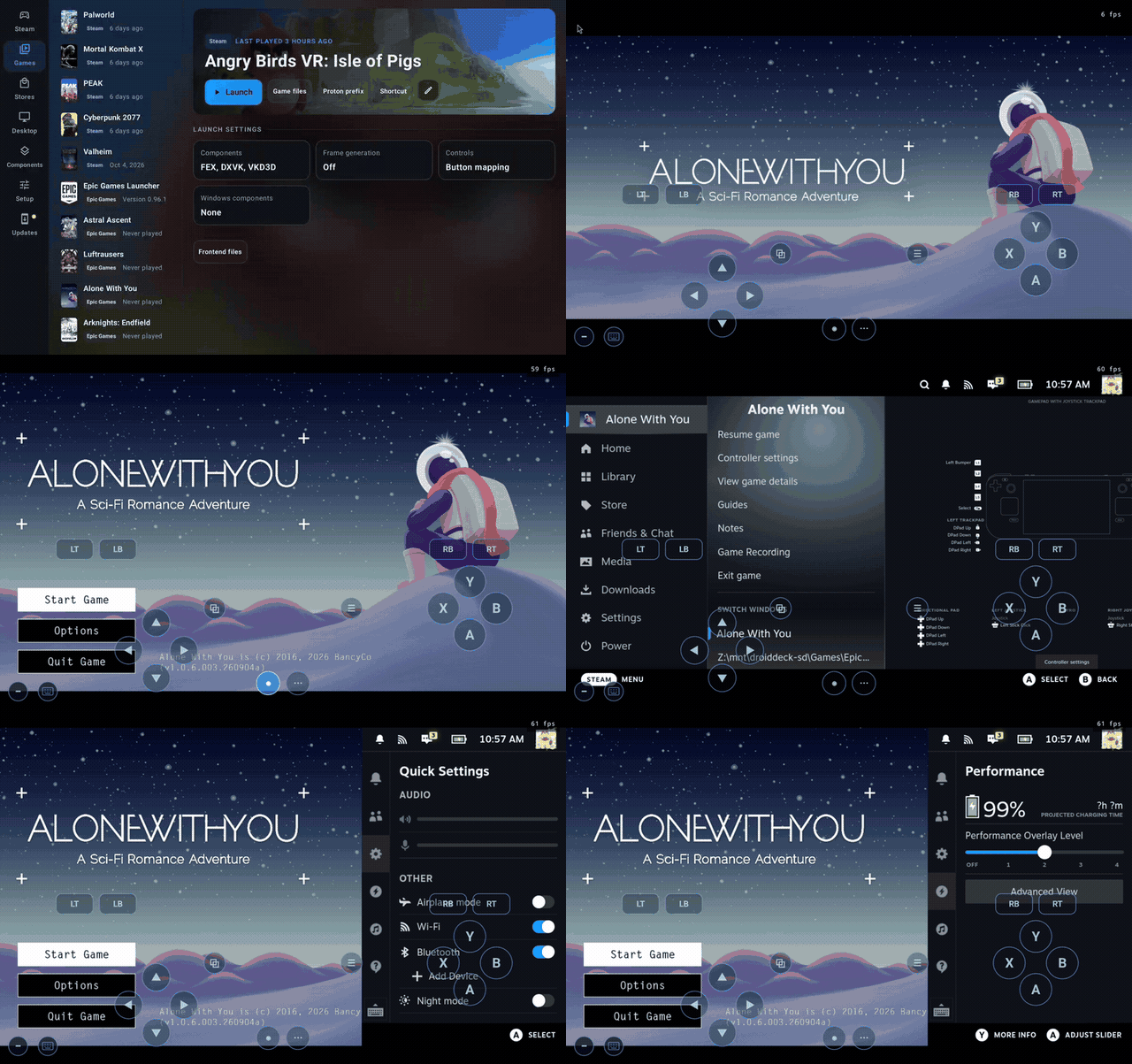
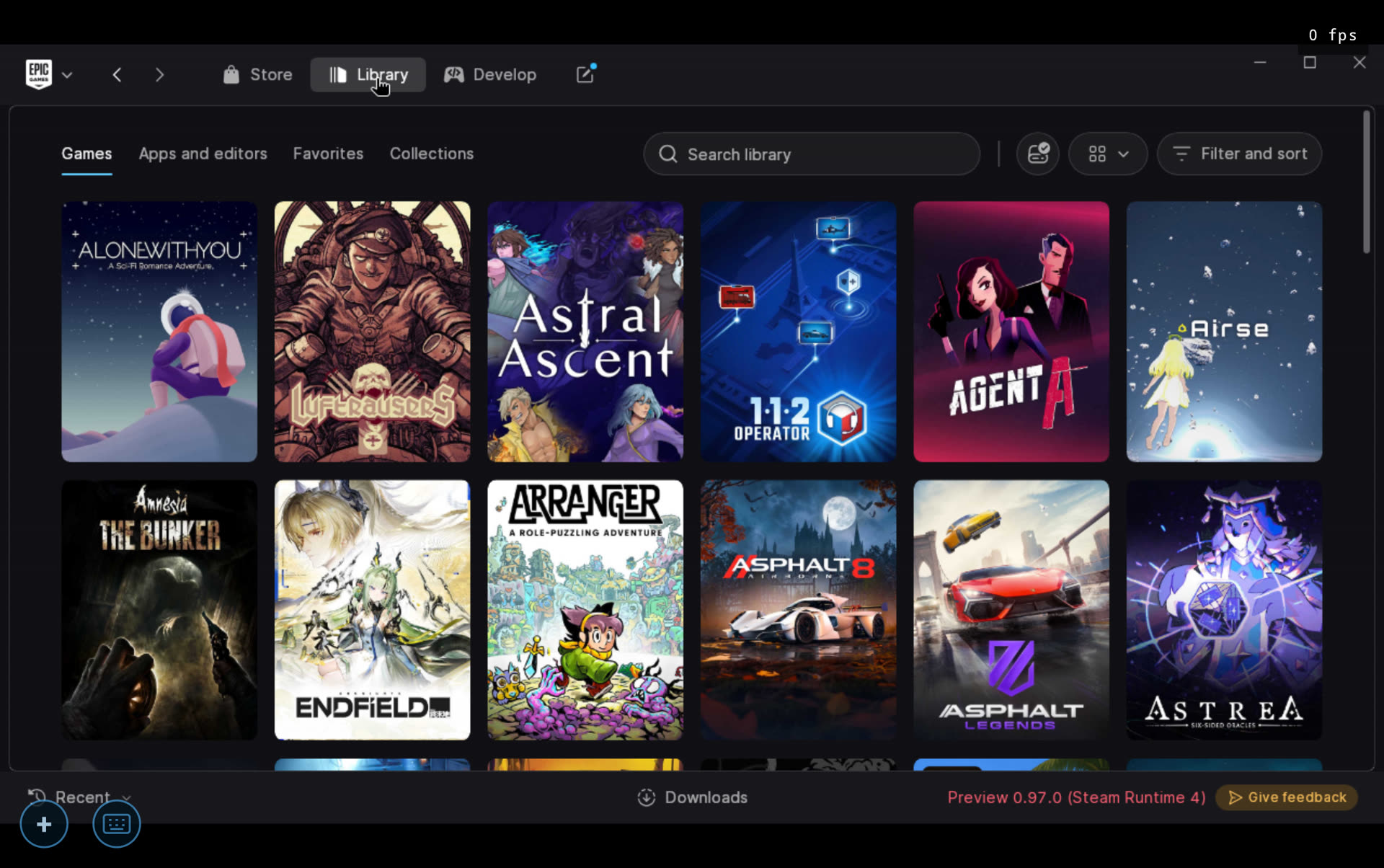
Added Epic Games Launcher for Linux, Epic's own client, running under FEX and signed in automatically with your linked Epic account. Every Epic game now starts through Steam and the launcher, so games get the same sign-in and online services as on a PC, along with Steam Input and the performance overlay. The launcher can be driven with a gamepad or touch. Games installed from inside the launcher appear in the Games tab automatically, and your Steam games can be started from the launcher's library. (@maxjivi05, #928)
Gamepad navigation and launching through Steam
-
Added an optional x86-64 Steam client: Valve's own Linux client, running under FEX beside the default ARM64 one. Choose it under Steam client in Steam settings; it applies at the next session. It has its own game library and shares your sign-in. Games with a Linux version, such as Team Fortress 2 and Half-Life, run their Linux builds on it, and Windows games use DroidDeck-Proton as before. New FEX builds reach it without an app update. (@The412Banner, #152, #1050, #1053)
-
Linux games run under FEX out of the box. Proton Experimental ARM64, FEX and the Steam Linux Runtimes now download on the first Steam start instead of waiting as pending downloads. x86 Linux games start, keep running and take the controller under FEX, including Unity games, which used to crash or ignore the gamepad. Games that also have a Windows version stay on Proton by default, because the Windows build often runs better. To run a game's Linux build instead, choose Linux x86 (FEX) in its compatibility settings. (@maxjivi05, #1045)
-
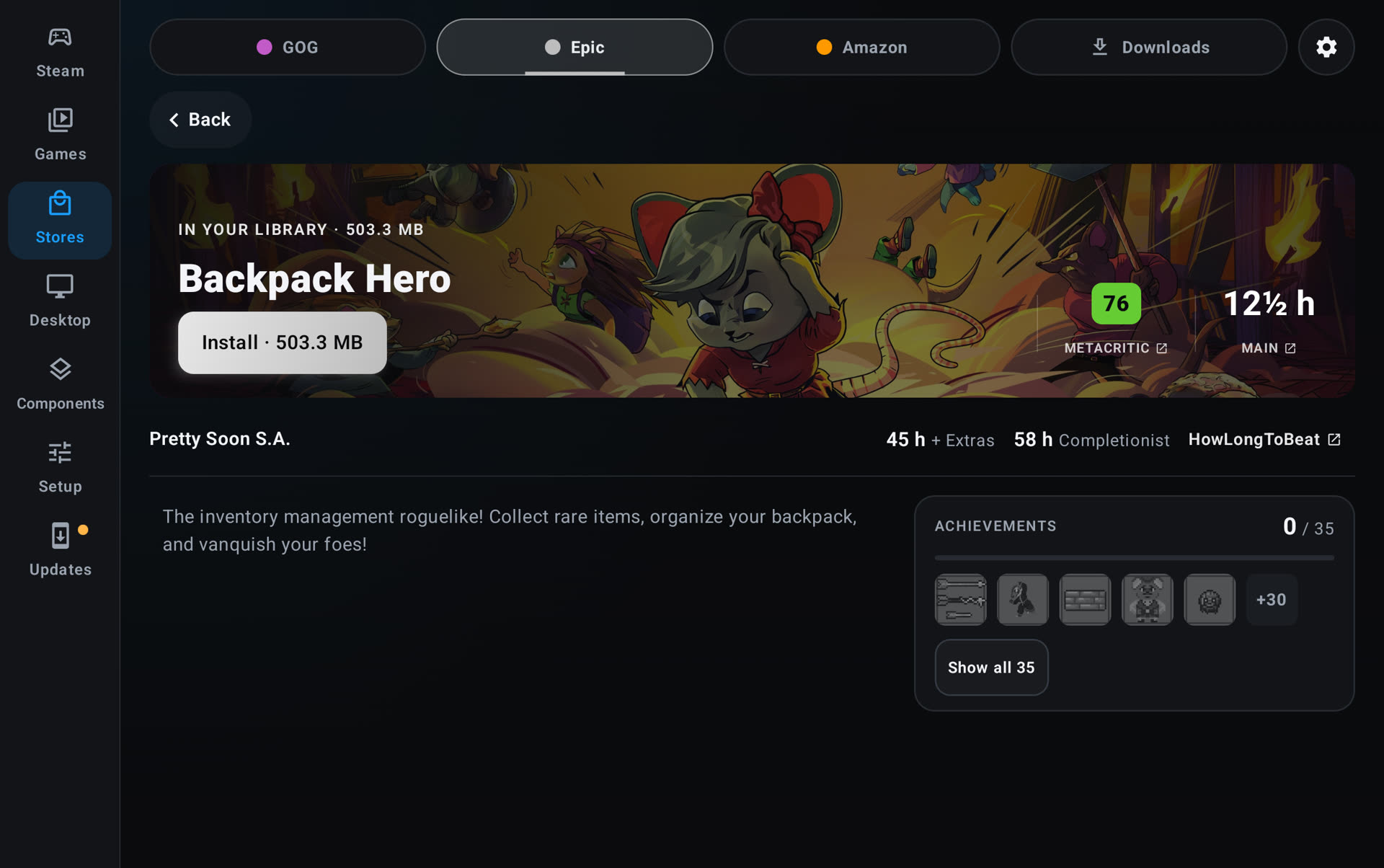
Store game pages now show HowLongToBeat times, Metacritic scores, developer, publisher and release date for GOG and Epic games, along with an achievements card with filters for unlocked, locked and hidden achievements. (@phobos665, @xXJSONDeruloXx, #641, #712, #775)
-
Added opt-in GOG achievements syncing through Comet, with unlock notifications while you play. (@xXJSONDeruloXx, #651)
-
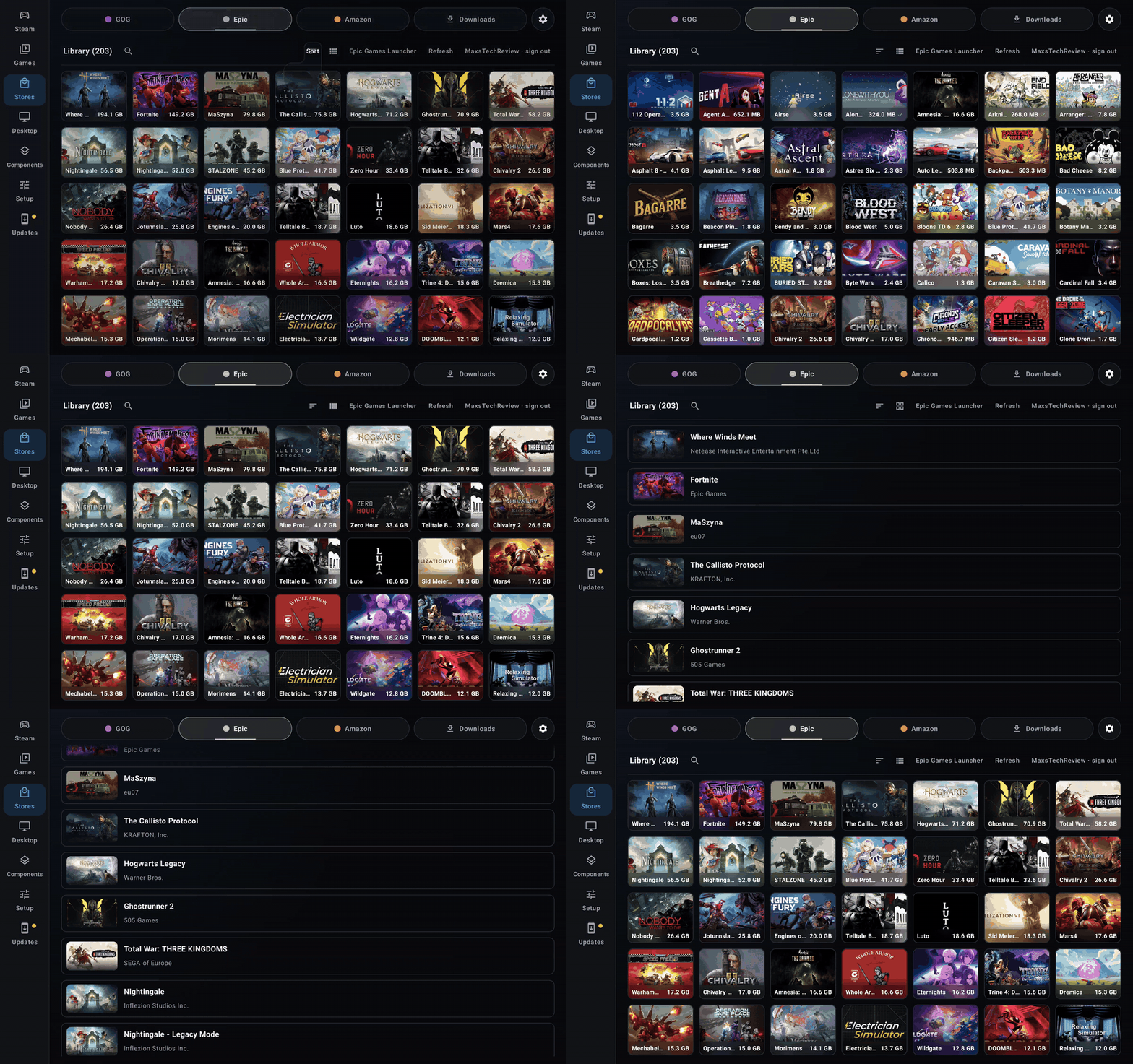
Added sorting and a list view for the store Library and Installed tabs: sort by recently played, recently installed, title, size or release date, and switch between cards and a compact list. (@kingokksa, #798)
-
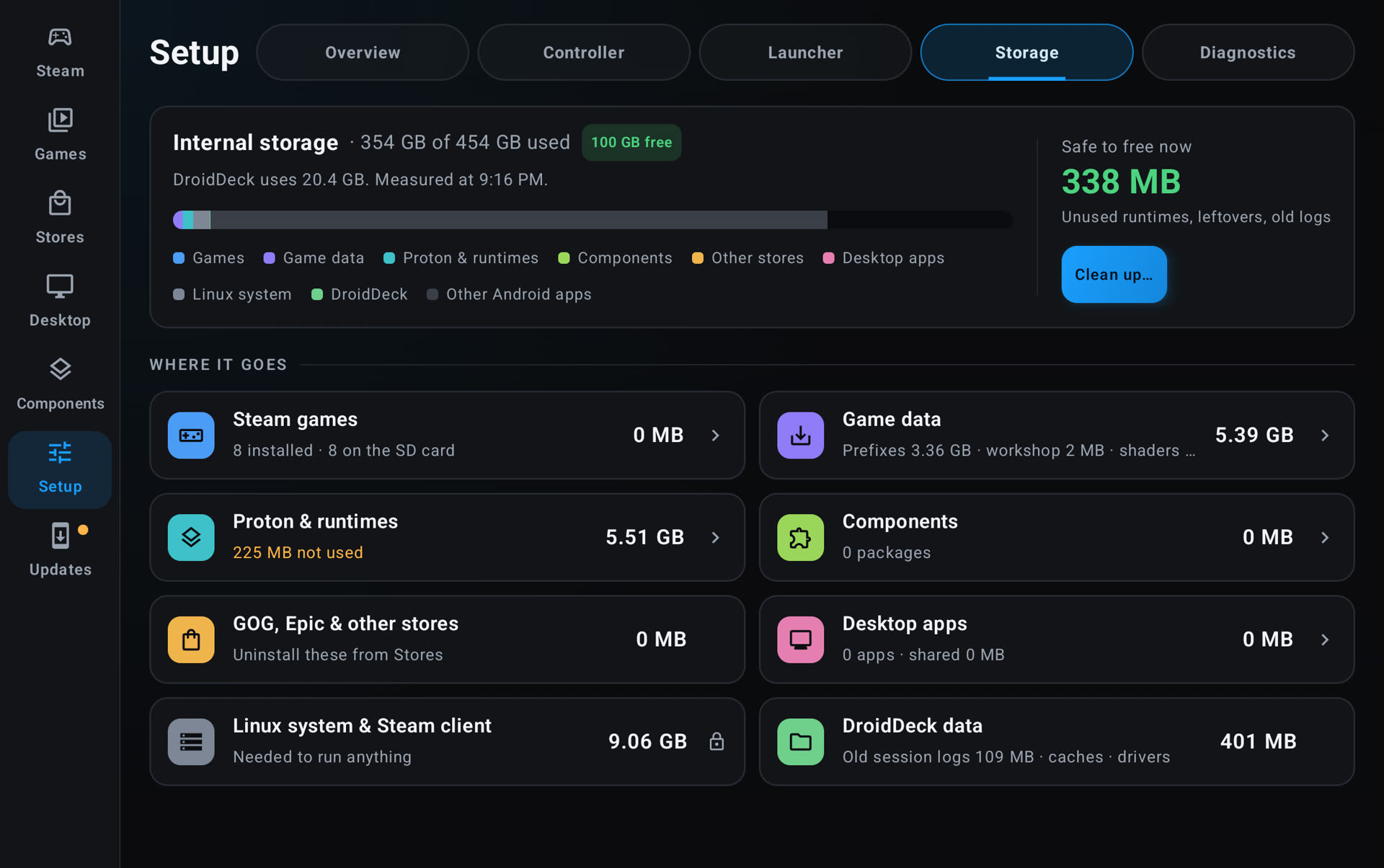
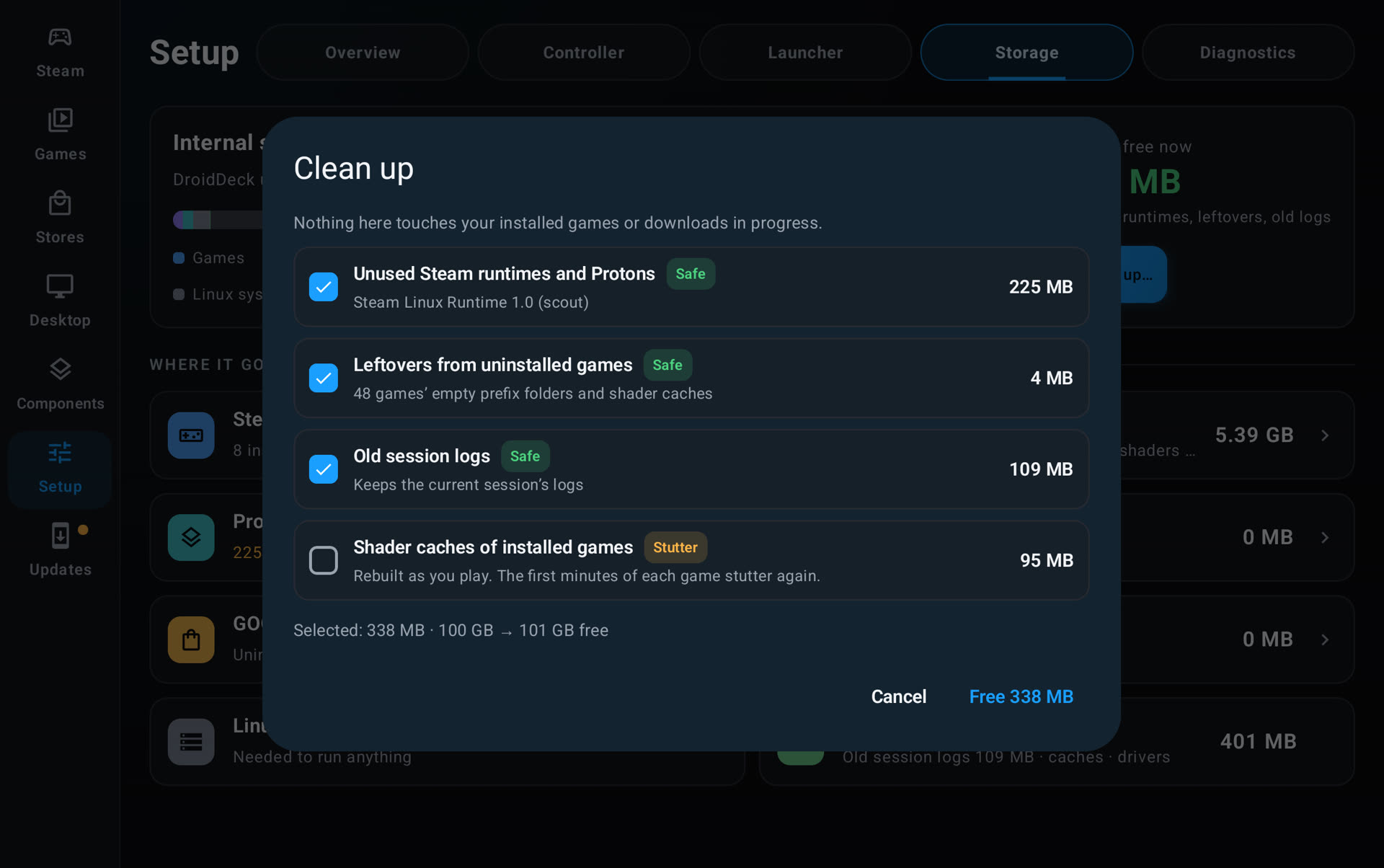
Added a Storage page to Setup that shows where DroidDeck's storage goes and frees what is safe to remove: unused Steam runtimes, leftovers from uninstalled games, old logs, shader caches, unused components and Flatpak runtimes. Starting Steam with less than 10 GB free offers to free up space. (@xXJSONDeruloXx, #913)
-
Added artwork changing for Steam games and GOG, Epic and Amazon games, matching added games, with a SteamGridD...


Contributors


Assets 7
DroidDeck 0.4.0
TL;DR for Mr. Sujano specifically
And speaking about the coolest thing since sliced bread, next up here we're talking about DroidDeck.
For those who are unaware, DroidDeck brings the SteamOS experience to Android on your Snapdragon powered handheld, and DroidDeck just got a brand new update. Now, they just released version 0.4.0, and taking a look at this update, it seems to be a pretty big one.
It says here they've added GOG, Epic Games and Amazon Games integration, with cloud saves for GOG and Epic. On top of that here, they've implemented a fully featured SteamOS-style KDE Plasma desktop with a working "Return to Gaming Mode."
Steam's own Steam Link touch controller, with community layouts that back up to Steam Cloud. Support for connecting up to four controllers for local co-op. Native support for the new Steam Controller. And the built-in controls can now pretend to be a Steam Deck, Steam Controller, Xbox 360, DualShock 4 or DualSense.
If you're on a foldable, Steam and your games now resize when you fold, unfold or rotate, and there's an optional touch gamepad below the game when it's unfolded.
They've also got per-game compatibility profiles, automatic redistributable and Windows component installs, their own custom DroidDeck-Proton, and streamlined non-Steam game imports with automatic artwork. And on the performance side, PRoot is up to 57% faster in some workloads, with lower idle CPU usage, and even more.
You let me know your thoughts.
Features
-
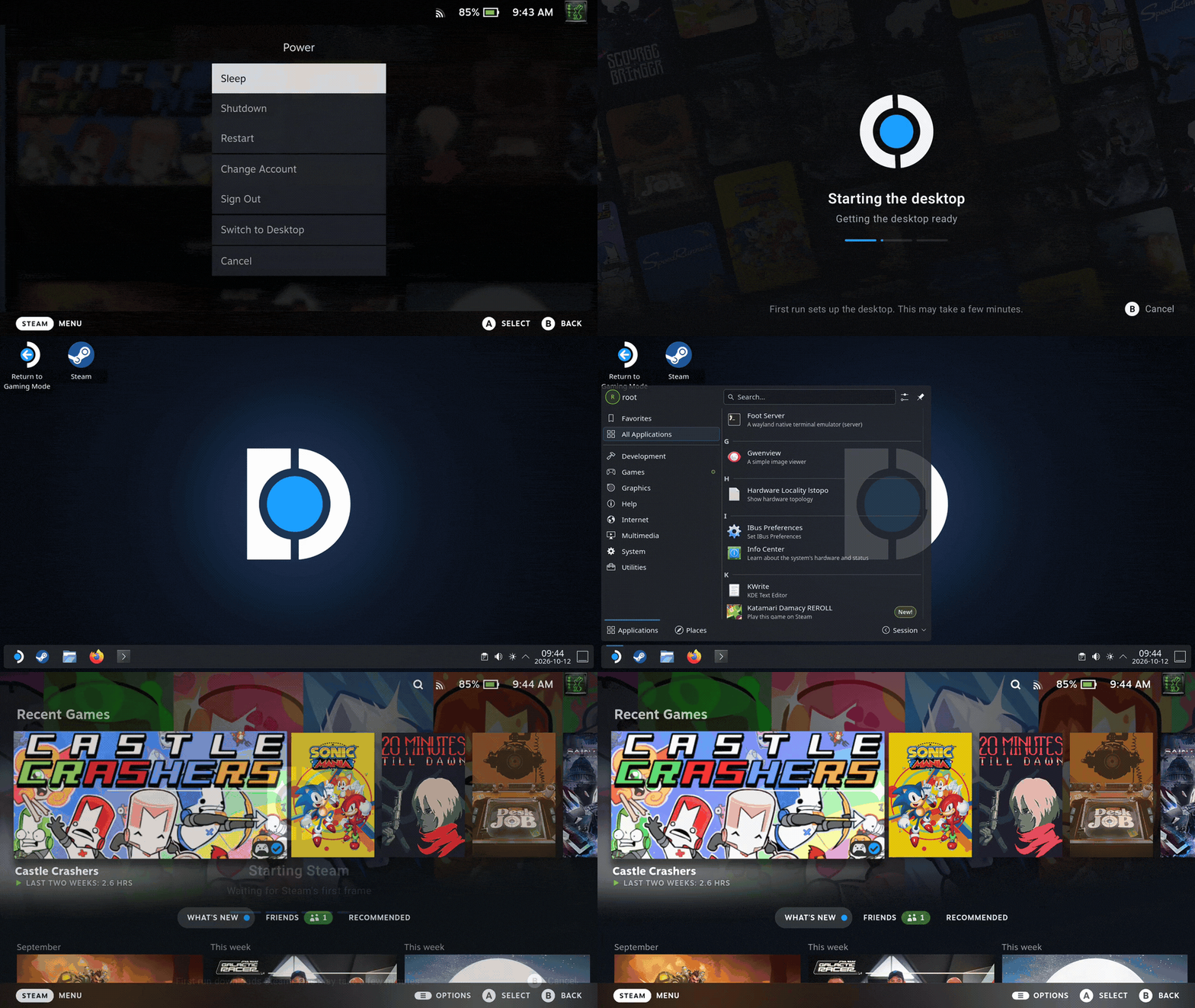
Replaced LXQt with SteamOS-style KDE Plasma 6.7, including the familiar desktop layout, Dolphin, Firefox, Konsole, the Steam desktop client and Return to Gaming Mode. (@xXJSONDeruloXx, #473, #610)
-
Added GOG, Epic Games and Amazon Games integration with account sign-in, game libraries, downloads and launching through Steam. GOG and Epic games also support cloud saves. (@The412Banner, @xXJSONDeruloXx, @Gustash, @maxjivi05, #476, #500, #578, #400)


-
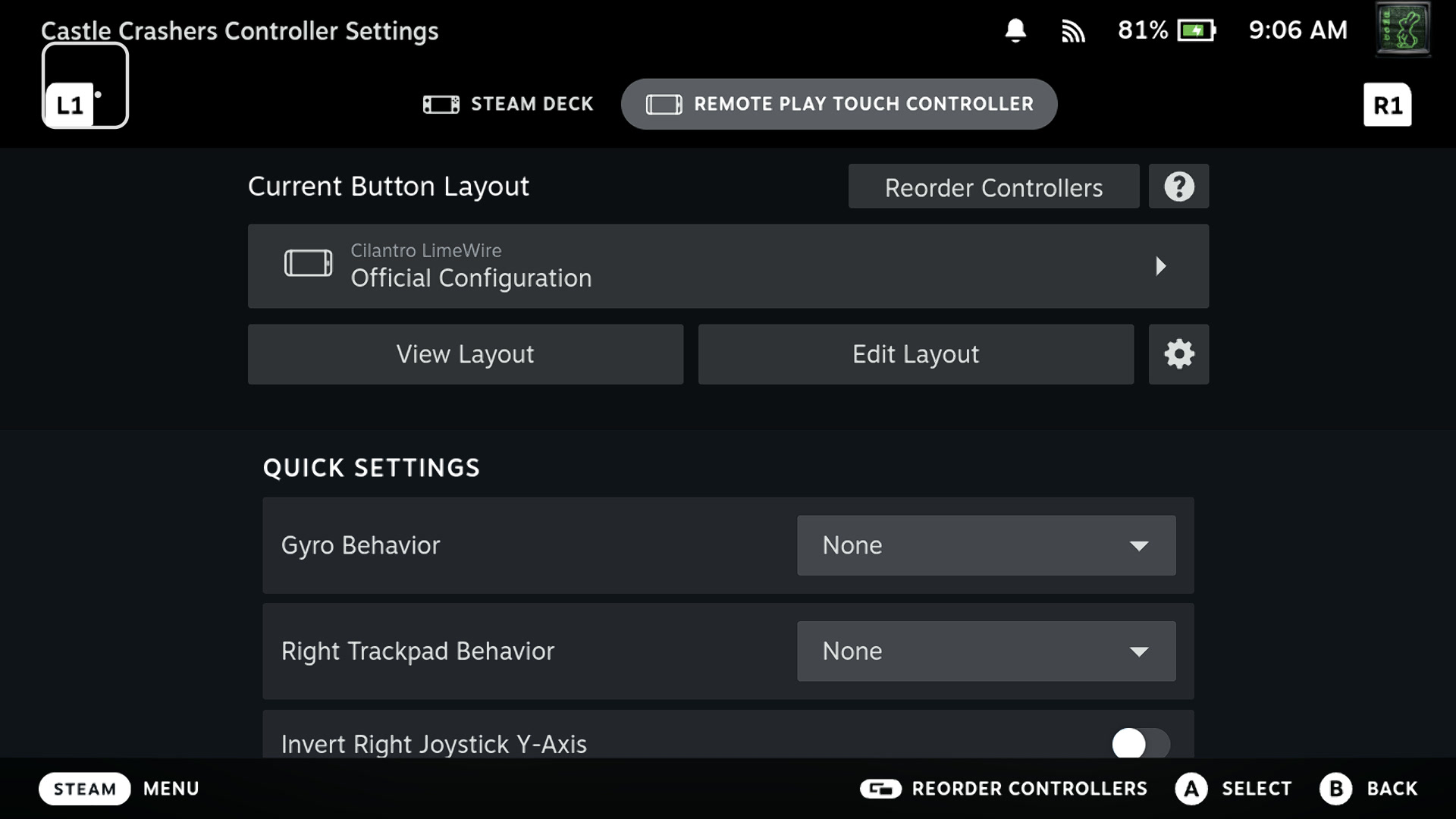
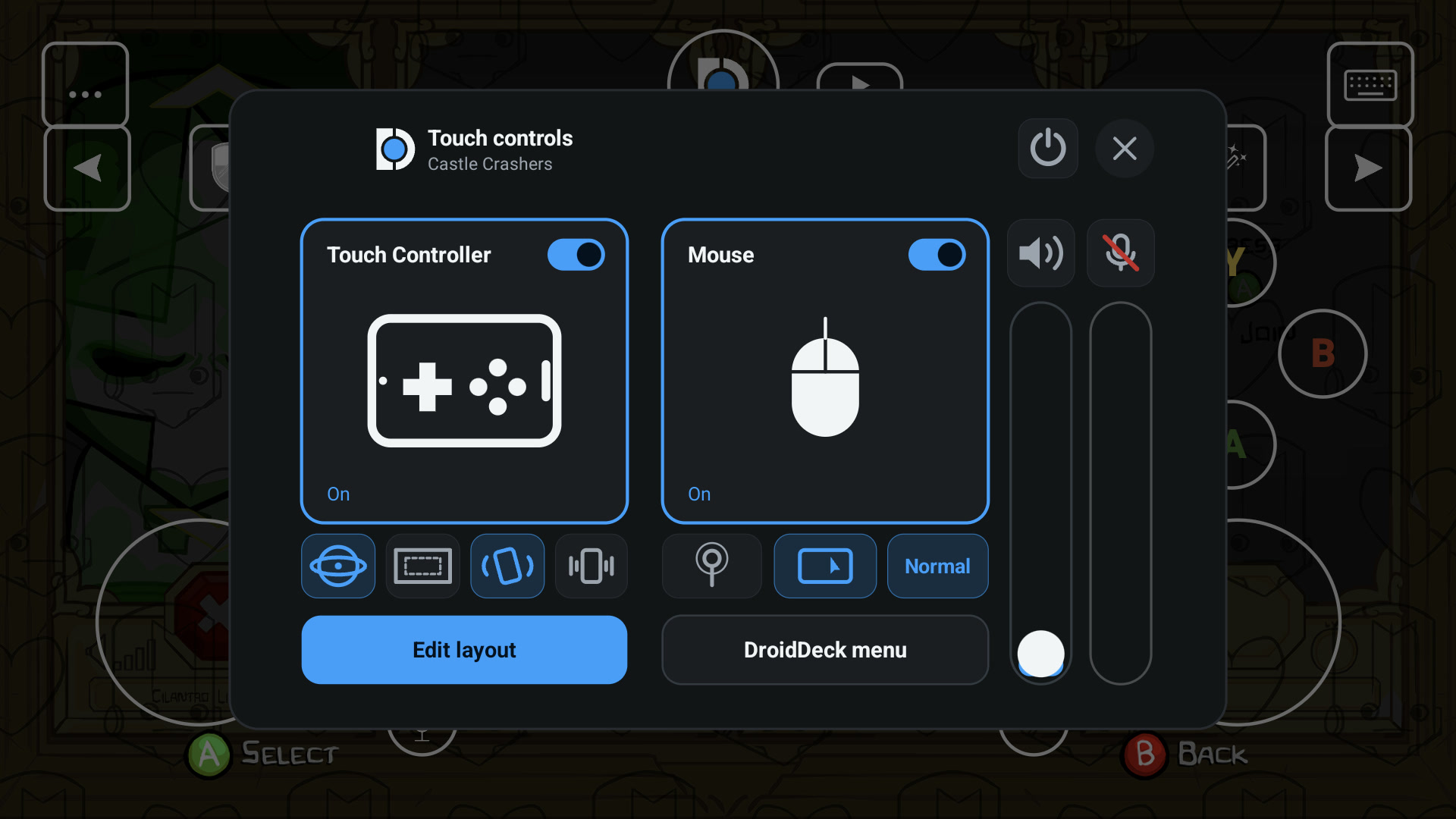
Added Steam's native touch controller (beta), with per-game Steam Input layouts, community configurations, an on-screen layout editor and Steam Cloud syncing. (@xXJSONDeruloXx, #431)
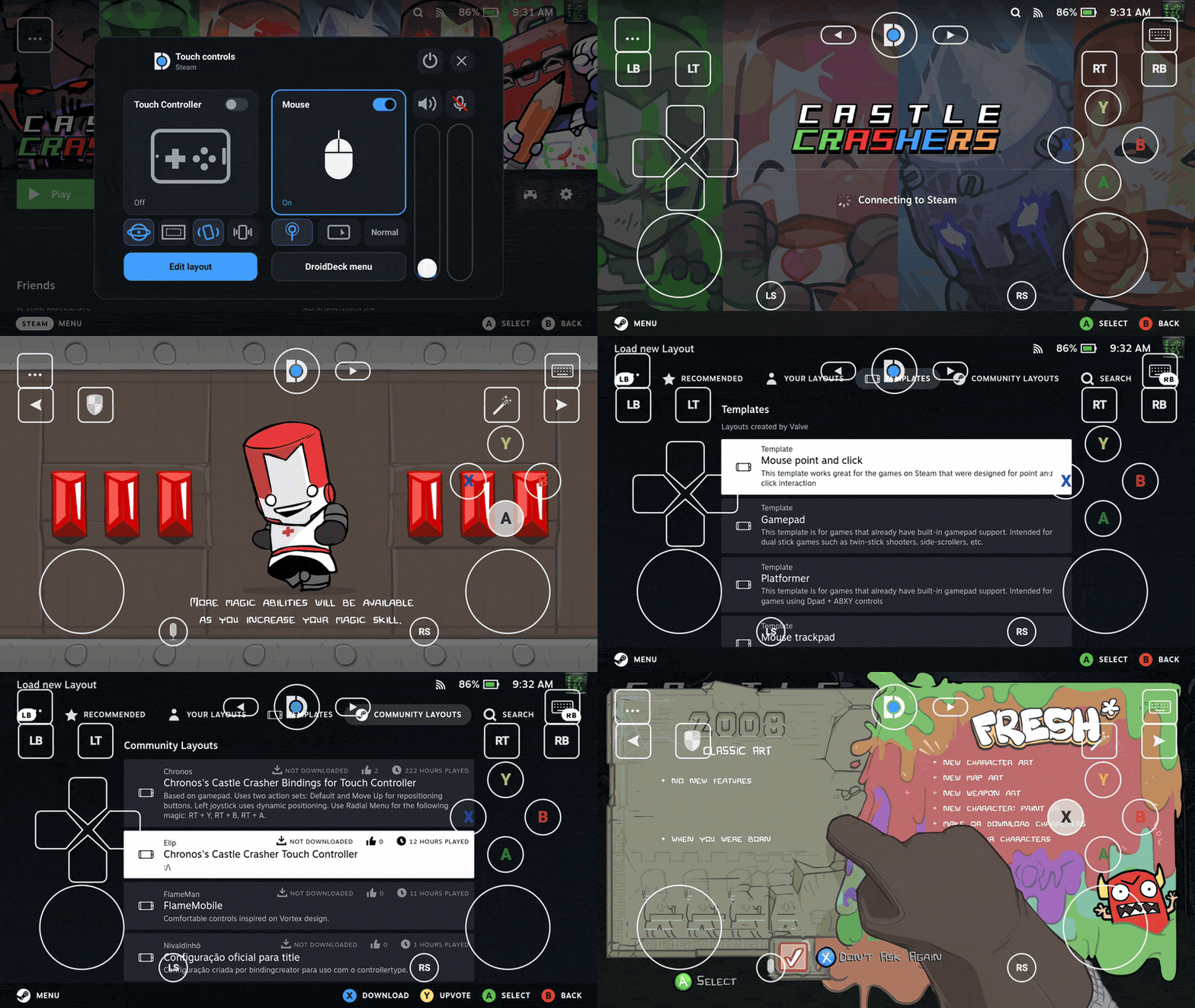

Steam Input layouts and touch settings


-
Added multi-controller support for up to 4 players, allowing connected Android gamepads to work independently for local co-op and split-screen multiplayer through Steam Input. (@xXJSONDeruloXx, @maxjivi05, @Neolyum, #431, #614)

-
Added Bluetooth LE Steam Controller (2025) support, including trackpads, back grips and motion controls. (@SG3xHERO, #404)

-
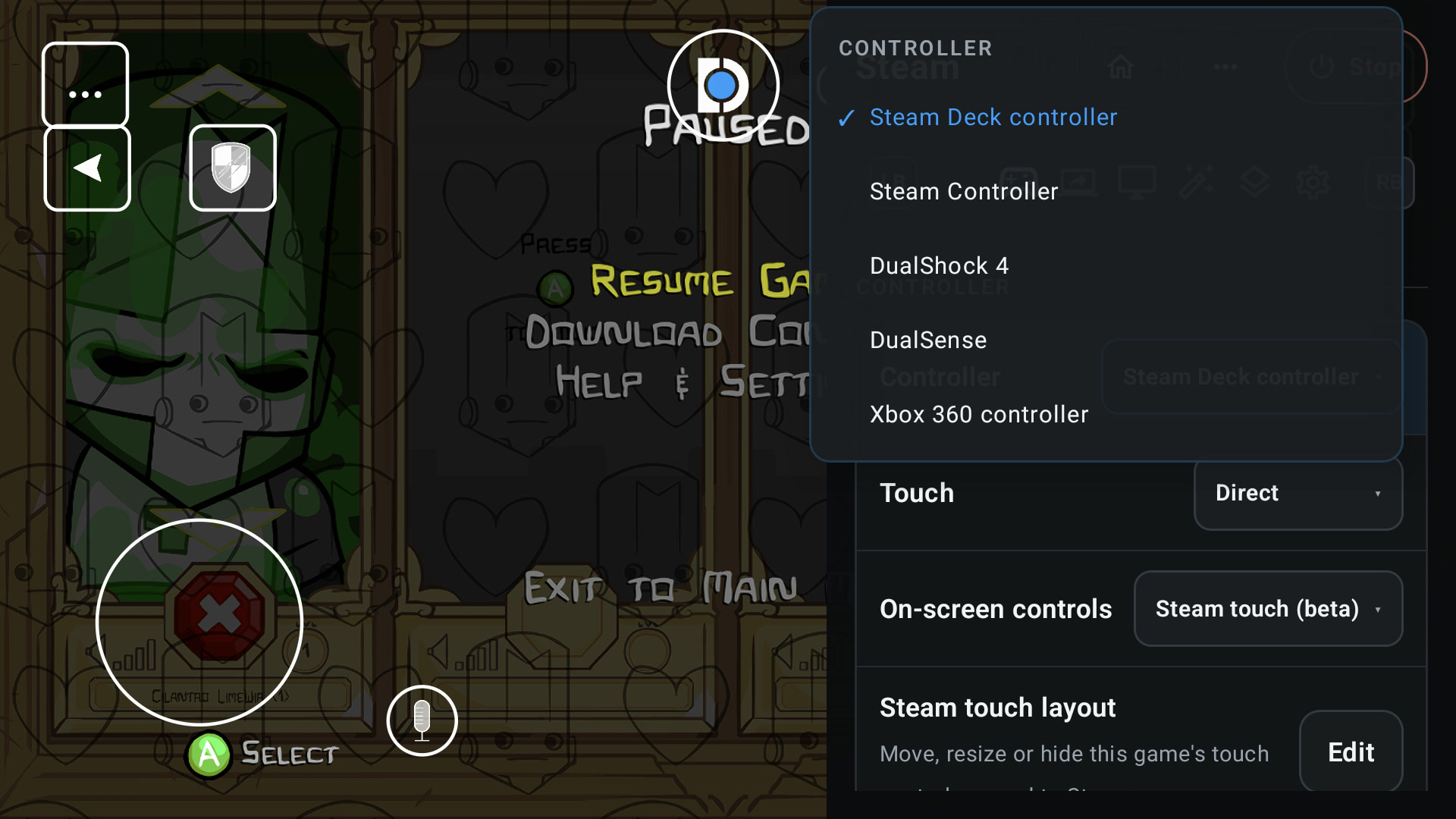
The built-in controller can now emulate a Steam Deck, Steam Controller, Xbox 360, DualShock 4 or DualSense, with live switching from the session menu without restarting Steam. (@xXJSONDeruloXx, #545, #558, #559)
-
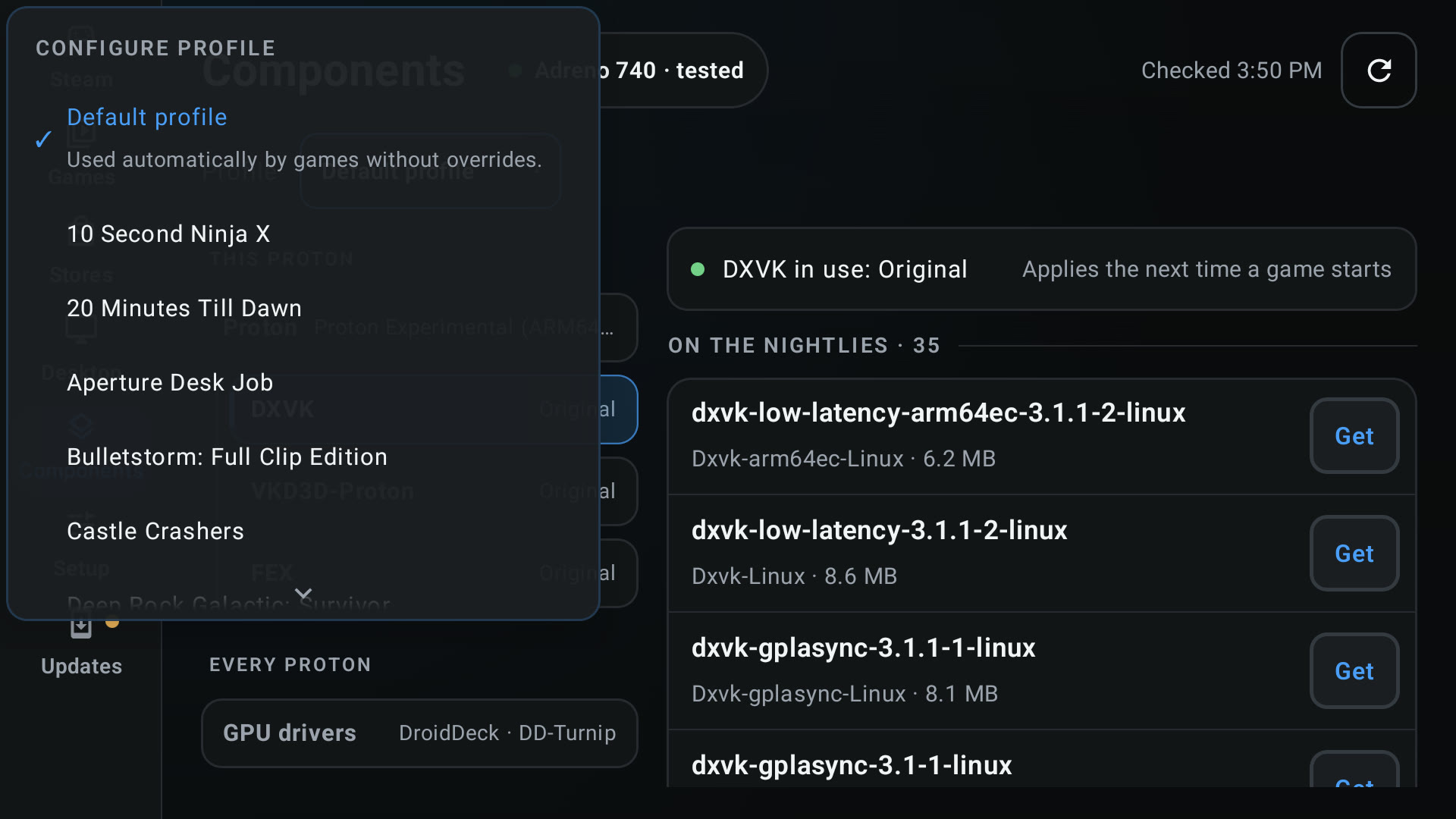
Added persistent per-game compatibility profiles for Proton, FEX, DXVK, VKD3D-Proton, Windows components, environment variables and texture filtering, with inheritance from your default settings. (@jmarti326, #449)
-
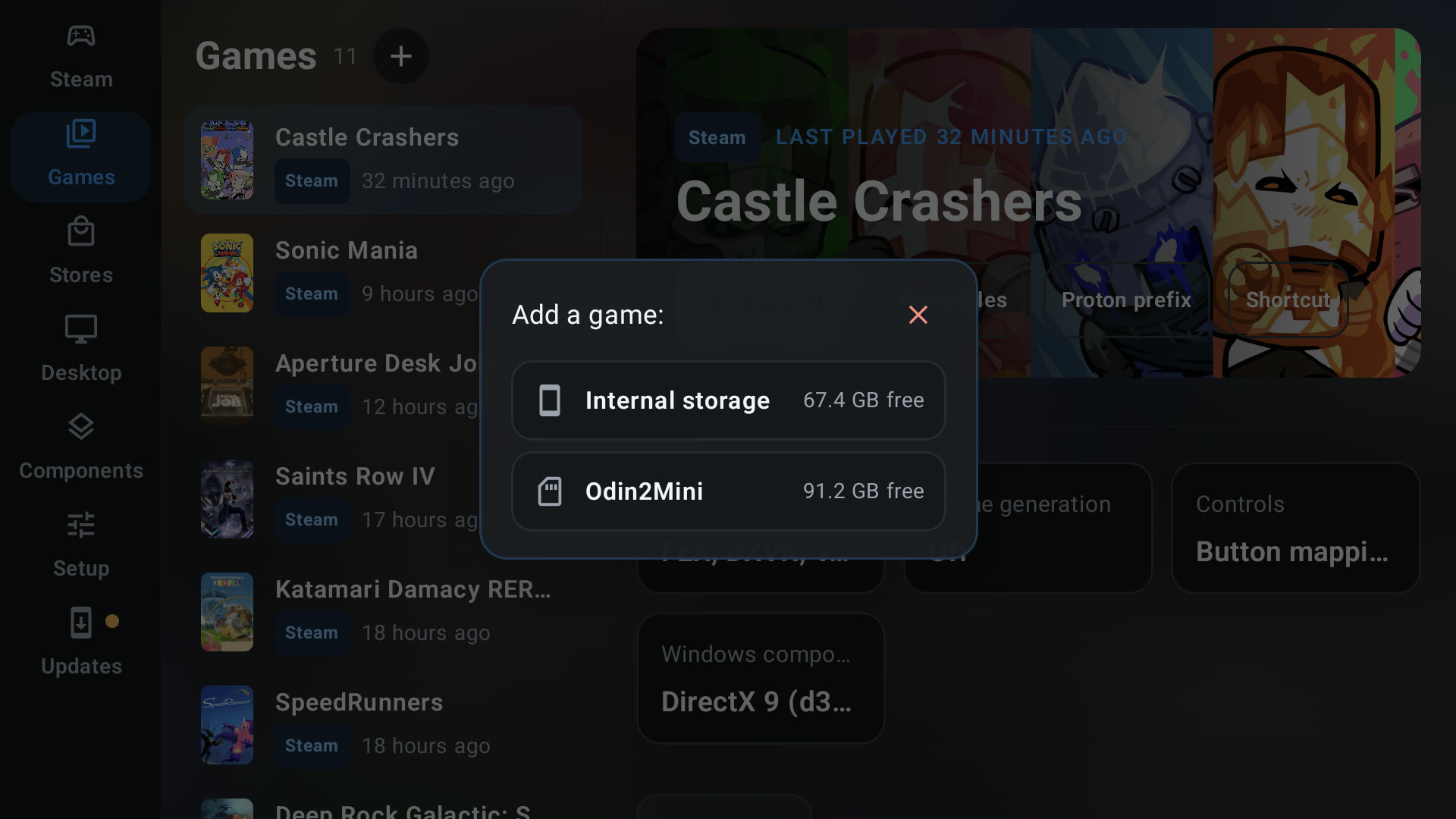
Completely revamped adding and managing non-Steam games, with automatic game detection, artwork, bulk imports and editing directly from the Games tab. (@The412Banner, #492)
-
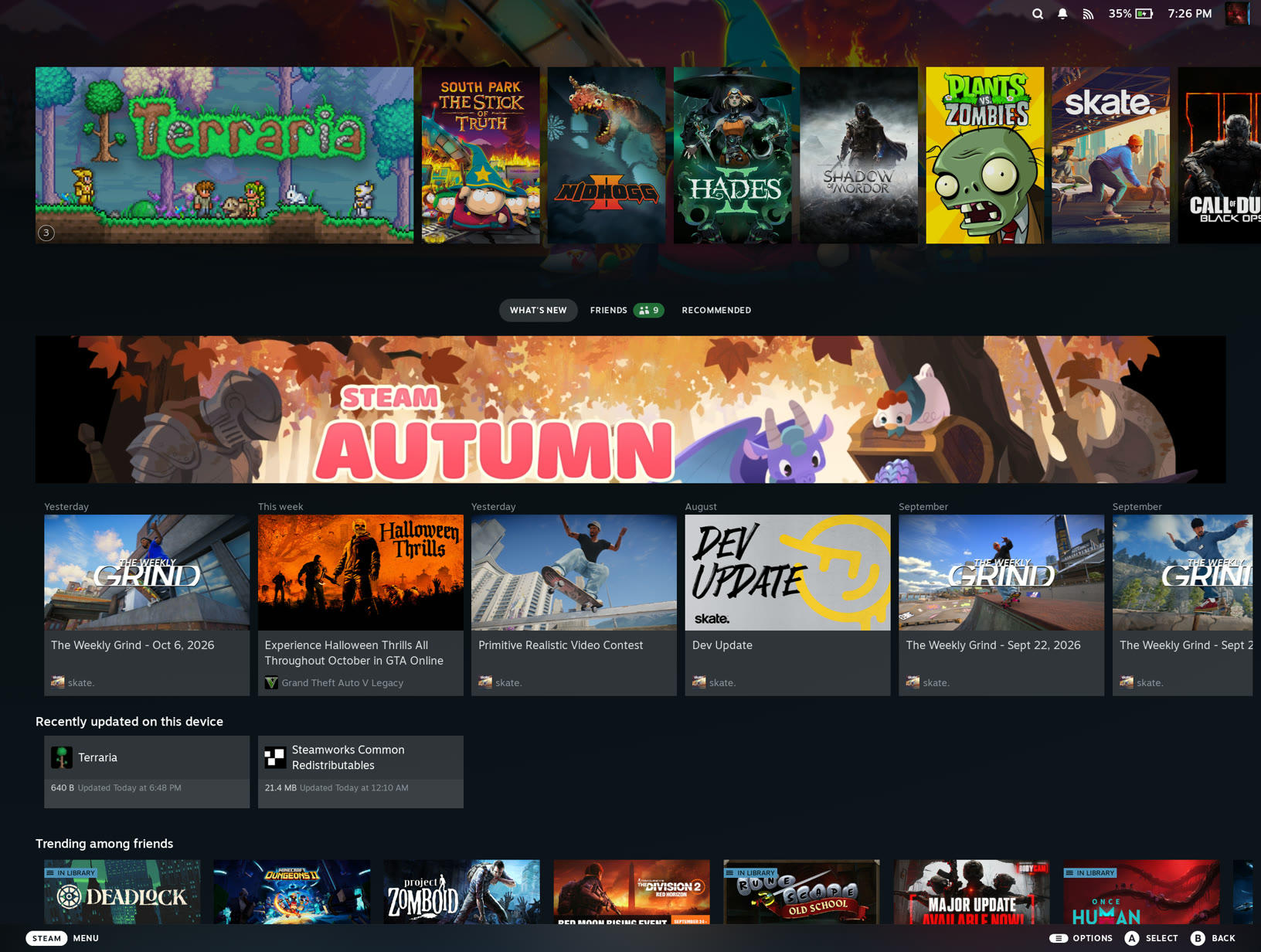
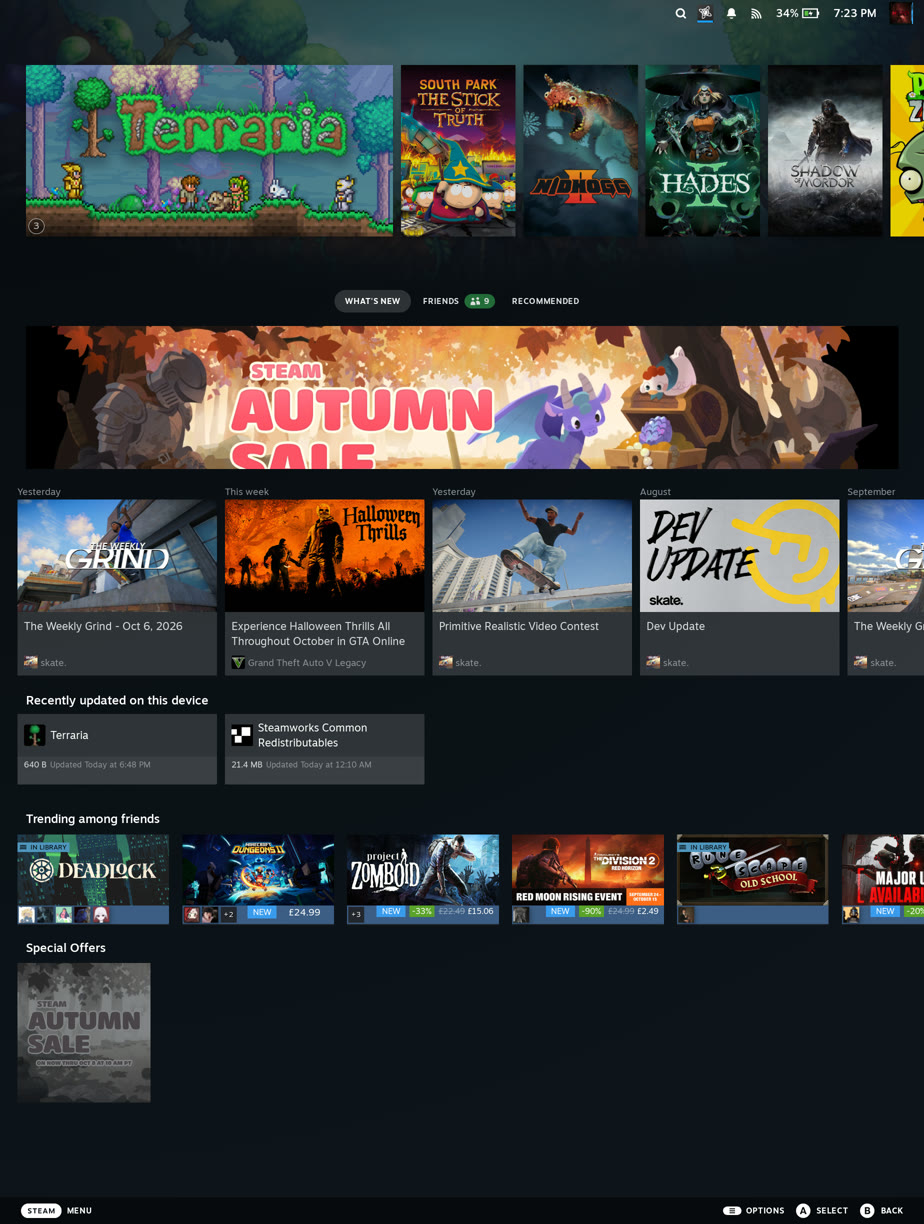
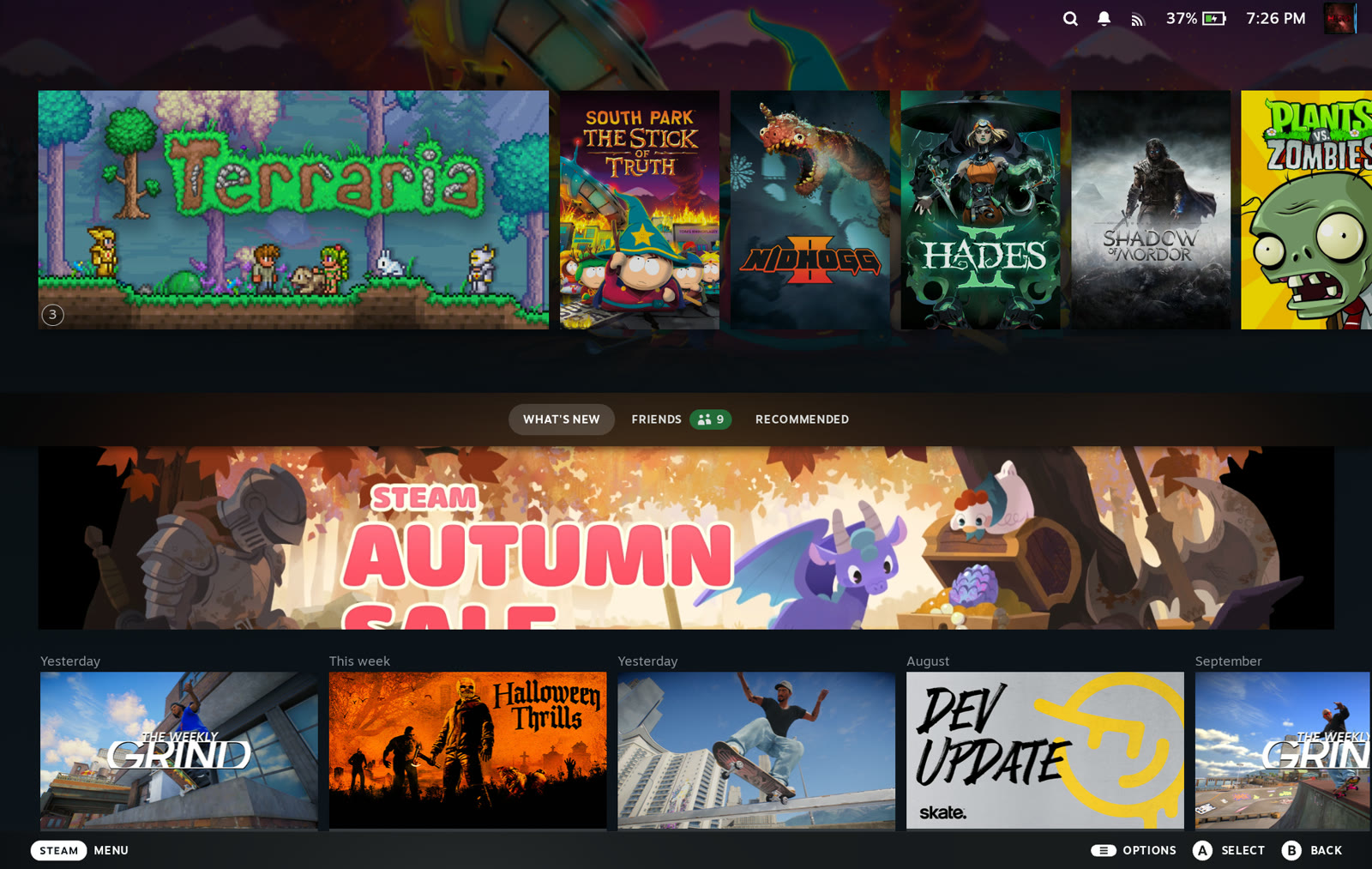
Added Follow screen resolution for foldables, automatically resizing Steam and games when folding, unfolding or rotating the device. (@SG3xHERO, #403)
-
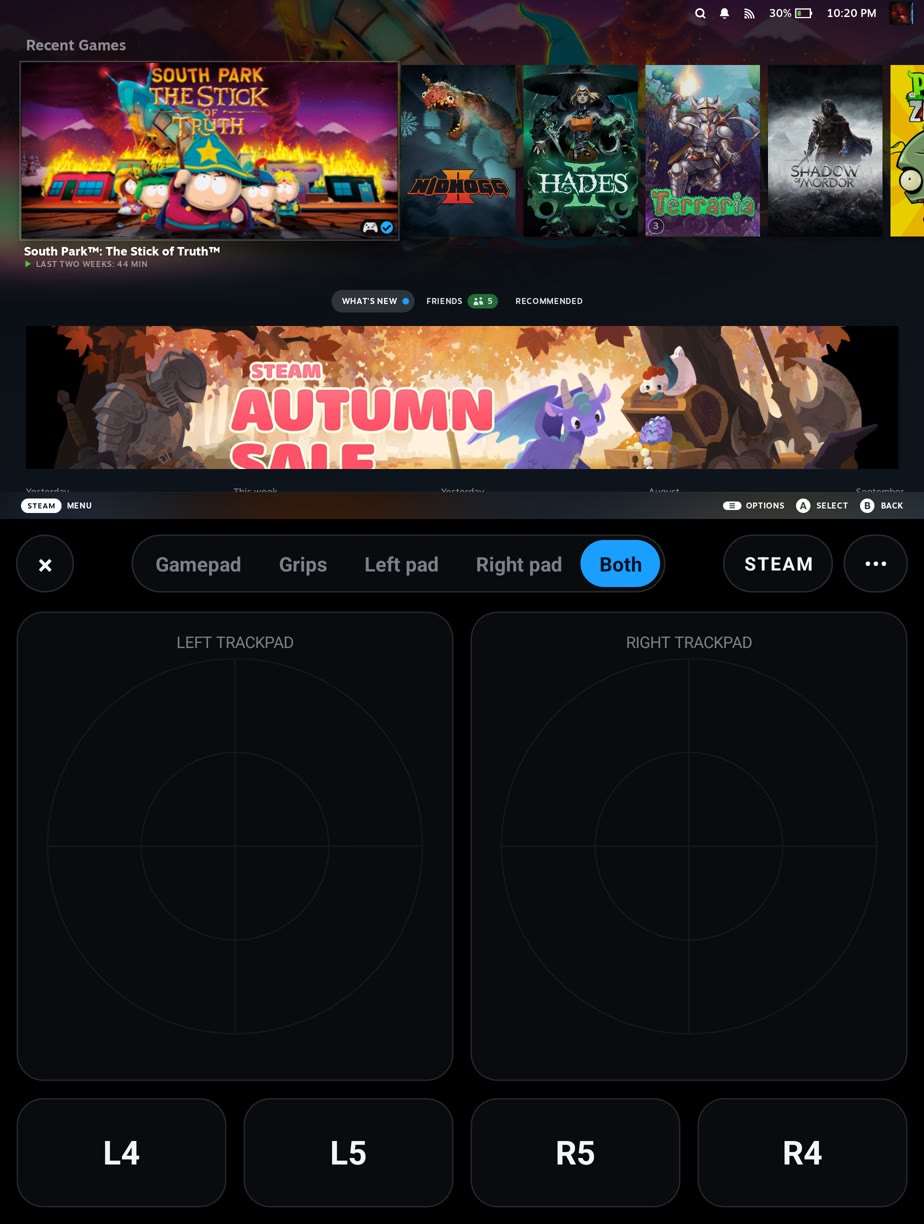
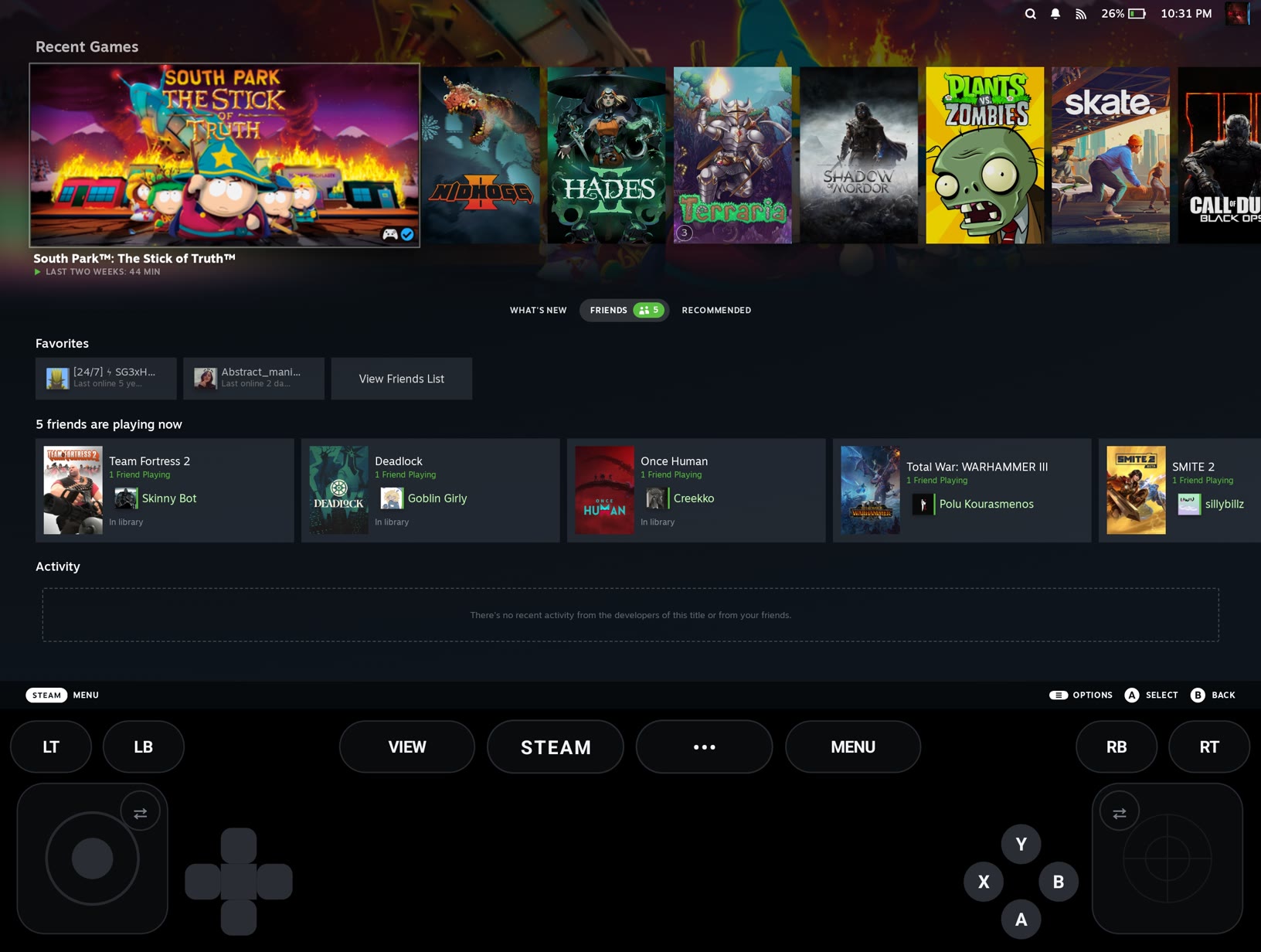
Added an optional touch gamepad below the game on unfolded foldables, with Steam Deck-style controls, configurable sticks and trackpads. (@SG3xHERO, #407)

-
Added DroidDeck-Proton as an installable Proton source alongside GE-Proton and CachyOS Proton, with update notifications for all three. (@The412Banner, #588)
-
Added support for installing Flatpak apps directly from .flatpak bundles, including apps no longer available through Flathub. (@xXJSONDeruloXx, #446)
-
Added a manual landscape orientation setting, including reverse landscape. (@Kobtul, #441)
-
Added an optional controller setting to open the Steam menu with the physical Select button. (@0x1428571429, #384)


Improvements
- Major launcher UI redesign across Steam settings, Components, Setup, Stores, Flathub a...
Contributors


Assets 7
CI Debian 11 image (ci-debian-bullseye-r1)
The debian:bullseye image build.yml compiles the x86 preloads in (glibc 2.31), saved with docker save and compressed with zstd. Pulled from public.ecr.aws/docker/library/debian:bullseye on 2026-10-10; image id sha256:d89d848cffea21f345166115b8db117797b081ad20f705706d7e7ce5d3449e78. Pinned in tools/linuxfs/debian-image.env.
DroidDeck 0.3.2
Features
-
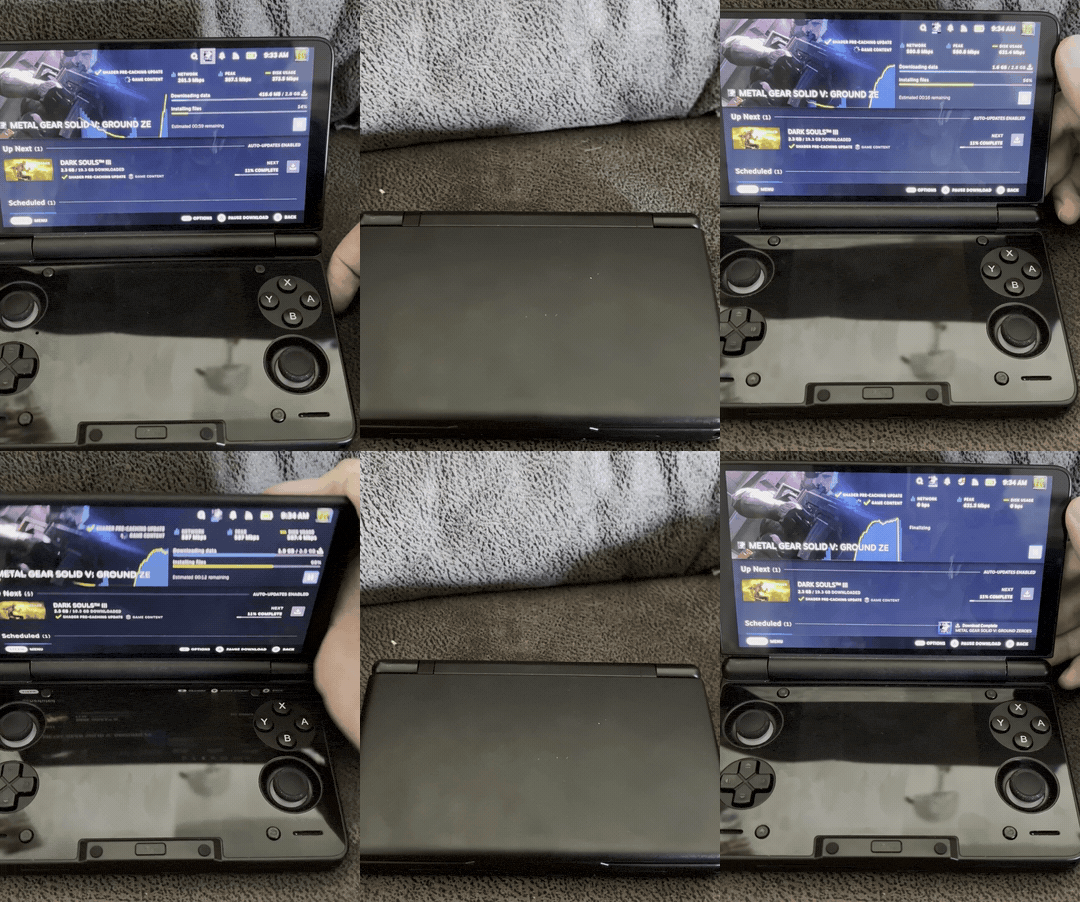
Added Keep downloads running toggle, so Steam downloads can continue when Android sleeps. (@jmarti326, @xXJSONDeruloXx, #335)
-
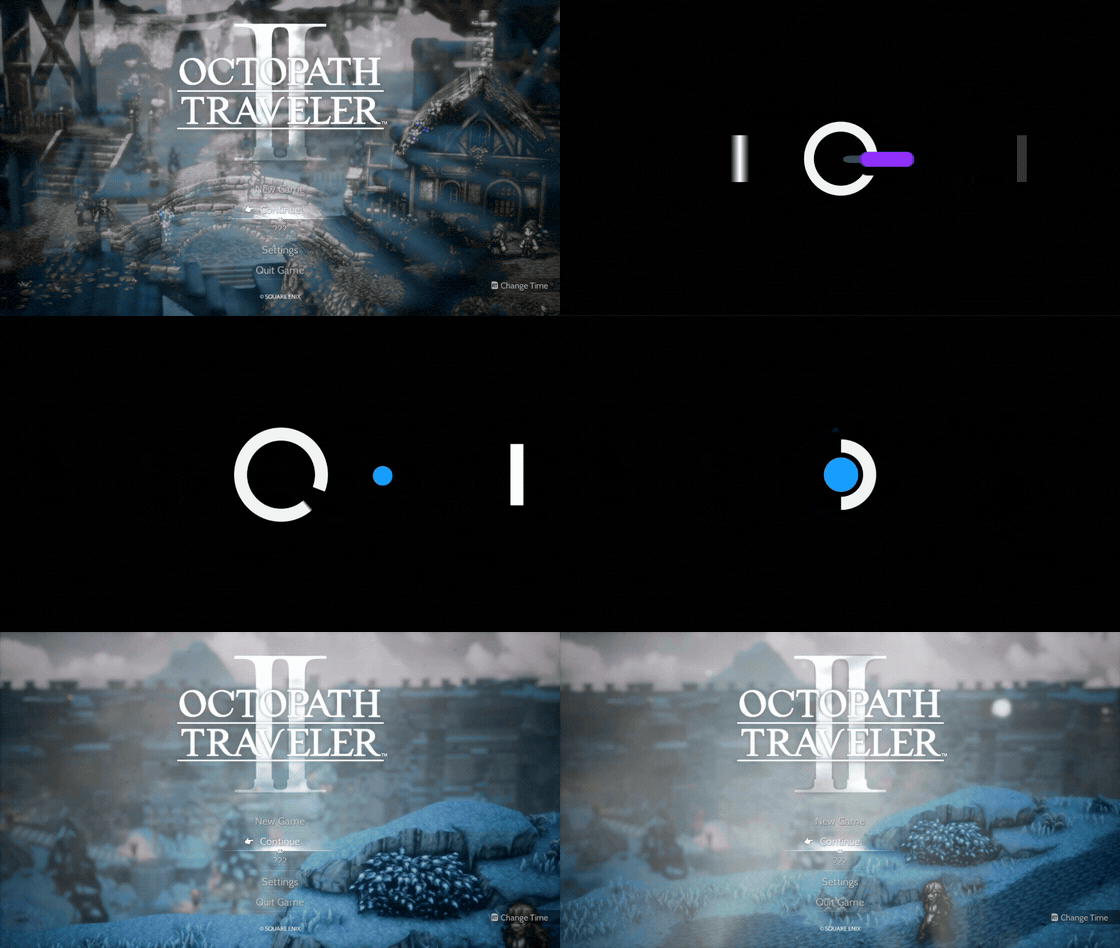
Added Native Steam sleep with dynamic cloud save and wake movie support. (@xXJSONDeruloXx, #291)
-
Added Adreno 6xx support, including Adreno 650 (eg: Retroid Pocket 5). (@unbelievableflavour, @jmarti326, #320, #326)
-
SD cards and external drives can now be used as full Steam libraries. (@maxjivi05, #388)
-
Added per-game Windows components with automatic dependency recommendations for Steam and non Steam games. (@The412Banner, #287)

-
Added XNA, PhysX, Games for Windows Live, MSXML and other Windows components without needing to run their original installers. (@The412Banner, #347)
-
Added optional Force SSBS for ARM64 Proton games on supported CPUs. (@The412Banner, #328)
-
Added a detailed device report with SoC, GPU, CPU, Vulkan, memory and driver information. (@The412Banner, #295)
-
Added App scale presets from 75% to 150%. (@xXJSONDeruloXx, #272)
-
File Manager can now browse DroidDeck’s Linux filesystem directly. (@The412Banner, #392)
-
Added a Language setting, with Steam automatically following the selected language. (@maxjivi05, #284)
-
Added opt-in Debugging tools for automated game/session control, input, UI inspection and repeatable test scenarios. (@xXJSONDeruloXx, #406)


Improvements
- Steam and games now run on separate Xwayland servers, closer to SteamOS behavior. (@xXJSONDeruloXx, #344)
- DirectAudio is now the default on fresh installs, with major crackling and underrun improvements across both audio modes. (@maxjivi05, #338)
- Steam now preserves edits made to added-game shortcuts, including Target, Start In, name and launch options. (@maxjivi05, #393)
- Steam now uses the full session resolution on displays wider or larger than 1080p. (@xXJSONDeruloXx, #391)
- Improved Snapdragon and Adreno detection on devices with incomplete hardware information. (@The412Banner, #295)
- Improved layouts for small screens and longer translated text. (@xXJSONDeruloXx, @maxjivi05, #268, #284)
- File Manager and file pickers can now navigate upward from game folders, prefixes and remembered locations. (@The412Banner, #377)
- Expanded and polished Spanish, Japanese, Korean, Chinese, French and Russian translations. (@maxjivi05, @starwishHi, @zeedif, @Tak-attack, @kmnkv1, #284, #286, #234, #314, #324)
- Steam and Linux apps now use Android’s system fonts for Chinese, Japanese, Korean, Thai and other missing characters. (@maxjivi05, @0x1428571429, #374, #252)
- Sessions launched from Android frontends now return to that frontend when they close. (@xXJSONDeruloXx, #300)
Fixed
- Fixed MangoHud reporting roughly double the real battery power draw and incorrect remaining time. (Thanks Russ ❤️)(@xXJSONDeruloXx, #270)
- Fixed slow Steam installs on SD cards and external storage, including long Reserving space / Committing stages and installs failing to begin. (@maxjivi05, #388, #410)
- Fixed some games staying behind Steam’s black** **loading screen while already running. (@xXJSONDeruloXx, #401)
- Fixed a graphics-memory leak that could kill the session. (@The412Banner, @xXJSONDeruloXx, #275, #305)
- Fixed some added games starting in
C:\windowsinstead of their own game folder. (@The412Banner, #343) - Fixed Firefox and LibreWolf tabs crashing on affected Android 16 devices. (@The412Banner, #280)
- Fixed resolution presets changing the screen shape, and fixed 16:9 stretch in Steam Deck mode. (@xXJSONDeruloXx, @magarto, #337, #133)
- Fixed several Steam sleep and wake edge cases. (@xXJSONDeruloXx, #289)
- Fixed some new sessions starting with the wrong output size. (@xXJSONDeruloXx, #357)
- Fixed Windows component installation failures and improved controller navigation in the component picker. (@The412Banner, #347)
- Removed the old Force game windows fullscreen workaround now that games run on their own Xwayland server. (@xXJSONDeruloXx, #349)
- Hardened the developer environment override so other apps with storage access cannot modify Steam session environment variables. (@The412Banner, #413)
New contributors
- @unbelievableflavour made their first contribution in #320.
- @Lightfallingonionroom made their first contribution in #232.
- @0x1428571429 made their first contribution in #252.
- @zeedif made their first contribution in #234.
- @Tak-attack made their first contribution in #314.
- @kmnkv1 made their first contribution in #324.
Built by Build APK run 37795647092 from a58b0ac3e0ea9dc588a162df8ddf04864715dee2, signed and published by Release APKs run 37796819768.
Contributors


Assets 7
msitools 0.106 + cabextract 1.11 (aarch64)

Arch Linux ARM's aarch64 packages, unchanged, for the Windows components installer (droiddeck-msi-install): msitools reads Windows Installer packages, cabextract unpacks their cabinets. CI checks each against tools/msitools/packages.txt.
| Package | Licence | Source |
|---|---|---|
| msitools 0.106-3 | GPL-2.0-or-later (tools), LGPL-2.1-or-later (libmsi) | https://gitlab.gnome.org/GNOME/msitools |
| libgsf 1.14.60-1 | LGPL-2.1-only | https://gitlab.gnome.org/GNOME/libgsf |
| gcab 1.6-2 | LGPL-2.1-or-later | https://gitlab.gnome.org/GNOME/gcab |
| cabextract 1.11-3 | GPL-3.0-or-later | https://www.cabextract.org.uk/ |
Package build files: https://github.com/archlinuxarm/PKGBUILDs and https://gitlab.archlinux.org/archlinux/packaging/packages
