Repository navigation
Home
The importance of setting goals is well known to successful organizations. They hold you accountable, tell you what you truly want, and help propel you forward. Whether the goals are professional or personal, many of us simply state our goals but fail to set deadlines and track our progress toward achieving them.
The Goal Tracker app is a comprehensive solution that lets you set up your team and individual goals in Microsoft Teams, update and share the progress of goals, and integrate seamlessly with existing channels and teams.
As a team member, this app template can be utilized to set your personal goals, update progress, save notes directly from Teams (or any other application as a link), praises that you got for your work, or anything else relevant for any review! As a manager, you can set your team's goals in addition to your personal goals. Team members can align their personal goals to team goals. A simple bot command can help you to view the progress against your team goals. Team goal progress is automatically updated according to the updates on personal goals by your team members. Additionally, this Microsoft Teams app also notifies your entire team to update progress as per the frequency selected, and maintains the history of your goals up to 1 year.
With the Goal Tracker app in Microsoft Teams, all users can:
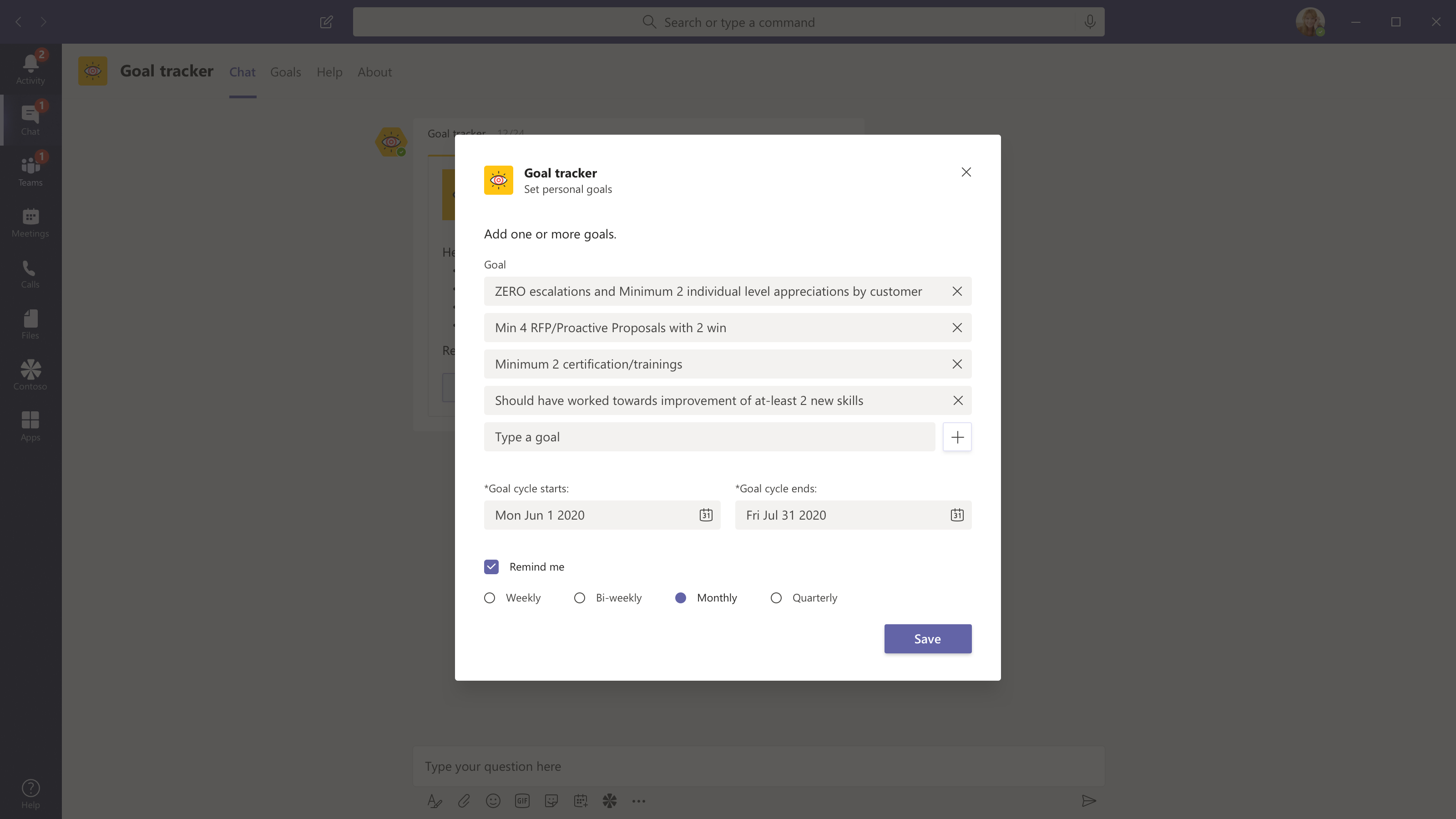
- Set up personal goals
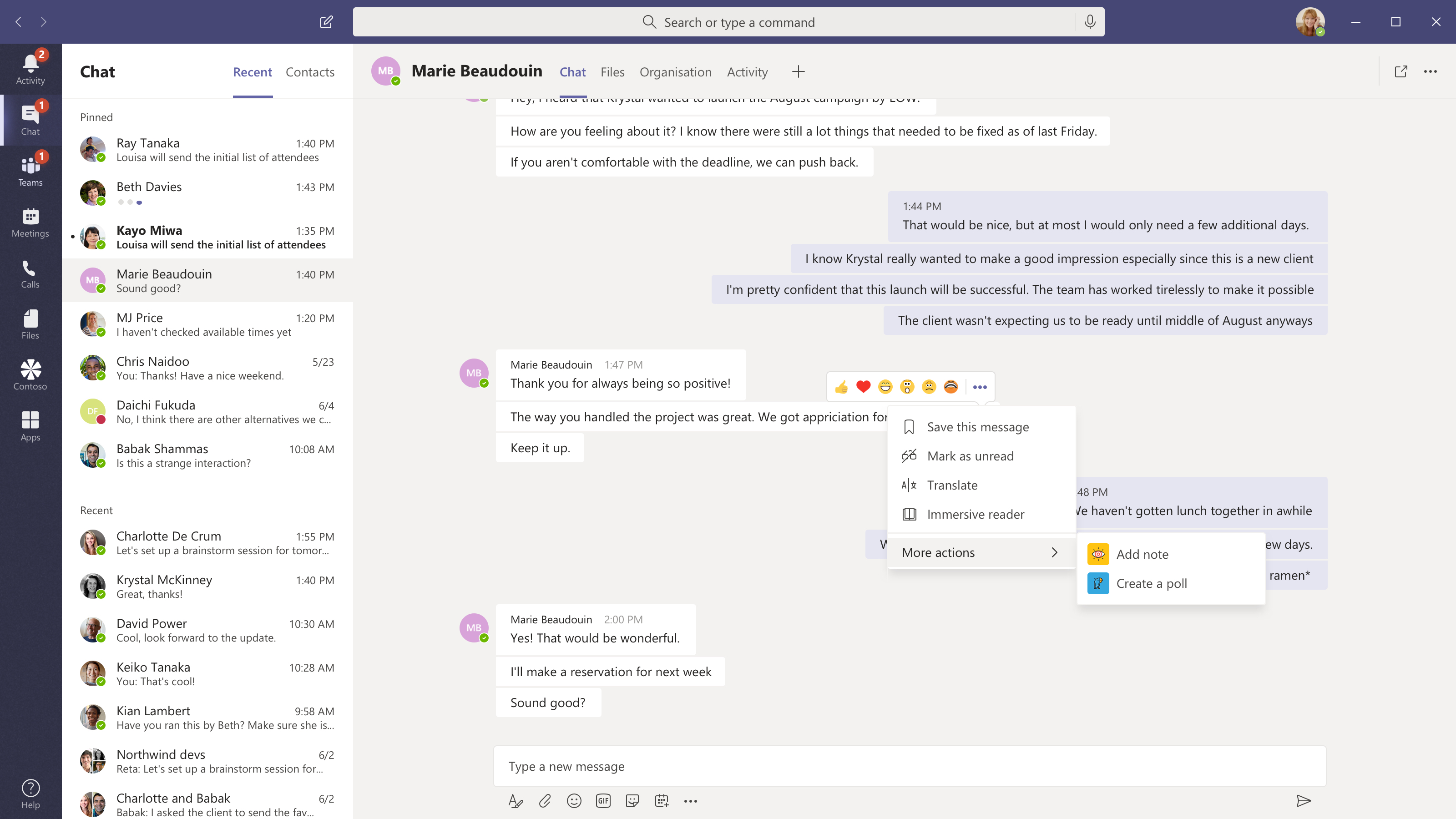
- Save teams messages as notes to record milestones or progress for your goals
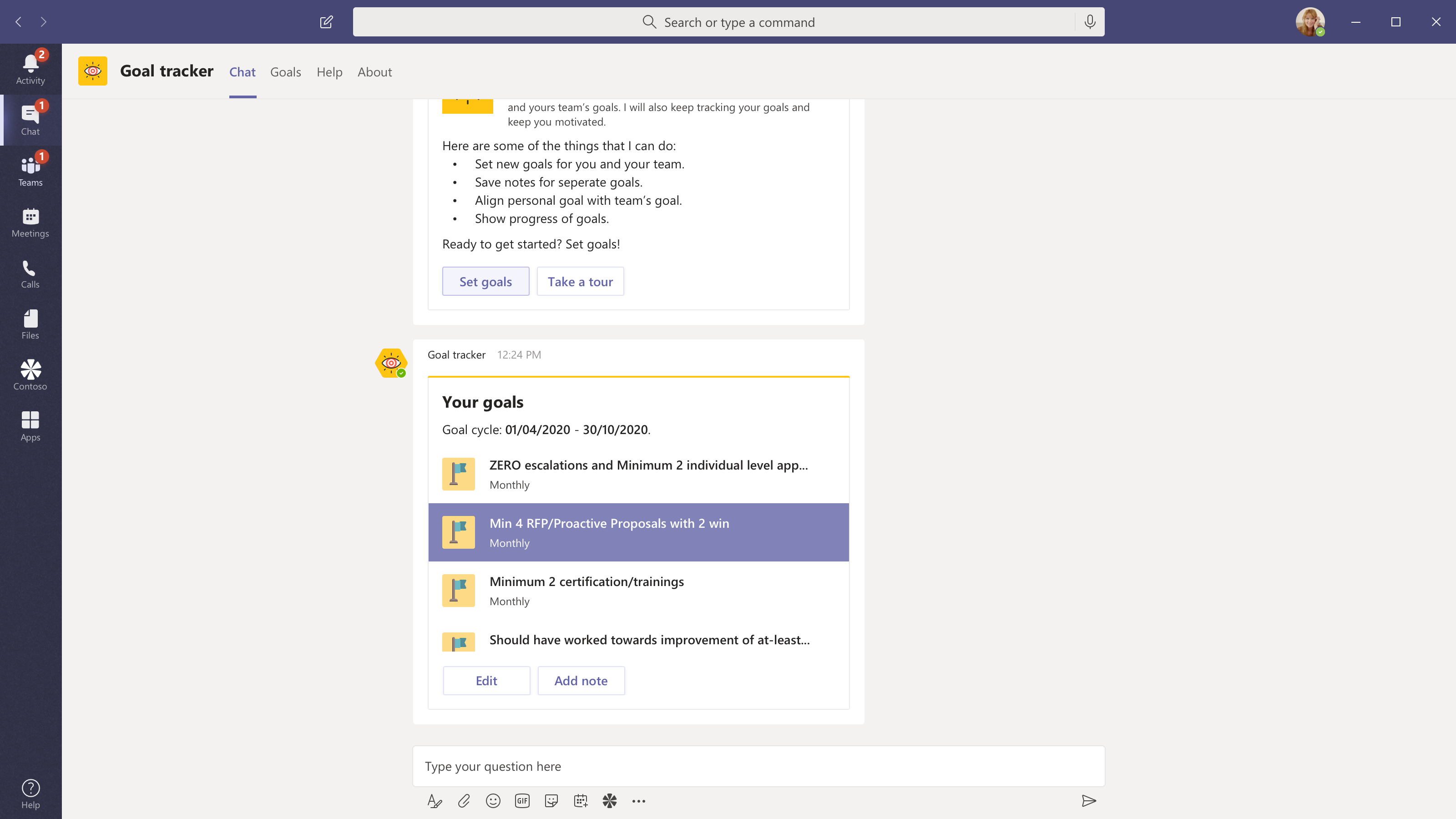
- Organize and prioritize your goals in the personal board
- Align personal goals towards teams’ goals and collaborate with managers or coworkers in a team
- Get timely reminders to help you stay on track, update goals right in the Microsoft Teams interface
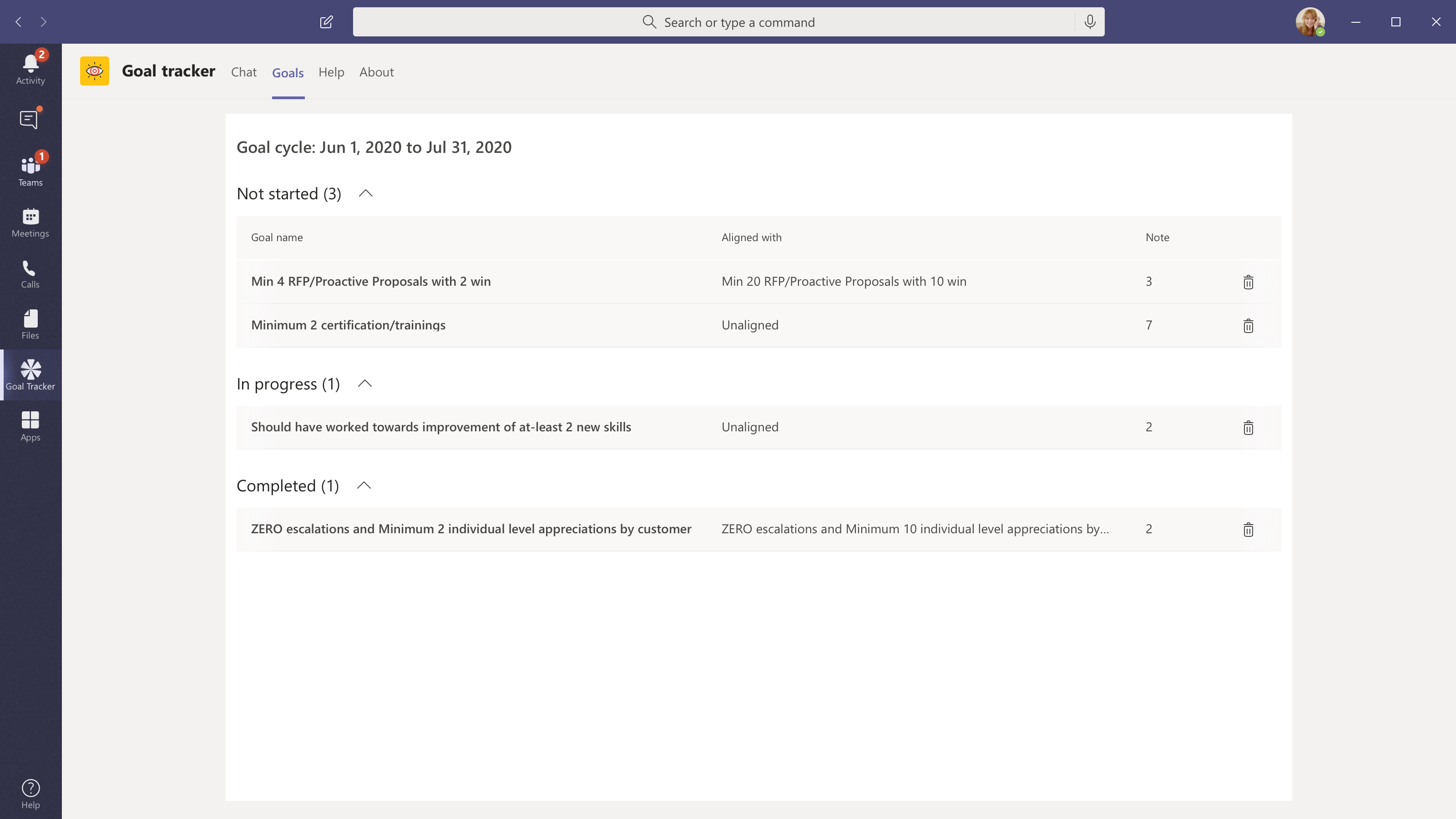
- Mark progress for personal goals. Status updates on personal goals are automatically reflected in teams’ goals
- View notes saved against a personal goal
- Edit notes saved for a personal goal
Team owners/Managers can use the Goal Tracker app to:
- Create or edit team goals
- View the completion status of Teams’ goals. Completion status of personal goals automatically reflected in Teams’ progress
Here are some of the workflows in action by an end-user:
-
Set up personal goals
-
Manage the personal goals
-
Track progress of the goals
-
Record progress or milestones right from a chat thread
-
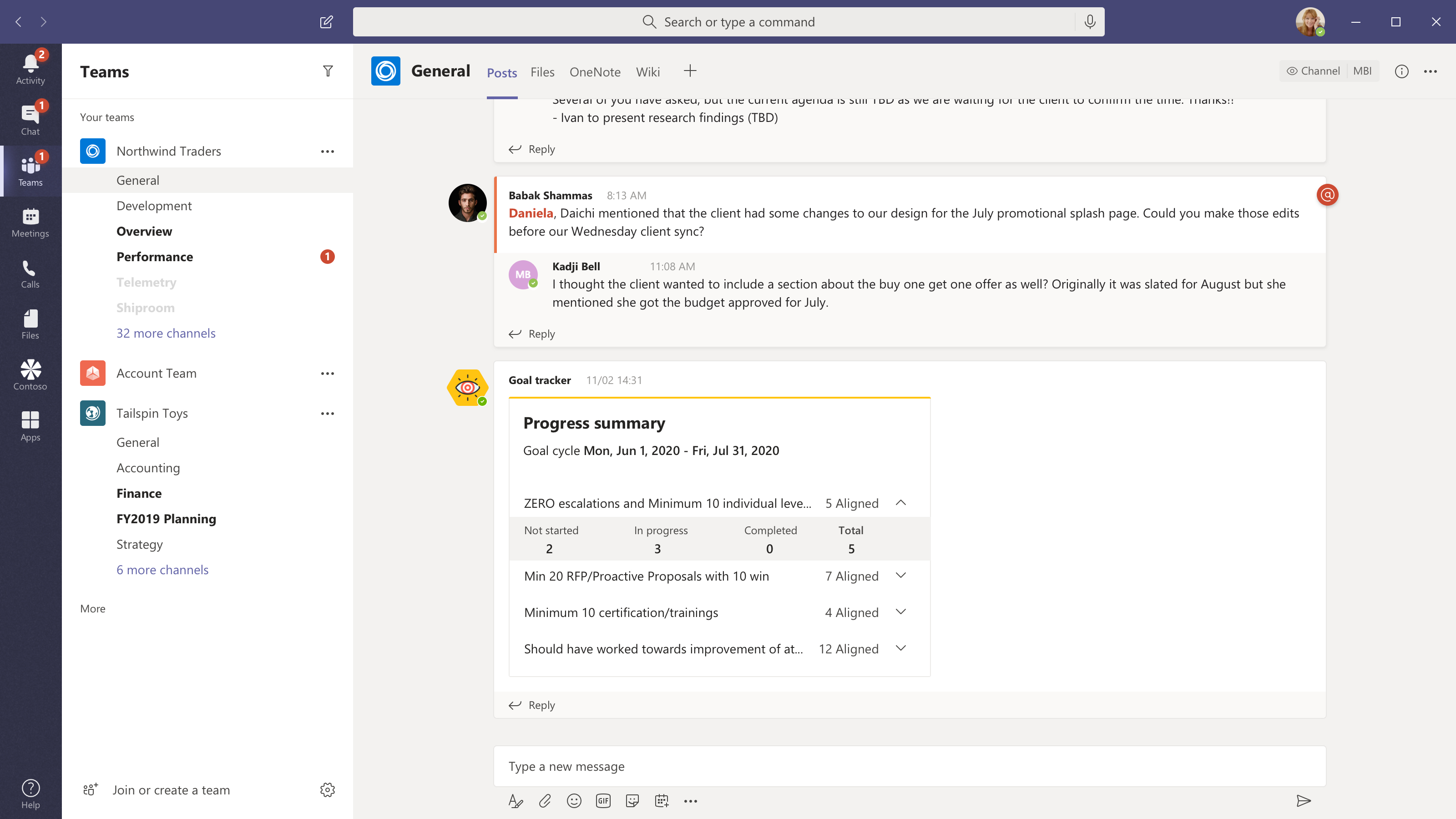
Check the status of team goals
-
Deploying the app
