Repository navigation
Home
Scrums for Channels is a scrum assistant app that enables users to schedule and run scrum meetings within Microsoft Teams. The app is installed in a team scope and all members who have been added to a scrum team can participate in the scrum. The app works great for teams that have members participating remotely from varied geographical locations or different time zones.
With the Scrums for Channels app in Microsoft Teams, users can:
- Run scrums in a channel
- Schedule a scrum at a specified time based on a time zone
- Select the team members who will be part of the scrum
- Configure multiple scrums to run in different channels
- Export scrum details for the past 30 days in a CSV file
A typical scrum workflow using the app will be:
- The app auto starts the scrum at the specified time
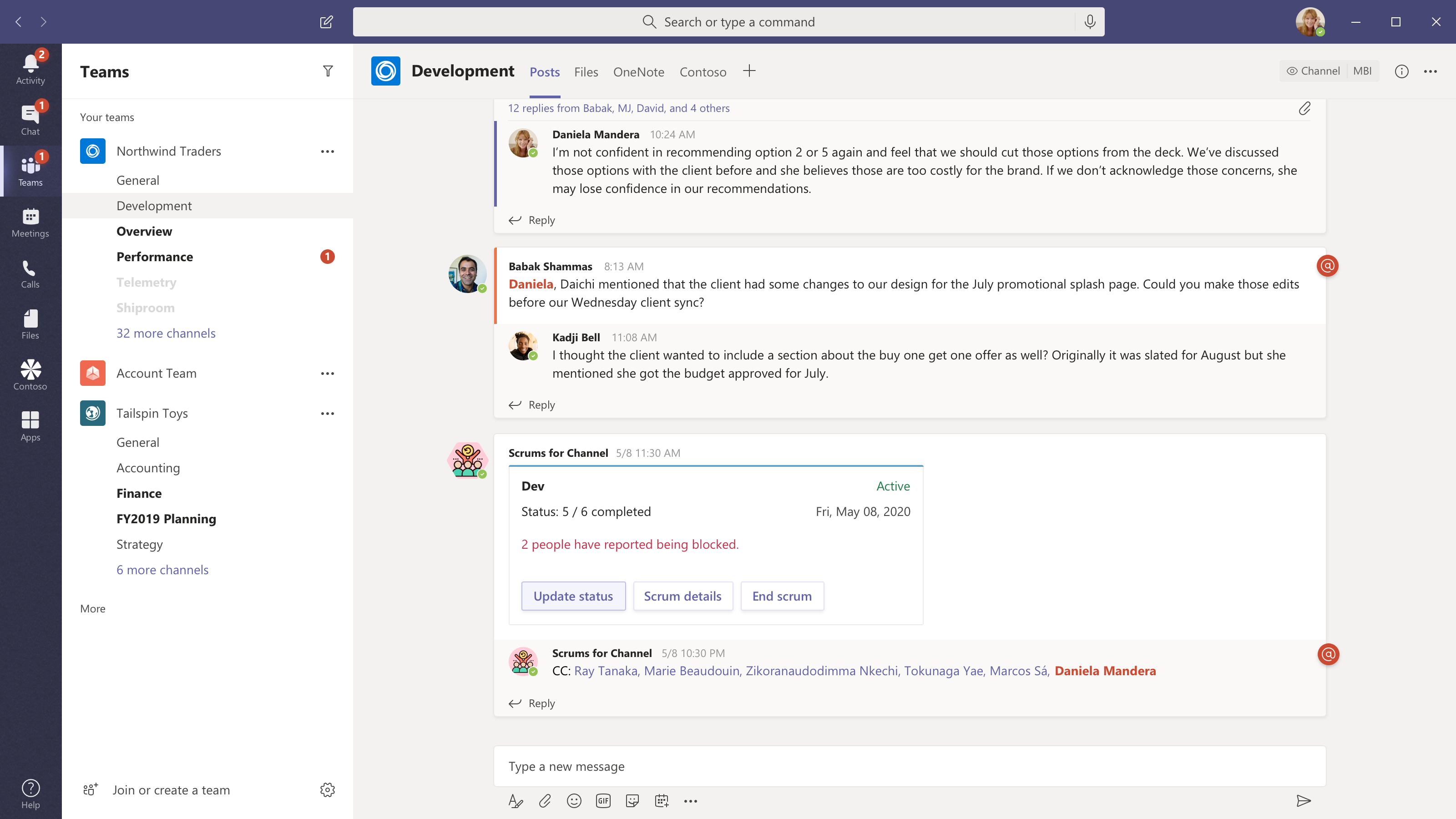
- An adaptive card is posted on the channel with buttons to share status updates, view details entered by other scrum members, and to end the scrum. The card also displays the status of the scrum (active or closed), the number of participants who have contributed to the scrum or have marked their status as blocked
- Users can choose to share their updates, view details updated by other team members and end the scrum
Here are some screenshots of a user interacting with Scrums for Channels :
Configure scrums

Provide your updates when a scrum is active
View details updated by you and others

If you need to conduct a scrum in a Teams group chat instead of a channel, check out the Scrums for Group Chat app template.
-
Deploying the app
