Holiday hosting essentials
Discover top-rated essentials for kitchen and dining
Shop now
Currently unavailable.
We don't know when or if this item will be back in stock.
Added to

Sorry, there was a problem.

There was an error retrieving your Wish Lists. Please try again.

Sorry, there was a problem.

List unavailable.
  • 16 VIDEOS
  • Logitech MX Master 3S Wireless Bluetooth Mouse, Ultra-Fast Scrolling 8K DPI | MagSpeed Scrolling , 8K DPI Any-Surface, Quiet Clicks, Windows/Mac/Chrome/Linux, USB-C, Bluetooth, Logi Bolt USB Receiver

Logitech MX Master 3S Wireless Bluetooth Mouse, Ultra-Fast Scrolling 8K DPI

MagSpeed Scrolling , 8K DPI Any-Surface, Quiet Clicks, Windows/Mac/Chrome/Linux, USB-C, Bluetooth, Logi Bolt USB Receiver
4.5 out of 5 stars (8,688)

Currently unavailable.
We don't know when or if this item will be back in stock.
Brief content visible, double tap to read full content.
Full content visible, double tap to read brief content.
Color: Select Color
Style: Select Style

About this item

  • Logitech MX Master 3S Standard Edition comes with a Logi Bolt USB receiver (dongle), and a USB-C charging cable (USB-A to USB-C)
  • Install free Logi Options+ App to enable Logi AI Prompt Builder for your Logitech wireless mouse and keyboard setups
  • 8K DPI Any-surface tracking: Use MX Master 3S cordless computer mouse to work on any surface - even glass (1) - with an 8000 DPI sensor with customizable sensitivity
  • Quiet Clicks: MX Master 3S Bluetooth mouse with Quiet Clicks - offering the same satisfying feel but with 90% less click noise (2)
  • Magspeed scrolling: A computer mouse with remarkable speed, precision, and near silence - MagSpeed scrolling is 90% faster (3), 87% more precise (4), and ultra quiet.
  • FLOW cross-computer control: Work seamlessly on multiple computers or laptops, and transfer text, images, and files – between Windows & macOS (5)
  • Multi-device and multi-OS: Connect the comfort mouse with up to 3 devices via Bluetooth (6) on Windows, macOS, Chrome OS or Linux. Logi Bolt USB receiver not included.
  • Plastic parts in MX Master 3S include certified post consumer recycled plastic (Graphite and Black: 27%(10).

Check Compatibility

Choose your brand

Focus on sustainability

a man working on a computer using mx keys mini wireless advanced keyboard
icon plastic

MADE WITH RECYCLED PLASTIC

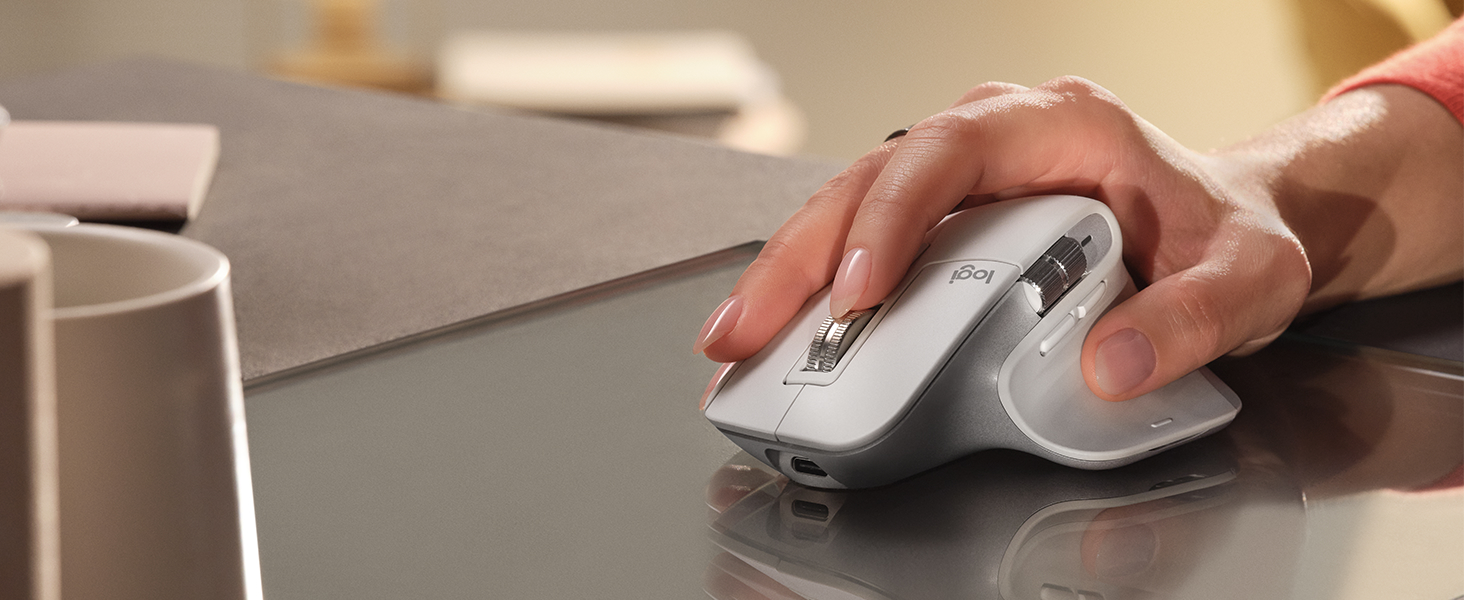
The plastic parts in MX Master 3S include certified post consumer recycled plastic —27% for Black and Graphite and 22% for Pale Gray* — to give a second life to end-of-life plastic from old consumer electronics and help reduce our carbon footprint.

*Excludes plastic in printed wiring assembly (PWA), receiver, wire, FFC cable, and packaging.

icon packaging

RESPONSIBLE PACKAGING

The paper packaging of the MX Master 3S comes from FSC-certified forests and other controlled sources. By choosing this product, you are supporting responsible management of the world's forests.


From the manufacturer

2

NOW WITH 8K DPI TRACKING

Work on any surface – even glass – with an 8K DPI sensor with customizable sensitivity.

3

MAGSPEED SCROLLING

Ultimate speed and precision. Scroll 1,000 lines in a second and stop on a pixel.

4

QUIET CLICKS – 90% LESS NOISE

Quiet Clicks deliver the satisfying feel you love with 90% less click noise.

4.2

WIRELESS CONNECTIVITY

Robust wireless connection via Bluetooth Low Energy or Logi Bolt receiver.

4.3

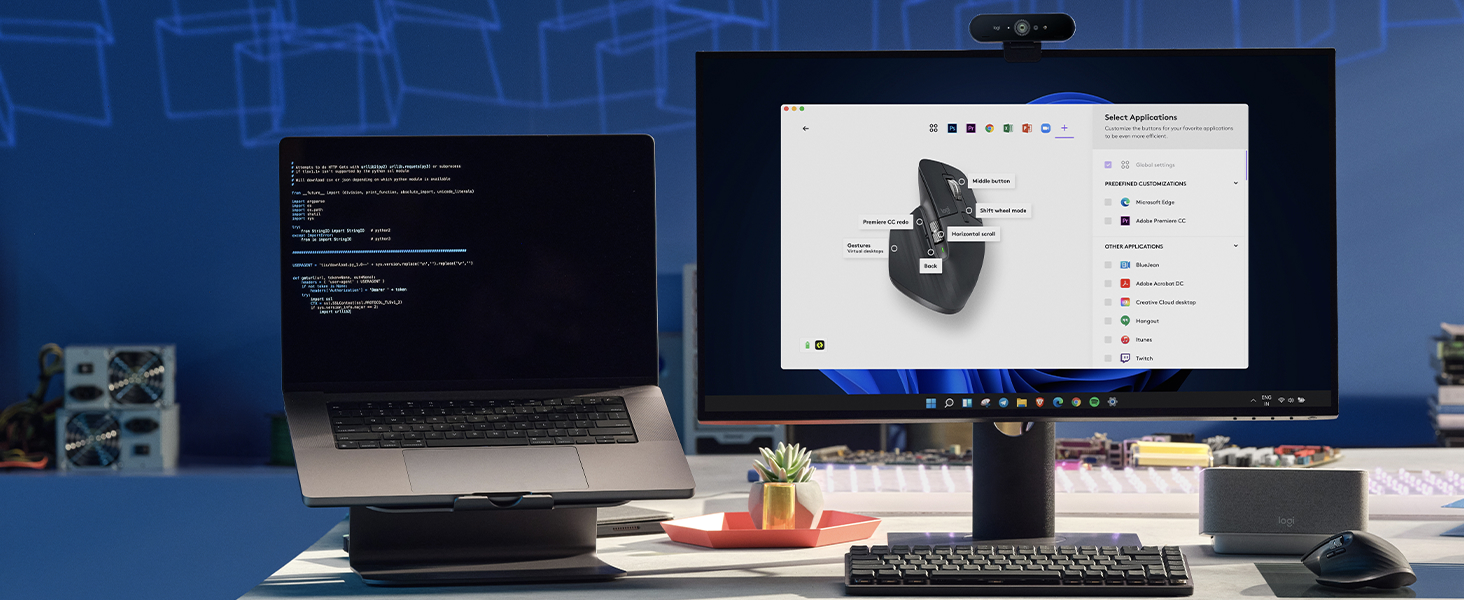
MULTI-DEVICE, MULTI-OS

Pair with up to 3 devices – Windows, macOS, Chrome OS, Linux, iPadOS, and Android OS.

4.4

QUICK CHARGING, LONG LASTING

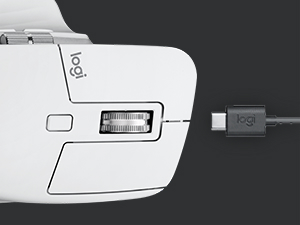
USB-C quick charge in 1 minute for 3 hours of use – full charge lasts up to 70 days.

COMPARE SIMILAR PRODUCTS

MX Master 3S

MX Master 3

MX Anywhere 3

MX Vertical

M720 Triathlon

M585 Multi-Device

Customer Reviews
4.5 out of 5 stars 8,688
4.7 out of 5 stars 13,316
4.6 out of 5 stars 3,919
4.4 out of 5 stars 15,151
4.5 out of 5 stars 13,436
4.6 out of 5 stars 3,998
Price
— — — $74.99 $32.99 —
DPI Track Anywhere Sensor
Yes No No No No No
Scrolling
8000 DPI 4000 DPI 4000 DPI 4000 DPI 1000 DPO (MIN/MAX) 1000 DPO (MIN/MAX)
Thumbwheel
MagSpeed Smartshift MagSpeed Smartshift MagSpeed Smartshift Precision Wheel Tilt Wheel Tilt Wheel
FLOW Control
up to 3 up to 3 up to 3 up to 3 up to 3 up to 3
Compatibility
Windows, macOS, Linux Windows, macOS, Linux Windows, macOS, Linux Windows, macOS, Linux Windows, macOS, Linux Windows, macOS, Linux
Compatibility
Chrome OS, iPadOS Chrome OS, iPadOS Chrome OS, iPadOS Chrome OS Chrome OS Chrome OS
Power
USB-C to A 70 days/charge USB-C to A 70 days/charge USB-C to A 70 days/charge USB-C to A 24 months/charge 1 AA battery 24 months 1 AA battery 24 months
Connectivity
Bluetooth + Logi Bolt USB Bluetooth + Unifying USB Bluetooth + Unifying USB Bluetooth + Unifying USB Bluetooth + Unifying USB Bluetooth + Unifying USB
Size
Full size Full size Compact Full size Full size Compact
Customization
7 customizable buttons 7 customizable buttons 6 customizable buttons 4 customizable buttons 6 customizable buttons No
Color Options
Black / Pale Grey / Graphite Graphite / Mid Grey Graphite / Pale Grey / Rose Graphite Graphite / Grey —

Product Description

Logitech MX Master 3S Performance Wireless Mouse Introducing the Logitech MX Master 3S – a logitech bluetooth mouse remastered. Now with Quiet Clicks(2) and 8K DPI any-surface tracking, suitable for use as a Windows mouse and PC mouse, providing more feel and performance than ever before. This black wireless mouse is an ergonomic mouse wireless option featuring a rechargeable Li-Po (500 mAh) battery. Product details: Weight: 4.97 oz (141 g) Dimensions: 2 x 3.3 x 4.9 in (51 x 84.3 x 124.9 mm). Compatible with Windows, macOS, Linux, Chrome OS, iPadOS, Android (8), the wireless mouse for pc is equipped with advanced Darkfield high precision sensor technology. With 7 buttons including Left/Right-click, Back/Forward, App-Switch, Wheel mode-shift, Middle click, it serves well as a bluetooth mouse for laptop. The Scroll Wheel, Thumbwheel, and Gesture button make it a more ergonomic mouse that users will appreciate. Operates wirelessly up to a distance of 33 ft (10 m)(9). Additional key features include wireless mouse bluetooth technology and multi-device compatibility, making it an apt choice as a laptop mouse wireless alternative. The Logitech MX Master 3S is not just a standard computer mouse, but an effective wireless bluetooth mouse and cordless mouse, meeting diverse user needs.

Product guides and documents

Product information

Warranty & Support

Amazon.com Return Policy:Amazon.com Voluntary 30-Day Return Guarantee: You can return many items you have purchased within 30 days following delivery of the item to you. Our Voluntary 30-Day Return Guarantee does not affect your legal right of withdrawal in any way. You can find out more about the exceptions and conditions here.

Feedback

Logitech MX Master 3S Wireless Bluetooth Mouse, Ultra-Fast Scrolling 8K DPI | MagSpeed Scrolling , 8K DPI Any-Surface, Quiet Clicks, Windows/Mac/Chrome/Linux, USB-C, Bluetooth, Logi Bolt USB Receiver


Found a lower price? Let us know. Although we can't match every price reported, we'll use your feedback to ensure that our prices remain competitive.

Where did you see a lower price?

Price Availability
/
/
/
/
Please sign in to provide feedback.

Safety and product resources

Safety documents

What's in the box

  • Mouse, Logi Bolt USB receiver, USB-C charging cable, user documentation
  • Top Brand: Logitech

    Highly Rated
    100K+ customers rate items from this brand highly
    Trending
    100K+ orders for this brand in past 3 months
    Low Returns
    Customers usually keep items from this brand

    Customer reviews

    4.5 out of 5 stars
    8,688 global ratings

    Customers say

    Customers praise the mouse's ergonomic feel, smooth operation, and battery life that allows weeks of use without charging. The button functionality receives positive feedback, with one customer highlighting the software's customizable gestures and presets for different applications. While some customers find it worth the money and appreciate its flawless wireless connection, others consider it overpriced and report connectivity issues. The scroll wheel receives mixed reviews, with some praising its smooth operation while others find it atrocious. Durability is a concern, with multiple customers reporting the mouse breaking after a month of use.
    AI Generated from the text of customer reviews

    Select to learn more

    1098 customers mention quality, 909 positive, 189 negative
    Customers praise the mouse's quality, describing it as the best they have ever used, particularly for work.
    ...Don't forget to clean these things to keep them going. Great mouse mx3 I hesitated because the price, but it was a fool move. You need what you need....Read more
    Best mouse I've owned. It's smooth and fits the hand perfectly. The side buttons are very helpful and easy to reach! A must buy for anyoneRead more
    Love it and converted a few friends. Biggest gripe is that the device switching button is on the bottom and can't be remapped somewhere else.Read more
    ...Best mouse ever and money well spent. Don't waste your time and effort looking at other options - just buy this mouse.Read more
    564 customers mention ergonomics, 454 positive, 110 negative
    Customers appreciate the mouse's ergonomic design, noting that it comfortably fits their hand and has a smooth feel, with one customer mentioning it causes no wrist pain.
    This is my favorite mouse ever. It is smooth, quiet, and works great. I bought one and then turned around and bought another for my other computer....Read more
    Ergonomic, comfortable, switches between computers easily although I wish the switch was on the side instead of underneath. Overall, fantastic mouseRead more
    ...With enhanced precision, quiet clicks, and ergonomic design, it’s well-suited for power users who need reliability and comfort for long hours of work...Read more
    When I first got this mouse, I loved it. It feels great, solid, and well-constructed without being too heavy, the wheel scrolling is very satisfying...Read more
    272 customers mention button functionality, 219 positive, 53 negative
    Customers appreciate the mouse's buttons and features, with one customer highlighting the software that allows customization of gestures and buttons for different applications, while another mentions the ability to add four additional presets to standard clicks.
    ...Additionally, the customizable buttons and smooth scroll wheel add to its versatility, making it adaptable for different tasks like browsing, editing...Read more
    ...but still comfortable and moves easily, great button placement, great features, and looks awesome (imo) if you’re on the fence about this one or...Read more
    ...The scroll wheels and programmable buttons make this a must have for multi taskers or those who work with large spreadsheets....Read more
    ...Buttons & Features: I love the programmable buttons, especially the side thumb wheel and gesture button — they boost productivity in creative...Read more
    254 customers mention battery life, 205 positive, 49 negative
    Customers are satisfied with the mouse's battery life, which can last weeks without charging and charges quickly via USB-C.
    ...The battery life is great, I charge it every Friday out of habit but I have never seen it go below 75% so I wouldn't be surprised if it could last...Read more
    ...the settings, the side scroll function in Excel, the feel, and the battery life, all make me really excited about this mouse....Read more
    ...controls, ergonomic design, dual connectivity options, and long battery life, this mouse offers unmatched performance, convenience, and productivity...Read more
    ...You can program each button for multiple programs, great battery life, nice to be able to change between computers or even your phone, it's quiet...Read more
    468 customers mention value for money, 214 positive, 254 negative
    Customers have mixed opinions about the mouse's value for money, with some finding it well worth the cost and worth the hype, while others express disappointment with such an expensive mouse.
    ...Yes, it is expensive -- for me, the side scroll wheel, the fast main scroll wheel, quieter buttons all make for a suitably premium experience that...Read more
    Item works as advertised and worth every penny I can't believe I went years with-out this product could have saved my hand from all the awkward...Read more
    DO NOT BUY. This is a piece of trash. It sounds good and all with the ergonomic design and all the nice ease of short cute features blah blah blah....Read more
    ...are on the fence wondering to upgrade from the 2s, I would say it is worth it, Nice responsiveness and I like the feel of the mouse click betterRead more
    356 customers mention scroll wheel, 235 positive, 121 negative
    Customers have mixed opinions about the mouse's scroll wheel, with some praising its smooth operation and side functionality, while others report that it is horrid and inconsistent.
    ...fantastic, the battery life is straight up black magic, and horizontal scroll wheel, premium vertical scroll wheel, gestures, and customization make...Read more
    ...maybe they will fix it in the future ? "fix the terrible scroll wheel in the next model (Logitech MX Master 4S)" PLEASERead more
    had a few months now and is flawless. smooth scrolling, it is big/kinda heavy but still comfortable and moves easily, great button placement, great...Read more
    ...with all of the programmable buttons and scroll, it has made my workflows so efficient. And it's so easy to update it whenever you want....Read more
    287 customers mention connectivity, 170 positive, 117 negative
    Customers have mixed experiences with the mouse's connectivity, with some praising its flawless wireless connection and multi-device capabilities, while others report issues with Bluetooth connectivity.
    ...Dual Connectivity Options: Enjoy seamless connectivity and versatility with the Logitech MX Master 3S's dual connectivity options, which allow you...Read more
    ...mouse I wish I could use it for all gaming too, but it has NO WIRED MODE, and the blue tooth will make FPS games nearly impossible to play with its...Read more
    ...Its ergonomic design, quiet clicks, and multi-device connectivity make it ideal for professionals and creatives who work across different devices...Read more
    ...n't do that on my work computer so I have to suffer through the constant disconnects whenever I scroll a little tiny bit too fast....Read more
    248 customers mention durability, 61 positive, 187 negative
    Customers report durability issues with the mouse, noting that it breaks after a month or shows signs of wear within a year.
    ...Overally, it's a great mouse that doesn't last. If the rubber lasted I'd give it a 4.5/5, and if the sensor was better I'd give it a 5/5....Read more
    ...Planned obsolescence .Read more
    ...mouse hoping to have a great mouse to game with and it was, until it just died, it won’t charge and is just a 116.00 paper weightRead more
    ...Durable and reliable. Charge lasts a long time. I have the Logitech case so that I can put this into my backpack without breaking it....Read more
    Sign in to see customer reviews.