1. Introduction
IntelliJ IDEA is a powerful IDE for Java and other JVM-based languages, offering numerous features to enhance productivity. One key feature allows IntelliJ IDEA to automatically build projects whenever changes occur, eliminating the need for manual compilation. This feature is particularly useful when working on large projects or needing continuous compilation for features like hot reload.
In this tutorial, we’ll explore how to enable automatic project builds in IntelliJ IDEA and integrate it with features like hot reload for faster development.
2. Building Our Project
By default, IntelliJ IDEA doesn’t build projects automatically after every code change. Instead, the IDE requires manual intervention to compile the code. Additionally, depending on the nature of our development tasks, we may need to compile files multiple times per session. We can either click the “Build Project” menu option or use hotkeys to compile files:
- Compile individual files: We can press Ctrl + F9 (⌘ + F9 on MacOS) to compile only the modified files. This is useful when working on specific modules or classes within larger projects:

- Recompile the entire project: To ensure that all files, including those that depend on the current changes, are compiled, we use the shortcut Ctrl + Shift + F9 (⌘ + ⇧ + F9 on MacOS). This triggers a full project recompilation:

3. Enabling Automatic Project Builds
However, IntelliJ IDEA can automatically build the project whenever changes occur without requiring us to manually trigger a build.
Moreover, enabling this feature can significantly streamline the development process, especially when combined with automated tests, live reloads, or other continuous integration tools.
3.1. Step 1: Open Build Settings
To enable automatic builds, we can change the settings in IntelliJ IDEA by navigating to File > Settings:
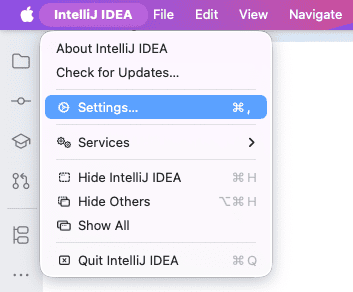
In the settings dialog, search for “Compiler” and select Build, Execution, Deployment > Compiler from the search results:
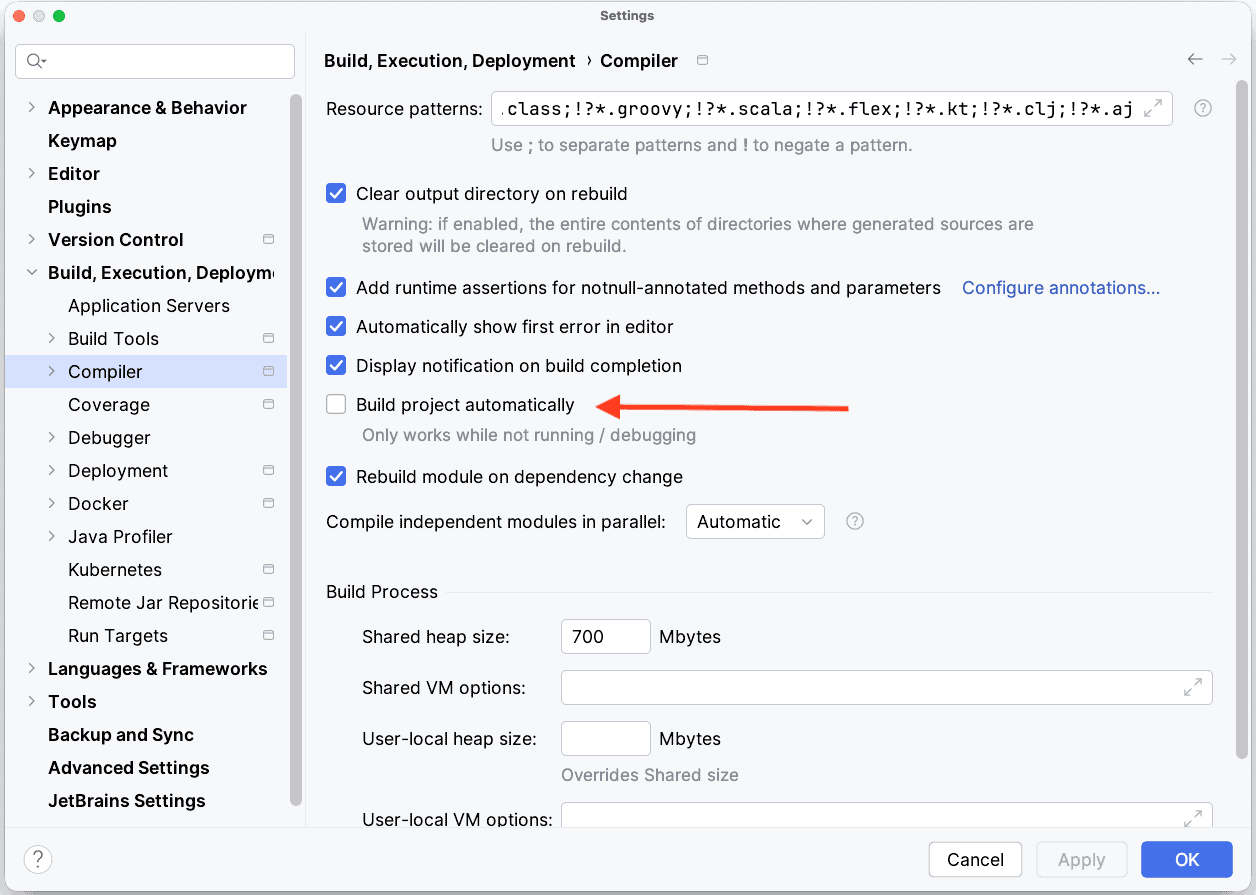
This brings us to the main settings page where we can manage how our project is built.
3.2. Step 2: Enable Automatic Build
Now that we are in the Compiler settings, check the option Build project automatically to enable automatic builds whenever changes are detected:
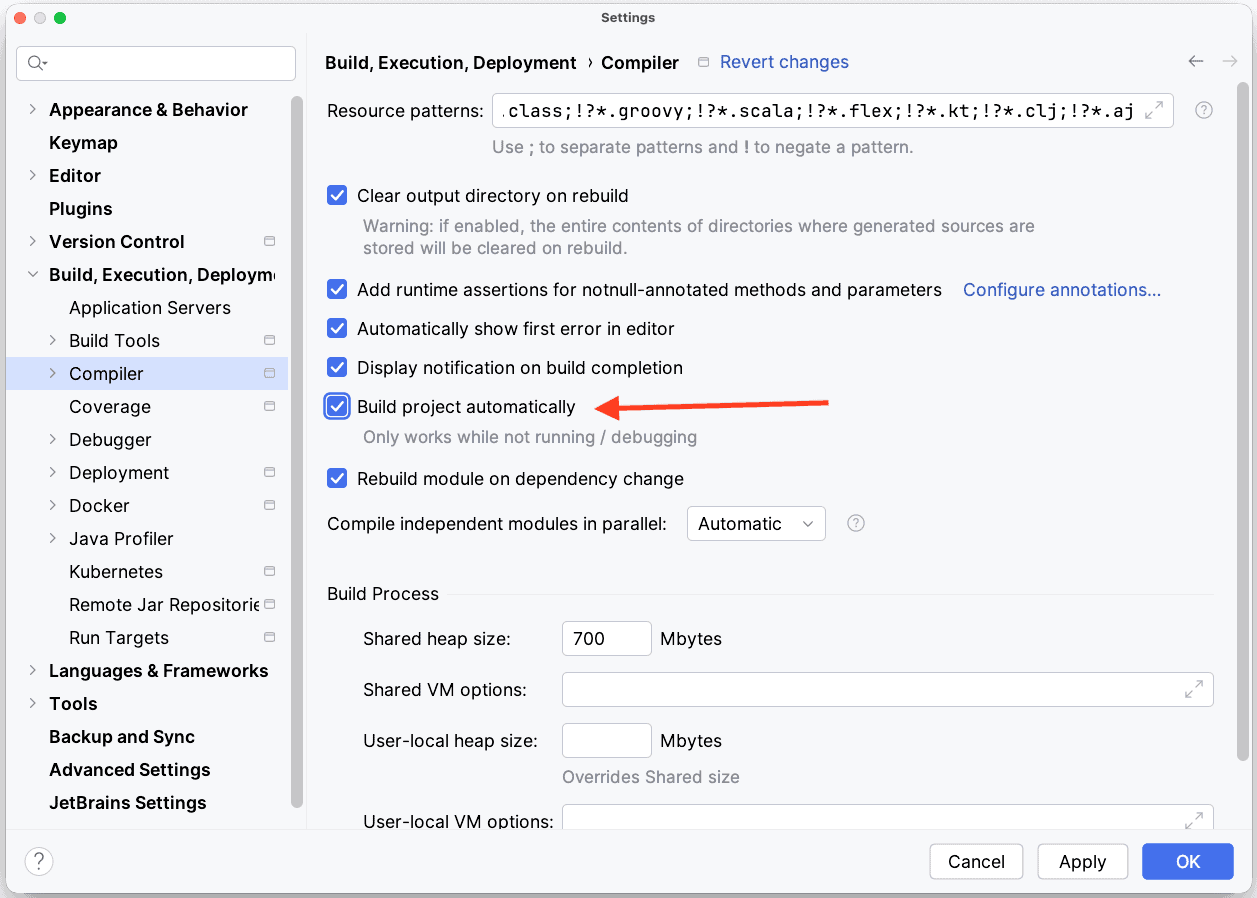
Build automatically ensures that IntelliJ keeps the compiled project up-to-date as we edit and save files. Specifically, we only need to ensure the “Build Automatically” checkbox is checked to enable this feature.
4. Conclusion
Enabling automatic project builds in IntelliJ IDEA is an easy way to reduce manual work during development, especially when used alongside hot reload tools. Moreover, the steps outlined in this article help us set up automatic builds and integrate them with real-time feedback mechanisms provided by IntelliJ’s notifications.
By continuously building the project as we code, we can ensure that our code is always compiled, reducing the risk of errors going unnoticed until later stages of development. This automatic building process helps improve development efficiency and allows for faster feedback cycles, making it easier to maintain code quality.


