1. Overview
A Kafka consumer offset is a unique, monotonically increasing integer that identifies the position of an event record in a partition. Each consumer in the group maintains a specific offset for each partition to track progress. On the other hand, a Kafka consumer group consists of consumers responsible for reading messages from a topic across multiple partitions through polling.
The group coordinator in Kafka manages the consumer groups and assigns partitions to consumers within the group. When a consumer starts, it locates its group’s coordinator and requests to join. The coordinator triggers a group rebalance, assigning the new member its share of the partitions.
In this tutorial, let’s explore where these offsets are saved and how consumers can use them to track and start or resume their progress.
2. Setup
Let’s begin by setting up a single-instance Kafka cluster in Kraft mode using a Docker Compose script:
broker:
  image: confluentinc/cp-kafka:7.7.0
  hostname: broker
  container_name: broker
  ports:
    - "9092:9092"
    - "9101:9101"
  expose:
    - '29092'
  environment:
    KAFKA_NODE_ID: 1
    KAFKA_LISTENER_SECURITY_PROTOCOL_MAP: 'CONTROLLER:PLAINTEXT,PLAINTEXT:PLAINTEXT,PLAINTEXT_HOST:PLAINTEXT'
    KAFKA_ADVERTISED_LISTENERS: 'PLAINTEXT://broker:29092,PLAINTEXT_HOST://localhost:9092'
    KAFKA_OFFSETS_TOPIC_REPLICATION_FACTOR: 1
    KAFKA_GROUP_INITIAL_REBALANCE_DELAY_MS: 0
    KAFKA_TRANSACTION_STATE_LOG_MIN_ISR: 1
    KAFKA_TRANSACTION_STATE_LOG_REPLICATION_FACTOR: 1
    KAFKA_JMX_PORT: 9101
    KAFKA_JMX_HOSTNAME: localhost
    KAFKA_PROCESS_ROLES: 'broker,controller'
    KAFKA_CONTROLLER_QUORUM_VOTERS: '1@broker:29093'
    KAFKA_LISTENERS: 'PLAINTEXT://broker:29092,CONTROLLER://broker:29093,PLAINTEXT_HOST://0.0.0.0:9092'
    KAFKA_INTER_BROKER_LISTENER_NAME: 'PLAINTEXT'
    KAFKA_CONTROLLER_LISTENER_NAMES: 'CONTROLLER'
    KAFKA_LOG_DIRS: '/tmp/kraft-combined-logs'
    CLUSTER_ID: 'MkU3OEVBNTcwNTJENDM2Qk'
    KAFKA_LOG_CLEANUP_POLICY: 'delete'
This should make the cluster to be available at http://localhost:9092/.
Next, let’s create a topic with two partitions:
init-kafka:
  image: confluentinc/cp-kafka:7.7.0
  depends_on:
    - broker
  entrypoint: [ '/bin/sh', '-c' ]
  command: |
    " # blocks until kafka is reachable
    kafka-topics --bootstrap-server broker:29092 --list
    echo -e 'Creating kafka topics'
    kafka-topics --bootstrap-server broker:29092 --create \
      --if-not-exists --topic user-data --partitions 2 "
As an optional step, let’s set up Kafka UI to easily view the messages, though in this article we’ll be checking the details using the CLI:
kafka-ui:
  image: provectuslabs/kafka-ui:latest
  ports:
    - "3030:8080"
  depends_on:
    - broker
    - init-kafka
  environment:
    KAFKA_CLUSTERS_0_NAME: broker
    KAFKA_CLUSTERS_0_BOOTSTRAPSERVERS: broker:29092
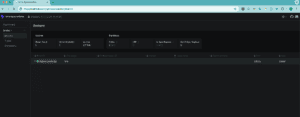
This makes the Kafka UI available at http://localhost:3030/:
3. Consumer Offset Reference From Configuration
When a consumer joins the group for the first time, it identifies the offset position to fetch records based on auto.offset.reset configuration, set to either earliest or latest.
Let’s push a few messages as a producer:
docker exec -i <CONTAINER-ID> kafka-console-producer \
  --broker-list localhost:9092 \
  --topic user-data <<< '{"id": 1, "first_name": "John", "last_name": "Doe"}
{"id": 2, "first_name": "Alice", "last_name": "Johnson"}'
Next, let’s consume these messages by registering a consumer to read these messages from the topic user data with auto.offset.reset set to earliest in all partitions:
docker exec -it <CONTAINER_ID> kafka-console-consumer \
  --bootstrap-server localhost:9092 \
  --topic user-data \
  --consumer-property auto.offset.reset=earliest \
  --group consumer-user-data
This adds a new consumer to the consumer-user-data group. We can check the rebalance in the broker logs and Kafka UI. It should also list all messages based on the earliest reset policy.
We need to keep in mind that the consumer stays open in the terminal for ongoing message consumption. To check behavior after disruption, we terminate this session.
4. Consumer Offset Reference From Topic
When a consumer joins a group, the broker creates an internal topic __consumer_offsets, to store customer offset states at the topic, and partition level. If Kafka auto-commit is enabled, the consumer regularly commits the last processed message offsets to this topic. This allows the state to be used when resuming consumption after disruptions.
When a consumer in a group fails due to a crash or disconnection, Kafka detects missing heartbeats and triggers a rebalance. It reassigns the failed consumer’s partitions to active consumers, ensuring message consumption continues. The persistent states from the internal topic are used to resume consumption.
Let’s start by verifying the committed offsets state in the internal topic:
docker exec -it <CONTAINER_ID> kafka-console-consumer \
  --bootstrap-server localhost:9092 \
  --topic __consumer_offsets \
  --formatter "kafka.coordinator.group.GroupMetadataManager\$OffsetsMessageFormatter" \
  --from-beginning
This script uses a specific format for better readability as the default format is in binary and this script logs records from the topic, showing the consumer group(consumer-user-data), topic(user-data), partition(0 and 1), and offset metadata(offset = 2):
[consumer-user-data,user-data,0]::OffsetAndMetadata(offset=2, leaderEpoch=Optional[0], metadata=, commitTimestamp=1726601656308, expireTimestamp=None)
[consumer-user-data,user-data,1]::OffsetAndMetadata(offset=0, leaderEpoch=Optional.empty, metadata=, commitTimestamp=1726601661314, expireTimestamp=None)
In this case, partition 0 has received all the messages, and the consumer committed the state for tracking progress/recovery.
Next, let’s verify the resumption behavior by pushing additional messages as a producer:
docker exec -i <CONTAINER-ID> kafka-console-producer \
  --broker-list localhost:9092 \
  --topic user-data <<< '{"id": 3, "first_name": "Alice", "last_name": "Johnson"}
{"id": 4, "first_name": "Michael", "last_name": "Brown"}'
Then, let’s restart the previously terminated consumer to check if it resumes consuming records from the last known offset:
docker exec -it <CONTAINER_ID> kafka-console-consumer \
  --bootstrap-server localhost:9092 \
  --topic user-data \
  --consumer-property auto.offset.reset=earliest \
  --group consumer-user-data
This should log the records with user ID 3 & user ID 4, even though auto.offset.reset is set to earliest, as the offset state is stored in the internal topic. Finally, we can verify the state in the __consumer_offsets topic by running the same command again:
[consumer-user-data, user-data, 1] :: OffsetAndMetadata(offset=0, leaderEpoch=Optional.empty, metadata=, commitTimestamp=1726611172398, expireTimestamp=None)
[consumer-user-data, user-data, 0] :: OffsetAndMetadata(offset=4, leaderEpoch=Optional[0], metadata=, commitTimestamp=1726611172398, expireTimestamp=None)
We can see the __consumer_offsets topic updated with the committed offsets(with a value of 4) effectively resuming the consumption from the last committed offset as the state is retained in the topic.
5. Conclusion
In this article, we explored how Kafka manages consumer offsets and how the auto.offset.reset property works when a consumer joins a group for the first time.
We also learned how the state from the internal __consumer_offsets topic is used to resume consumption after a pause or disruption.


