1. Introduction
In this short tutorial, we’ll see two practical ways to run multiple Spring Boot instances in IntelliJ IDEA.
Running multiple instances of the same application can be valuable during local development and testing. Typical use cases include verifying different configuration setups or simulating interactions between separate services.
2. Using Command-Line Arguments
Spring Boot lets us override configuration properties at application startup through command-line arguments. In this case, we can use that feature by configuring different values for server.port, which determines the port where the embedded server runs.
To run multiple instances, we can create several run configurations in IntelliJ and configure each one accordingly.
First, we go to Run -> Edit Configurations, create a new configuration, and set the usual options such as the main runner class, Java version, and working directory.
Then we navigate to the Program arguments field and define the port using the –server.port=8081 property: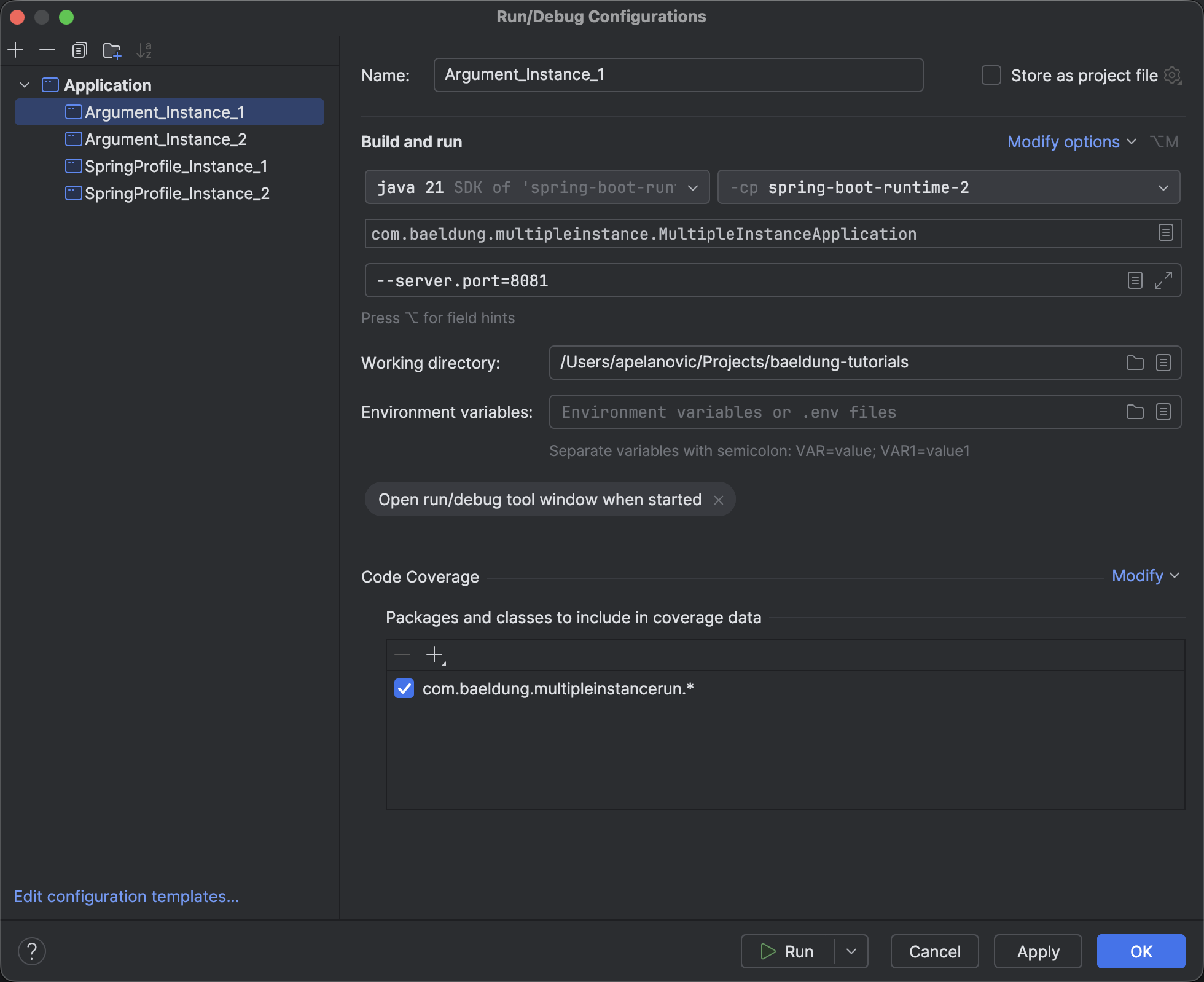
Operating systems require a unique one-to-one mapping between a port and a process, meaning we cannot run multiple applications on the same port. That said, the next step is to duplicate that configuration and assign it a different port as an argument –server.port=8082.
Before running, let’s create a simple REST endpoint that we’ll use to verify the application is up and running:
@RestController
@RequestMapping("/multiple-instance")
public class MultipleInstanceController {

    @Value("${server.port}")
    private String port;

    @GetMapping("/ping")
    public ResponseEntity<String> ping() {
        return ResponseEntity.ok("Instance is up and running on port " + port);
    }

}
Finally, we’ll start both IntelliJ configurations on their respective ports:
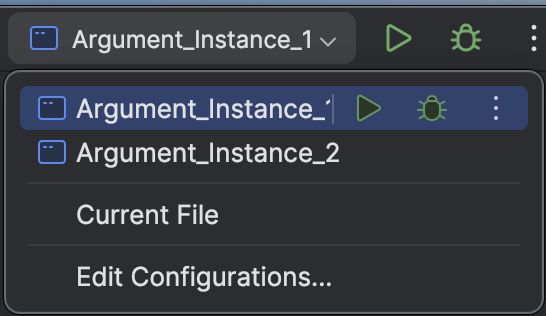
At this point, we should have two instances of the same application running on different ports. Let’s confirm this by sending a simple curl ping request to each port:
apelanovic@Aleksandars-MacBook-Pro spring-boot-runtime-2 % curl localhost:8081/multiple-instance/ping
Instance is up and running on port 8081%
apelanovic@Aleksandars-MacBook-Pro spring-boot-runtime-2 % curl localhost:8082/multiple-instance/ping
Instance is up and running on port 8082%
3. Using Spring Profiles
Although command-line arguments work for simple scenarios, Spring Profiles provide a more structured approach to managing multiple instances.
Spring Profiles allow us to group configuration properties and activate them at runtime as needed. Instead of passing the port directly as an argument, we can define profile-specific configuration files. That said, let’s create two property files inside src/main/resources:
application-instance1.properties
application-instance2.properties
Now, we can assign a different port in each file, such as server.port=8083 and server.port=8084.
After that, we create two IntelliJ configurations similar to before. This time, rather than specifying –server.port, we activate a specific profile. This can be done either through arguments or VM options, both of which enable a selected profile.
In this example, we’ll use VM options: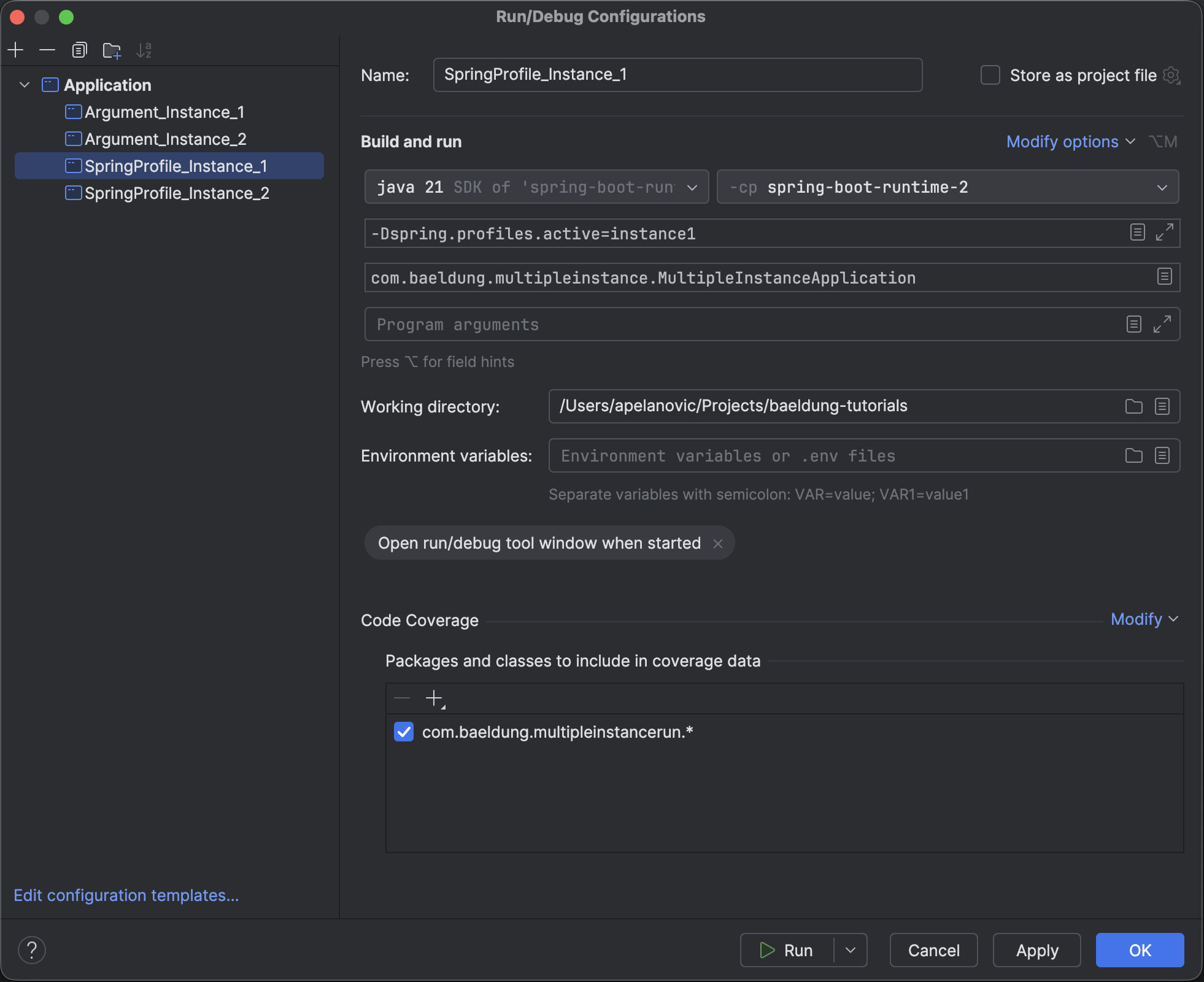
After running, the logs confirm that the application is running on the specified port with the selected profile:
2026-02-27T20:40:23,695 INFO  [main] o.s.b.SpringApplication: The following 1 profile is active: "instance1"
2026-02-27T20:40:24,426 INFO  [main] o.s.b.w.e.t.TomcatWebServer: Tomcat initialized with port 8083 (http)
To ensure everything works correctly, the applications can be checked as previously by making curl requests to each port:
apelanovic@Aleksandars-MacBook-Pro spring-boot-runtime-2 % curl localhost:8083/multiple-instance/ping
Instance is up and running on port 8083%
apelanovic@Aleksandars-MacBook-Pro spring-boot-runtime-2 % curl localhost:8084/multiple-instance/ping
Instance is up and running on port 8084%
4. Conclusion
In this article, we explored two simple ways to run multiple Spring Boot instances in IntelliJ IDEA.
Using command-line arguments is a quick and straightforward solution when only a small number of properties, such as the server port, need to be changed. On the other hand, Spring Profiles provide a more powerful approach when instances require more complex configuration differences.
The code backing this article is available on GitHub. Once you're
logged in as a Baeldung Pro Member, start learning and coding on the project.


