


If you’re reading this, you’ve probably had that moment with Evernote. The one where it takes just a few too many seconds to open, a bug eats some of your text, or you see the new subscription price and just think, "Seriously?!" After using it daily for years, I finally hit my breaking point. The constant price hikes and sluggish performance just weren't worth it anymore.
But the thought of moving years of notes, ideas, and digital scraps is daunting. Where do you even begin? I decided to just dive in headfirst and test the most talked-about Evernote alternatives out there.
This isn't just another generic list. I spent weeks actually moving my workflow into each of these apps to see what broke, what shined, and what was an upgrade. I looked at everything from simple note-takers for quick thoughts to all-in-one workspaces for massive projects. And because plenty of teams used Evernote as a shared brain, I end with what I'd do about that, since it's a different problem from picking a note app. Here’s the real story on what I found.
- For simple, fast personal notes, UpNote (lifetime ~$40) and Bear are the best value; for a powerful free option, Microsoft OneNote is unbeatable.
- To build a personal "second brain", Obsidian and Joplin keep your notes local and private, just note Obsidian's Sync now runs $5/mo ($4 billed annually), down from its old price.
- For teams, the bigger question isn't which note app to buy, it's how to stop knowledge getting trapped in the first place. Notion is the best shared workspace on this list. If the pain is people asking "where did we write that down?", an AI teammate like eesel answers them in Slack or Teams from the docs you already keep in Notion, Google Drive or Confluence, for one fixed monthly price with no per-seat fee.
What are Evernote alternatives?
At their core, Evernote alternatives are apps that help you capture, organize, and find your digital stuff. For a long time, Evernote was the undisputed king of the "digital filing cabinet," letting you dump everything from recipes to meeting notes into one place.
But the game has changed a lot since then. Today’s alternatives have branched out to solve different problems. Some are laser-focused on giving you a clean, distraction-free writing space. Others have grown into powerful project management tools. And a new wave is using AI not just to store your information, but to make it instantly useful when you need it.
What to look for in the best Evernote alternatives
I picked the apps on this list based on the most common complaints I’ve heard from people ditching Evernote. It’s not just about finding a new app; it's about finding one that actually solves the problems the old one created.
-
Speed and ease of use: A good replacement has to be fast. It should open instantly and let you jot down a thought without getting bogged down in clunky menus. No more staring at a loading screen while your brilliant idea evaporates.
-
Organization and search: You need to be able to find things later. Whether it’s through folders, tags, or a killer search function, getting to the right note shouldn't feel like an archaeological dig.
-
Syncing across devices: Your notes have to be where you are, period. Reliable syncing between your computer, phone, and tablet is non-negotiable.
-
AI and smarts: The best tools are getting smarter. They use AI to help you find information by asking a question, summarize long documents, and connect scattered ideas into clear answers.
-
Fair pricing: The price has to make sense. You want transparent pricing without the subscription hikes that send you looking for articles like this one. The tools on this list span three pricing models, from free to lifetime to subscription, so it's worth knowing which camp each one sits in before you commit.
Comparison of the top Evernote alternatives in 2026
Here’s a quick side-by-side look at how the top contenders measure up.
| Tool | Best For | Key Feature | AI Capability | Pricing Model |
|---|---|---|---|---|
| Microsoft OneNote | A powerful free option | Freeform digital notebook | Basic (via Copilot) | Freemium |
| Notion | All-in-one team workspaces | Customizable databases | Add-on | Freemium |
| Obsidian | Building a personal knowledge graph | Local-first & note linking | Community Plugins | Free (Sync is paid) |
| Joplin | Open-source & privacy | End-to-end encryption | Community Plugins | Free (Sync is paid) |
| UpNote | Simplicity and affordability | Fast, clean interface | None | Freemium/Lifetime |
| Bear | Apple users who love design | Elegant Markdown editor | None | Subscription |
The 6 best Evernote alternatives for every need
After weeks of real-world testing, here are the 6 best Evernote alternatives that are actually worth your time.
1. Microsoft OneNote
If you’re looking for the most feature-packed free alternative, Microsoft OneNote is it. It’s a complete no-brainer if you’re already using Microsoft apps.
OneNote is set up like a digital three-ring binder, with notebooks, sections, and pages. It feels really natural for organizing big projects or different parts of your life. The best part is its free-form canvas. You can click anywhere on a page and start typing, drawing, or dropping in a picture. It just feels less rigid than Evernote's top-to-bottom notes.
Pros:
-
It's completely free and comes loaded with features.
-
Fantastic for handwritten notes and drawing with a stylus.
-
Integrates deeply with Microsoft 365 apps like Outlook and Word.
Cons:
-
Syncing can sometimes be slow, a complaint I saw pop up more than a few times.
-
The tagging system doesn't feel as robust or flexible as Evernote's.
Pricing: OneNote is free to use with a Microsoft account, which gives you 5 GB of OneDrive storage.
-
Microsoft 365 Basic: $19.99/year for 100 GB of storage.
-
Microsoft 365 Personal: $99.99/year for 1 TB of storage and access to desktop Office apps.
-
Microsoft 365 Family: $129.99/year for up to 6 people, with 1 TB of storage each.
2. Notion
You can’t write a list of Evernote alternatives without talking about Notion (I dug into it in my full Notion review). It’s way more than a note-taking app; it’s a build-your-own-workspace where you can juggle notes, tasks, wikis, and pretty complex databases.
Its biggest strength is also its biggest challenge. The flexibility is mind-boggling, but it comes with a seriously steep learning curve. It can be a bit overwhelming at first. You can build almost any system you can dream up with its powerful databases and templates, which is incredible for project management. If you’re willing to invest the time, you can create a perfectly tailored hub for your work. For teams that use it as their central wiki, an AI teammate like eesel can read it and answer from it in Slack, so people get what they need without opening the app.
Pros:
-
Endlessly customizable with databases, templates, and different views.
-
Great for team collaboration and creating custom workflows.
-
The free plan for individuals is really generous.
Cons:
-
It can feel sluggish, especially if you have large databases.
-
The offline mode isn't as reliable as Evernote's.
-
It might be total overkill if all you need is a simple place for notes.
Pricing:
-
Free: For individuals, with unlimited blocks but a 5MB file upload limit.
-
Plus: $10 per user/month ($8 if billed annually) for small teams, with unlimited blocks and file uploads.
-
Business: $20 per user/month ($15 if billed annually) with extras like SAML SSO and private teamspaces.
-
Enterprise: Custom pricing for advanced security and controls.
3. Obsidian
Obsidian is for anyone who truly wants to build a "second brain." Think of it less like a filing cabinet and more like a web of your own thoughts. It’s built on two core ideas: your notes are plain text files stored locally on your computer (so you own your data forever), and you can link notes to each other.
This linking feature is the magic. You can see all the connections between your ideas in a cool "graph view," which helps you spot patterns you would have otherwise missed. It’s also super customizable with plugins made by the community for everything from calendars to Kanban boards. Fair warning, it can feel like "taking on a new hobby," but if you love to tinker, it’s a dream come true.
Pros:
-
You have total ownership of your data since it’s just local Markdown files.
-
Powerful linking and a graph view for connecting your ideas.
-
Highly customizable with a huge library of community plugins.
-
Free for personal use.
Cons:
-
There's a steep learning curve; it’s not an app you just pick up and go.
-
Syncing notes between devices costs money or requires a complicated DIY setup.
-
The mobile app isn't as polished as some of its competitors.
Pricing:
-
Personal: Free.
-
Commercial: $50 per user/year for professional use.
-
Optional Add-ons: Sync is $5/month ($4/month billed annually), and Publish is $10/month ($8/month billed annually). There's also an optional one-time $25 Catalyst supporter license.
4. Joplin
If data privacy is your number one concern, Joplin is your answer. It’s a free, open-source app that puts you completely in control. Like Obsidian, it stores notes on your device, but it offers more straightforward syncing options through services like Dropbox, OneDrive, or their own paid cloud service.
Its standout feature is support for end-to-end encryption (E2EE). This means nobody, not even the sync service you’re using, can read your notes. It has all the core features you’d expect: notebooks, tags, Markdown support, and a web clipper for saving articles. It feels comfortably familiar for any long-time Evernote user.
Pros:
-
Free, open-source, and privacy-focused with E2EE.
-
Works on every platform (Windows, macOS, Linux, iOS, Android).
-
You decide where your data is synced.
-
Has a solid web clipper for saving web pages.
Cons:
-
The user interface is functional but doesn't feel as polished as paid apps.
-
Collaboration features are pretty limited compared to Evernote or Notion.
Pricing: The Joplin app is completely free.
- Joplin Cloud: This is an optional service for easy syncing. The Basic plan starts at €2.99/month, Pro is €5.99/month, and Teams is €7.99/month.
5. UpNote
UpNote feels like the antidote to Evernote’s bloat. It’s a beautifully designed app that is fast, lightweight, and just a pleasure to use. It opens instantly and syncs reliably across all platforms (Mac, Windows, iOS, and Android).
It has a clean, organized interface with notebooks and tags, a focus mode to help you write without distractions, and full Markdown support for quick formatting. While it doesn't have Evernote's powerhouse features like searching for text in images or advanced integrations, it absolutely nails the core note-taking experience. For a lot of people, that’s all they really need. Best of all, you can get a lifetime subscription for a ridiculously low price, which is a huge relief for anyone tired of endless monthly fees.
Pros:
-
A beautiful, fast, and clean user interface.
-
Available on all major platforms with rock-solid syncing.
-
Incredibly affordable, with a lifetime purchase option.
-
Supports Markdown and has a handy focus mode.
Cons:
-
Lacks advanced features like searching text in images (OCR) and document scanning.
-
The web clipper is more basic than Evernote’s.
-
There are no collaboration or note-sharing features.
Pricing:
-
Free: Up to 50 notes.
-
Premium: $0.99/month or a one-time purchase of around $39.99 for unlimited notes and all features.
6. Bear
Bear is an elegant, writing-focused note-taking app made exclusively for the Apple ecosystem. If you live on your Mac, iPhone, and iPad and appreciate great design, this is the app for you. Its interface is minimal and beautiful, making it a wonderful place to just sit and write.
It uses a tag-based system for organization, which is super flexible. You can create nested tags (like #work/projects/q4) to build a hierarchy without being locked into rigid folders. It also has a fantastic Markdown editor that formats your text as you type, so it always looks clean. It’s not trying to be an "everything bucket" like Evernote; it's a refined tool for writing and thinking.
Pros:
-
Stunning, minimalist design and a great writing experience.
-
Fast, responsive, and syncs seamlessly across Apple devices via iCloud.
-
Flexible organization with its nested tags system.
Cons:
-
It's only available on Apple devices.
-
You need a subscription for core features like syncing.
-
No traditional folders, which might be a deal-breaker for some.
Pricing:
-
Free: Limited features, no syncing.
-
Bear Pro: $2.99/month or $29.99/year unlocks syncing, advanced export options, and a variety of themes.
How to choose the best Evernote alternative for you
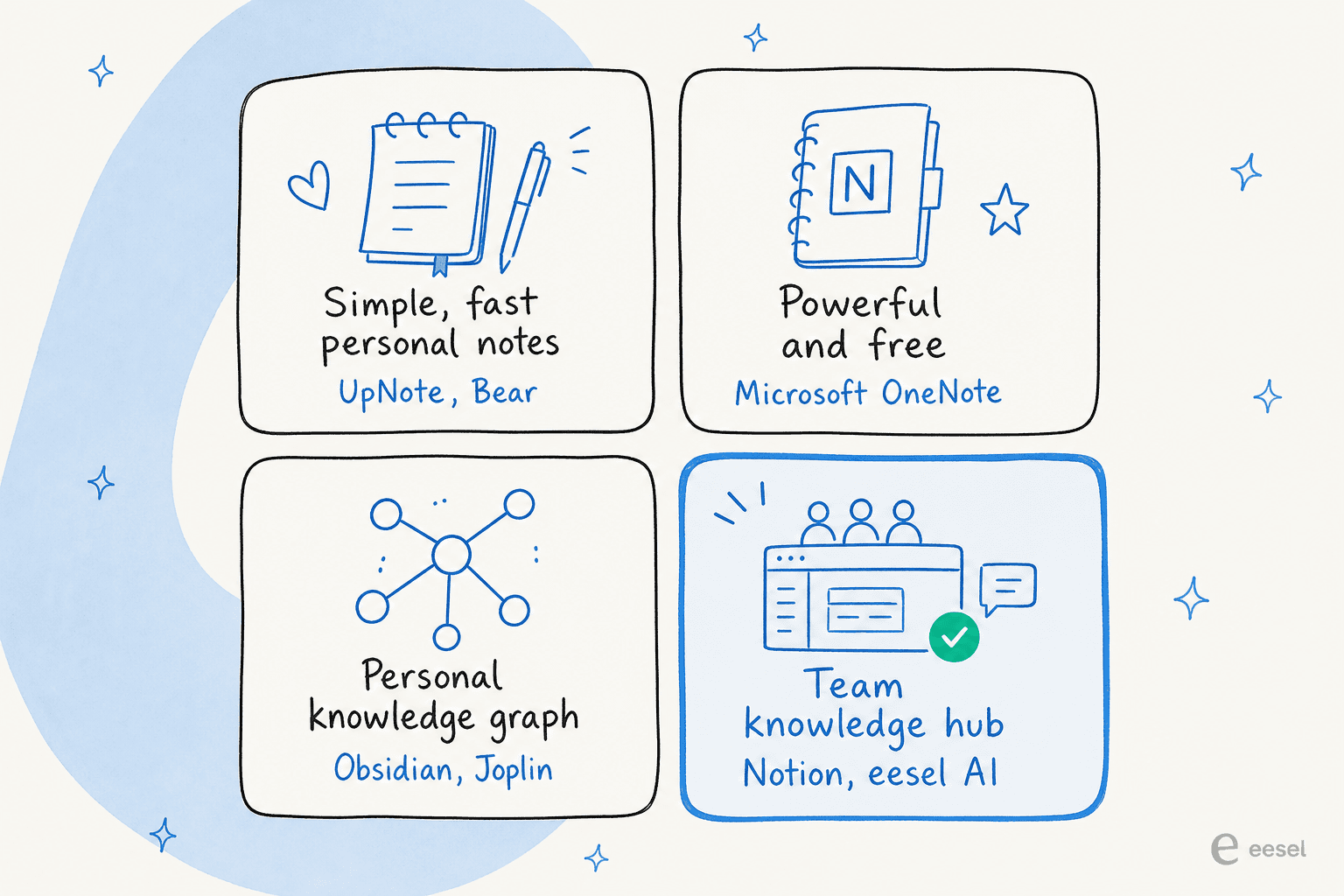
With so many options, the "best" one really comes down to what you need. Here's a quick cheat sheet:
-
If you just want a simple, fast place for personal notes: Go with UpNote for its amazing value and cross-platform support, or Bear if you're all-in on Apple.
-
If you want a powerful free option: Microsoft OneNote is your best bet, no question.
-
If you want to build a connected web of personal knowledge: Obsidian is the tool for you, as long as you're up for the learning curve.
-
If you used Evernote as a shared knowledge hub for your team: Notion is the strongest shared workspace here. If the real pain was people asking where things live, add an AI teammate like eesel that answers from your docs in Slack or Teams (more on that below).
If your team used Evernote as its shared brain
The world of note-taking has moved on. While there are plenty of great Evernote alternatives for just capturing information, the real change is happening in how we use that information.
The problem has always been that knowledge gets trapped. It’s stuck in an old Evernote notebook, scattered across dozens of Google Docs, or buried deep in Slack threads. Finding what you need is still a manual, time-consuming chore.
Moving the team to Notion fixes where the notes live. It doesn't fix who answers "where did we write that down?" at 4pm on a Friday. That's the job I'd give an AI teammate like eesel, which is a different kind of tool from the six apps above. It joins Slack or Microsoft Teams, reads the docs you already keep in Notion, Google Drive or Confluence, and answers the person where they asked. Because it works inside those apps, it can also do the follow-up: chase an open question, pull a report, or post a weekly summary on a schedule.
You decide what it may do for each person who asks, whether that's a teammate, specific named people or someone outside the company, and each action can run on its own, wait for a person's yes, or stay off (actions and approvals). It's one fixed monthly price for the whole team with no per-seat charge, from $299 a month for 500 credits, and you can start free with 100 credits for 7 days, no card needed. For your own grocery lists and journal, one of the six apps above is still the right pick.
Frequently asked questions
Why should I even consider looking for Evernote alternatives?
Many users are exploring Evernote alternatives due to rising subscription prices, sluggish performance, and persistent bugs. The market now offers more specialized and efficient tools that can provide better value and a smoother experience.
How do I choose the best Evernote alternatives for my specific needs?
When selecting Evernote alternatives, consider your priorities such as speed, organization features, reliable syncing across devices, AI capabilities, and fair pricing. The blog categorizes options to help you find the right fit, whether it's for personal notes, team collaboration, or advanced AI knowledge management.
Are there any good free Evernote alternatives available?
Yes, Microsoft OneNote is highlighted as a powerful and feature-rich free option, especially beneficial if you're already integrated into the Microsoft ecosystem. Notion also provides a very generous free plan for individual users to get started, which makes it one of the easiest Evernote alternatives to trial.
What about data privacy and ownership when using Evernote alternatives?
For users prioritizing data privacy and ownership, Obsidian stores notes locally on your device, giving you complete control over your data. Joplin is another strong choice, offering end-to-end encryption and allowing you to choose your preferred sync service for added security.
Do any Evernote alternatives offer lifetime purchase options instead of subscriptions?
Yes, UpNote is a notable example among Evernote alternatives that offers a lifetime purchase option for premium access. This is a significant advantage for those looking to avoid the continuous monthly or annual subscription fees that drive people away from Evernote in the first place.
How do the Evernote alternatives mentioned handle AI capabilities?
Notion offers AI functionality as an add-on, and Microsoft OneNote can integrate with Copilot for basic AI features, while others rely on community-developed plugins. For a team that wants AI working across all its docs rather than inside one app, an AI teammate like eesel answers questions and handles follow-up work from Slack or Teams.
