

Connecting multiple data tables in Power BI allows you to combine related data for meaningful analysis and reporting. Relationships help Power BI understand how tables interact with each other.
- Transform the data if you have to make changes and then load it.
- Power BI can automatically detect relationships between tables based on matching columns and data patterns.
- To view the relationship, click on the Model view tab on the left side of the Power BI.
You can import data from sources like Excel and CSV or associate it with online services.
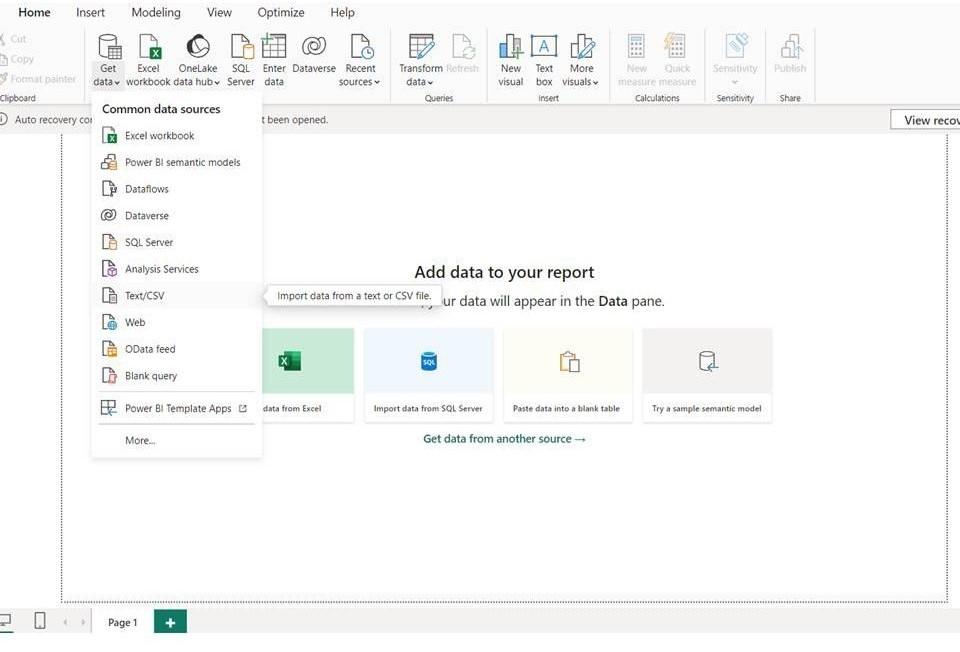
Building a Relationship by Adding CSV Data
Click on Get data tab and load the file, one can transform the data before loading and then load it and can visualize the data in the dashboard.
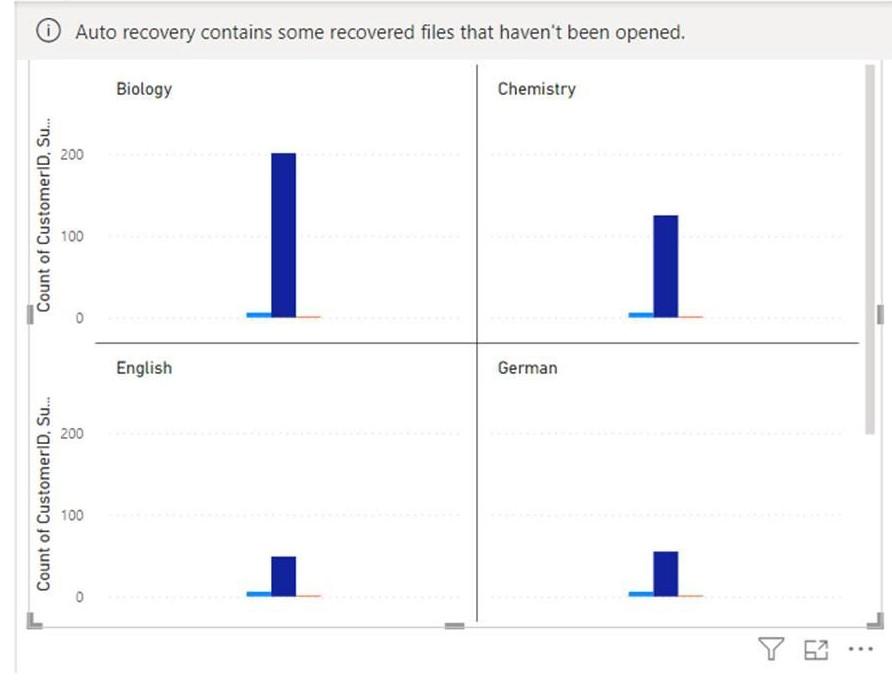
Now the question arises how does Power BI make a relationship between tables
Relationship between Tables
- Power BI can automatically detect relationships when tables contain compatible columns with corresponding values and appropriate uniqueness.
- Let's see what relationship is there between the tables.
- When you expand the toggle button between the two tables, it shows the relationship the two tables have in between them.
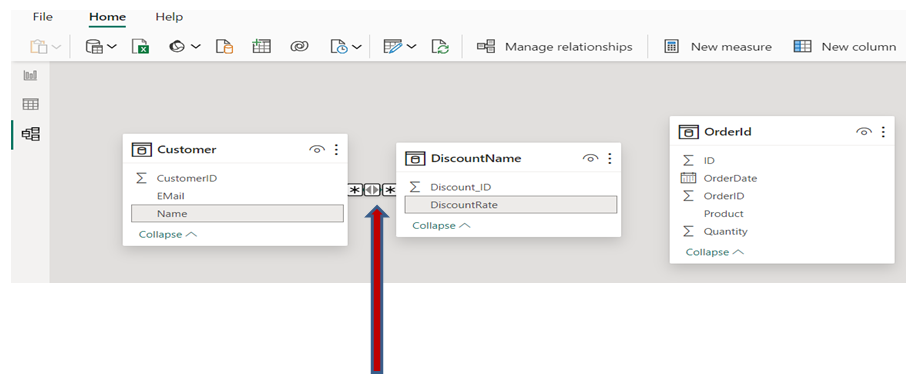
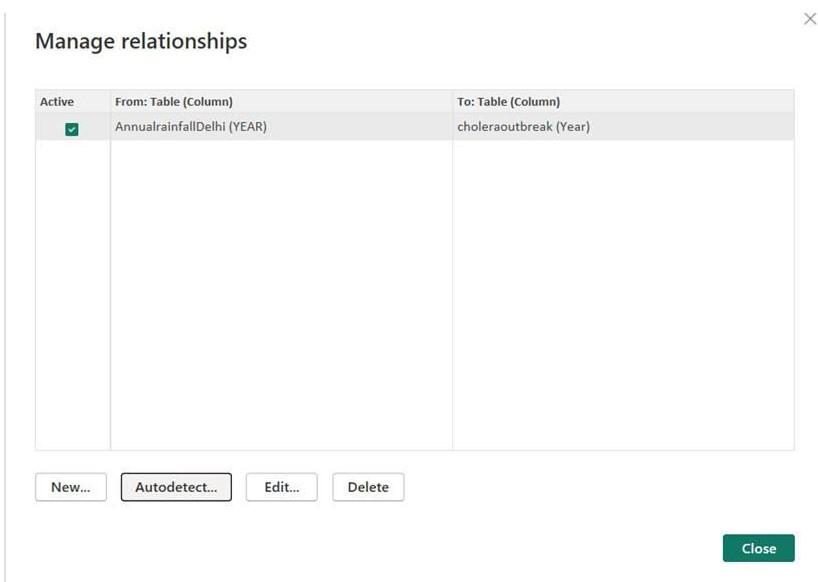
Generally, Power BI catch the relationship automatically. You can create new by clicking the Modeling tab on the upper side, then choose the Manage Relationship tab. You can edit or create new too.
Manage Relationship
The Manage Relationships window displays existing links between tables, allowing you to view, edit or create relationships based on common columns.
Best Practices
- Use compatible columns containing corresponding values.
- Ensure the one side of a one-to-many relationship contains unique values.
- Use appropriate cardinality for the data.
- Avoid unnecessary relationships between tables.
- Prefer a clear star-schema structure where appropriate.
- Use cross-filter directions carefully to avoid ambiguous filtering.
- Check the Model view regularly to understand how tables are connected.
