

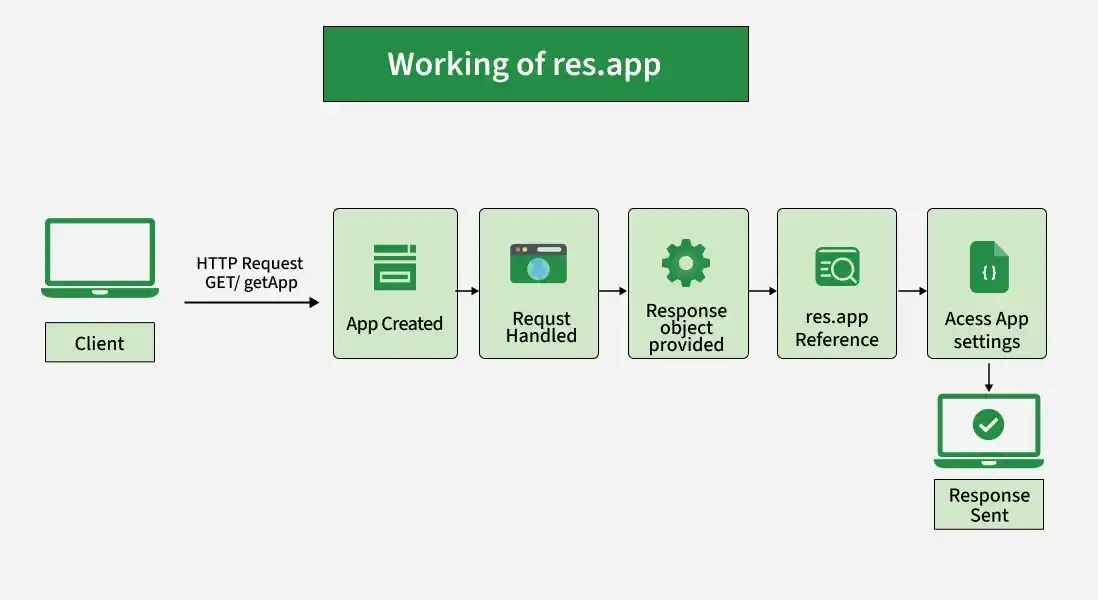
The res.app property holds a reference to the Express application instance that is associated with the current response.
Syntax:
res.appParameter: No parameters.
Return Value: Object
Installation of the express module:
You can visit the link to Install the express module. You can install this package by using this command.
npm install expressAfter installing the express module, you can check your express version in the command prompt using the command.
npm version expressAfter that, you can just create a folder and add a file, for example, index.js. To run this file you need to run the following command.
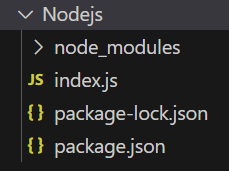
node index.jsProject Structure:
Example 1: Filename: index.js
const express = require('express');
const app = express();
const PORT = 3000;
app.set('title', 'GeeksforGeeks');
app.get('/', (req, res) => {
    console.log(res.app.get('title'));
    res.send('GeeksforGeeks');
});
app.listen(PORT, () => {
    console.log(`Server listening on PORT ${PORT}`);
});
Steps to run the program:
Run the index.js file using the below command:
node index.jsOutput:
Console Output:
Server listening on PORT 3000Browser Output:
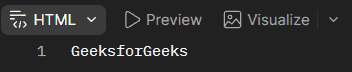
Now open your browser and go to http://localhost:3000/, now you can see the following output on your browser:
Console Output:

Example 2: Filename: index.js
const express = require('express');
const app = express();
const PORT = 3000;
app.set('appName', 'GeeksforGeeks');
app.get('/getApp', (req, res) => {
    const application = res.app;
    console.log(application === app);
    console.log(application.get('appName'));
    res.send('GeeksforGeeks');
});
app.listen(PORT, () => {
    console.log(`Server listening on PORT ${PORT}`);
});
Steps to run the program:
Run the index.js file using the below command:
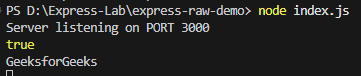
node index.jsOutput:
Console Output:
Server listening on PORT 3000Browser Output:
Now open your browser and make a GET request to http://localhost:3000/getApp, now you can see the following output on your browser:
Console Output:
Working of res.app
- An Express application is created using express().
- A request is handled by a route or middleware.
- Express provides the response object through the res parameter.
- The res.app property provides a reference to the associated Express application.
- The application instance can be used to access application settings and methods.
Use Cases of res.app
- Accessing application-level settings from a response handler.
- Retrieving configuration values stored using app.set().
- Accessing Express application methods through the response object.
- Sharing application-level configuration across middleware and route handlers.
- Checking or interacting with the Express application instance.
Reference: https://expressjs.com/en/4x/api.html#app.mountpath
