

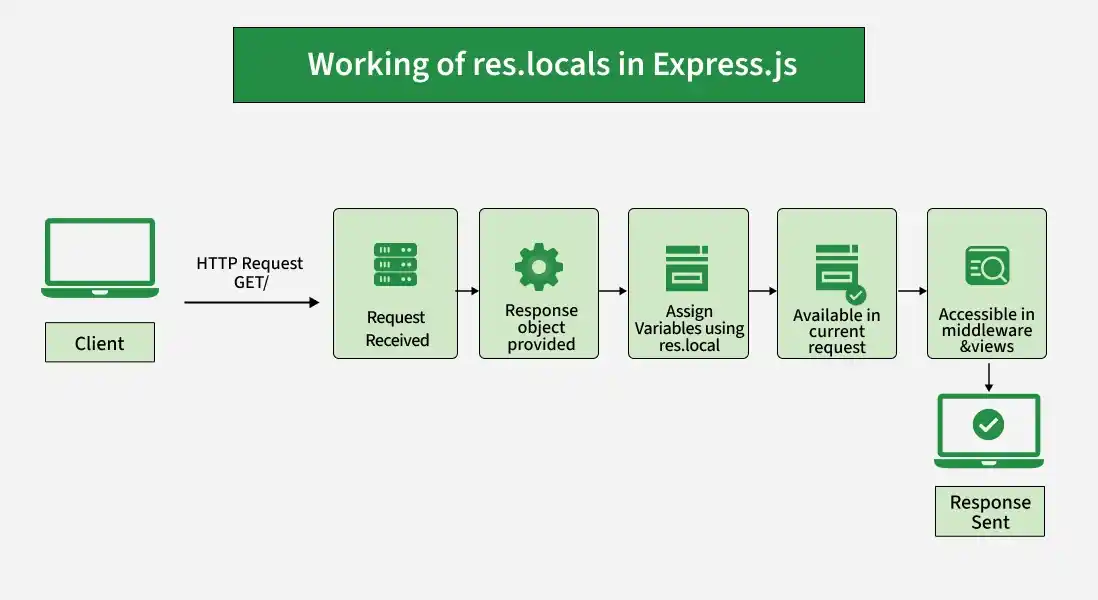
The res.locals property is an object that contains response local variables scoped to the current request. These variables are available to the views rendered during that request/response cycle.
Syntax:
res.localsParameter: No parameters.
Return Value: Object
Installation of the express module:
You can visit the link to Install the express module. You can install this package by using this command.
npm install expressAfter installing the express module, you can check your express version in the command prompt using the command.
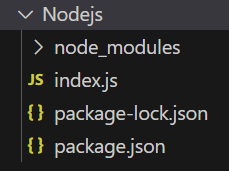
npm version expressAfter that, you can just create a folder and add a file, for example, index.js. To run this file you need to run the following command.
node index.jsProject Structure:
Example 1: Below is the basic example of the res.locals property:
const express = require('express');
const app = express();
const PORT = 3000;

app.get('/',
    function (req, res) {
        res.locals.user = 'GeeksforGeeks';
        console.log(res.locals);
        res.end();
    });

app.listen(PORT,
    function (err) {
        if (err) console.log(err);
        console.log(
            "Server listening on PORT",
            PORT
        );
    });
Steps to run the program:
node index.jsOutput: go to http://localhost:3000/, now you can see the following output on your console:

Example 2: Below is the basic example of the res.locals property:
const express = require('express');
const app = express();
const PORT = 3000;
app.get('/',
    function (req, res) {
        // Sending multiple local variables
        res.locals.name = 'Gourav';
        res.locals.age = 13;
        res.locals.gender = 'Male';
        console.log(res.locals);
        res.end();
    });
app.listen(PORT,
    function (err) {
        if (err) console.log(err);
        console.log(
            "Server listening on PORT",
            PORT
        );
    });
Steps to run the program:
node index.jsOutput: make a GET request to http://localhost:3000:

Working of res.locals
- An Express application receives a client request.
- Express provides the res response object to the route handler.
- Local variables can be assigned using the res.locals object.
- These variables remain available during the current request/response cycle.
- The variables can be accessed by middleware and views rendered during that request.
Use Cases of res.locals
- Storing request-specific data.
- Passing data from middleware to route handlers.
- Passing variables to templates and views.
- Sharing common data with views during a request.
- Storing information that should not persist between different requests.
