

Nowadays, social media has become an inseparable part of this world. Adding social media share buttons to a website is very crucial nowadays. You can't expect a website to be complete if it lacks these share buttons. For users of New Google Sites, integrating these buttons might seem challenging at first.
However, the process is straightforward and can significantly boost your site's reach. You can add images for these buttons and then add a link to them. To add the Social Media Share buttons follow this article.
Steps to add Social Media Share Buttons in New Google Sites
Follow the below given steps to easily add Social Media Share Buttons in New Google Sites:
- Step 1: First, add the images of the share buttons you want to be displayed.
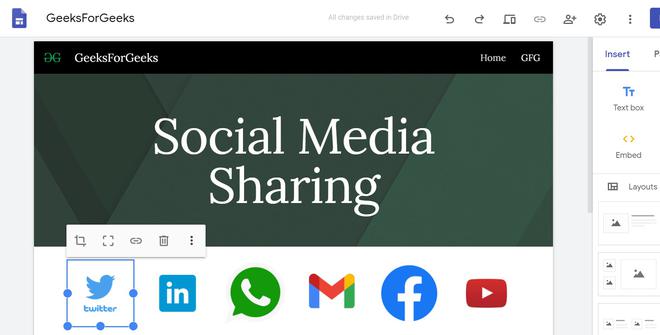
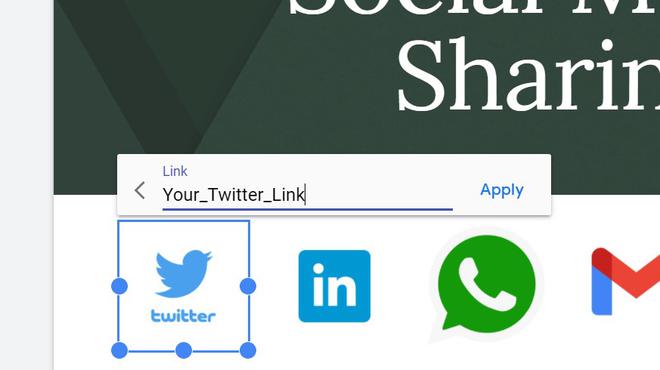
- Step 2: Get the link of your respective social account and add them to all the images you have added.
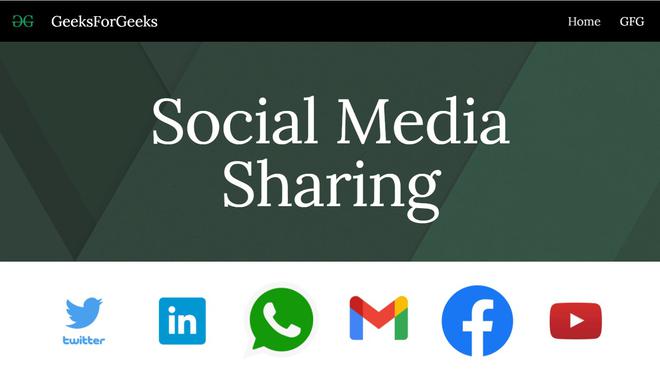
- Step 3: After that just publish the site to see it in effect. You can add more sharing options as per your need.
Benefits of Adding Social Media Share Buttons
Here are some of the benefits of sharing Soical Media Share Buttons in New Google Sites:
- Increased Traffic: Social media share buttons make it easy for visitors to share your content, driving more traffic to your site.
- Enhanced Engagement: By encouraging sharing, you increase user interaction and engagement with your content.
- Brand Awareness: As more people share your content, your brand reaches a wider audience, boosting visibility and recognition.
- SEO Benefits: Increased social media activity can indirectly benefit your search engine rankings by driving traffic and engagement signals.
Tips for Effective Use of Social Media Share Buttons
These are some of the useful tips to effectively use your Social Media Share Buttons:
- Placement: Position the share buttons where they are easily visible to your visitors, such as at the top or bottom of your content.
- Consistency: Use a consistent style and size for the buttons to maintain a clean and professional look.
- Analytics: Use tools that provide analytics for social media shares to track the performance and engagement of your content.
- Mobile Optimization: Ensure that the buttons are responsive and look good on both desktop and mobile devices.
Conclusion
In Summary, we learned the significance of using Social Media Share Buttons and how to add one in the New Google Sites by following the above given steps and hence, integrating social media share buttons into your New Google Sites is a strategic decision with multifaceted benefits.
