
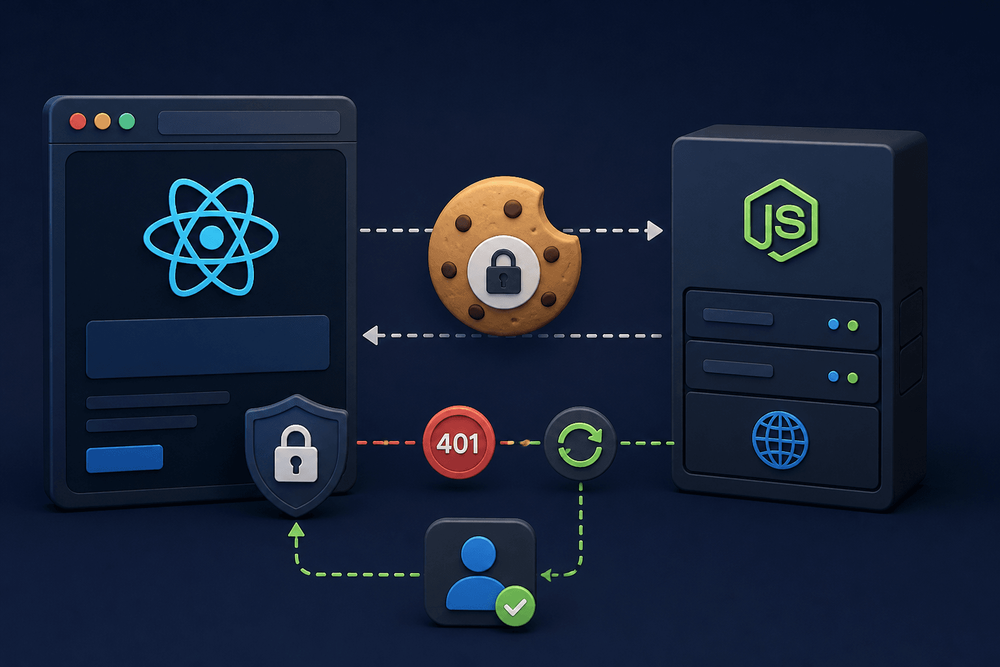
A familiar Stack Overflow symptom: the login request completes with a 200 status, the response body contains the expected access token, but the HTTP-only refresh cookie never appears under DevTools > Application > Cookies. An express React refresh token setup that worked in Postman quietly fails in the browser, producing cascading 401 errors on every subsequent API call.
How to Fix Missing HTTP-Only Refresh Cookies in Express and React
- Add
credentials: 'include'to everyfetchor Axios call from the React client. - Set
credentials: trueand an explicitorigin(not*) in the Express CORS middleware. - Configure cookie attributes:
httpOnly: true,secure: true(production), andsameSite: 'None'for cross-origin or'Lax'for same-site development. - Register
cookie-parsermiddleware before all route definitions soreq.cookiesis populated. - Rotate the refresh token on every successful
/api/refreshcall by setting a new cookie in the response. - Implement a single-flight promise guard in the client to prevent concurrent 401 retries from racing on token rotation.
- Verify the cookie appears in DevTools under the server's domain (e.g.,
localhost:4000), not the React dev server's domain. - Redirect to the login page on refresh failure instead of retrying, to avoid 401 loops.
Table of Contents
- Why Refresh Cookies Disappear
- How HTTP-Only Refresh Tokens Work with Express and React
- Express 5 Server Setup: Login, Refresh, and Logout Routes
- React Client: Credential-Aware Fetch and Token Storage
- Troubleshooting Table: Cookie and CORS Misconfigurations
- End-to-End Verification Checklist
- Common Pitfalls with Express 5
- Next Steps for Production Hardening
Why Refresh Cookies Disappear
A familiar Stack Overflow symptom: the login request completes with a 200 status, the response body contains the expected access token, but the HTTP-only refresh cookie never appears under DevTools > Application > Cookies. The developer inspects headers, toggles filters, clears storage, and still sees nothing. An express React refresh token setup that worked in Postman quietly fails in the browser, producing cascading 401 errors on every subsequent API call.
The root cause is not a bug in Express or React. In most cases, the client's credential handling, the server's CORS configuration, and the cookie attribute settings disagree. A single missing flag, whether credentials: 'include' on the client or sameSite: 'None' on the server, is enough to make the browser silently discard or refuse to send the cookie.
This article delivers a copy-and-run Express 5 + React 18+ token-based authentication setup with JWT access and refresh tokens, cookie-parser, and the Fetch API. It includes a diagnostic troubleshooting table mapping symptoms to fixes and a single-flight 401 retry wrapper that prevents race conditions during silent token rotation.
Prerequisites: Node.js ≥ 18.0.0 (required by Express 5). Verify with node -v.
How HTTP-Only Refresh Tokens Work with Express and React
Access Token vs. Refresh Token Lifecycle
The jwt refresh token React pattern splits authentication into two tokens with different lifetimes and storage strategies. The access token is a short-lived JWT (typically 15 minutes). The app stores it only in memory, never in localStorage or sessionStorage, because those are readable by any script running on the page. The refresh token is a long-lived JWT (7 days in this implementation). The server delivers it to the browser as an HTTP-only, Secure, SameSite cookie.
Here is the full flow. The user logs in. The server validates credentials and returns the access token in the JSON response body while simultaneously setting the refresh token as a cookie via Set-Cookie. On subsequent API calls, the client attaches the access token as a Bearer header. When the access token expires and the server responds with 401, the client makes a request to /api/refresh, and the browser automatically attaches the refresh cookie. The server verifies the refresh token, issues a new access token (and optionally rotates the refresh token), and the cycle continues without user interaction.
Why the Cookie Must Be HTTP-Only
JavaScript cannot read an HTTP-only cookie via document.cookie or any DOM API. This protects the refresh token from exfiltration during an XSS attack. The browser manages storage and transmission entirely, so the token never passes through application code.
One clarification worth calling out: "not visible in DevTools" does not always mean the cookie was never set. DevTools filters cookies by the domain selected in the Application panel sidebar. If the Express server runs on localhost:4000 and the developer is inspecting localhost:3000 (the React dev server), the cookie will not appear unless the correct domain is selected. Also confirm no active filter is hiding cookies in the Application > Cookies filter field. This is a DevTools UX issue, not a missing cookie.
Express 5 Server Setup: Login, Refresh, and Logout Routes
Project Bootstrapping and Dependencies
The server requires six packages: express@5, cookie-parser, jsonwebtoken, cors, dotenv, and bcrypt.
npm install express@5 cookie-parser jsonwebtoken cors dotenv bcryptThe server uses CommonJS (require). The client files use ES module syntax and require a bundler (Vite, webpack, etc.) or a package.json with "type": "module" in the client project.
// server.js
require('dotenv').config();
const express = require('express');
const cors = require('cors');
const cookieParser = require('cookie-parser');
const jwt = require('jsonwebtoken');
const bcrypt = require('bcrypt');

const app = express();

const ACCESS_SECRET = process.env.ACCESS_SECRET;
const REFRESH_SECRET = process.env.REFRESH_SECRET;
if (!ACCESS_SECRET || !REFRESH_SECRET) {
  throw new Error('JWT secrets must be set as environment variables');
}

const REACT_ORIGIN = process.env.REACT_ORIGIN || 'http://localhost:3000';

// CORS must come before routes
app.use(cors({
  origin: REACT_ORIGIN,
  credentials: true
}));

app.use(express.json());
app.use(cookieParser());

// Simulated user store
// Demo user store. Hashes are computed at startup so the sample runs as-is.
// In a real app, store hashes in a database and never hard-code credentials.
const users = [{
  id: 1,
  email: 'user@example.com',
  hashedPassword: bcrypt.hashSync('password123', 10)
}];
// Valid hash used to keep login timing similar when the email is unknown
const DUMMY_HASH = bcrypt.hashSync('not-a-real-password', 10);

function signAccessToken(userId) {
  return jwt.sign({ sub: userId }, ACCESS_SECRET, { expiresIn: '15m' });
}

function signRefreshToken(userId) {
  return jwt.sign({ sub: userId }, REFRESH_SECRET, { expiresIn: '7d' });
}

const IS_PRODUCTION = process.env.NODE_ENV === 'production';

const COOKIE_OPTIONS = Object.freeze({
  httpOnly: true,
  secure: IS_PRODUCTION,
  sameSite: IS_PRODUCTION ? 'None' : 'Lax',
  path: '/',  // Using '/' makes the cookie available to /api/logout and any future routes that need to read or clear it.
  maxAge: 7 * 24 * 60 * 60 * 1000
});

// Mirror for clearCookie — must match Set-Cookie attributes
const CLEAR_COOKIE_OPTIONS = Object.freeze({
  httpOnly: true,
  secure: IS_PRODUCTION,
  sameSite: IS_PRODUCTION ? 'None' : 'Lax',
  path: '/'
});

// Login
app.post('/api/login', async (req, res) => {
  const { email, password } = req.body ?? {};

  if (typeof email !== 'string' || typeof password !== 'string' ||
      !email.trim() || !password) {
    return res.status(400).json({ error: 'email and password are required' });
  }

  // Normalize timing: always run bcrypt even if user not found
  const user = users.find(u => u.email === email);
  const hashToCompare = user ? user.hashedPassword : DUMMY_HASH;
  const valid = await bcrypt.compare(password, hashToCompare);

  if (!user || !valid) {
    return res.status(401).json({ error: 'Invalid credentials' });
  }

  const accessToken = signAccessToken(user.id);
  const refreshToken = signRefreshToken(user.id);

  res.cookie('refreshToken', refreshToken, COOKIE_OPTIONS);
  res.json({ accessToken });
});

// Refresh
// WARNING: This implementation does not detect refresh token reuse.
// A stolen rotated token can be replayed. For production, implement
// a token family or deny-list as described in Next Steps.
app.post('/api/refresh', (req, res) => {
  const token = req.cookies.refreshToken;
  if (!token) return res.status(401).json({ error: 'No refresh token' });

  try {
    const payload = jwt.verify(token, REFRESH_SECRET);

    // jwt.verify returns string for non-object payloads; sub may be absent
    if (typeof payload !== 'object' || payload === null ||
        (typeof payload.sub !== 'string' && typeof payload.sub !== 'number')) {
      return res.status(401).json({ error: 'Malformed token payload' });
    }

    const newAccessToken = signAccessToken(payload.sub);
    const newRefreshToken = signRefreshToken(payload.sub);

    // Rotate: set a fresh refresh cookie on every successful refresh
    res.cookie('refreshToken', newRefreshToken, COOKIE_OPTIONS);
    res.json({ accessToken: newAccessToken });
  } catch (err) {
    console.error('Refresh token verification failed:', err.message);
    res.clearCookie('refreshToken', CLEAR_COOKIE_OPTIONS);
    res.status(401).json({ error: 'Invalid refresh token' });
  }
});

// Logout
app.post('/api/logout', (req, res) => {
  res.clearCookie('refreshToken', CLEAR_COOKIE_OPTIONS);
  res.status(200).json({ message: 'Logged out' });
});

// Error-handling middleware — must be registered after all routes.
// Four-argument signature is required by Express.
app.use((err, req, res, next) => { // eslint-disable-line no-unused-vars
  console.error('Unhandled error:', err.message);
  const status = err.status ?? err.statusCode ?? 500;
  res.status(status).json({
    error: process.env.NODE_ENV === 'production'
      ? 'Internal server error'
      : err.message
  });
});

const PORT = process.env.PORT || 4000;
app.listen(PORT, () => console.log(`Server running on port ${PORT}`));
Create a .env file in the same directory as server.js:
ACCESS_SECRET=your-access-secret-here
REFRESH_SECRET=your-refresh-secret-here
REACT_ORIGIN=http://localhost:3000
Critical Cookie Options Explained
Each cookie attribute serves a distinct security or routing function:
- Without
httpOnly, any script on the page can readdocument.cookieand exfiltrate the refresh token during an XSS attack. Setting it totrueblocks that vector entirely. secureinstructs the browser to only send the cookie over HTTPS. In the code above,secureis set based onNODE_ENV: enabled in production (where HTTPS is expected), disabled in development (where plain HTTP is typical). In production withsameSite: 'None', browsers require HTTPS.SameSite=Nonecookies without theSecureflag are rejected. Usemkcertin development if you need to test the production cookie configuration locally.sameSite: 'None'is required when the React app and the Express API are on different sites, such asapp.example.comandapi.other.com.localhost:3000andlocalhost:4000are different origins but the same site (ports are ignored), so aLaxcookie works in that local setup. Pair it withsecure: true; browsers rejectSameSite=Nonecookies that lack theSecureflag. In development, the code above usessameSite: 'Lax'which works for same-site requests over plain HTTP. Also note that when a cross-sitefetchresponse sets a cookie, browsers ignore it unless it isSameSite=None; Secure. ALaxorStrictcookie is not stored in that case (see RFC 6265bis), so it never shows up in DevTools at all.pathscopes cookie transmission so the browser only attaches it to requests matching that path. Settingpath: '/'makes the cookie available to all routes including/api/logout. If you restrict to/api/refresh, the browser will not send the cookie to other routes such as/api/logout, which causes silent failures.
CORS Middleware Configuration
Two CORS settings are mandatory for credentialed cookie exchange. First, Access-Control-Allow-Credentials must be true. Second, Access-Control-Allow-Origin must be an explicit origin string, not the wildcard *. Browsers reject credentialed responses that use a wildcard origin.
Express 5 does not change CORS semantics, but it does change error handling. Express 5 auto-forwards promise rejections from async route handlers to the error-handling middleware ((err, req, res, next) signature). If an async handler throws before calling res.cookie(), Express never sets the cookie, and the error middleware handles the response instead.
React Client: Credential-Aware Fetch and Token Storage
Storing the Access Token in Memory
How to handle access token and refresh token in React starts with where the access token lives. A module-scoped variable persists across re-renders within a single page session but is cleared on every full page reload. Call /api/refresh on application mount to restore the session from the HTTP-only cookie. The variable is not accessible to XSS payloads via browser storage APIs.
// tokenManager.js
let accessToken = null;

export function getToken() {
  return accessToken;
}

export function setToken(token) {
  accessToken = token;
}

export function clearToken() {
  accessToken = null;
}
Building a Fetch Wrapper with credentials: 'include'
Without credentials: 'include' on every cross-origin request, the browser will neither attach cookies to outgoing requests nor store cookies from responses. This single missing option is the most common cause of invisible refresh cookies. The same principle applies if using Axios; the equivalent configuration is withCredentials: true on the Axios instance, and the react refresh token Axios pattern uses interceptors in place of the wrapper function shown here.
// apiFetch.js (basic version)
import { getToken, setToken, clearToken } from './tokenManager.js';

const API_BASE =
  (typeof import.meta !== 'undefined' && import.meta.env?.VITE_API_BASE) ||
  (typeof process !== 'undefined' && process.env?.REACT_APP_API_BASE) ||
  'http://localhost:4000';

class SessionExpiredError extends Error {
  constructor() {
    super('Session expired');
    this.name = 'SessionExpiredError';
  }
}

export { SessionExpiredError };

async function refreshAccessToken() {
  const res = await fetch(`${API_BASE}/api/refresh`, {
    method: 'POST',
    credentials: 'include'
  });

  if (!res.ok) {
    clearToken();
    throw new Error('Refresh failed');
  }

  const data = await res.json();
  setToken(data.accessToken);
  return data.accessToken;
}

export async function apiFetch(endpoint, options = {}) {
  const headers = { ...options.headers };
  const token = getToken();
  if (token) {
    headers['Authorization'] = `Bearer ${token}`;
  }

  let res = await fetch(`${API_BASE}${endpoint}`, {
    ...options,
    headers,
    credentials: 'include'
  });

  if (res.status === 401) {
    try {
      const newToken = await refreshAccessToken();
      headers['Authorization'] = `Bearer ${newToken}`;
      res = await fetch(`${API_BASE}${endpoint}`, {
        ...options,
        headers,
        credentials: 'include'
      });
      // Do not silently swallow a 401 from the retried request
      if (res.status === 401) {
        throw new Error('Unauthorized after token refresh');
      }
    } catch (err) {
      console.error('Token refresh or retry failed:', err.message);
      throw new SessionExpiredError();
    }
  }

  return res;
}
Callers or a React error boundary handle navigation on session expiry:
// In caller (e.g., React component or top-level handler)
import { apiFetch, SessionExpiredError } from './apiFetch.js';

try {
  const res = await apiFetch('/api/protected');
  // handle response
} catch (err) {
  if (err instanceof SessionExpiredError) {
    // Use your framework's router — works in both SPA and SSR contexts
    navigate('/login');
  }
}
Single-Flight 401 Retry (Silent Token Rotation)
When multiple concurrent requests all receive 401 simultaneously, each one independently triggers a refresh call. This creates a race condition: the first refresh rotates the cookie, and the subsequent refresh calls send the now-invalid old cookie, causing a cascade of failures. The solution is a shared promise guard. For developers using axios interceptors refresh token React patterns, the identical single-flight logic applies inside the response interceptor.
// apiFetch.js (single-flight version)
import { getToken, setToken, clearToken } from './tokenManager.js';

const API_BASE =
  (typeof import.meta !== 'undefined' && import.meta.env?.VITE_API_BASE) ||
  (typeof process !== 'undefined' && process.env?.REACT_APP_API_BASE) ||
  'http://localhost:4000';

class SessionExpiredError extends Error {
  constructor() {
    super('Session expired');
    this.name = 'SessionExpiredError';
  }
}

export { SessionExpiredError };

let refreshPromise = null;

// Exported for test teardown only — do not call in production code
export function _resetRefreshState() {
  refreshPromise = null;
}

async function refreshAccessToken() {
  if (refreshPromise) return refreshPromise;

  refreshPromise = (async () => {
    try {
      const res = await fetch(`${API_BASE}/api/refresh`, {
        method: 'POST',
        credentials: 'include'
      });

      if (!res.ok) {
        clearToken();
        throw new Error('Refresh failed');
      }

      const data = await res.json();
      setToken(data.accessToken);
      return data.accessToken;
    } finally {
      refreshPromise = null;
    }
  })();

  return refreshPromise;
}

export async function apiFetch(endpoint, options = {}) {
  const headers = { ...options.headers };
  const token = getToken();
  if (token) {
    headers['Authorization'] = `Bearer ${token}`;
  }

  let res = await fetch(`${API_BASE}${endpoint}`, {
    ...options,
    headers,
    credentials: 'include'
  });

  if (res.status === 401) {
    try {
      const newToken = await refreshAccessToken();
      headers['Authorization'] = `Bearer ${newToken}`;
      res = await fetch(`${API_BASE}${endpoint}`, {
        ...options,
        headers,
        credentials: 'include'
      });
      // Do not silently swallow a 401 from the retried request
      if (res.status === 401) {
        throw new Error('Unauthorized after token refresh');
      }
    } catch (err) {
      console.error('Token refresh or retry failed:', err.message);
      throw new SessionExpiredError();
    }
  }

  return res;
}
The refreshPromise variable acts as a semaphore. The first caller that hits a 401 creates the promise and stores it. Every subsequent caller that hits 401 while the refresh is in flight receives the same promise and awaits the same result. If the refresh fails, all concurrent callers that awaited the same promise receive the same rejection. The finally block clears the reference so the next expiration cycle can trigger a fresh refresh. The _resetRefreshState export is provided for test teardown only to prevent state leaking between test suites.
Troubleshooting Table: Cookie and CORS Misconfigurations
Symptom, Cause, Fix Reference Table
| Symptom | Likely Cause | Where to Fix | Fix |
|---|---|---|---|
| Cookie not visible in DevTools Application panel after login | Cookie rejected by browser due to sameSite/secure mismatch over plain HTTP, or wrong domain selected in Application panel sidebar; also verify credentials: 'include' is set (missing it prevents the browser from storing the cookie) |
React fetch wrapper / Express cookie options / DevTools domain selection | Add credentials: 'include' to every fetch call; ensure cookie attributes match your environment (use secure: false and sameSite: 'Lax' in HTTP dev, secure: true and sameSite: 'None' in HTTPS production); select the correct domain in DevTools |
Cookie visible but not sent on /refresh |
sameSite: 'Strict' or 'Lax' when the API is on a different site |
Express res.cookie options |
Use sameSite: 'None' with secure: true for cross-site setups. For same-site setups (such as localhost on different ports), Lax is enough |
CORS preflight fails (no Access-Control-Allow-Credentials) |
cors() missing credentials: true |
Express CORS middleware | Add credentials: true and set explicit origin (no wildcard) |
Set-Cookie header present in response but cookie not stored |
secure: true but serving over plain HTTP |
Express cookie options / dev environment | Use HTTPS (e.g., via mkcert) or set secure: false in development via environment-aware config |
Cookie sent but req.cookies is empty |
cookie-parser middleware missing or registered after route |
Express middleware order | Register cookieParser() before all route definitions |
| Refresh works once then fails | Cookie not rotated; old cookie not cleared | /api/refresh route |
Set a new cookie on every successful refresh |
| 401 loop on refresh failure | Retry logic retries after refresh returns 401 | React fetch wrapper | Redirect to login on refresh failure; never retry a failed refresh |
| Multiple refresh calls fire simultaneously | No single-flight guard | React fetch wrapper | Implement shared promise pattern (see single-flight example above) |
End-to-End Verification Checklist
Dev Tools Checks
Open the browser Network tab, trigger the login request, and confirm the response headers include Set-Cookie with the expected refreshToken value. Switch to Application > Cookies, select the server's domain (e.g., localhost:4000), and verify the cookie appears with the correct path, HttpOnly flag, and SameSite attribute. Then trigger a request to /api/refresh and confirm in the Network tab that the Cookie header includes the refresh token.
In development with NODE_ENV unset or set to development, the cookie will use SameSite=Lax and no Secure flag, which works over plain HTTP when the React app and Express server share the same host (e.g., both on localhost). In production with NODE_ENV=production, the cookie uses SameSite=None and Secure, which requires HTTPS. Use mkcert to generate trusted local certificates if you need to test the production configuration locally.
cURL Smoke Test
Note: In development mode (NODE_ENV unset), cookies are set without the Secure flag, so plain HTTP works. In production mode, HTTPS is required. Adjust the commands below accordingly.
# Login and capture the Set-Cookie header (development mode, plain HTTP)
curl -v -X POST http://localhost:4000/api/login \
  -H "Content-Type: application/json" \
  -d '{"email":"user@example.com","password":"password123"}' \
  -c cookies.txt

# Use the stored cookie to hit /api/refresh
curl -v -X POST http://localhost:4000/api/refresh \
  -b cookies.txt
Common Pitfalls with Express 5
Express 5 removes the deprecated app.del() method. It automatically forwards thrown errors and rejected promises from async route handlers to the (err, req, res, next) middleware. The server code above registers an error-handling middleware after all routes to catch these errors and return a consistent JSON response without leaking stack traces in production. If an async handler throws before reaching res.cookie(), Express never sets the cookie and the error middleware returns an error response instead. Wrapping cookie-setting logic before any operation that might throw avoids this problem.
Express 5 also uses a simple built-in query parser that does not support qs-style nested objects or array syntax (e.g., ?filter[type]=jwt will not parse as expected). If your application uses nested query parameters, install qs and configure it explicitly with app.set('query parser', require('qs').parse). This has no impact on cookie handling but is worth noting for developers upgrading from Express 4 who may encounter unexpected query parsing behavior alongside their refresh token migration.
Next Steps for Production Hardening
Most "missing cookie" bugs trace to three settings: credentials: 'include' on the client, Access-Control-Allow-Credentials: true on the server, and the correct sameSite/secure pairing on the cookie. Getting these right eliminates the overwhelming majority of invisible cookie and 401 loop issues.
For production deployments, address two areas next. First, set up HTTPS in development using tools like mkcert and implement sliding-window refresh token expiration to extend sessions for active users. Second, add server-side refresh token revocation using either a token family approach or a deny-list backed by a data store like Redis. The token family approach matters most: the rotation implemented in this article does not include reuse detection, so a stolen refresh token can still be replayed until it expires. A token family tracks all tokens in a lineage and revokes the entire family if a previously-used token is presented again. Start by adding reuse detection to your /api/refresh route before deploying to production.
