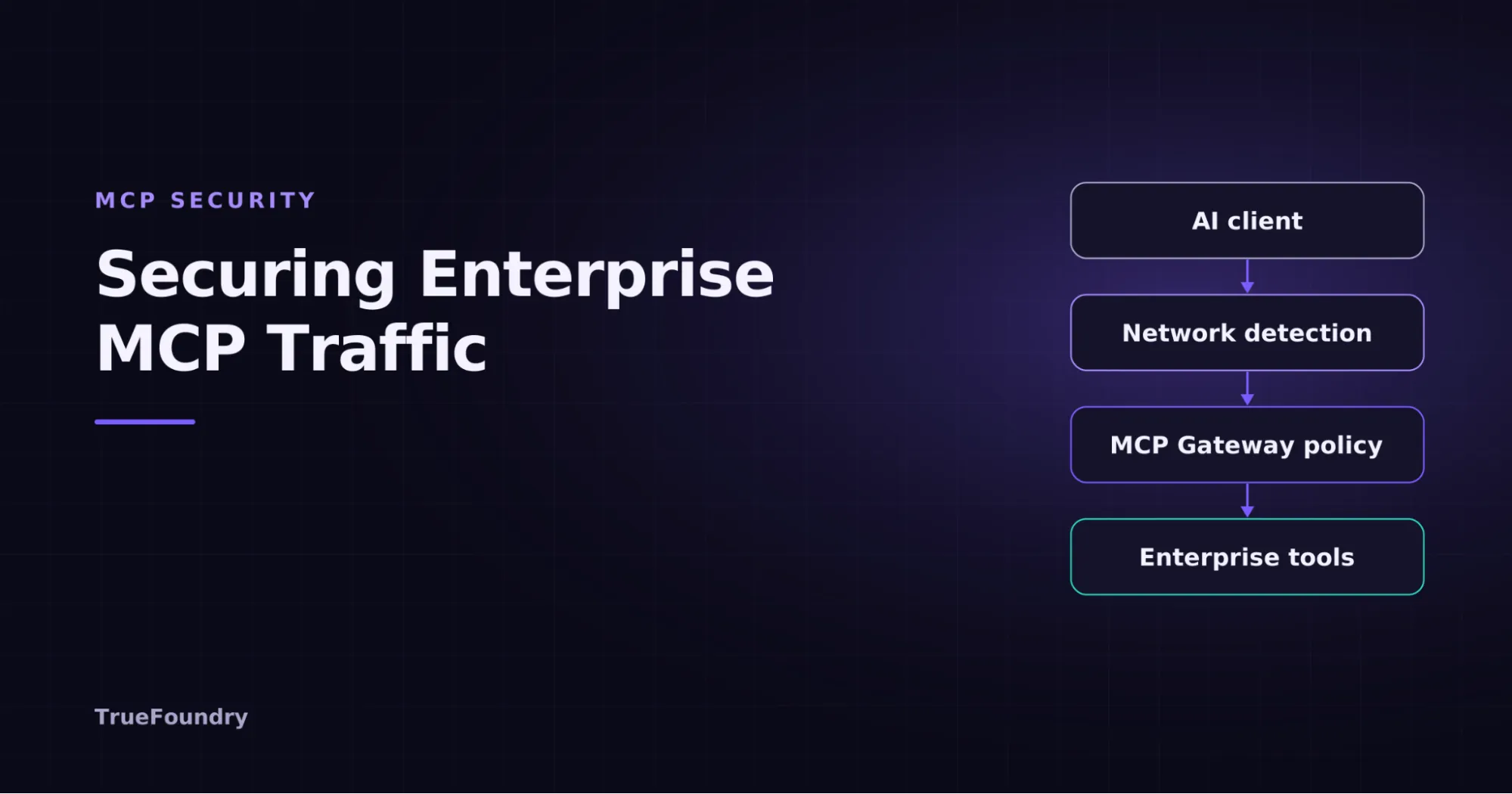
Blank white background with no objects or features visible.

Hello, EMEA! TrueFoundry is growing our footprint across Europe, the Middle East, and Africa. Read more. β†’

A Complete Guide to the Best MCP Servers for Claude Code

By Sahajmeet Kaur

Updated:Β November 25, 2026

Published: March 23, 2026

MCP servers connecting Claude Code to external tools and systems.
⚑ TL;DR

Claude Code gets far more powerful when you connect the right MCP servers β€” turning it from β€œwrites a function” into β€œships a fix end-to-end” across GitHub, databases, browsers, and internal APIs.

Key takeaways
  • Why it matters: MCP servers let Claude Code act across the systems where code actually runs β€” repos, databases, monitoring, browsers, internal APIs β€” not just generate snippets.
  • The essential five: if you install only a few, start with Filesystem, GitHub, Context7 (live library docs), Playwright (browser automation), and Sequential Thinking (better multi-step reasoning).
  • 18 worth knowing: the guide covers 18 servers organized by category, each with install commands, maintainers, and concrete use cases.
  • Choose deliberately: pick servers for the systems you actually touch and weigh trust and maintenance β€” every server adds attack surface and context overhead.
  • Production matters: for team use, add auth, governance, and observability (via an MCP gateway) before wiring servers into real workflows.

Claude Code's real power isn't in writing code, it's in executing tasks across the systems where code actually runs. That's what MCP servers unlock: GitHub repos, databases, monitoring tools, internal APIs, browsers. Connect the right ones and ClaudeCode goes from "writes a function" to "ships a fix end-to-end."

Below, the 18 MCP servers worth installing for Claude Code in 2026, organized by category, with install commands, maintainers, and use cases for each.

If you only install 5, install these:

  1. Filesystem - Read/write files in projects outside your CWD
  2. GitHub - Issues, PRs, repo operations
  3. Context7 - Up-to-date library docs (massive Claude Code productivity boost)
  4. Playwright - Browser automation and web testing
  5. Sequential Thinking - Better multi-step reasoning for complex tasks

See the complete list of 8 below

Why MCP Servers Matter for Claude Code

Claude Code is already built for task execution, not just code generation. But without integrations, it still lacks access to the systems where those tasks actually happen.

MCP servers solve this by allowing Claude Code to interact with real-world tools in a structured and secure way.

From Planning to Execution Across Systems

Claude Code can:

  • Understand your codebase
  • Plan complex changes
  • Execute multi-step workflows

But without MCP, execution is limited.

With MCP servers, Claude Code can:

  • Push changes to repositories
  • Query databases
  • Call APIs
  • Run commands and workflows

For example:

Analyze a failing service β†’ query logs or database β†’ fix the issue β†’ deploy changes β†’ notify the team. This turns Claude Code into a true execution engine, not just a planning assistant.

Access to External Tools and Infrastructure

MCP servers allow Claude Code to connect directly with:

  • Version control systems (e.g., GitHub)
  • Databases (PostgreSQL, etc.)
  • Internal APIs and services
  • Collaboration tools like Slack

This eliminates the need to manually switch contexts between tools. Instead, developers can define tasks at a high level, and Claude Code can interact with the required systems to complete them.

Best MCP Servers for Claude Code

To fully unlock the capabilities of Claude Code, you need MCP servers that enable it to operate beyond the codebase and interact with real systems.

The challenge isn't finding MCP servers. It's governing them.

Connecting Claude Code to GitHub, Slack, Notion, or PostgreSQL only takes a few minutes. The complexity comes later, when dozens of MCP servers need authentication, access controls, audit logs, and security policies across your engineering organization.

TrueFoundry's MCP Gateway gives every developer a single managed endpoint for every MCP server with SSO, RBAC, audit logging, centralized governance, and observability built in. Developers keep using Claude Code while platform teams stay in complete control. Start free β†’

Below are some of the most impactful MCP servers for Claude Code, along with how they fit into real-world workflows.

1. GitHub MCP Server

What it does:
Enables Claude Code to interact directly with GitHub repositories.

Key capabilities:

  • Read and analyze repositories
  • Create and update pull requests
  • Review code changes
  • Manage issues

Why it’s useful with Claude Code:

Claude Code is built for multi-step execution, and GitHub integration allows it to complete workflows end-to-end without manual intervention.

Instead of stopping at code generation, it can:

  • Apply changes across files
  • Push commits
  • Open pull requests
  • Add context and summaries

This makes it possible to move from task definition β†’ completed code changes in a repository in a single workflow.

2. Terminal / Shell MCP Server

What it does:
Allows Claude Code to execute shell commands in your environment.

Key capabilities:

  • Run scripts and CLI commands
  • Execute builds and tests
  • Manage dependencies

Why it’s useful with Claude Code:

This is one of the most critical MCP servers for Claude Code because it enables execution and validation.

With shell access, Claude Code can:

  • Run test suites after making changes
  • Detect failures and iterate
  • Manage dependencies and build processes

This enables closed-loop workflows, where the agent not only makes changes but also verifies them.

3. PostgreSQL MCP Server

What it does:
Connects Claude Code to PostgreSQL databases.

Key capabilities:

  • Run SQL queries
  • Inspect schemas
  • Fetch and update data

Why it’s useful with Claude Code:

Many real-world engineering problems involve both code and data.

With database access, Claude Code can:

  • Debug issues using live data
  • Understand schema constraints
  • Align backend logic with actual data

This makes it significantly more effective for backend-heavy and production workflows.

4. REST API MCP Server

What it does:
Allows Claude Code to interact with external APIs.

Key capabilities:

  • Send HTTP requests
  • Fetch and update external data
  • Trigger backend services

Why it’s useful with Claude Code:

Modern systems are built around APIs, and this integration allows Claude Code to operate across service boundaries.

With API access, it can:

  • Test integrations in real time
  • Validate responses and edge cases
  • Coordinate workflows across multiple services

This is especially useful in distributed systems where changes span multiple components.

5. Filesystem MCP Server

What it does:
Provides structured access to the local file system.

Key capabilities:

  • Read and write files
  • Traverse directories
  • Manage project structure

Why it’s useful with Claude Code:

While Claude Code can already modify code, the filesystem MCP server ensures it can do so reliably and systematically across large codebases.

It enables:

  • Coordinated multi-file changes
  • Better awareness of project structure
  • Safer handling of file operations

This is especially important for large repositories where changes need to be applied consistently across multiple components.

6. Slack MCP Server

What it does:
Enables Claude Code to interact with Slack workspaces.

Key capabilities:

  • Send messages and updates
  • Notify teams
  • Trigger alerts

Why it’s useful with Claude Code:

AI-driven workflows shouldn’t operate in isolation.

With Slack integration, Claude Code can:

  • Notify teams about completed tasks
  • Share updates after deployments or fixes
  • Keep stakeholders in the loop automatically

This helps bridge the gap between execution and communication, making AI workflows more collaborative.

7. Notion MCP Server

What it does:
Connects Claude Code with Notion workspaces.

Key capabilities:

  • Read and update documentation
  • Sync knowledge bases
  • Generate and maintain docs

Why it’s useful with Claude Code:

Documentation often lags behind code changes.

With Notion integration, Claude Code can:

  • Update documentation alongside code updates
  • Generate structured docs from implementations
  • Keep internal knowledge bases in sync

This reduces manual effort and improves documentation consistency across teams.

8. Web Browser MCP Server

What it does:
Allows Claude Code to access and interact with web content.

Key capabilities:

  • Fetch and parse web pages
  • Extract relevant information
  • Interact with web-based resources

Why it’s useful with Claude Code:

Development often requires external context - documentation, API references, or third-party tools. With browser access, Claude Code can:

  • Retrieve up-to-date information
  • Validate integrations against external docs
  • Incorporate external knowledge into workflows

This makes it more effective when working with evolving APIs and third-party services.

Running MCP servers across a team?

TrueFoundry’s MCP Gateway gives every connection one governed front door β€” vetted servers, scoped credentials, per-user OAuth, and full audit logs, in your own VPC.

How to Choose the Right MCP Servers for Claude Code

Not every MCP server is necessary for every team. The right setup depends on your workflow, stack, and level of automation.

1. Start with Your Core Workflow

Identify the systems your team interacts with most frequently.

  • Working with code β†’ GitHub + Filesystem
  • Running builds/tests β†’ Terminal / Shell
  • Backend/data-heavy workflows β†’ PostgreSQL
  • Service-based architectures β†’ REST API

Start with a minimal set of servers that directly map to your daily tasks.

2. Prioritize High-Impact Automation

The real value of Claude Code comes from automating multi-step workflows. Choose MCP servers that:

  • Eliminate repetitive tasks
  • Reduce context switching
  • Enable end-to-end execution

For example:

  • GitHub + Terminal β†’ complete dev workflow automation
  • Database + API β†’ faster debugging and validation

3. Think in Workflows, Not Integrations

MCP servers are most powerful when used together. Instead of adding isolated integrations, design workflows like:

  • Code change β†’ test β†’ commit β†’ notify
  • Debug β†’ query data β†’ fix β†’ validate

Claude Code thrives when it can coordinate across multiple systems.

4. Consider Security and Permissions

As Claude Code gains access to real systems, control becomes critical. Make sure to:

  • Scope permissions carefully
  • Limit access to sensitive systems
  • Separate development and production environments

Autonomous execution requires clear boundaries and safeguards.

Production Considerations for MCP Integrations

MCP servers unlock powerful capabilities but they also introduce complexity when used in production environments.

1. Access Control and Guardrails

Claude Code can interact with:

  • Repositories
  • Databases
  • APIs
  • Infrastructure

Without proper guardrails, this can lead to:

  • Unintended changes
  • Security risks
  • System instability

Teams need to enforce:

  • Role-based access
  • Action-level restrictions
  • Approval workflows where needed

2. Observability and Debugging

When an AI agent executes tasks across systems, visibility becomes essential.

You need to track:

  • What actions were taken
  • Which systems were accessed
  • What changes were made

This is critical for:

  • Debugging failures
  • Auditing workflows
  • Building trust in automation

3. Reliability and Failure Handling

MCP workflows often involve multiple steps across systems.

Failures can occur at any stage:

  • API calls
  • Database queries
  • Test execution

To handle this, teams need:

  • Retry mechanisms
  • Validation checkpoints
  • Clear error handling strategies

4. Scaling AI-Driven Workflows

As adoption grows:

  • More developers use Claude Code
  • More workflows run in parallel
  • More systems are integrated

This introduces challenges around:

  • Model usage and cost
  • Latency and performance
  • Coordination across workflows

5. The Infrastructure Layer: Enabling Production-Ready AI Agents

Claude Code unlocks powerful agent-driven workflows but it doesn’t address how those workflows are managed, secured, and scaled in production.

As teams move from experimentation to real-world usage, this gap becomes critical.

This is where platforms like TrueFoundry come in.

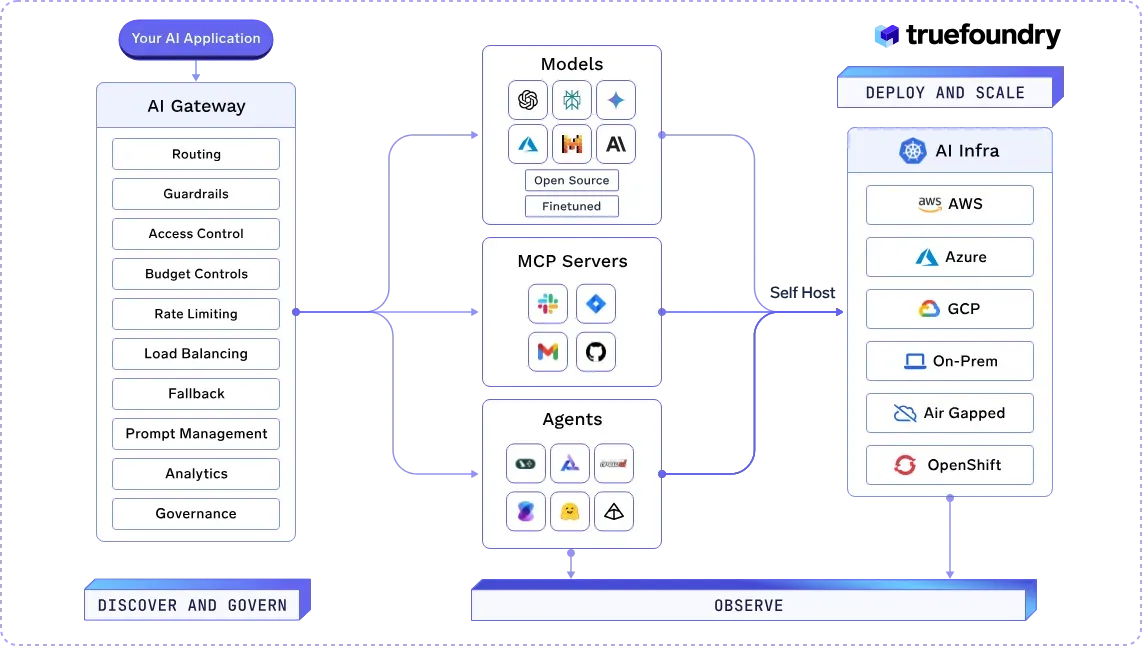
AI gateway architecture connecting models, MCP servers, agents, and AI infrastructure.

TrueFoundry provides the infrastructure layer required to operationalize AI agents by enabling teams to:

  • Securely connect agents to internal tools and services
  • Enforce guardrails on what agents can access and execute
  • Monitor, trace, and debug agent workflows across systems
  • Manage model usage, routing, and cost at scale

Instead of stitching together custom scripts and ad-hoc controls, teams can rely on TrueFounry to standardize and govern how AI agents operate across their stack.

As AI agents become more autonomous, this infrastructure layer is what makes them safe, observable, and production-ready.

From a handful of servers to a fleet?

As MCP usage spreads across your team, TrueFoundry's MCP Gateway gives every connection one governed front door β€” vetted servers, scoped credentials, per-user OAuth, and full audit logs, all in your own VPC.

Conclusion

MCP servers are what transform Claude Code from a powerful coding agent into a full-fledged execution engine for development workflows. By connecting Claude Code to: Repositories, Databases, APIs, Collaboration tools you enable workflows that span far beyond code.

The key is to start with high-impact integrations, build workflows around real use cases & add guardrails as you scale

As development continues to evolve toward agent-driven systems, success will depend not just on the tools you useβ€”but on how effectively you connect, manage, and scale them in production.

Platforms like TrueFoundry will play a central role in this shift, enabling teams to move from experimentation to reliable, scalable AI-driven development workflows.

Try now.

One gateway for all your models, MCP servers, and agents. No credit card needed.

Start free
Table of Contents

One Gateway for Every LLM, Agent and MCP Server

Book a 30-min with our AI expert

Book a Demo

The fastest way to build, govern and scale your AI

Book Demo
Summarize with
ChatGPT logo by OpenAI
Perplexity AI logo
Blurry red snowflake on white background, symmetrical frosty design with soft edges and abstract shape.

Discover More

No items found.
A detailed guide on LiteLLM alternatives
November 26, 2026
|
5 min read

Top 7 LiteLLM Alternatives in 2026

comparison
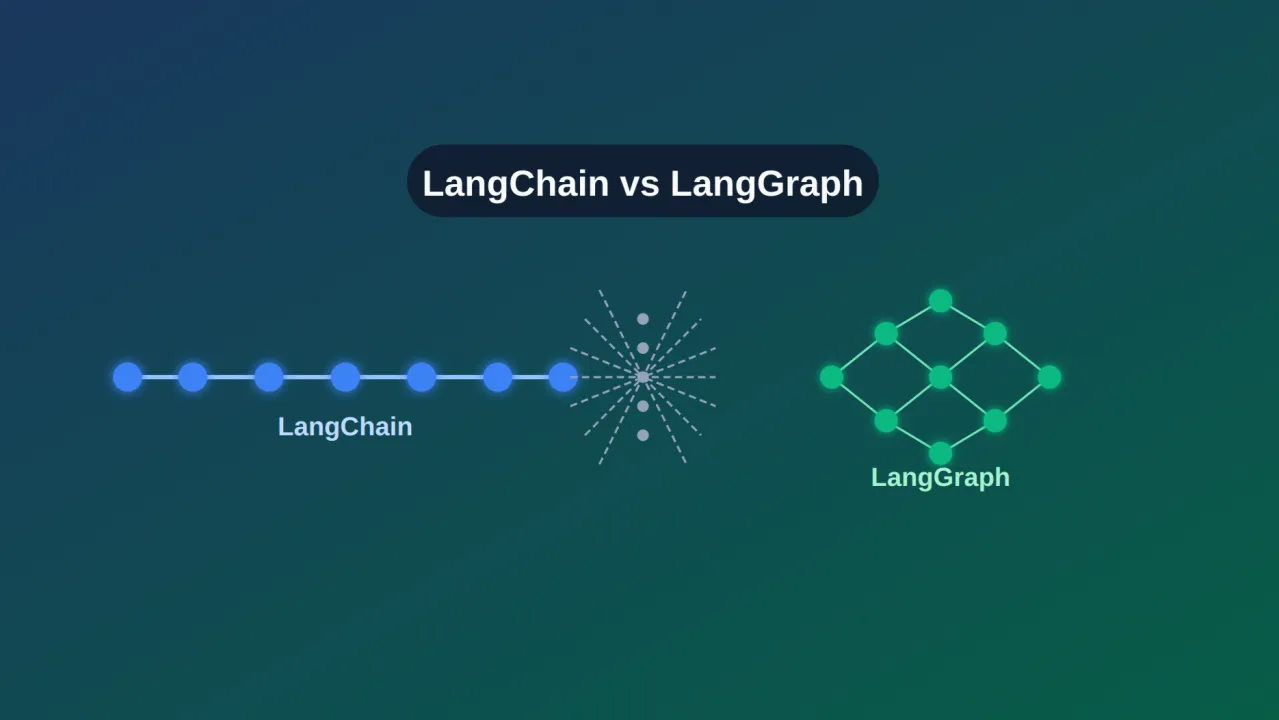
Guide to Langgraph vs Langchain
November 26, 2026
|
5 min read

Langchain vs Langgraph: Which is Best For You?

comparison
 Best LLM observability tools
November 26, 2026
|
5 min read

12 Best LLM Observability Tools in 2026

No items found.
A detailed guide on fine-tuning tools
November 26, 2026
|
5 min read

Top 6 Fine Tuning Tools For Model Training in 2026

Engineering and Product
No items found.

Recent Blogs

Black left pointing arrow symbol on white background, directional indicator.

Frequently asked questions

Can Claude connect to MCP servers?

Yes, Claude Code supports MCP servers through the Model Context Protocol, an open standard for connecting AI applications with external tools and services. Developers can integrate servers for GitHub, databases, file systems, browsers, and internal APIs. These connections allow Claude to retrieve information and perform supported actions within development workflows without requiring separate custom integrations for every tool.

Do I need a MCP server for a Claude code?

No, you do not need an MCP server to use Claude Code for basic coding tasks. Claude Code can already read and modify project files and execute commands through its built-in capabilities. However, MCP servers become useful when you want to connect Claude Code to external systems such as GitHub, databases, documentation platforms, browsers, or enterprise APIs.

Why should you avoid using MCP in Claude Code and what to use instead?

You should avoid unnecessary or untrusted MCP servers in Claude Code because they increase the attack surface, introduce additional context overhead, and may expose sensitive data through excessive permissions. Instead, use built-in capabilities for straightforward file operations and shell commands. For external integrations, choose trusted, actively maintained MCP servers with restricted permissions and only enable the tools required for your workflow.

Where does Claude store MCP servers?

Claude Code stores MCP server configurations in different locations depending on their installation scope. Project-level configurations are stored in a .mcp.json file in the repository root, while local and user-level configurations are stored in ~/.claude.json. Project configurations can be shared through version control, whereas local and user configurations remain specific to the individual developer.

What are the best MCPs for Claude Code?

The best MCP servers for Claude Code include the Filesystem MCP (for reading/writing local files), GitHub MCP (for repository and PR management), PostgreSQL MCP (for database queries), Brave Search MCP (for real-time web searches), and Slack MCP (for team communication). TrueFoundry's MCP Gateway further allows teams to manage and route across multiple MCP servers with centralized access control.

What is the best MCP model to use for Claude Code?

The Model Context Protocol (MCP) is model-agnostic, meaning it works with any underlying LLM powering Claude. For Claude Code specifically, pairing a high-capability model like Claude Sonnet or Claude Opus with production-ready MCP servers β€” such as Filesystem, GitHub, or database MCPs β€” delivers the strongest results for complex coding tasks.

Do Claude Code allow MCP tools?

Yes, Claude Code fully supports MCP tools. Developers can connect any MCP-compatible server to Claude Code, enabling it to read files, query databases, browse the web, interact with APIs, and more β€” all within a single agentic coding session.

What is MCP for Claude?

MCP (Model Context Protocol) is an open standard developed by Anthropic that allows Claude to connect with external tools, data sources, and services in a structured and secure way. It functions like a plugin system, letting Claude Code access real-world capabilities such as file systems, code repositories, search engines, and enterprise APIs without requiring custom integrations for each tool.

Take a quick product tour
Start Product Tour
Product Tour