

AI is moving so fast it feels like a full-time job just to keep up. Every week, there’s a new model or tool that promises to change everything. Big names like Google are right in the thick of it, making their powerful AI more accessible through subscriptions.
One of the newest options is Google AI Plus. It’s an affordable plan tucked into the Google One ecosystem, made for anyone who wants a bit more power than the free Gemini experience provides.
This article is your straightforward guide to the Google AI Plus plan. We’ll break down the features, who it’s actually for, and see how it stacks up against specialized AI solutions built for business.
What is the Google AI Plus plan?
The Google AI Plus plan is a subscription from Google One aimed at regular consumers. It gives you upgraded access to Google’s AI models and creative tools for a monthly fee. Think of it as the first paid step up from the standard free Gemini, but not as loaded as the higher-end Pro and Ultra plans.
You also can give the same AI Pro plan benefits to 5 other people if you add them to your Google 'family group.' Each person in the family group appears to get their own separate daily limits too.

Core features of the Google AI Plus plan
The plan bundles several of Google's advanced AI services, weaving them into the apps you likely use every day. It’s less about one standout feature and more about how these tools work together.
Expanded access to Gemini models
The main attraction here is "more access" to Gemini 3 Pro. Simply put, this means you get a smarter AI that's better at thinking through complex questions and has higher usage limits than the free version.
This powers tools like Deep Research, which lets Gemini scan multiple websites to pull together detailed reports. It's incredibly useful for school projects, planning a detailed vacation, or just diving deep into a new hobby. You also get better image generation with Nano Banana Pro, which is Google’s fun name for its tool that helps you create more detailed and creative pictures from a simple text prompt.
Creative tools for video and image generation
If you enjoy making things, this part of the plan is pretty neat. You get access to Flow, Google's AI filmmaking tool. You can type in a prompt, and it will generate a short video clip using the Veo 3.1 Fast model. It’s a fun way to bring ideas to life without needing to learn complicated video editing software.
There’s also Whisk, a tool for visual brainstorming. It lets you remix images and create short animations, which is perfect for anyone needing a quick visual for a social media post or a personal project. To power all this, the plan gives you 200 monthly AI credits. These credits are used whenever you generate a video or image, giving you a set amount to work with each month.
Productivity boosts in everyday apps
One of the most practical parts of the Google AI Plus plan is how it brings Gemini right into Google Workspace apps like Gmail, Docs, Meet, and Vids (for personal accounts, anyway).
This means you can do things like summarize a long email thread in Gmail with one click, get help drafting a blog post directly in Google Docs, or even create a video storyboard in Vids just by describing what you want. You also get higher limits and earlier access to new features in NotebookLM, Google’s AI-powered research assistant. It’s a great tool for organizing notes and sources, and the Plus plan makes it even better.
Google AI Plus pricing and plans
Here’s a breakdown based on the official Google One data:
| Feature | Free | Google AI Plus | Google AI Pro | Google AI Ultra |
|---|---|---|---|---|
| Price (US) | $0/mo | $7.99/mo | $19.99/mo | $249.99/mo |
| Storage | 15 GB | 200 GB | 2 TB | 30 TB |
| Gemini Model Access | Limited 3 Pro | More 3 Pro | Higher 3 Pro | Highest 3 Pro, Deep Think, Gemini Agent |
| Monthly AI Credits | 100 | 200 | 1,000 | 25,000 |
| Video Generation | Veo 3.1 | More Veo 3.1 Fast | Higher Veo 3.1 Fast | Highest Veo 3.1 |
| Gemini in Apps | No | Yes | Yes (Higher Limits) | Yes (Highest Limits) |
| Developer Tools | No | No | Yes (Jules, Cloud Credits) | Yes (Highest Limits) |
| Exclusive Features | No | No | No | Project Mariner, Project Genie |
| Included Subscriptions | No | No | Google Home Premium (Std) | Google Home Premium (Adv), YouTube Premium |
I have to be more carful! Even PRO subscription do not allow you to use DeepThink, just only available in ULTRA subscription. So they are equal in this case :)
Is Google AI Plus right for your business?
While Google AI Plus is a great and affordable tool for individuals, businesses often have different requirements. Their needs are fundamentally different, and that's a gap a consumer-focused plan isn't designed to fill.
Designed for personal accounts, not enterprise teams
First off, the Google One AI plans are built for personal Google accounts. If your team uses Google Workspace, you have to buy separate enterprise-grade Gemini add-ons for business use. The plans don't mix.
And while the "family sharing" feature is great for a household, it’s no substitute for proper team management. Businesses need control over roles, permissions, and security to manage who can access what. That’s just not what Google AI Plus is for.
General-purpose assistance vs. business integration
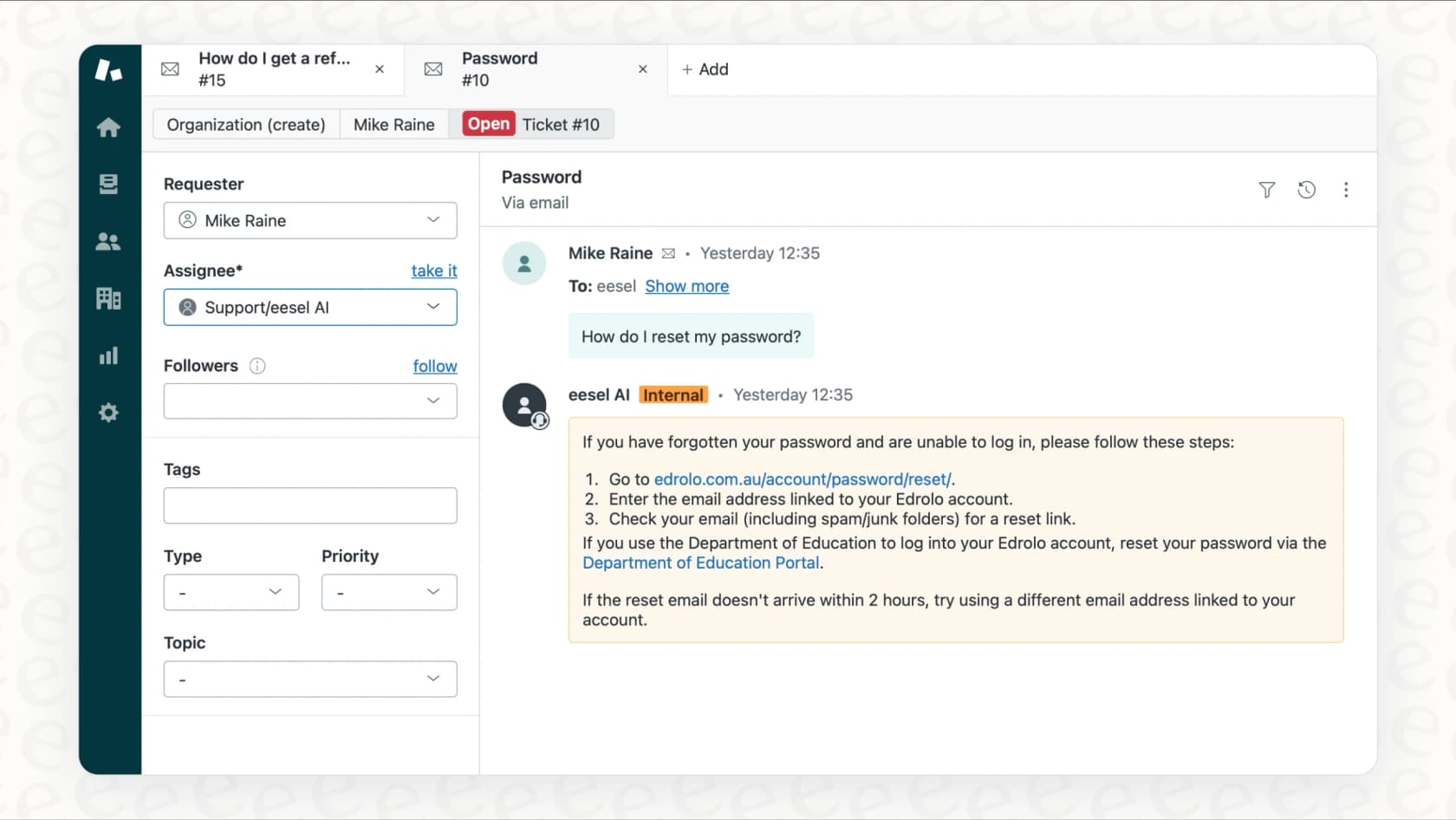
Here’s the biggest difference: Google AI Plus is a general-purpose assistant. It can analyze documents you give it or help you write an email, but it doesn't connect to the tools that actually run your business. It can't learn your company’s specific ways of doing things from systems like Zendesk, Gorgias, or your internal Confluence pages.
An assistant vs. an autonomous agent
Google AI Plus is an assistive tool. It helps you do the work. It can draft an email for you to look over or create a presentation outline for you to fill in. But it doesn't handle business tasks from start to finish on its own.
An AI teammate finishes the job, and that raises a question a personal plan never has to answer: who is it doing the job for? With eesel, what it may do depends on who is asking. It can process a refund in Shopify when your support lead asks, wait for a person's yes when a verified customer asks, and stay out of billing entirely for an anonymous visitor. Each tool runs on its own, asks first, or stays off for each kind of person, as the actions and approvals docs explain. It can also start work by itself, from a new email or a weekly schedule, instead of waiting to be asked. That's the jump from a helpful assistant to a teammate.
To see a quick visual summary of what the Google AI Plus plan packs into its budget-friendly price, the following video offers a great overview of its key features and benefits.
Choosing the right AI for your needs
Google AI Plus is an excellent, budget-friendly option for individuals, students, and creative folks who want to use Google's powerful AI models. It shines at boosting personal productivity, sparking creativity, and making everyday apps like Gmail and Docs a bit smarter.
But for businesses, it’s a different story. The plan is a consumer product, not a specialized tool made to automate core business functions like customer support. It doesn't have the deep integrations, team management features, and autonomous abilities that companies need to save real time and money.
It all comes down to picking the right tool for the job. For personal tasks, an assistant like Google AI Plus is a great fit. For business automation, you need an AI teammate built for the task.
If you're choosing for yourself or your household, Google AI Plus at $7.99 a month is hard to beat. If you're choosing for a team, eesel is one AI teammate that works in your Slack, email and helpdesk at a fixed monthly price from $299, with no per-seat charge. It starts free with 100 credits for 7 days, no card needed, so you can try eesel on real work before deciding.
