
Description
Live Demo | Documentation | Support | Pro
Custom Product Builder for WooCommerce adds a visual product designer to your store. Shoppers personalize a product on the product page, preview the result, and add it to the cart. You get the design image with the order.
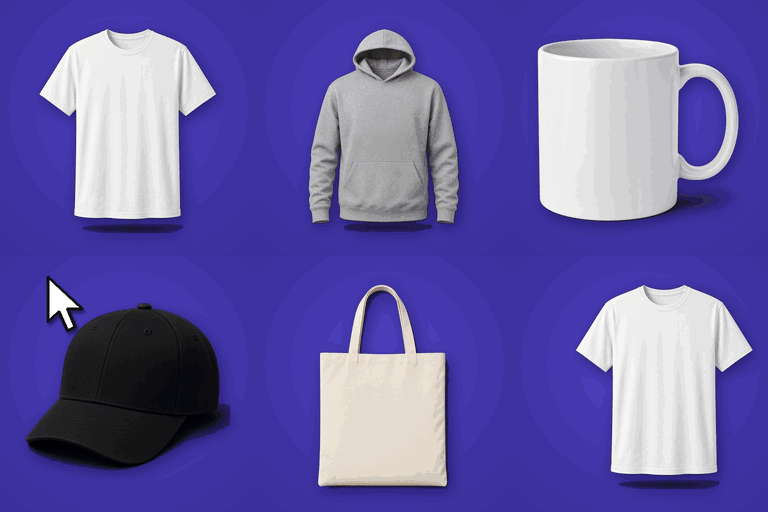
It suits stores that sell custom t-shirts and hoodies, mugs, phone cases, personalized gifts, print-on-demand items and promotional merchandise.
Free features
- Unlimited customizable products. Turn on the builder for any WooCommerce product from the product edit screen.
- Visual product designer. Drag, resize and rotate elements on a product canvas.
- Custom text. Shoppers add their own text and pick a font.
- Images and clipart. Upload your own clipart and design elements for shoppers to place on the product.
- Draw tool, templates, layers, undo/redo and zoom.
- Live design preview before the product goes to the cart.
- Design download and reset buttons for shoppers.
- Toolkit. Switch each builder tool on or off globally or per product, with no code.
- Design files with orders. See each design in the WooCommerce order, on the thank-you page, and in Product Builder > Custom Orders.
- Dashboard with builder products, design orders, revenue and average order value.
- Light and dark admin mode.
- Works with WooCommerce blocks.
Pro features
Custom Product Builder Pro adds tools for larger catalogs and print workflows:
- Multiple sides. Front, back and side views on one product.
- Advanced Builder with a visual canvas setup.
- Restrict the design area (for example, a logo placement zone).
- AI Creative Tool. Shoppers describe a design in a prompt and place the result on the product (uses your own OpenAI API key).
- Analytics dashboard with sales and order charts, plus order asset downloads.
- Extra pricing for customization, image limits and background removal.
- Canvas fill colour, batch designs and a variations grid.
Pro plans start at $59.99 per year, and a lifetime plan is available. Each purchase includes a 14-day money-back guarantee.
How it works
- Edit a WooCommerce product and switch on Enable Builder.
- Click Configure Designer, upload the canvas (product) images and clipart, and choose which tools shoppers can use.
- Publish. Shoppers open the designer from the product page, personalize the product and add it to the cart.
- Open the order to see the customer’s design.
The setup guide walks through each step.
Screenshots


Installation
- In your WordPress admin, go to Plugins > Add New, search for “Custom Product Builder for WooCommerce”, then click Install Now and Activate. You can also upload the plugin folder to
/wp-content/plugins/and activate it from the Plugins screen. - Make sure WooCommerce is installed and active.
- Go to Product Builder in the admin menu to finish the setup wizard.
- Edit a product, switch on Enable Builder, and click Configure Designer.
FAQ
-
What is Custom Product Builder for WooCommerce?
-
Custom Product Builder for WooCommerce is a product designer plugin that lets shoppers personalize products, such as t-shirts, hoodies, mugs, caps and gifts, right on the product page, with a live preview before they add to cart.
-
Is Custom Product Builder for WooCommerce free?
-
Yes. The free version on WordPress.org lets you enable the builder on unlimited products, with text, fonts, clipart, drawing and a live preview. Custom Product Builder Pro adds front, back and side views, design-area restrictions, the Advanced Builder and more.
-
What is the best free product customizer for WooCommerce?
-
Custom Product Builder for WooCommerce is a strong free option: it has no product limit, works on any WooCommerce product and needs no code. Shoppers design directly on the product image and the store owner gets the finished design with the order.
-
How do I let customers design their own t-shirt in WooCommerce?
-
Install Custom Product Builder for WooCommerce, open a product, enable the builder and upload your t-shirt image as the canvas. Shoppers can then add text, fonts, clipart and drawings on the t-shirt and see a live preview before checkout. Front, back and side views on one product need Pro.
-
Can I sell personalized mugs, caps, hoodies or gifts?
-
Yes. Custom Product Builder for WooCommerce works with any product that has an image, so you can sell personalized mugs, caps, hoodies, tote bags, signs and gifts.
-
How is Custom Product Builder different from Fancy Product Designer or Zakeke?
-
Custom Product Builder for WooCommerce is native to WooCommerce, has a free version with unlimited products and has no monthly SaaS fee. Pro is a one-time or yearly license from CoderPress, with lifetime options available.
-
Does it need WooCommerce?
-
Yes. Custom Product Builder for WooCommerce requires WooCommerce to be installed and active.
-
Can customers add their own text and fonts?
-
Yes. Shoppers can add custom text and pick a font right on the product. Pro adds more text controls.
-
Where do I find the customer’s design?
-
In the WooCommerce order screen, in the “Custom Product Builder Order Assets” box, and under Product Builder > Custom Orders.
-
What does the AI Creative Tool do?
-
The AI Creative Tool in Custom Product Builder lets shoppers type a prompt, such as “retro sunset with bold text SURF CLUB”, and get a design they can place on the product. It uses your own OpenAI API key.
-
Do I need to write code?
-
No. Everything is set up from the product edit screen and the Product Builder menu.
-
Does it work on mobile?
-
Yes, the designer is responsive. Test it with your theme on the devices your customers use.
-
What does Custom Product Builder Pro cost?
-
Pro starts at $59.99 per year, with lifetime licenses available, at CoderPress.
-
Where can I get help?
-
Read the documentation or contact support.
Reviews


Contributors & Developers
“Custom Product Builder for WooCommerce – Product Designer & Customizer” is open source software. The following people have contributed to this plugin.
Contributors
Interested in development?
Browse the code, check out the SVN repository, or subscribe to the development log by RSS.
Changelog
1.2.0 – Aug 04, 2026
- New: Dashboard overview with builder products, design orders, revenue, and average order value stats.
- New: Custom Orders page to browse design orders, preview artwork, and download assets.
- New: Help & Docs page with documentation, video tutorial, support, and changelog links.
- New: Light and dark mode for the admin dashboard.
- Tweak: Improved admin navigation and onboarding experience.
1.1.1 – March 30, 2025
- Improved onboarding experience.
- Fixed minor URL and typo issues.
1.1.0 – Feb 12, 2025
- Added WooCommerce block support.
- Improved user experience.
1.0.12 – Jan 28, 2025
- SDK stability improvements.
1.0.11 – Jan 05, 2025
- SDK update.
1.0.10 – Dec 04, 2024
- SDK update.
1.0.9 – Oct 31, 2024
- SDK update.
1.0.8 – Oct 01, 2024
- SDK update.
1.0.7 – Sept 14, 2024
- SDK update.
1.0.6 – Apr 07, 2024
- Added documentation link in settings.
1.0.5 – July 21, 2023
- SDK update.
1.0.2 – Oct 01, 2022
- Fixed image stretching issue.
1.0.1 – July 30, 2022
- Added Freemius integration.
1.0.0 – Feb 04, 2022
- Initial release.
