

The LTRIM() function in SQL is an inbuilt string function used to remove leading spaces from the left side of a string. It can also be used to remove specific characters from the beginning of the string.
- The LTRIM function is used to clean data in databases.
- It removes unnecessary leading characters or spaces from text values.
- Data administrators use it to streamline data cleaning tasks efficiently in one go.
Syntax
LTRIM(Input_String, [Trim_Characters])- Input_String: String from which you want to remove leading spaces.
- Trim_Characters: [optional] specified characters you want to remove.
Note: If we don't specify any characters to remove, the LTRIM function removes the white spaces for data cleaning and manipulation in SQL.
Query:
SELECT LTRIM(' GeeksforGeeks.') AS trimmed_string; Output:

Examples
Now let us see some examples of LTRIM function in different use cases to understand it's working better:
Example 1: Remove Specific Characters Using LTRIM Function
In this example, we will remove specific characters using LTRIM function.
Query:
SELECT LTRIM('----GeeksforGeeks', '-') AS trimmed_string;Output:

- Removes the - characters from the left side of the string.
- Returns the cleaned result as trimmed_string.
Example 2: Remove a Substring from a String Using LTRIM Function
In this example, we will remove a substring from a string using the LTRIM function.
Query:
SELECT LTRIM('GeeksforGeeks', 'Geeks') AS trimmed_string;Output:

- Removes the specified characters ‘Geeks’ from the left side of the string.
- Returns the remaining string as trimmed_string.
Example 3: Use LTRIM on a Table Column
Let us create a table where the names of the users are stored with whitespaces.
Query:
CREATE TABLE users (
    name VARCHAR(45)
);
INSERT INTO users (name) VALUES
    ('   Alice'), ('   Bob'), ('   Charlie'), ('   David'), ('   Eve');
Output:
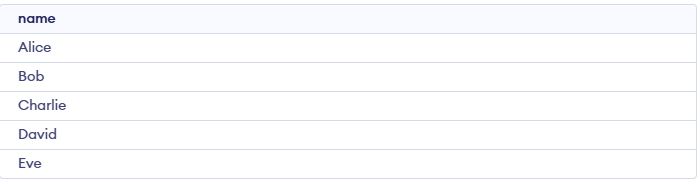
Now to remove whitespace from this column, we can use the SQL query:
SELECT  LTRIM(name) AS trimmed_names
FROM users;
Output:

- Removes leading (left-side) spaces from the name column.
- Displays the cleaned values as trimmed_names.
