Nano Banana 2 Free Trial: The Ultimate 2026 Guide
Try Nano Banana 2 with the right Gemini model setting. Follow the free image steps, compare Pro access, and avoid confusing app use with paid API calls.
 Ariette Wynn
You can try Nano Banana 2 through free Gemini app access, subject to your account’s limits. The Nano Banana 2 API is paid, starting at about $0.045 in image-output charges for a 0.5K image, plus input and any text or thinking output.
If you only need a few quick prompts, start with Gemini. If you need higher official Google access, compare Google AI Plus, Pro, and Ultra.
Is Nano Banana 2 Totally Free? Official Gemini Access Routes Explained
Nano Banana 2 is available in the Gemini app, but “free” does not mean unlimited. For casual users, the free Gemini route is enough to test prompts, image edits, and reference-image workflows. For heavier use, Google separates access through its AI plans instead of publishing one simple image-per-day number for everyone.
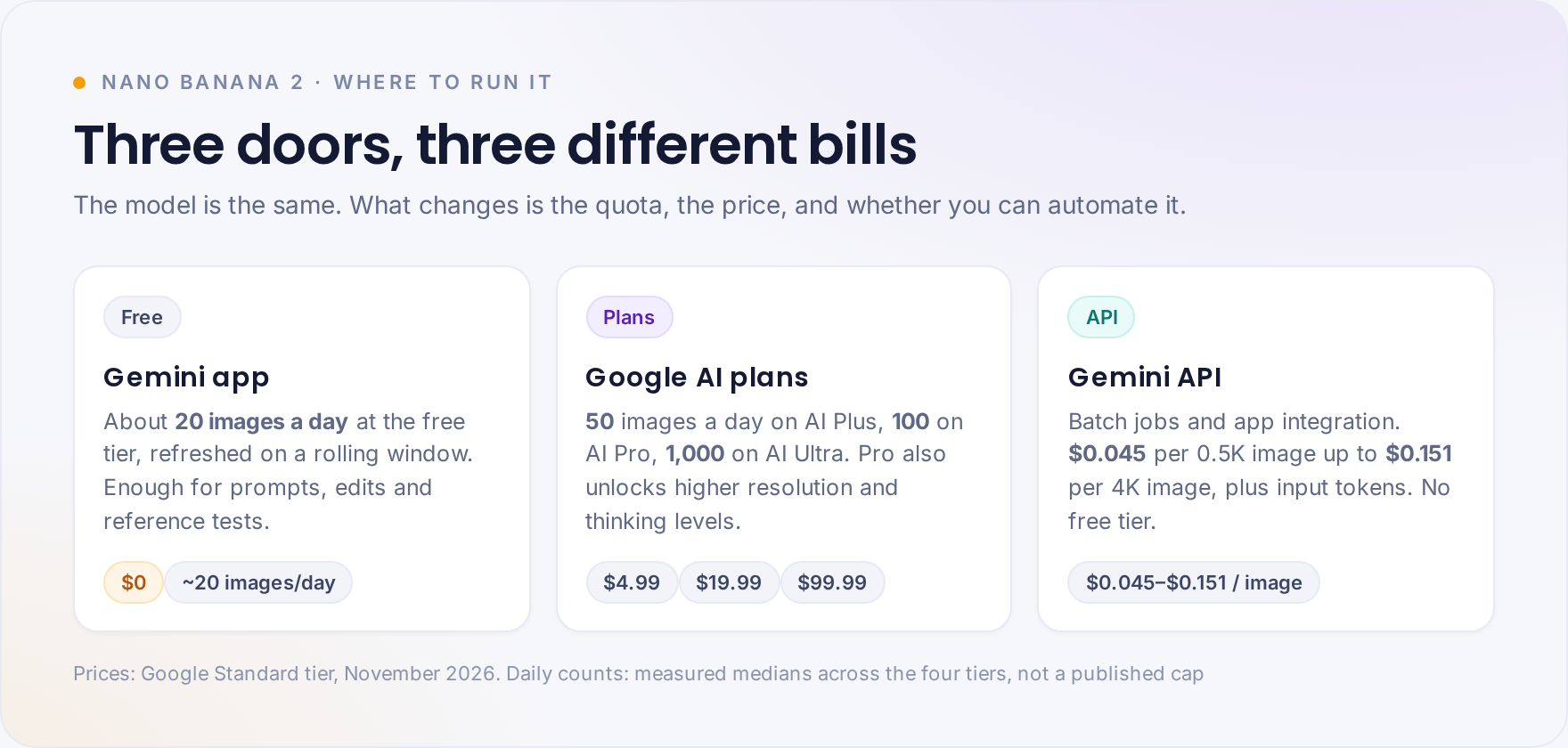
Three routes to Nano Banana 2, and what each one actually costs.
How to Try Nano Banana 2 and Make Your First Image
Sign in at Gemini, choose image creation if it is available to your account, and enter one concrete prompt—for example, “Create a square product photo of a blue ceramic mug on a white table, with soft window light and no text.” Ask for one result first, then request a focused edit such as a new background.
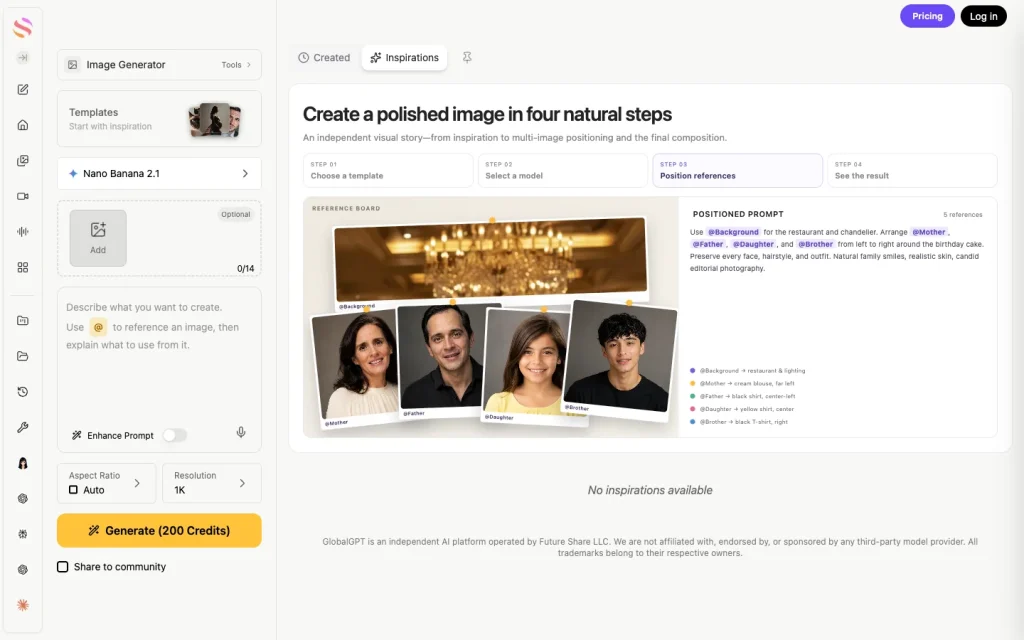
For the GlobalGPT route, open Nano Banana 2, sign in, select the image size and review the displayed credit cost before generating. Save the first result, then change one detail at a time; access through GlobalGPT uses its own account, credits and subscription, not Google’s trial entitlement.
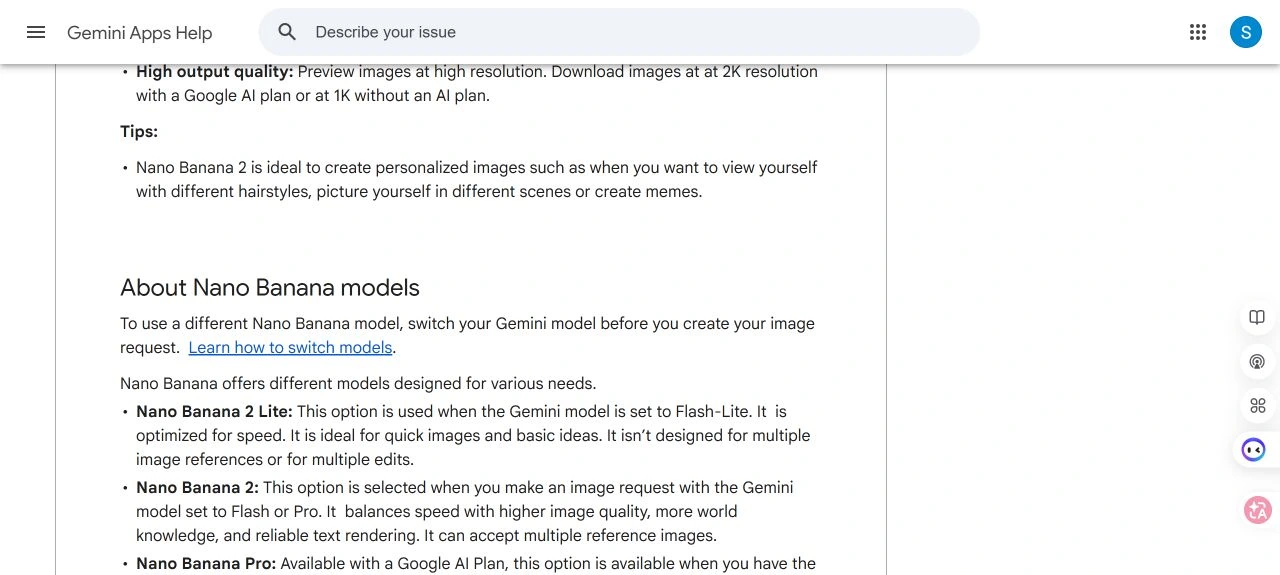
In Gemini Apps, Google selects Nano Banana 2 when the model is set to Flash or Pro. Google also lists a newer Nano Banana 2.1 (gemini-nano-banana-2.1), but every price and example here refers to Nano Banana 2 on gemini-3.1-flash-image.
Start with the right Nano Banana image model
Sign in: open the official Gemini app with an eligible Google Account.
Check the model: Google's image guide maps Flash-Lite to Nano Banana 2 Lite, while Flash or Pro selects Nano Banana 2 for an image request. Do not assume every free model setting produces the same model.
Open Images: choose Images from the sidebar and enter a clear prompt. Start with one image, then change one detail in a follow-up.
Check the download: the Gemini image guide lists 1K downloads without an AI plan and 2K with a Google AI plan for Nano Banana 2.
Separate the upgrade: Nano Banana Pro is a different redo option with a Google AI plan; it is not activated merely by selecting Nano Banana 2.
The official Gemini image guide explains these model and download differences. Free app access and paid API access have different allowances.
Nano Banana 2 API: image-output cost
USD / image
Standard API image-output charges only; input and text/thinking output are additional. Not Gemini app pricing.
Avoiding the “Limit Reached” Error: Hidden Official Barriers
There is no universal one-month Nano Banana 2 trial in Gemini. Google’s Gemini Apps route uses compute-based limits that refresh over time, so a “Limit reached” message reflects the account, model, feature, prompt complexity and current capacity.
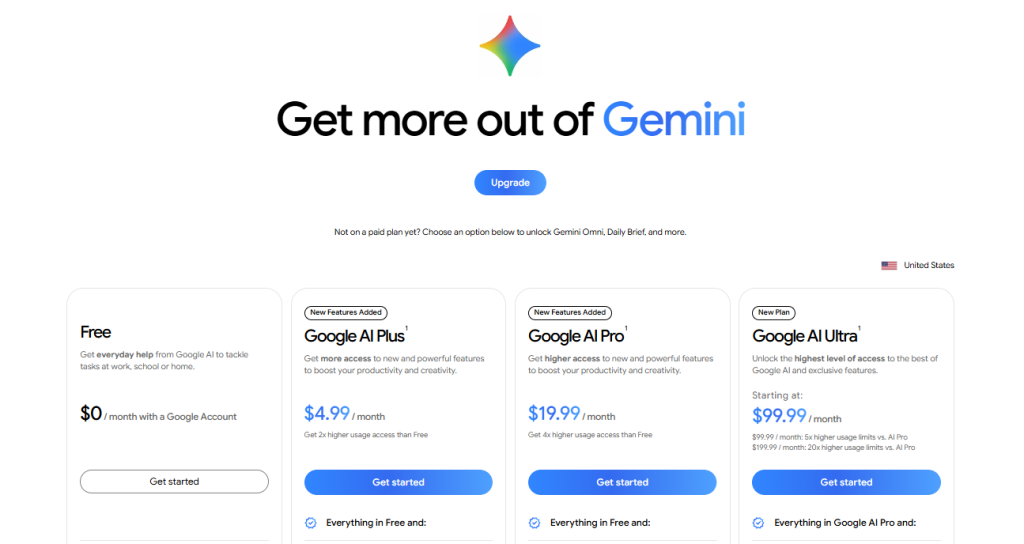
Plan multipliers are documented: standard Gemini Apps limits with no Google AI plan, 2× on AI Plus, 4× on AI Pro, and 5× or 20× on AI Ultra depending on tier. Measured medians put that at roughly 20 images a day on the free tier, 50 on AI Plus, 100 on AI Pro and 1,000 on AI Ultra. Paid plans, the Gemini API and the free app are separate billing systems, and country availability varies, so check the limits shown in your own account instead of treating a third-party trial claim as universal.
If you are evaluating Google's subscription rather than API billing, use the Gemini Pro trial and eligibility steps.
Developer Previews & API Access: Is Google AI Studio a Viable Free Option?
Google AI Studio and the Gemini API are often confused with the Gemini app. The app is where a regular user tries Nano Banana 2; AI Studio is for testing prompts and developer settings; the API is for connecting the model to an app, automation, or backend system.
In the API the model is gemini-3.1-flash-image, with no free tier. On Standard pricing, input costs $0.50 and text output $3 per 1M tokens, while image output costs $60 per 1M tokens — about $0.045 for a 0.5K image, $0.067 at 1K, $0.101 at 2K and $0.151 at 4K. Google says generated images carry SynthID watermarking.
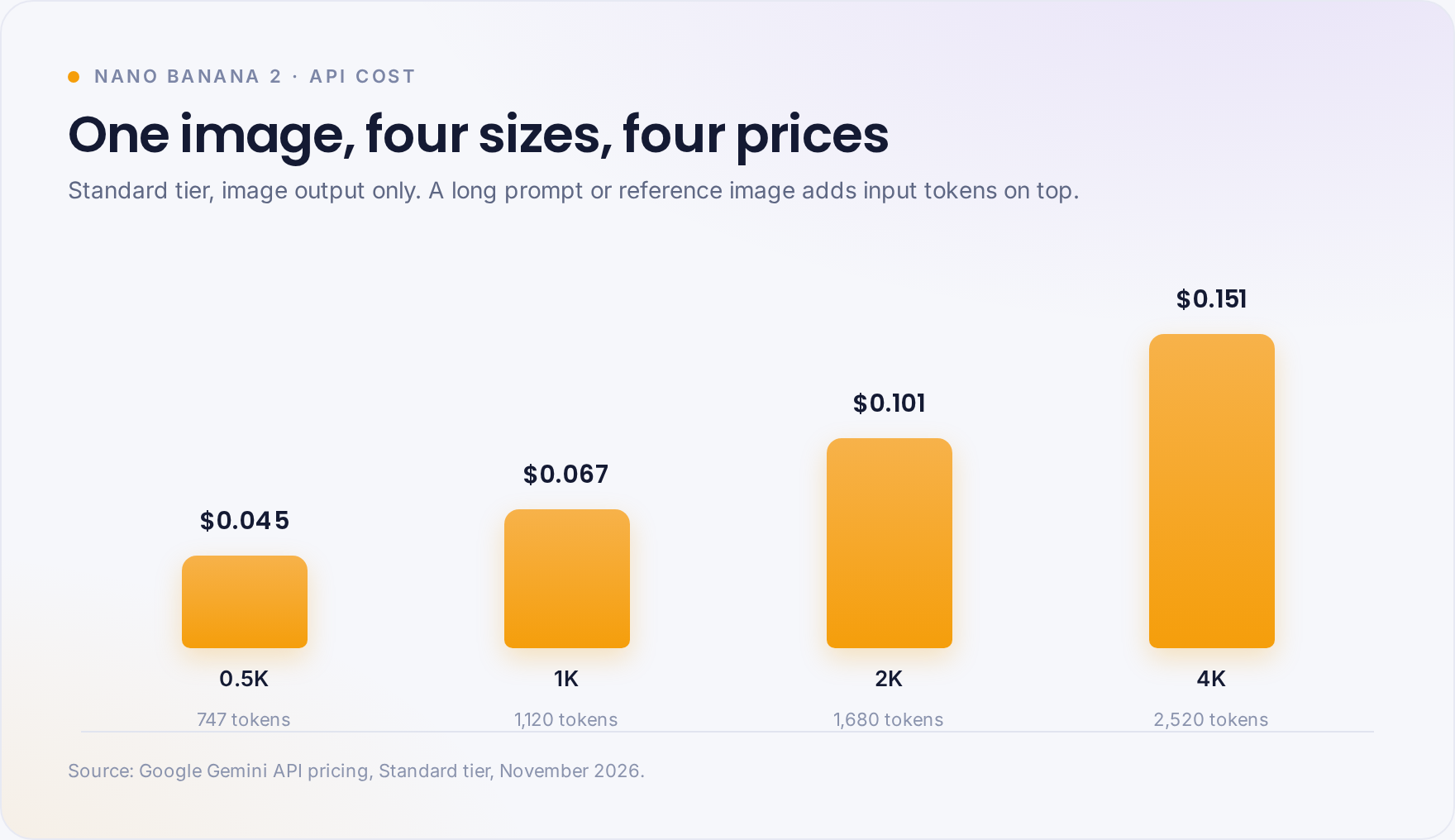
Cost per generated image by output size, Standard tier, November 2026.
That makes the API a good choice for developers who care about pricing, automation, and control. It is not the best route if you simply want a no-setup free trial.
Need the Pro image model specifically? The Nano Banana Pro free-access guide separates Google Flow's free route from Gemini's subscription route.
Official Nano Banana 2 Access Methods & Limits (2026)
To choose the right path, you must understand the current quota landscape. Here is the breakdown of official access for Gemini 3.1 Flash Image:
| Access Method | Monthly Cost | Nano Banana 2 allowance | Hidden Catch / Drawbacks |
| Gemini App (Free) | $0 | ~20 images/day | Rolling compute window that resets without notice; fine for a few prompts and edits. |
| Google AI Plus | $4.99 | ~50 images/day | 2× the free-tier compute; the cheapest paid step up. |
| Google AI Pro | $19.99 | ~100 images/day | 4× the free tier, plus higher resolution and thinking levels. |
| Google AI Ultra | $99.99 | ~1,000 images/day | 20× the free tier; only worth it if you batch images every day. |
| Gemini API / AI Studio | $0.045–$0.151 per image | No free tier | Pay per image plus input tokens; every output carries SynthID watermarking. |
How to Use Nano Banana 2 Without Credit Cards or Geo-Blocks?
The Risks of Temporary Workarounds (Shared Accounts)
Many creators attempt to bypass Google’s restrictions using buying shared accounts. In 2026, these “hacks” are increasingly unstable. Google’s improved detection often leads to sudden account bans, resulting in the permanent loss of your prompt history and generated artwork. For a professional creative workflow, relying on unstable workarounds is a massive business risk.
The Ultimate Solution: GlobalGPT’s $10.8 Pro Plan
If you want unrestricted access without the $19.99 price tag or the credit card headache, the GlobalGPT Pro Plan is the industry’s most efficient aggregator. For $10.80/month equivalent, billed annually at $129.60, you gain premium access to the entire Nano Banana family.
| Feature | Google AI Pro | GlobalGPT Pro |
| Monthly Cost | $19.99 | $10.80/month equivalent, billed annually |
| Payment method | Supported payment methods vary by country | No |
| Geo-Blocks | Supported countries and feature availability apply | None |
| Model Versatility | Google Models Only | Nano Banana, Midjourney, Flux, Veo 3.1 |
With GlobalGPT, the practical benefit is not just extra access; it is a single workspace where you can draft prompts, compare image models, and move the best still image into a video workflow without rebuilding the project from scratch.
Why Did Nano Banana 2 (Gemini 3.1 Flash Image) Hit on the 2026 AI Leaderboards?
Perfect Subject Consistency: Identity-Locked Storyboarding
This model is a game-changer for narrative art. Nano Banana 2 maintains the exact identity of up to five characters and the fidelity of up to 14 objects in a single sequence. This “Identity Lock” feature ensures that your comic book characters or brand mascots don’t magically change features between frames, a common failure in older models.
Native In-Image Localization: One-Click Global Marketing
Older AI often struggled with text, but this model offers precision text rendering. Beyond just spelling correctly, it supports Native In-Image Localization. You can generate a billboard in English, and the AI will automatically adapt the typography and translate the content into languages like Hindi or Japanese directly within the art’s perspective and lighting.
Lightning Speed from 512px to 4K & Extreme Aspect Ratios (4:1, 1:8)
Combining Pro capabilities with Flash speed, the model is incredibly fast. It introduces a new 512px resolution optimized for efficiency and rapid iterations.
For professionals, it offers full control over resolutions up to 4K and now natively supports extreme aspect ratios like 4:1, 1:4, 8:1, and 1:8.
Configurable Thinking Levels (Minimal to High)
Exclusive to the Gemini 3.1 architecture, you can now adjust the model’s reasoning effort.
Minimal: Best for rapid iterations and sketching.
High/Thinking: Forces the AI to reason deeply about complex spatial prompts before rendering.
GlobalGPT Pro Advantage: On our dashboard, you can manually toggle these levels to maximize your creative quality without needing to deal with Google’s complex API settings.
For stylized artwork, compare the official Midjourney mobile trial before committing to an image subscription.
Nano Banana 2 vs. Flux vs. Midjourney vs. GPT Image 2.6: Which AI Generator Wins?
A Data-Driven Comparison of the Big Four (Cost, Speed, Prompt Adherence)
No single image model is the best choice for every prompt. Nano Banana 2 is a strong first stop when you care about fast iteration, readable text, editing, and reference-based consistency. Midjourney is still strong for stylized art direction and moodboards. GPT Image 2.6 is the OpenAI model used in this comparison for broad, general-purpose image generation. Flux remains useful when you want flexible photorealistic or open-model-style workflows.
This is also where a multi-model workspace can save time. Instead of choosing one subscription before you know which model fits the prompt, GlobalGPT lets you compare different image and video tools in the same creative flow. That is especially useful for storyboards, ad concepts, product mockups, and character tests where the first model is not always the final one.
The Verdict: Which Model Should You Choose for Your Specific Project?
For Cinematic Art: Midjourney is still a strong option.
For Open-Source Flexibility: Flux is excellent.
For Speed, Text, and Consistency: Nano Banana 2 is the undisputed king.
The Smart Choice: Don’t choose. Access them all via a single aggregator platform to maximize your creative output.
| AI Model | Text Accuracy | Generation Speed | Best Use Case | Subject Consistency |
| Nano Banana 2 | Industry-Leading | Flash Speed | Storyboarding & Ad Design | Highest (5+ Characters) |
| Midjourney | Excellent | Average | High-End Artistic Visuals | Good (requires tuning) |
| Flux | High | Fast | Photorealism & Versatility | Moderate |
| GPT-Image 2 | High | Fast | General Prompt Following | High |
Beyond Nano Banana 2 Images: How to Build a Full AI Video Workflow for $10.8
From Ideation to Video Production in One Unified Dashboard
Creating an image is usually just step one. Modern creators need a Full-Cycle Workflow. Jumping between five different websites and paying five different subscriptions is outdated and expensive.
With a unified dashboard, you go from a blank page to a finished video seamlessly. The $10.8 Pro Plan is the only tool a creative professional needs.
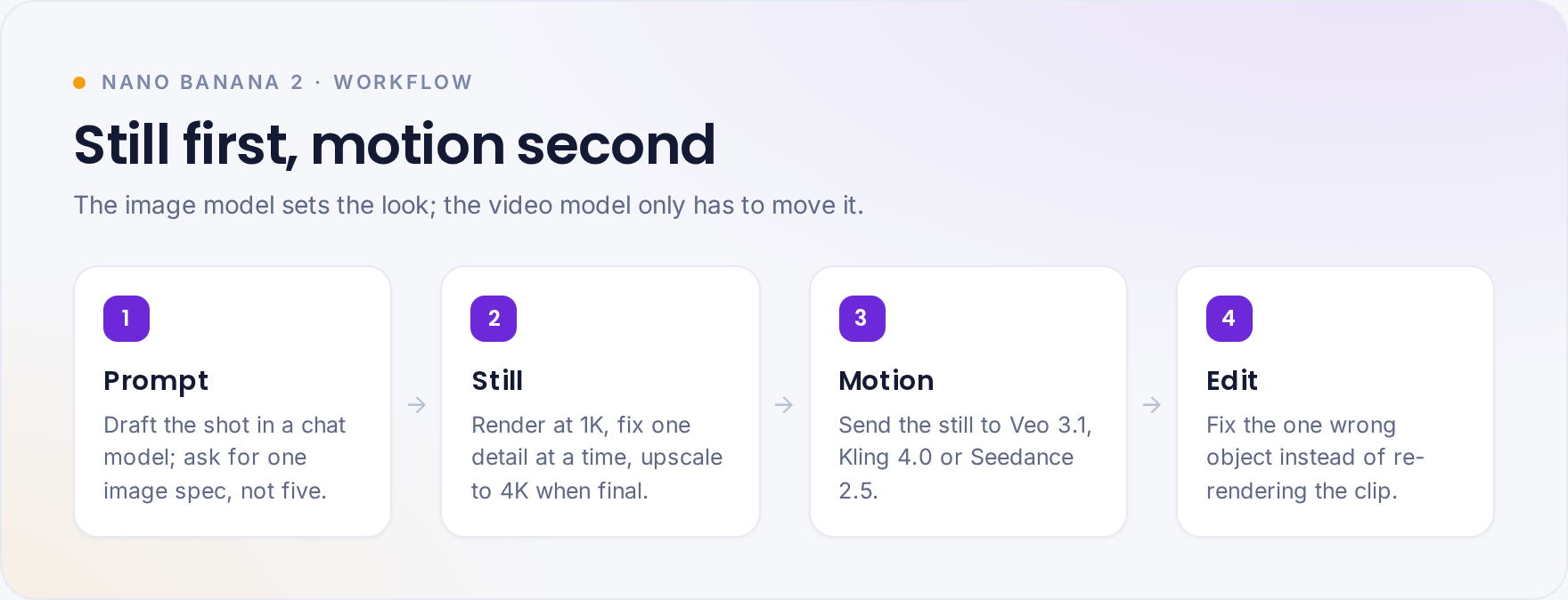
A still-first workflow keeps the look consistent when you animate it.
Step-by-Step Production: GPT-6.1 (Prompt) -> Nano Banana 2.1 (Image) -> Veo 3.1 / Kling 4.0 (Video)
Here is how you execute a 2026 workflow without switching tabs:
1.Ideation & Research: Use GPT-6.1 Terra, Claude Opus 5.5, Gemini 4 Argon or Perplexity to write a highly detailed prompt and story script.
2.Visual Creation: Paste that prompt into Nano Banana 2.1 or Flux to generate stunning, consistent 4K characters.
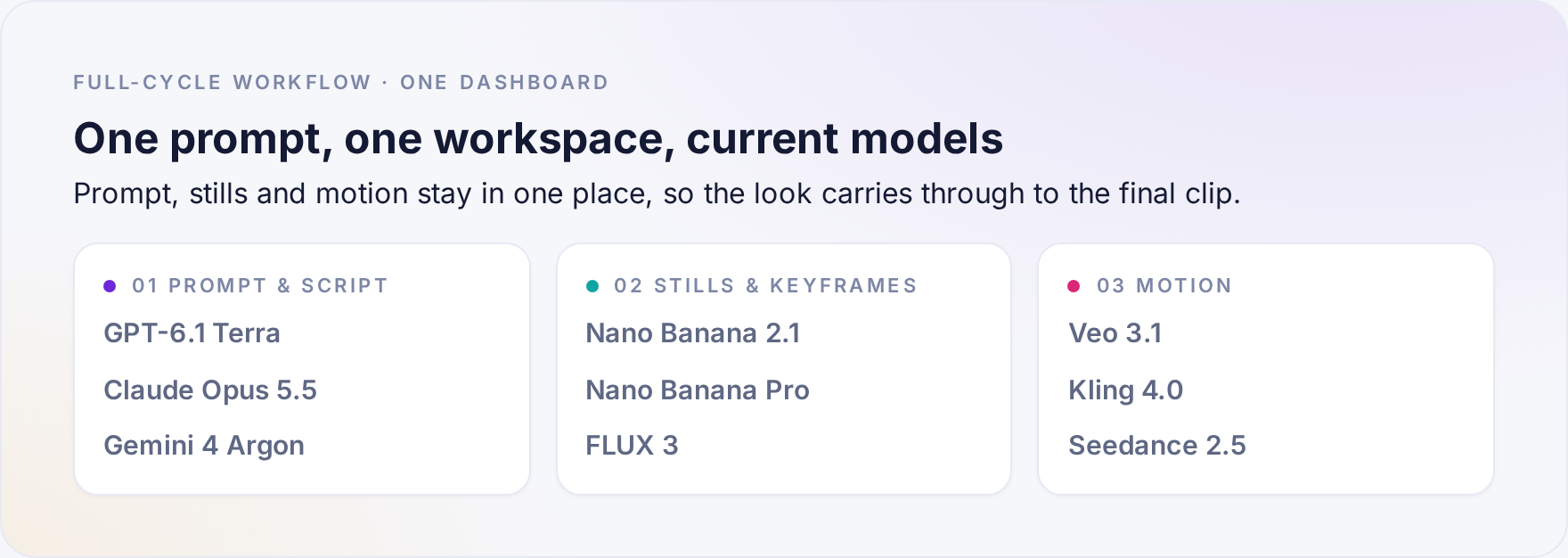
3.Video Production: Send those exact images straight into Veo 3.1, Kling 4.0, or Seedance 2.5 to animate them into cinematic masterpieces.
Nano Banana 2 FAQ: People Also Ask (Reddit & Quora Top Queries)
Can I animate Nano Banana 2 images?
Yes. Nano Banana 2 creates still images, but those images can be used as reference frames for video models. A practical workflow is to generate a character sheet, product shot, or key scene first, then bring the best image into a video model such as Veo, Kling, or Wan . GlobalGPT is useful here because it keeps image generation, prompt writing, and video follow-up tools closer together.
How do I handle the “Limit reached” message in Gemini?
If Gemini shows a “Limit reached” message, the safest options are to wait for usage to refresh, simplify the prompt, try again later, or move to a higher Google AI plan if you want more official Gemini access. Google describes Gemini app limits as compute-based, so the exact limit can change with the feature, model, prompt complexity, and chat length. If your goal is broader creative testing rather than only Gemini access, a multi-model workspace such as GlobalGPT can give you more ways to keep working.
Does GlobalGPT support both Nano Banana Pro and Nano Banana 2?
GlobalGPT is designed as a multi-model workspace, so it is useful when you want to compare different image models without rebuilding your prompt workflow each time. In Google’s own products, Nano Banana 2 is the everyday Gemini image route for fast, flexible generation, while Nano Banana Pro is the higher-detail Pro route. In the Gemini API, those map to gemini-3.1-flash-image and gemini-3-pro-image . Because platform model menus can change, use the models that are visible in your GlobalGPT workspace when you start a project.
Is the Nano Banana 2 API free?
No. Google lists no free API tier for gemini-3.1-flash-image. Standard image-output cost is about $0.045 at 0.5K or $0.067 at 1K, plus input and any text/thinking output. Free Gemini app use is a separate route.
Do I need a separate Google account on GlobalGPT?
GlobalGPT uses its own account and credits; it does not activate a Google AI subscription or Google trial for you. If you use Gemini or the Gemini API directly, sign in with the Google account and billing setup required for that route.