3 Low-Code Python Libraries That You Should Know About
Which of these is the best low-code library for machine learning?
MACHINE LEARNING

Some of my most popular blogs on Medium are about libraries that I believe you should try. In this blog, I will focus on low-code machine learning libraries. The truth is that many data scientists believe that low-code libraries are shortcuts and should be avoided. I'm afraid I have to disagree! I think that low-code libraries should be included in our pipeline to help us make important decisions without wasting time.
For example, imagine that you just started a project and have no idea which model to start testing out. You can start with those models that you think would work well, and after you run a few more models, you decide which ones you would like to hypertune. The downside is that you are limited to models that you know, and it can take a lot of time to set up all of these models. The other option is to use a low-code library, run dozens of models at once, choose the best one, try to replicate it, and call it for the day. Which one sounds smarter for you?
Luckily, we have many low-code libraries for machine learning, and today I will be covering three of my favorites yet. The objective of this blog is to introduce some libraries so that you can try them on your own. You can find the code I used in this notebook. Thus, I will not be covering minute details. Let's get started.
PyCaret
One of the most popular low-code libraries for machine learning is PyCaret. There are dozens of blogs about it here on Medium, including one that I did a few weeks ago and you can find it here. Here is what the PyCaret website says about it:
PyCaret is an open source, low-code machine learning library in Python that allows you to go from preparing your data to deploying your model within minutes in your choice of notebook environment.
By the way, PyCaret has, by far, the best website among the libraries in this blog and one of the best that I have ever seen. They have detailed tutorials showing all the functions that this library has to provide. Now, let's see how to use PyCaret.
First, we need to install PyCaret. To do so, you can type pip install pycaret[full] in your terminal. The full portion of the code includes all the dependencies. It's highly recommended that you use a different environment to be safe. Then, we need a dataset. PyCaret has multiple libraries built-in. I will not go over them, but if you want to learn more about them, you can check [this blog](http://By the way, PyCaret has, by far, the best website among the libraries in this blog and one of the best that I have ever seen. They have detailed tutorials showing all the functions that this library has to provide. Now, let's see how to use PyCaret.). Something very cool about PyCaret is that it comes with QuickDA included. Which makes easy to understand our dataset. If you want to learn more about QuickDA, you can check this blog: Save Hours of Work Doing a Complete EDA With a Few Lines of Code With This Library.
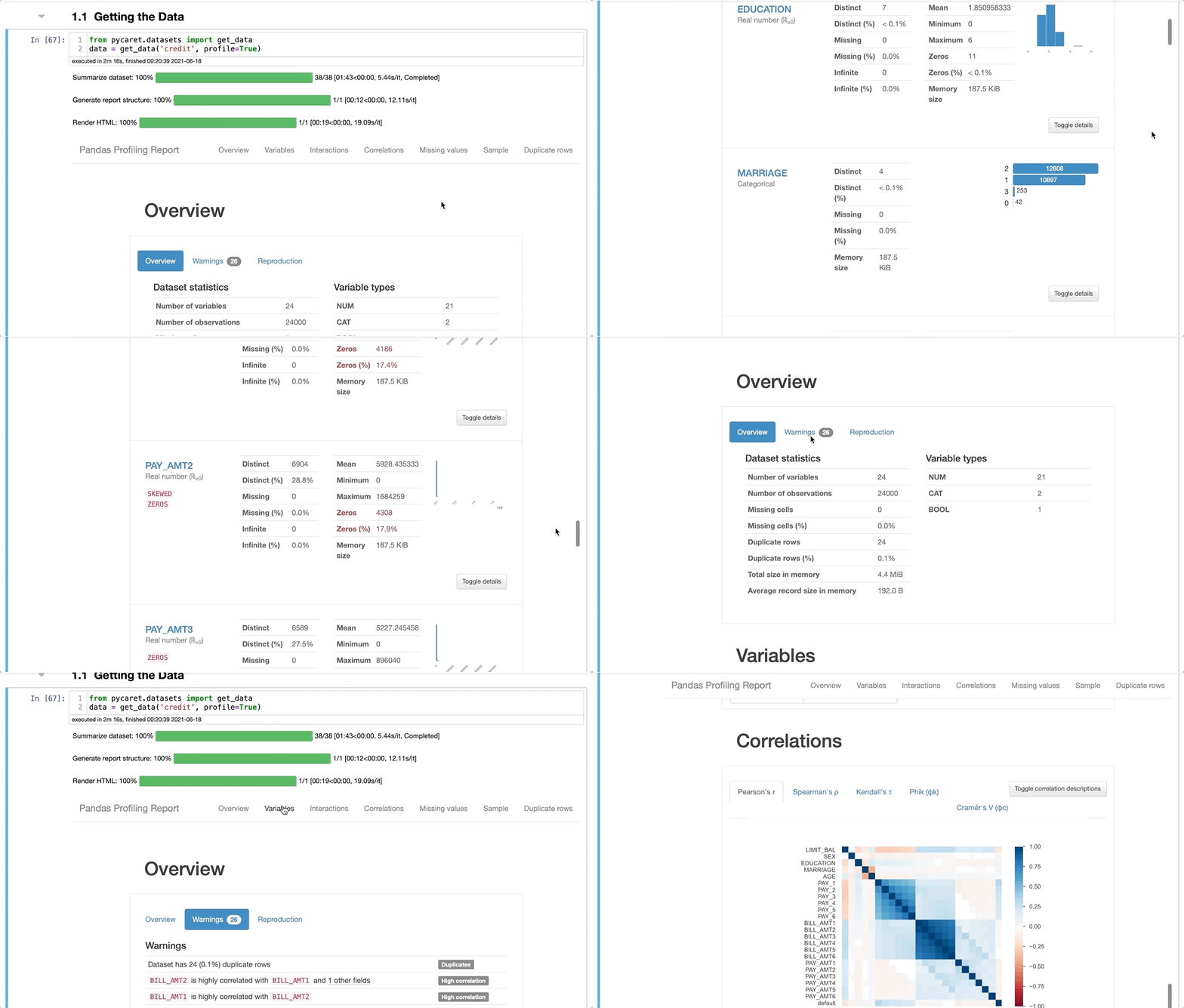
Now, let's skip all the data processing part and go straight to modeling. PyCaret's website has multiple examples of data preprocessing, and I highly recommend you checking it out. However, the coolest part about PyCaret is that we will run numerous models and scores for each of the models with one line of code.
To run all the models, you need to type best_model = compare_models(), and that's it. This function will train all models in the library and score them using cross-validation for metric validation. Now you might ask: where is the dataset going in this line of code? I don't know, but if you find out, please let me know. Let's see the results.
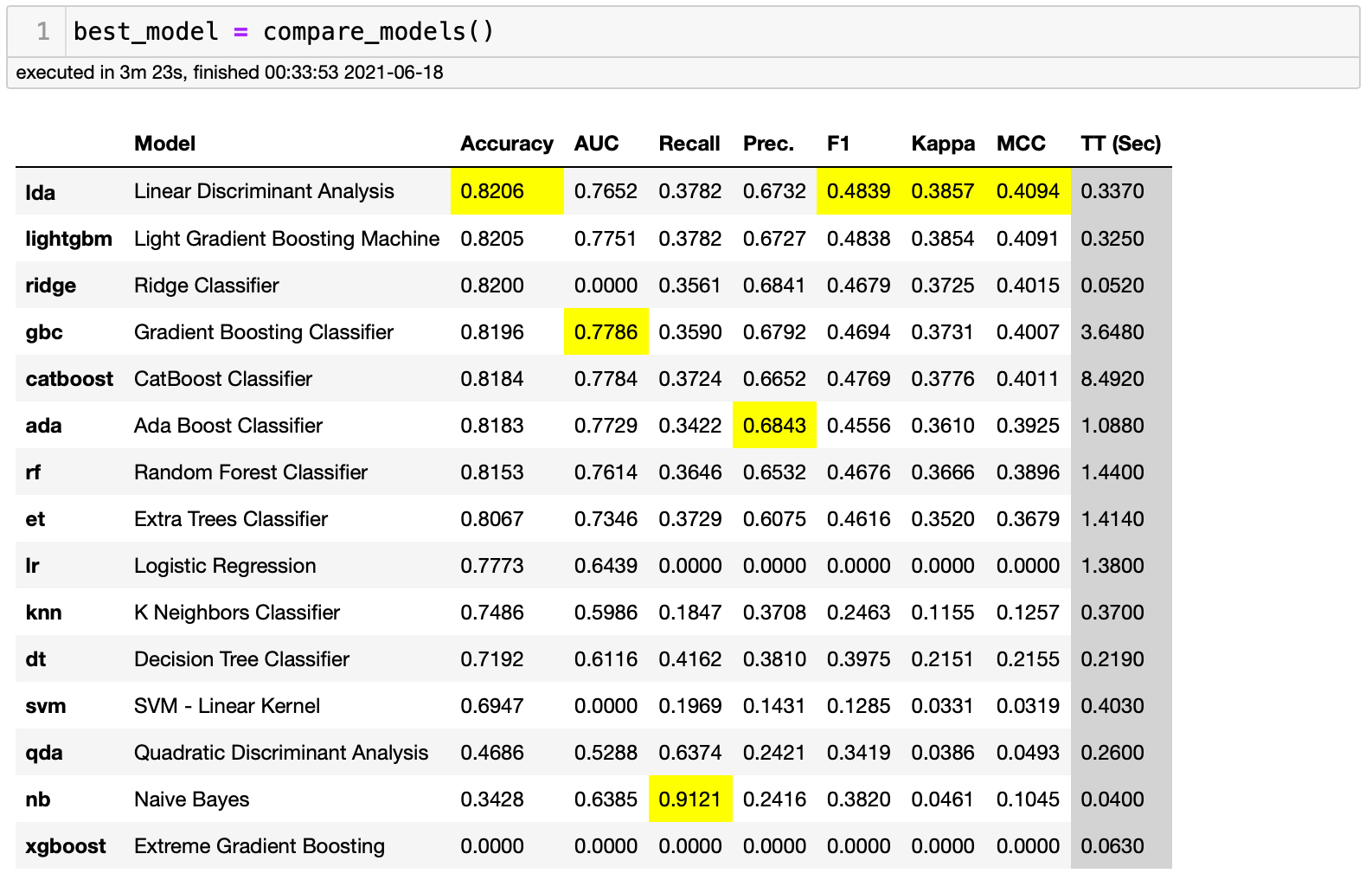
As we can see above, we just ran 15 models with one line of code. There's even an XGBoost in there. It looks like it didn't work, but we have fourteen other models to analyze. All these models were executed in 3:23 minutes. Ok, if we focus on the accuracy score for this project, Linear Discriminant Analysis was the best model. Usually, I would use F1 Score, but for demonstration purposes, I will use accuracy. Now, can we hypertune this model? The answer is yes, and it's just as easy as running all of these models.
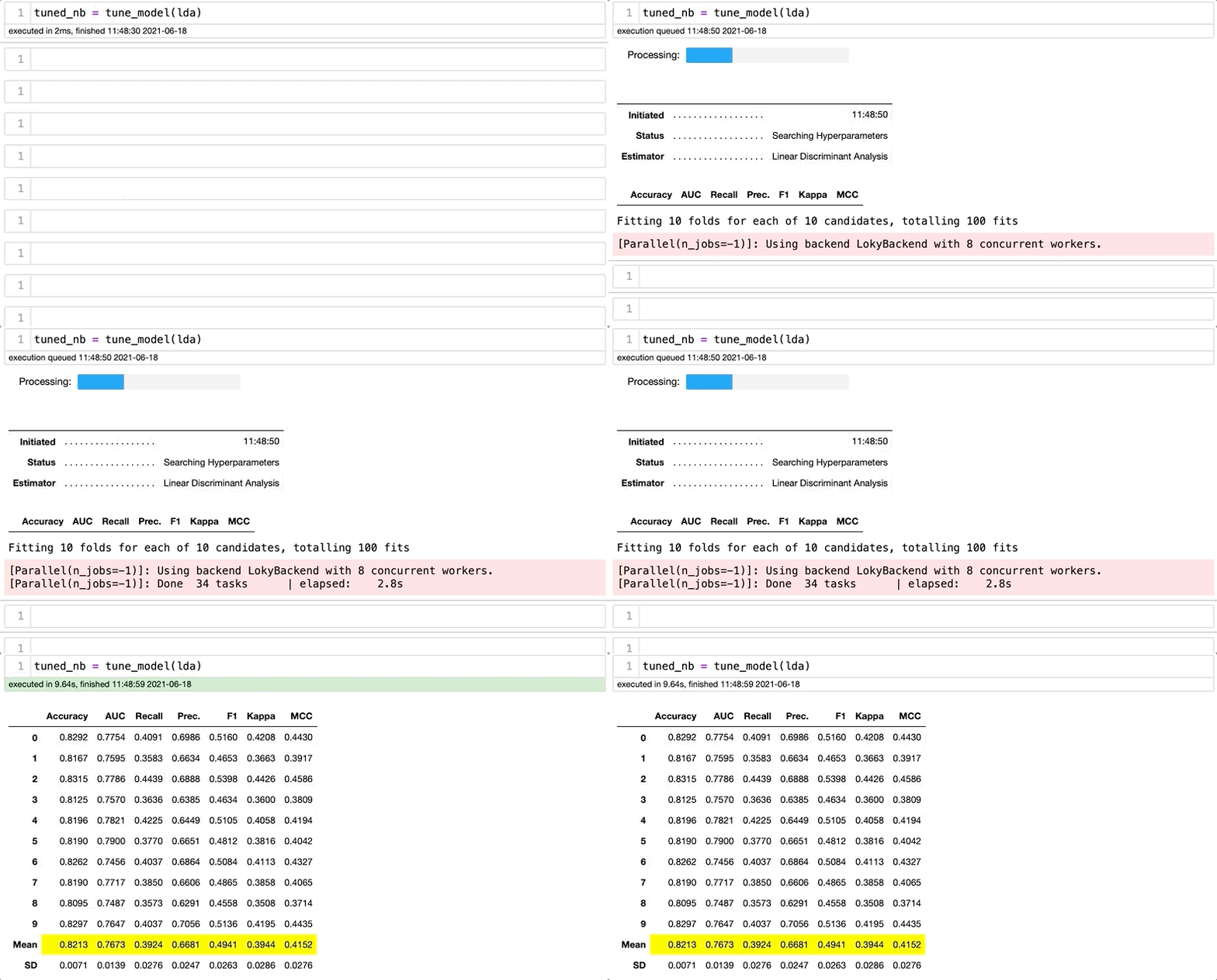
There we go. The accuracy went from .8206 to .8213. Some people would say that it's negligible, but keep in mind that you just typed 20 characters to get this improvement. There is a lot more to cover when we talk about PyCaret. This is an introduction, and I highly recommend you checking their website and trying it.
TPOT
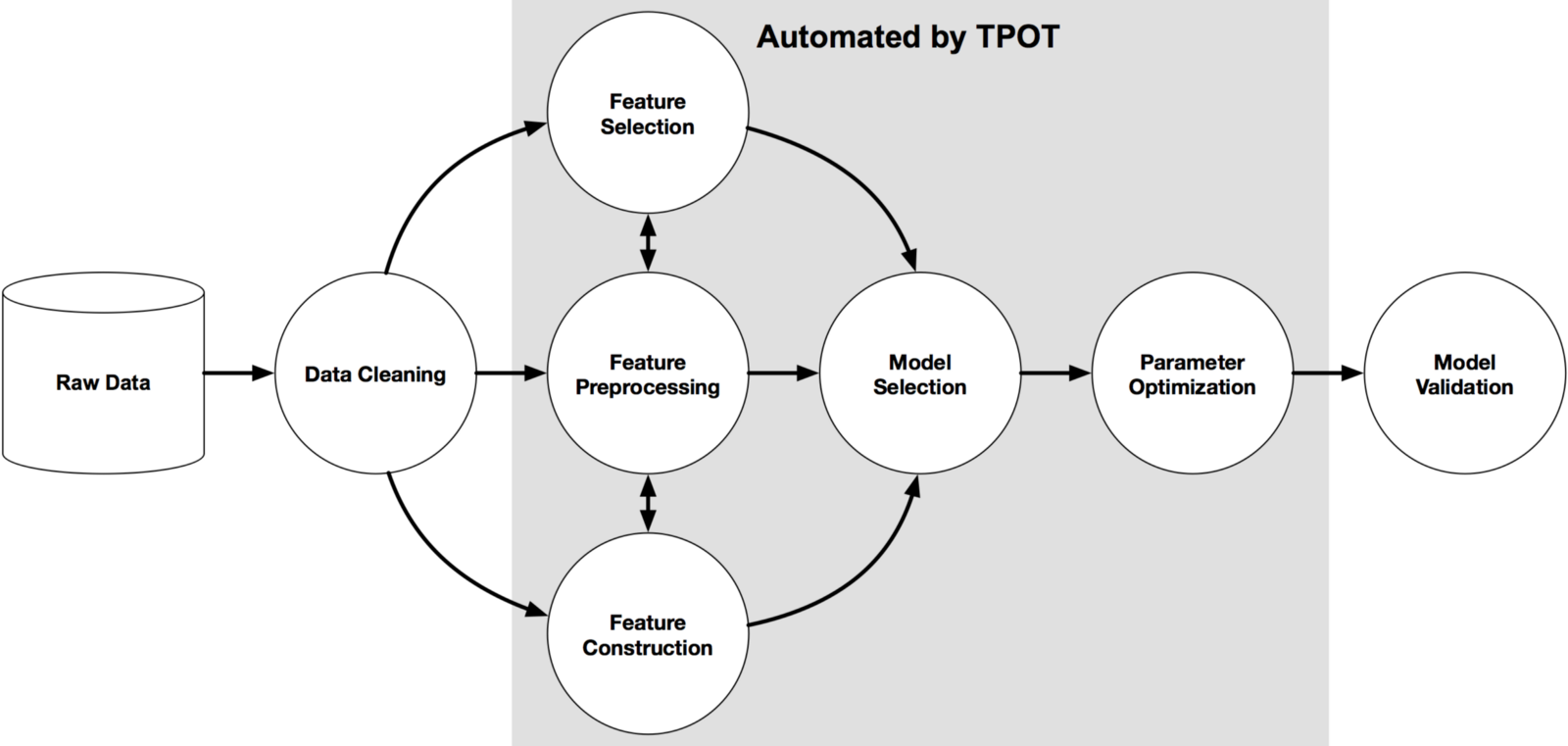
TPOT is an automated machine learning library. Its goal is to automate the most tedious part of a machine learning project, such as feature preprocessing, feature selection, model selection, etc. It's like having someone doing the work for you. The image below demonstrates the TPOT process.
Here is what its website says about it:
TPOT is meant to be an assistant that gives you ideas on how to solve a particular machine learning problem by exploring pipeline configurations that you might have never considered, then leaves the fine-tuning to more constrained parameter tuning techniques such as grid search.
Different from PyCaret, TPOT wasn't made to run in a few seconds. Instead, it takes several minutes (depending on your dataset, it might take hours) to give you the best results. Their default setting is 100 generations with 100 population sizes. If I run it on my 2019 Intel MacBook Pro, it will take several hours or days. Thus, I will only run one generation for demonstration purposes. As a result, I will get a pipeline. It will not be the best possible one, but it will likely have a good accuracy. To install TPOT, you need to type pip install tpot in your terminal. Remember to use a different environment.
I will use the same dataset that I used with the PyCaret demonstration. We need to train a test set for TPOT, just like you would do using scikit-learn.
Ok, now we have everything we need. Let's now run some pipelines. First, we need to import the packages that we will be using. Since this is a classification project, we will import TPOT's classification package.
Then, I will set up the pipeline optimizer. There are dozens of parameters that you can choose. TPOT has a good documentation, and you will easily find explanations for each of the parameters. I'm using the most basic ones, but it's highly recommended for you to find better parameters.
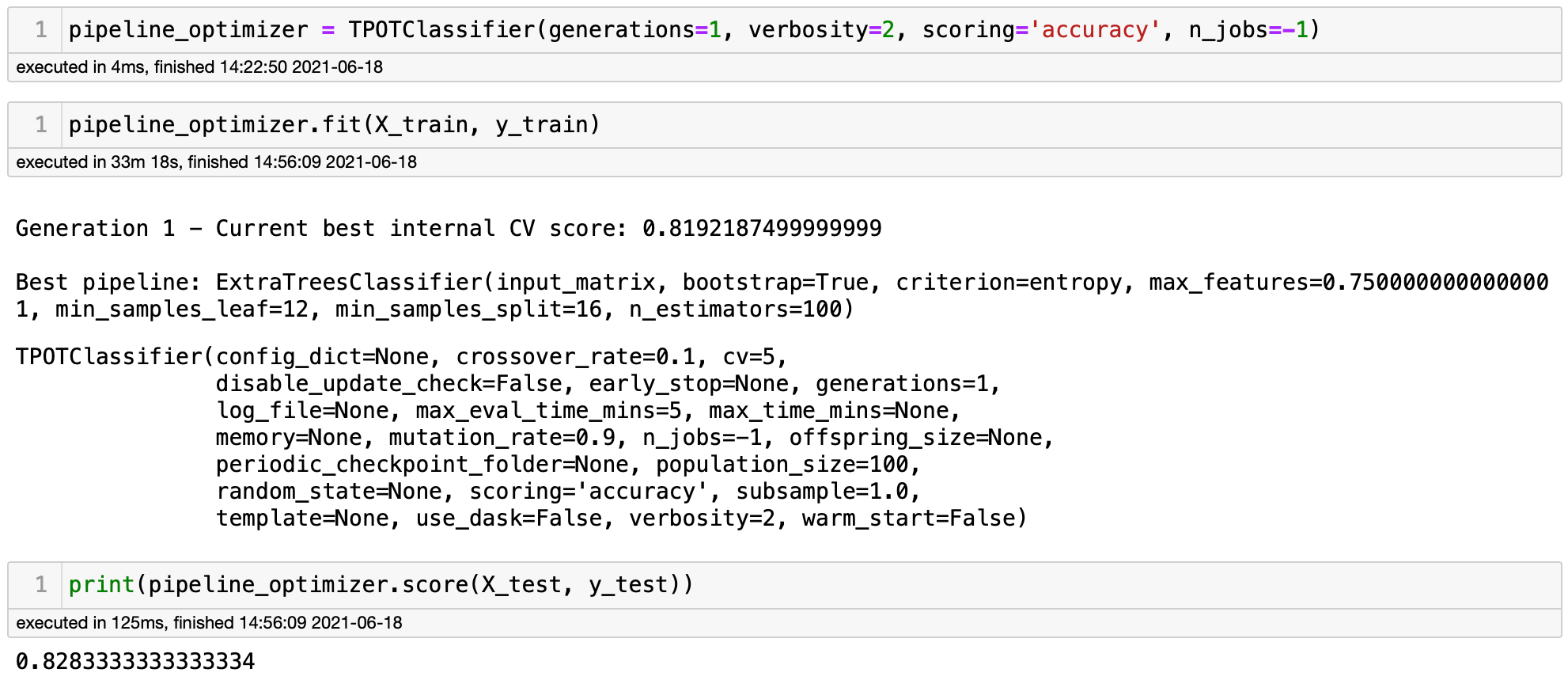
After waiting 33 minutes (!), TPOT returned the results above. We can see that they show the models and parameters to get to that result if you would like to replicate it. As we can see, the best model had an accuracy of .8283 using an ExtraTreesClassifier. It's very close to the results that we got with PyCaret. PyCaret also ran an ExtraTree Classifier. However, TPOT was able to hypertune the parameters and get even better results.
LazyPredict
LazyPredict is a low-code library that runs dozens of models with two lines of code. It's not as powerful as its more popular cousins. However, LazyPredict is able to return baseline models in a few seconds! It doesn't hypertune the models. However, you can easily replicate the models using scikit-learn.
I have written quite a few blogs about LazyPredict and I was not planning on talking about this amazing library again. However, this is a blog about machine learning and I could not skip LazyPredict. You can find my blogs about it [here](https://towardsdatascience.com/how-to-run-40-regression-models-with-a-few-lines-of-code-5a24186de7d), here, and here.
Now, let me demonstrate how it works. You can install it by typingpip install lazypredict in your terminal and you are good to go. I will use the same dataset that I used for PyCaret and TPOT so that we can compare the results. Let's first import the packages that we will be using.
Now, let's run 30 models! LazyPredict is very similar to scikit-learn. We need to add the model into a variable and fit it to our train and test datasets
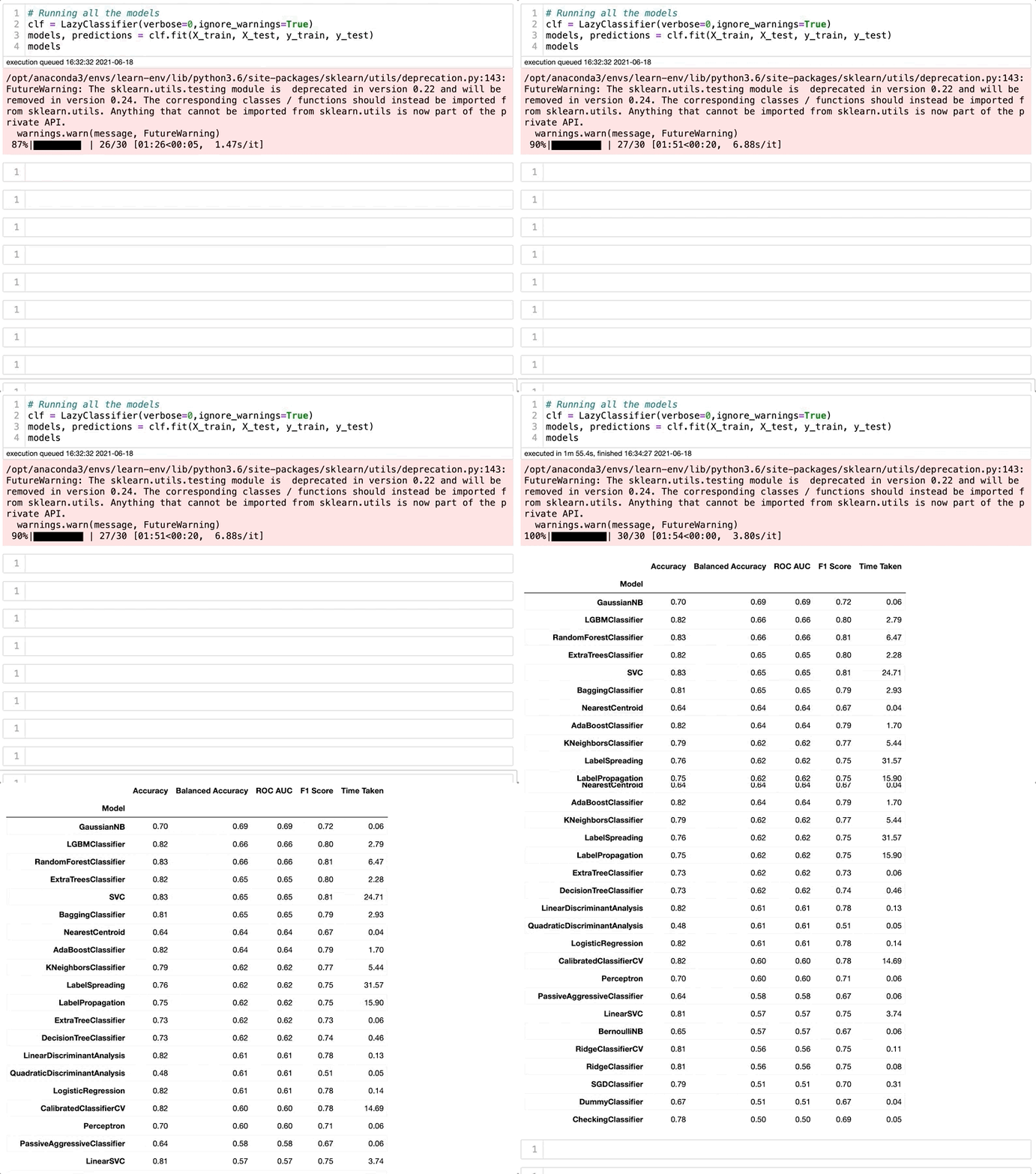
There we go! Let's take a closer look at the results.
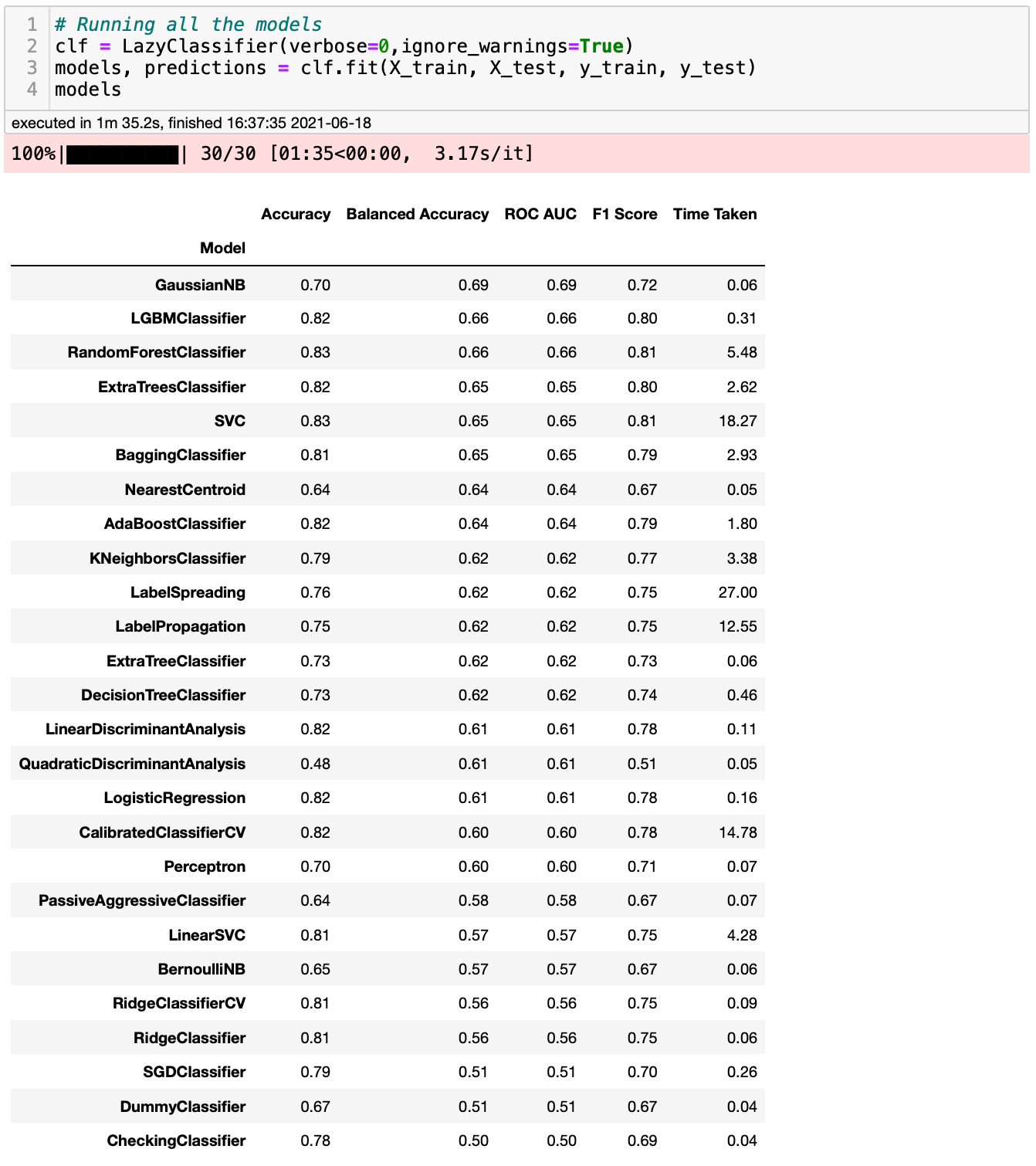
We got some fantastic results, and they were very similar to what we got with PyCaret and TPOT. It seems like RandomForest and SVC got even better results than what we saw with more sophisticated libraries such as PyCaret and TPOT. Remember that I said that we could easily replicate these results using scikit-learn? Why don't we do that, so we can see if the results are similar? Let's check it out using the ExtraTree Classifier model.
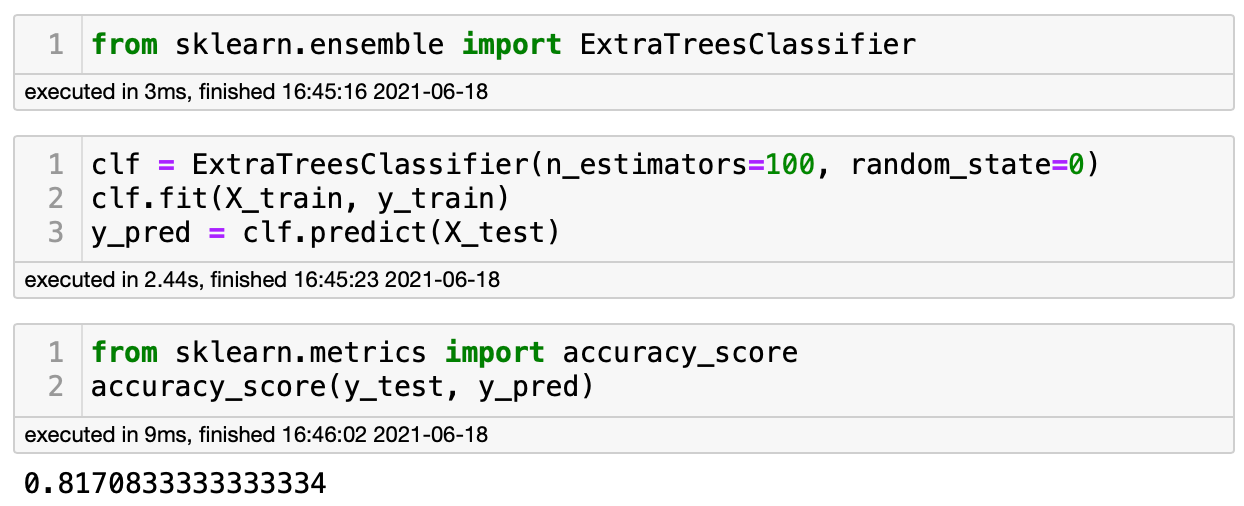
LazyPredict returned a score of .82 and scikit-learn .817. That's pretty close. I'm amazed by how well LazyPredict works. Do you understand why I had to include LazyPredict in this blog?
Conclusions
PyCaret, TPOT, and LazyPredict are three excellent libraries that every data scientist should know. Although they can't substitute the work of a data scientist, they can save us hours of work. I would not use their results as final models, but I always include at least one of them in my pipeline. They are all easy-to-use and contain complete documentation.
I highly recommend you try them out by yourself and discover features that I didn't mention in this blog. If you learn any cool features, let me know. Do you know any other machine learning library that I should include in my next model?
You might also like...
5 Python Libraries That You Don't Know About, But Should 4 Cool Python Libraries That You Should Know About 3 Awesome Python Libraries That You Should Know About