3 Awesome Python Libraries That You Should Know About
Discover three cool libraries and why you should try them right now
PYTHON

A few days ago, I published a blog on 5 Python Libraries That You Don't Know About, But Should. That blog had dozens of thousands of views in less than a week. Thus, I decided to write a part two with other cool libraries that you should try out.
Python is one of the most popular languages in computation. One of the main reasons is that it contains hundreds of open source libraries that can make our life easier. People focus on more popular (and more reliable) libraries. However, other less-known libraries can save hours of your precious time. That being said, let's check some cool libraries that, if you don't know about, you are missing out. Oh, in the end, I will have a bonus recommendation.
LazyPredict
LazyPredict is my favorite on today's list. I have written blogs about it in the past, and I can't get enough of it. LazyPredict is a low-code machine learning library that allows you to run up to 40 baseline models with two lines of code. It's because it works surprisingly well.
The coolest part is that it uses Sklearn, which allows you to get the models, see what works best for you, and hypertune it as you would usually do. To install, you can type pip install lazypredict in your Terminal, and you are good to go. The following image will show how to run 30 models at once. For this demonstration, I used the Titanic dataset.
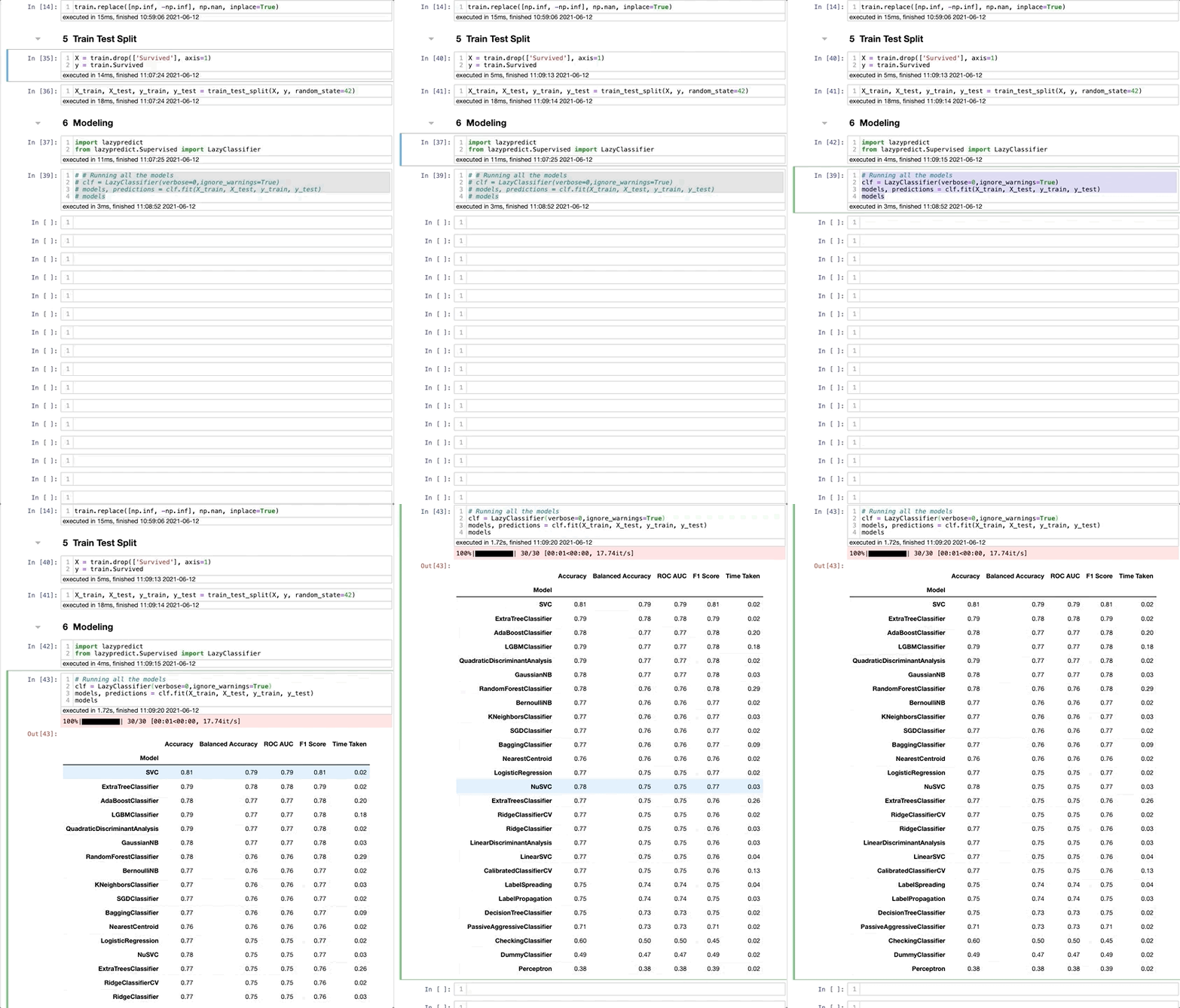
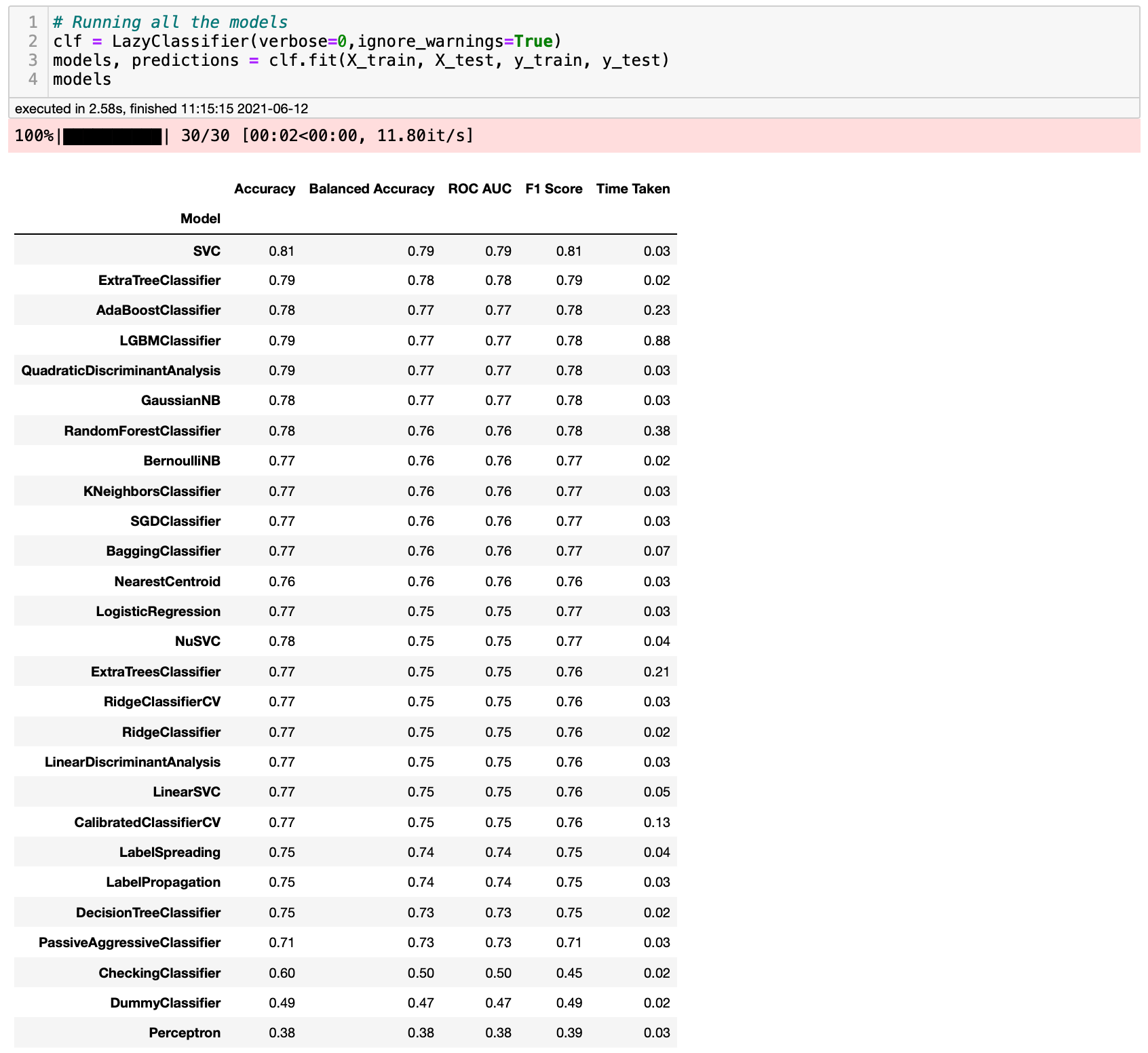
At this point, you might be thinking: What just happened? Well, I did a train test split, as I usually would, then I imported LazyPredict, set up the iteration, and checked the models. Running all these models took less than 3 seconds! Finally, LazyPredict returned a DataFrame with some metrics, such as accuracy, ROC AUC, and F1-Score. Here's how the last part looks like.
Too good to be true, right? How can we know that these results are correct? Well, since LazyPredict is using scikit-learn, we can test it out running our models. Let's see what we get.
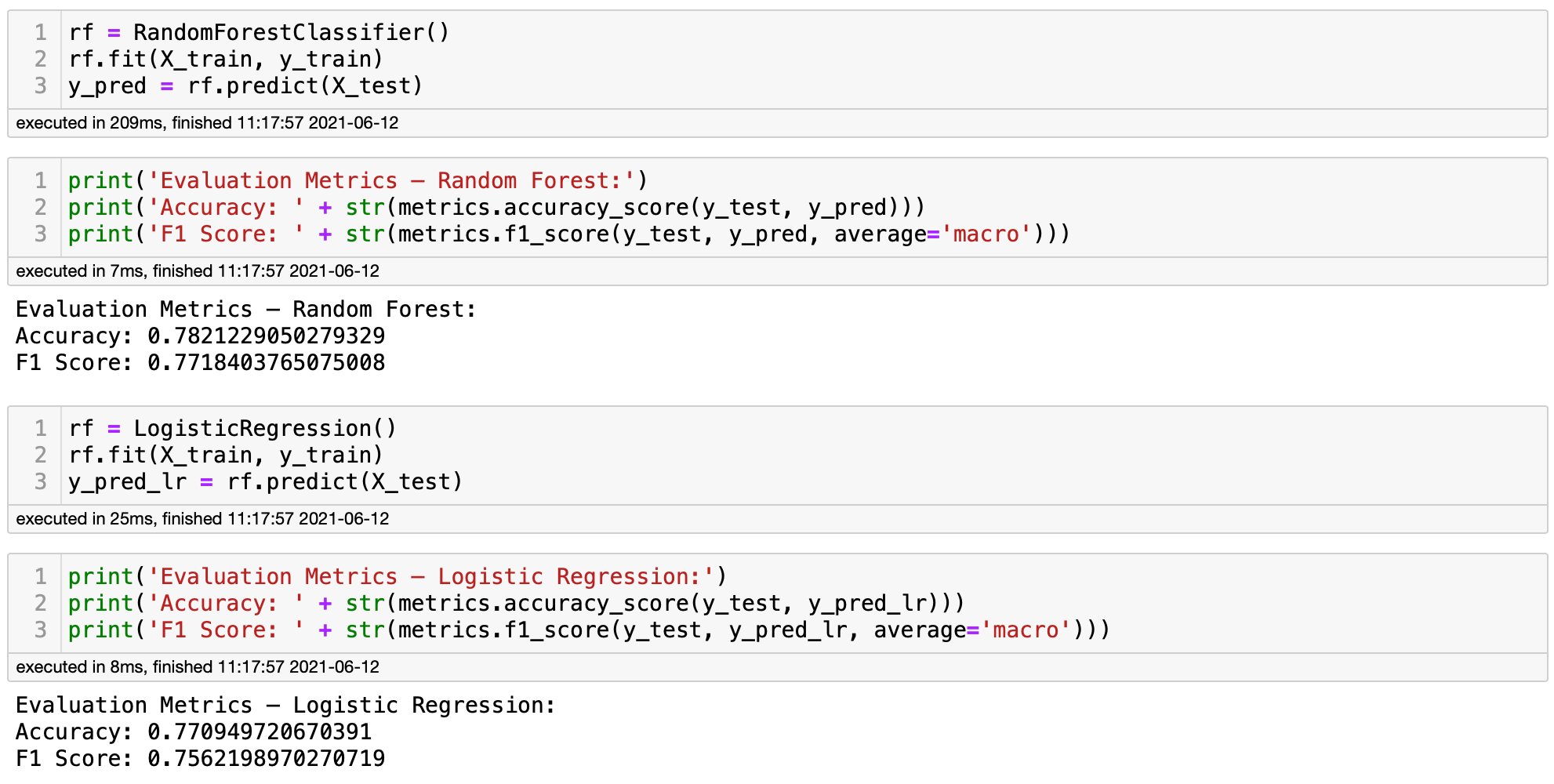
Bingo! If you compare the results above to what we got with LazyPredict, you will see that the results are very similar. LazyPredict can be very handy if you don't know which models are the most recommended for your project. However, I don't recommend using LazyPredict for your final models.
LazyPredict helps, but doesn't substitute the job of a Data Scientist. If you want to learn more about LazyPredict, you can find my blogs about it [[here](https://planetachatbot.com/ejecutar-30-modelos-aprendizaje-automatico-lineas-codigo/)](https://towardsdatascience.com/how-to-run-40-regression-models-with-a-few-lines-of-code-5a24186de7d) and here. If you are a Spanish speaker, you can find the Spanish version here.
Lux
Lux is another library that can save you a lot of time. In short, Lux is a low-code library that allows us to do a fast and easy data exploration by creating data visualizations with one click. The coolest part is that Lux decides what visualizations are recommended for your dataset without you having to decide. You can install it by typing pip install lux-api in your Terminal. Let's check a quick demonstration.
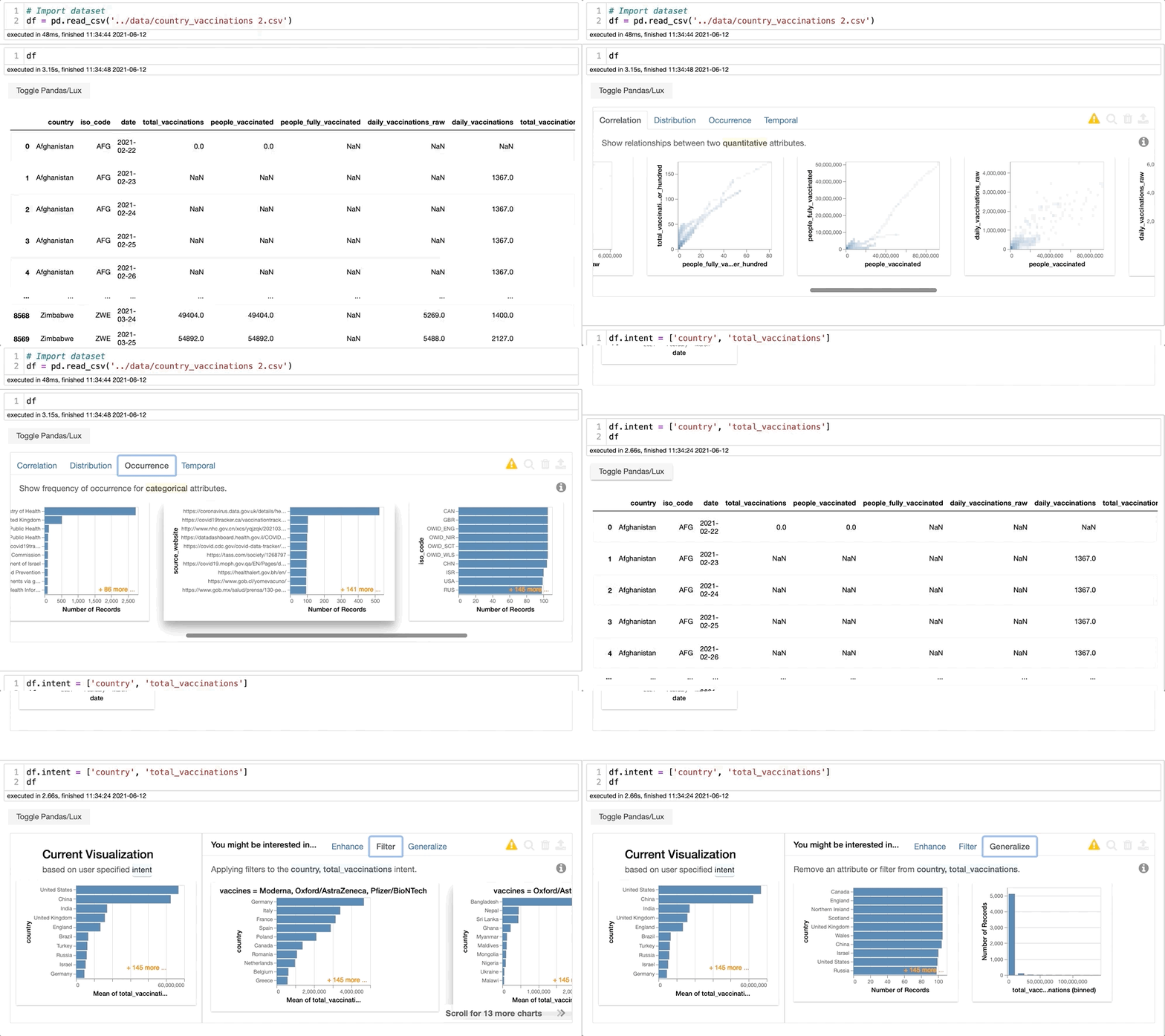
It's that easy. You click and voilá, you have your results. For this dataset, Lux returned visualizations for correlation, distribution, occurrence, and time series. If you want to check specific features, you can do that easily as well. To do so, you can type dataframe.intent(column_1, column_2). I highly recommend you try it out. If you want to read more about Lux, you can find my blog here. It was one of my most popular blogs, and the feedback of those who tried it out was very positive.
Black
Black is a code formatter that makes your code looks way better. This is not a library but a handy extension. For most cases, Python doesn't care about spaces in the code. HOWEVER, it can be tough to understand what is going on when you type 140 characters together in a line of code. It's not a best practice, and some people don't care about it.
The other case scenario is when you get code from other people, and it's hard to understand what is going on. Black is here to help. To be honest, I don't use Black because I try to write clean, easy-to-read code. Nevertheless, when I need to review someone's code, I need to use Black in 90% of the cases.
To install, you can type pip install nb_black, and you should be good to go. To use it, you only have to type once %load_ext nb_black, and every time you run a cell, Black will automatically format your code. Let's explore it with an example that I got from the LazyPredict section. The code doesn't have spaces. However, as soon as I run the cell, Black automatically adds spaces and makes the code look way better.
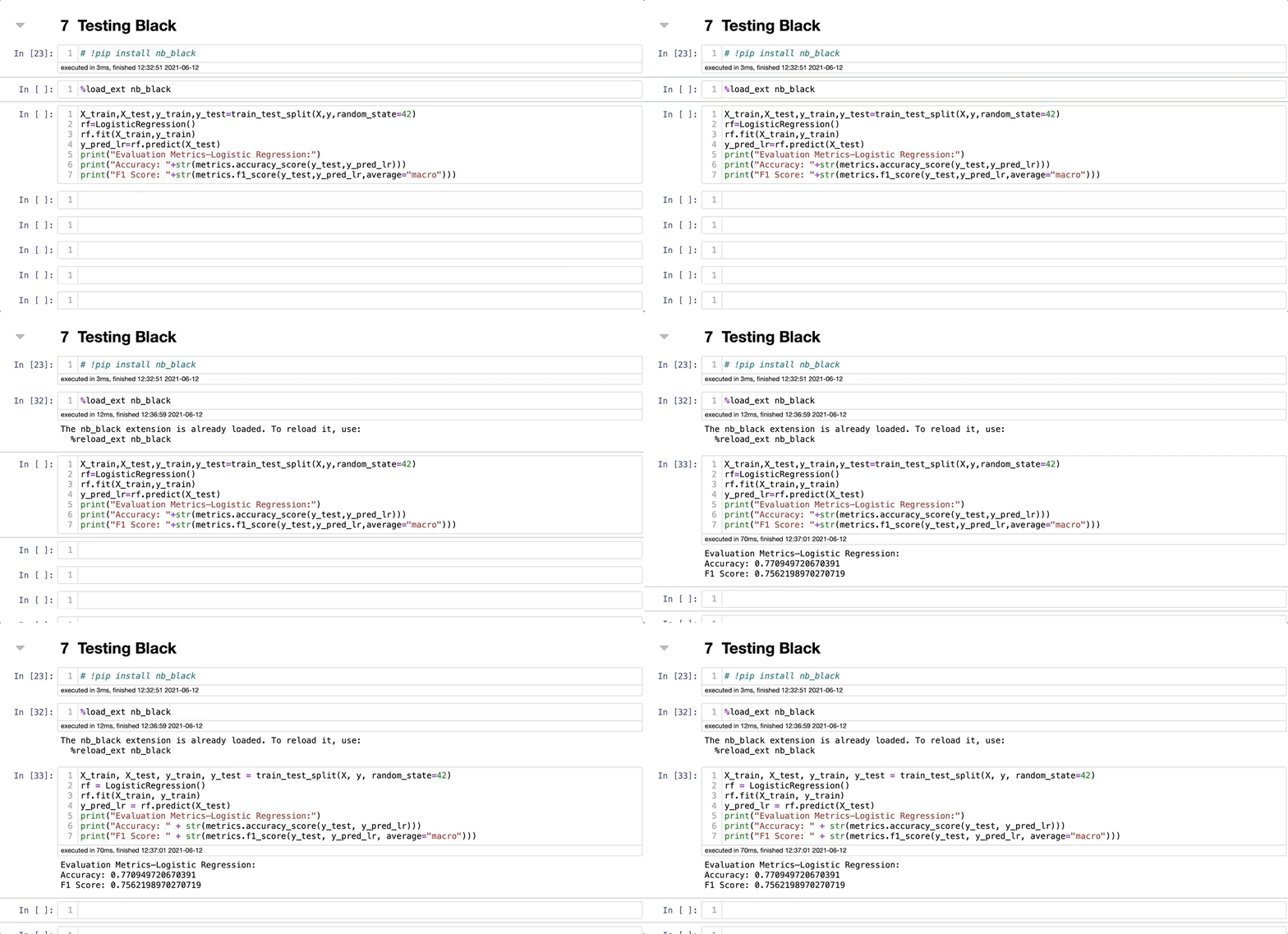
Were you able to see the difference? Let's take a closer look.
Before running the cell:

After running the cell:

If you can see the difference, you understand the importance of this best practice and will be happy to use this extension with other people's code. If you don't see the difference... Well, then you should start using Black right away!
My opinion is that the code looks so much better! It'' easy to read and understand what is going on. This is a small demonstration. However, for more extended codes, it makes a lot of difference.
Bonus Tip
While writing this blog, I wanted to check if the libraries were still receiving updates. I usually look individually for each library what was the last version released and if it matches the version I have. Sound like a lot of work. To my surprise, I found a website that solves this problem, and I had to share it.
Snyk Open Source Advisor helps us search about libraries, check their versions, their popularity, remain updated, their README page, and discover similar libraries. It works with PyPI. Thus, you can check PyPI at the same time. All in a nice-looking website.
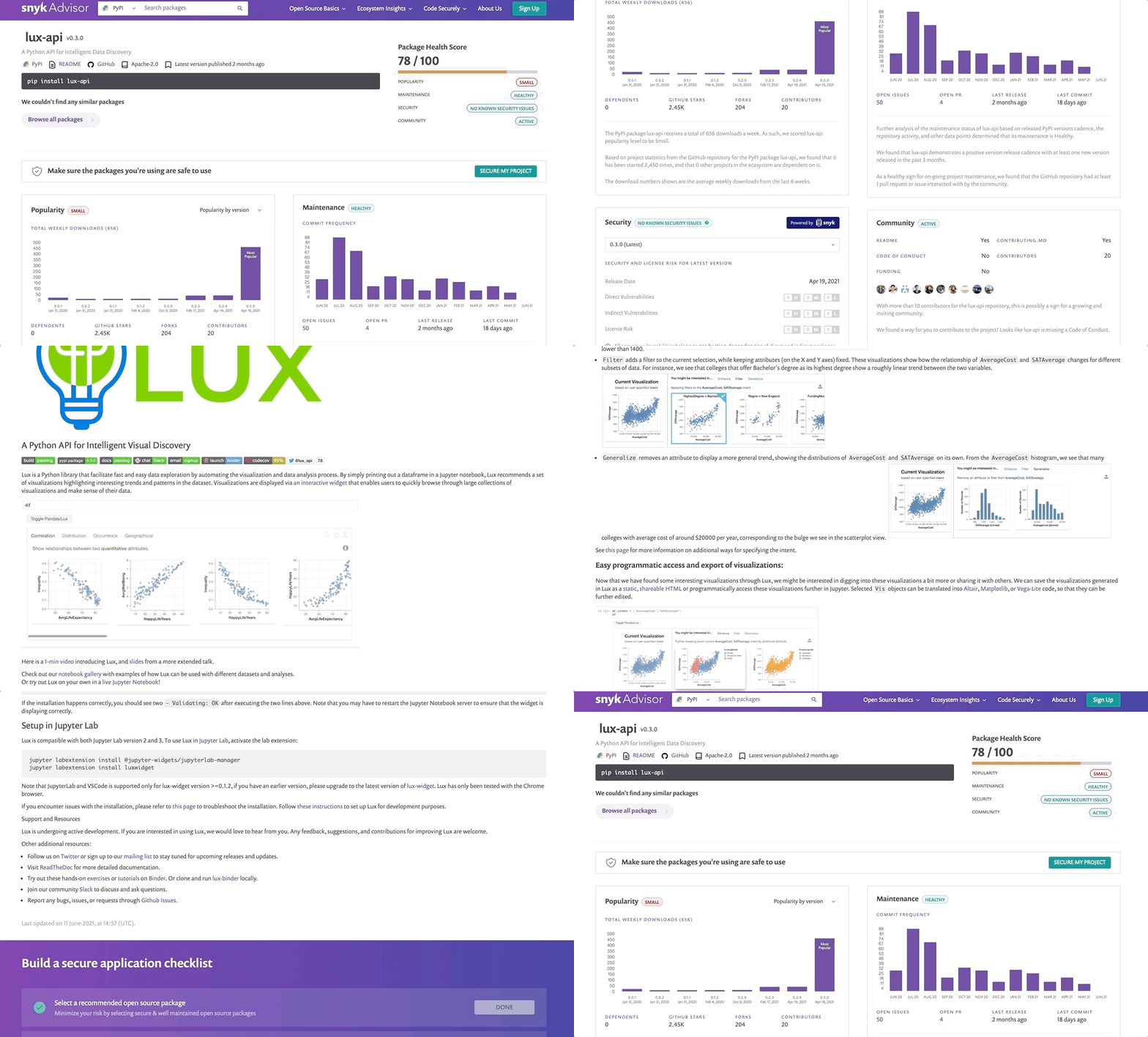
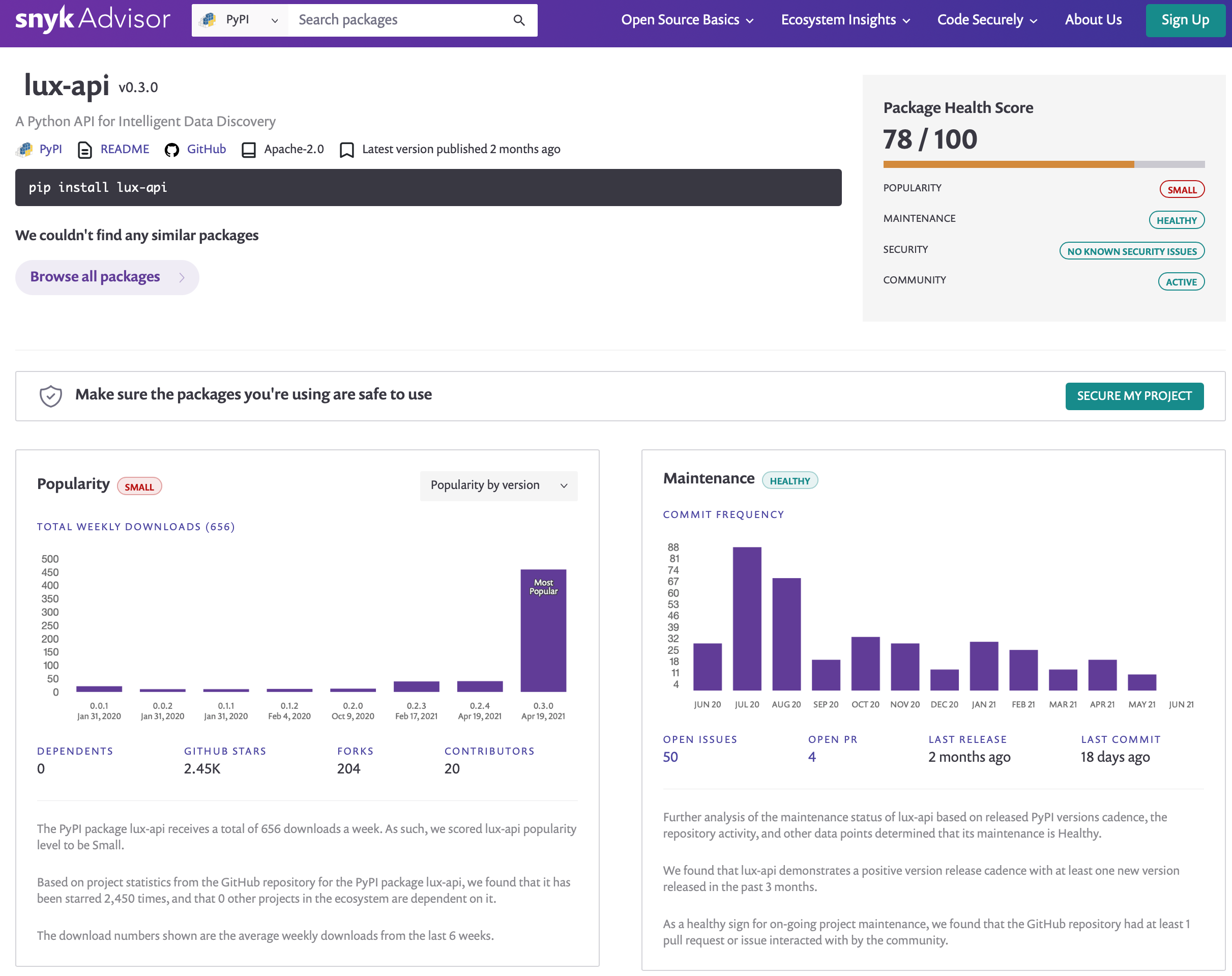
It seems so good that I had to include it here. Some of my favorite features are the Package Health Score and Maintaince. Why haven't I found this before?
Analyzing the page for Lux, we can see that it is being updated quickly regularly, and its most popular version is 0.3.0. How cool is that?
Conclusion
Our time is precious, and we should make the best of it. These Python libraries can be convenient for your next projects, and I highly recommend you trying them out. Doing so, you can invest your precious time in other tasks, such as hypertunning your models. None of these libraries should substitute a professional.
They should be seen as a way to improve our work. I don't recommend you relying only on these libraries, but use them as an add-on. Thanks for reading, and let me know what library is not on this list. I might write about it next time. Happy coding!
You might also like...
5 Python Libraries That You Don't Know About, But Should 4 Cool Python Libraries That You Should Know About 3 Low-Code Python Libraries That You Should Know About