In a microservices architecture, service discovery is essential for enabling communication between distributed services. However, exposing a service registry without authentication can create security vulnerabilities and allow unauthorized services to register or access service information.Secure Service Registration in Spring Boot microservices uses Spring Security with Eureka Server and Eureka Clients to ensure that only authenticated services can register, discover, and communicate within the microservices ecosystem.
- Protects the service registry from unauthorized access and service registration.
- Ensures secure communication between Eureka Server and Eureka Clients.
- Improves the overall security and reliability of the microservices environment.
Prerequisites
- Java Development Kit can installed in your local system.
- Maven for dependency management
- Basic understanding of Spring Boot and Spring Security.
- Basic understanding of Spring Cloud and Netflix Eureka
Implementation to Secure Service Registration with Eureka and Spring Boot
We will create the two spring boot project. One for Eureka server and another for the Eureka client.
Setup the Eureka Server
Step 1: Create a spring boot projects.
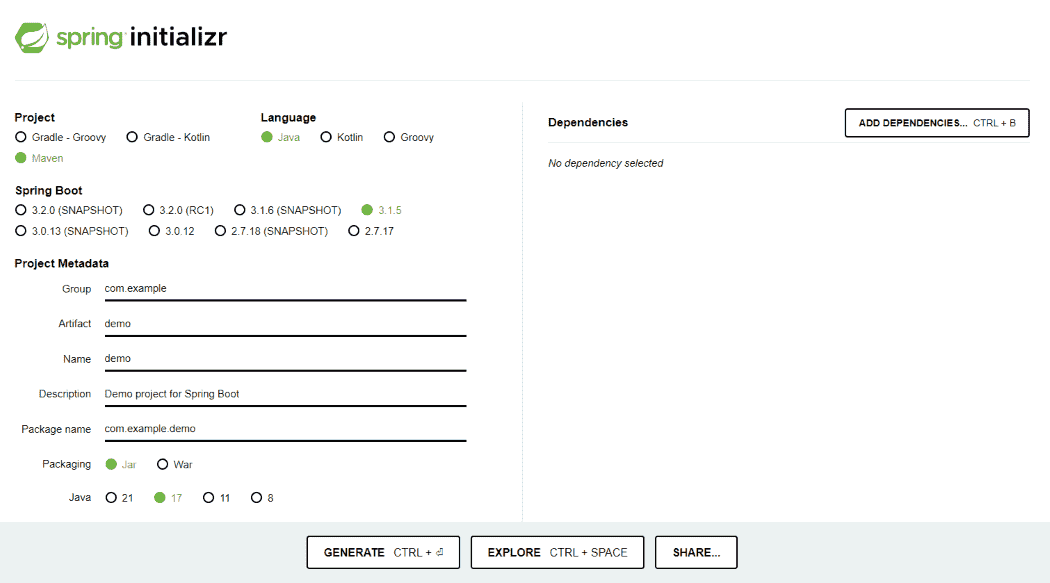
Create a Spring project using Spring Initializr, and add the below dependencies:
- Spring Web
- Spring Security
- Eureka Server
- Spring Dev Tools
- Lombok
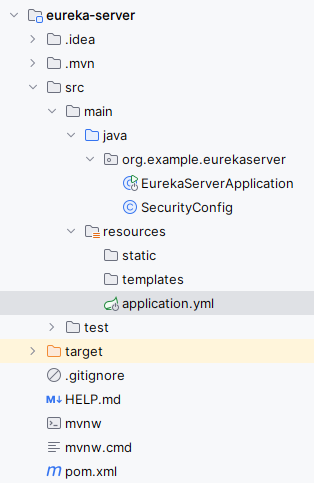
Then the project structure will be like below,
Step 2: Configure the Application properties
Add the following properties to configure the server port, security credentials and Eureka server.
server:
port: 8761
spring:
security:
user:
name: admin
password: passwordeureka:
client:
register-with-eureka: false
fetch-registry: false
server:
enable-self-preservation: false
Step 3: Create the SecurityConfig class
This class configures the basic authentication using the SecurityFilterChain of the application.
package org.example.eurekaserver;


import org.springframework.context.annotation.Bean;
import org.springframework.context.annotation.Configuration;
import org.springframework.security.config.annotation.web.builders.HttpSecurity;
import org.springframework.security.config.annotation.web.configuration.EnableWebSecurity;
import org.springframework.security.web.SecurityFilterChain;

import static org.springframework.security.config.Customizer.withDefaults;


@Configuration
@EnableWebSecurity
public class SecurityConfig {

    @Bean
    public SecurityFilterChain securityFilterChain(HttpSecurity http) throws Exception {
        http
                .authorizeRequests(authorizeRequests -> authorizeRequests
                        .anyRequest().authenticated()
                )
                .httpBasic(withDefaults())
                .csrf().disable();
        return http.build();
    }
}
Step 4: Main class
In the main class, include @EnableEurekaServer annotation to activate the Eureka server functionality.
package org.example.eurekaserver;

import org.springframework.boot.SpringApplication;
import org.springframework.boot.autoconfigure.SpringBootApplication;
import org.springframework.cloud.netflix.eureka.server.EnableEurekaServer;

@SpringBootApplication
@EnableEurekaServer
public class EurekaServerApplication {

    public static void main(String[] args) {
        SpringApplication.run(EurekaServerApplication.class, args);
    }

}
Step 5: Review the Generated pom.xml File.
The generated pom.xml file should contain the Following Dependency
<?xml version="1.0" encoding="UTF-8"?>
<project xmlns="https://maven.apache.org/POM/4.0.0" xmlns:xsi="https://www.w3.org/2001/XMLSchema-instance"
    xsi:schemaLocation="https://maven.apache.org/POM/4.0.0 https://maven.apache.org/xsd/maven-4.0.0.xsd">
    <modelVersion>4.0.0</modelVersion>
    <parent>
        <groupId>org.springframework.boot</groupId>
        <artifactId>spring-boot-starter-parent</artifactId>
        <version>3.3.0</version>
        <relativePath/> <!-- lookup parent from repository -->
    </parent>
    <groupId>org.example</groupId>
    <artifactId>eureka-server</artifactId>
    <version>0.0.1-SNAPSHOT</version>
    <name>eureka-server</name>
    <description>eureka-server</description>
    <properties>
        <java.version>17</java.version>
        <spring-cloud.version>2023.0.1</spring-cloud.version>
    </properties>
    <dependencies>
        <dependency>
            <groupId>org.springframework.boot</groupId>
            <artifactId>spring-boot-starter-security</artifactId>
        </dependency>
        <dependency>
            <groupId>org.springframework.boot</groupId>
            <artifactId>spring-boot-starter-web</artifactId>
        </dependency>
        <dependency>
            <groupId>org.springframework.cloud</groupId>
            <artifactId>spring-cloud-starter-netflix-eureka-server</artifactId>
        </dependency>

        <dependency>
            <groupId>org.springframework.boot</groupId>
            <artifactId>spring-boot-devtools</artifactId>
            <scope>runtime</scope>
            <optional>true</optional>
        </dependency>
        <dependency>
            <groupId>org.projectlombok</groupId>
            <artifactId>lombok</artifactId>
            <optional>true</optional>
        </dependency>
        <dependency>
            <groupId>org.springframework.boot</groupId>
            <artifactId>spring-boot-starter-test</artifactId>
            <scope>test</scope>
        </dependency>
        <dependency>
            <groupId>org.springframework.security</groupId>
            <artifactId>spring-security-test</artifactId>
            <scope>test</scope>
        </dependency>
    </dependencies>
    <dependencyManagement>
        <dependencies>
            <dependency>
                <groupId>org.springframework.cloud</groupId>
                <artifactId>spring-cloud-dependencies</artifactId>
                <version>${spring-cloud.version}</version>
                <type>pom</type>
                <scope>import</scope>
            </dependency>
        </dependencies>
    </dependencyManagement>

    <build>
        <plugins>
            <plugin>
                <groupId>org.springframework.boot</groupId>
                <artifactId>spring-boot-maven-plugin</artifactId>
                <configuration>
                    <excludes>
                        <exclude>
                            <groupId>org.projectlombok</groupId>
                            <artifactId>lombok</artifactId>
                        </exclude>
                    </excludes>
                </configuration>
            </plugin>
        </plugins>
    </build>

</project>
Step 6: Run the application
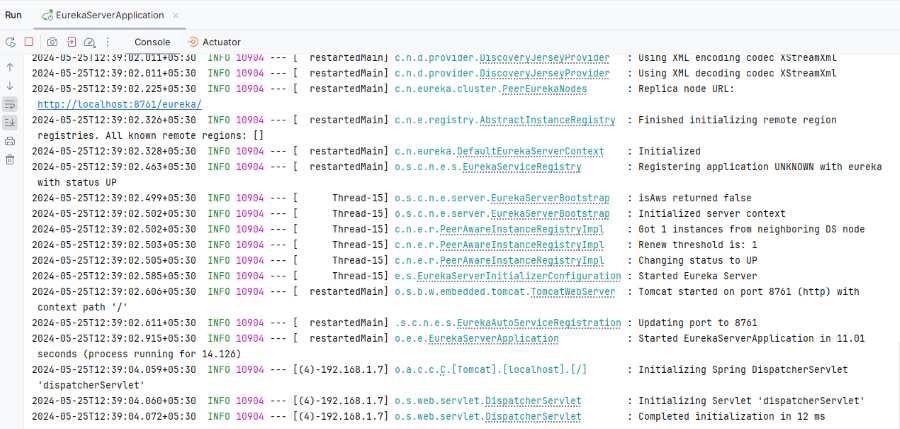
Now, run the application as a Spring application, then it will start at port 8761.
Setup the Eureka Client
Step 1: Create a Spring Boot project
Create a Spring project using Spring Initializr, and add the below dependencies:`
- Spring Web
- Eureka Client
- Spring Dev Tools
- Lombok
Now, the project folder structure will be like below:
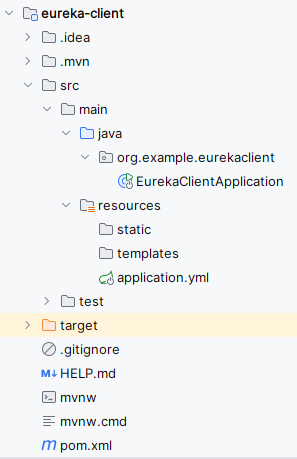
Step 2: Configure the Application properties
Add the following properties to configure the server port, security credentials and Eureka client settings.
spring:
application:
name: eureka-client
security:
user:
name: user
password: password
eureka:
client:
service-url:
defaultZone: http://admin:password@localhost:8761/eureka/
Step 3: Main class
In the main class, include @EnableDicoveryClient annotation to activate the Eureka client functionality.
package org.example.eurekaclient;

import org.springframework.boot.SpringApplication;
import org.springframework.boot.autoconfigure.SpringBootApplication;
import org.springframework.cloud.client.discovery.EnableDiscoveryClient;

@SpringBootApplication
@EnableDiscoveryClient
public class EurekaClientApplication {

    public static void main(String[] args) {
        SpringApplication.run(EurekaClientApplication.class, args);
    }

}
Step 4: Review the Generated pom.xml File.
The generated pom.xml file should contain the Following Dependency
<?xml version="1.0" encoding="UTF-8"?>
<project xmlns="https://maven.apache.org/POM/4.0.0" xmlns:xsi="https://www.w3.org/2001/XMLSchema-instance"
    xsi:schemaLocation="https://maven.apache.org/POM/4.0.0 https://maven.apache.org/xsd/maven-4.0.0.xsd">
    <modelVersion>4.0.0</modelVersion>
    <parent>
        <groupId>org.springframework.boot</groupId>
        <artifactId>spring-boot-starter-parent</artifactId>
        <version>3.3.0</version>
        <relativePath/> <!-- lookup parent from repository -->
    </parent>
    <groupId>org.example</groupId>
    <artifactId>eureka-client</artifactId>
    <version>0.0.1-SNAPSHOT</version>
    <name>eureka-client</name>
    <description>eureka-client</description>
    <properties>
        <java.version>17</java.version>
        <spring-cloud.version>2023.0.1</spring-cloud.version>
    </properties>
    <dependencies>
        <dependency>
            <groupId>org.springframework.boot</groupId>
            <artifactId>spring-boot-starter-web</artifactId>
        </dependency>
        <dependency>
            <groupId>org.springframework.cloud</groupId>
            <artifactId>spring-cloud-starter-netflix-eureka-client</artifactId>
        </dependency>

        <dependency>
            <groupId>org.springframework.boot</groupId>
            <artifactId>spring-boot-devtools</artifactId>
            <scope>runtime</scope>
            <optional>true</optional>
        </dependency>
        <dependency>
            <groupId>org.projectlombok</groupId>
            <artifactId>lombok</artifactId>
            <optional>true</optional>
        </dependency>
        <dependency>
            <groupId>org.springframework.boot</groupId>
            <artifactId>spring-boot-starter-test</artifactId>
            <scope>test</scope>
        </dependency>
    </dependencies>
    <dependencyManagement>
        <dependencies>
            <dependency>
                <groupId>org.springframework.cloud</groupId>
                <artifactId>spring-cloud-dependencies</artifactId>
                <version>${spring-cloud.version}</version>
                <type>pom</type>
                <scope>import</scope>
            </dependency>
        </dependencies>
    </dependencyManagement>

    <build>
        <plugins>
            <plugin>
                <groupId>org.springframework.boot</groupId>
                <artifactId>spring-boot-maven-plugin</artifactId>
                <configuration>
                    <excludes>
                        <exclude>
                            <groupId>org.projectlombok</groupId>
                            <artifactId>lombok</artifactId>
                        </exclude>
                    </excludes>
                </configuration>
            </plugin>
        </plugins>
    </build>

</project>
Step 5: Run the application
Now run the application as a Spring application and it will start at port 8080.
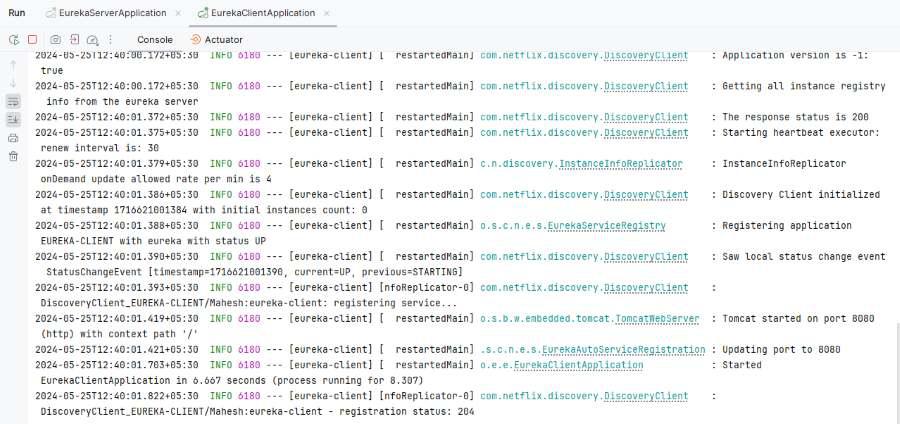
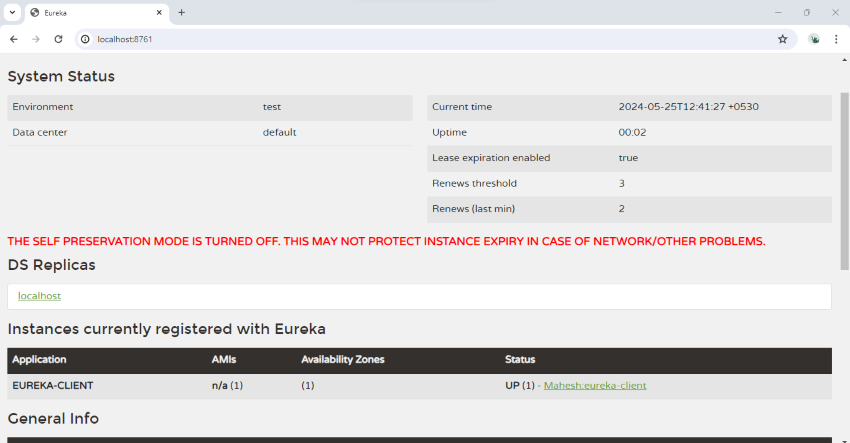
Open the Eureka Dashboard, then it will show the below image for admin credentials of the application.
http://localhost:8761
Admin credentials:
- Username: admin
- Password: password
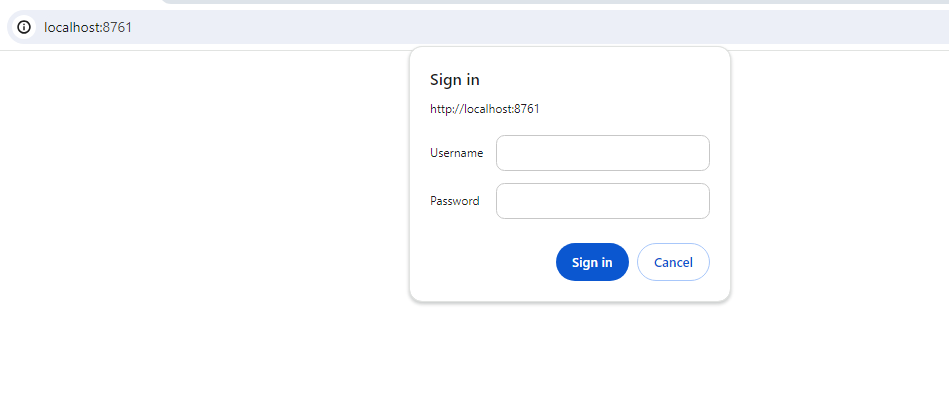
Once the valid credentials entered, then it will redirect to the Eureka Dashboard.