

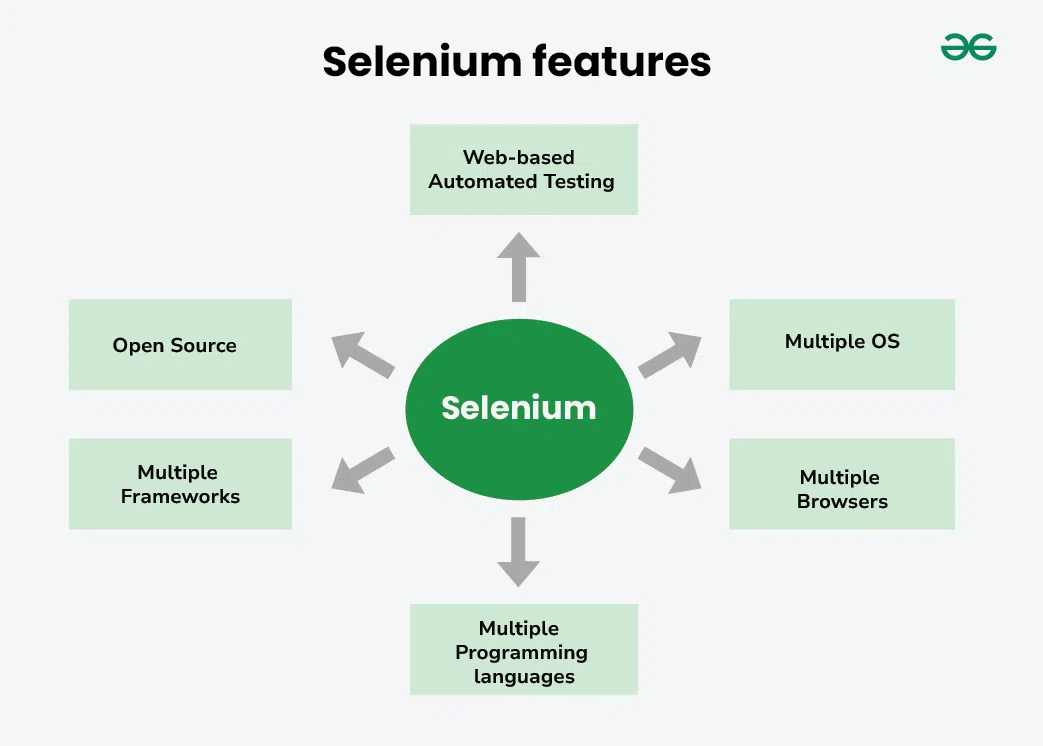
Selenium is an open-source automation testing framework used to automate web applications across different browsers and operating systems. It supports multiple programming languages and integrates with testing frameworks and CI/CD tools to enable efficient automated testing.
- Automates functional and regression testing of web applications.
- Supports multiple browsers, operating systems, and programming languages.
- Easily integrates with frameworks, reporting tools, and CI/CD pipelines.
Selenium Components
Selenium consists of three main components that work together to automate web application testing. Each component serves a different purpose based on the testing requirements.
Selenium WebDriver
Selenium WebDriver is the core component of Selenium that automates web browsers by directly communicating with browser-specific drivers. It provides APIs for writing automation scripts in multiple programming languages.
- Automates browser actions such as clicking, typing, scrolling, and navigation.
- Supports multiple browsers including Chrome, Firefox, Edge, and Safari.
- Supports programming languages such as Java, Python, C#, JavaScript, Ruby, and Kotlin.
Example: A WebDriver script opens a browser, logs into an application, verifies the dashboard, and closes the browser automatically. 2. Selenium RC (Remote control)
Selenium IDE
Selenium IDE is a browser extension that allows users to create automation tests using a record-and-playback approach. It is ideal for beginners and for quickly creating simple test cases without writing code.
- No programming knowledge required.
- Supports recording and replaying user actions.
- Generates automation scripts in multiple programming languages.
Example: A tester records the process of logging into a website and later replays the same test whenever required.
Selenium Grid
Selenium Grid is a component that enables running automation tests on multiple browsers, browser versions, operating systems, and machines simultaneously. It is mainly used to reduce execution time through parallel testing.
- Supports parallel execution of test cases.
- Enables cross-browser and cross-platform testing.
- Allows distributed test execution across multiple machines.
Example: The same checkout test is executed simultaneously on Chrome, Firefox, and Edge running on Windows and Linux to verify browser compatibility.
Applications of Selenium
Selenium is widely used to automate the testing of web applications, improving testing speed, accuracy, and efficiency.
- Automating Functional Testing: Verifies that web application features work according to requirements.
- Regression Testing: Re-runs test cases after code changes to ensure existing functionality remains unaffected.
- Cross-Browser Testing: Checks whether a web application works correctly across browsers such as Chrome, Firefox, Edge, and Safari.
- Parallel Test Execution: Runs multiple test cases simultaneously on different browsers or machines using Selenium Grid, reducing execution time.
- Automating Repetitive Test Cases: Eliminates manual effort by automating frequently executed test scenarios.
- CI/CD Integration: Integrates with tools like Jenkins, GitHub Actions, Azure DevOps, and GitLab CI to execute automated tests during continuous integration and deployment.
- Data-Driven Testing: Executes the same test with multiple sets of input data from external sources such as Excel, CSV, or databases.
- Keyword-Driven Testing: Uses predefined keywords to create reusable and maintainable test cases.
- Smoke and Sanity Testing: Quickly verifies the stability of new builds before detailed testing.
- End-to-End (E2E) Testing: Automates complete user workflows, such as login, product purchase, and checkout.
Limitations of Selenium
- Supports only web applications; it cannot automate desktop applications directly.
- Does not provide built-in reporting or test management features.
- Requires programming knowledge for WebDriver-based automation.
- Cannot automate CAPTCHA or OTP verification reliably without workarounds.
- Handling dynamic web elements may require advanced scripting techniques.
- Does not include built-in image comparison or visual testing capabilities.
- Mobile application testing requires additional tools such as Appium.
- Browser and application updates may require test script maintenance
Note: Selenium Remote Control (RC) is deprecated and is not part of Selenium 4. It is included only for historical reference and legacy projects.
