

Integration Testing is a Software Testing technique used to verify the interaction, communication, and data flow between different modules or components of a software application. It is performed after unit testing to ensure that integrated modules work correctly together and that interfaces function as expected.
- Validates whether connected modules work correctly together
- Detects interface, API, and dependency-related defects
- Confirms that data is transferred correctly between components
Example: E-Commerce Website: Integration testing ensures that the shopping cart, payment, and order modules work correctly together in an e-commerce application.
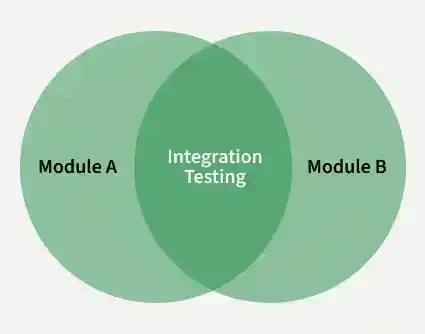
Architecture
Integration testing architecture describes how application components and their dependencies are connected and tested together. It focuses on the interfaces and communication paths between components rather than testing each component in isolation.
Components
- Application Modules: Individual modules, services, or components that need to work together.
- Interfaces: APIs, function calls, events, or other communication mechanisms through which components exchange information.
- Dependencies: Databases, external services, message queues, and other systems required for components to function together.
- Test Environment: The configured environment, test data, and supporting resources required to execute integration tests.
- Test Doubles: Stubs, drivers, mocks, or other simulated components used when actual dependencies are unavailable or unsuitable for testing.
Integration Testing Process
Integration Testing follows a structured process to verify communication, interfaces, and behavior between connected modules.
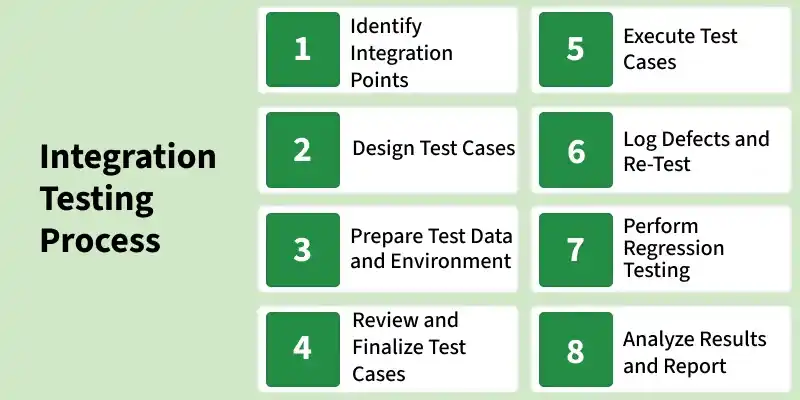
- Identify Integration Points: Identify the modules, APIs, databases, or services that interact with each other and need to be tested together.
- Design Test Cases: Create test cases to verify communication, interface behavior, and data flow between integrated modules.
- Prepare Test Data and Environment: Set up realistic test data and configure the required test environment, dependencies, and supporting tools.
- Review and Finalize Test Cases: Review the test cases for completeness and correctness, and finalize them for execution.
- Execute Test Cases: Run the integration test cases to verify whether the combined modules work correctly together.
- Log Defects and Re-Test: Record any defects found during testing and re-execute the affected test cases after fixes are made.
- Perform Regression Testing: Perform regression testing to ensure that recent fixes have not affected existing integrated functionality.
- Analyze Results and Report: Analyze the test outcomes and prepare a report showing defects, fixes, and the overall integration status.
Integration Testing Approaches
Integration testing can be performed using different approaches based on how components are combined and tested.
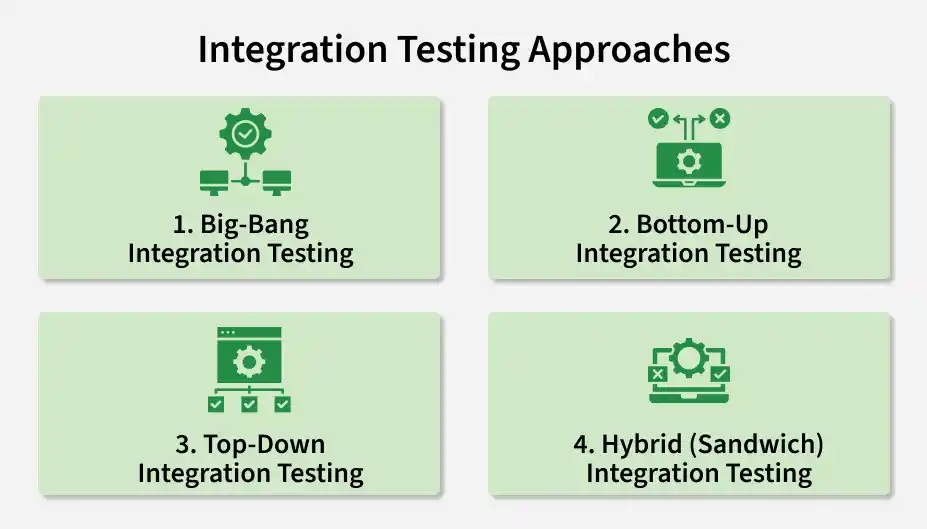
1. Big-Bang Integration Testing
In Big Bang Integration Testing, all modules are integrated at once and tested together as a complete system.
- Suitable only for small applications where module count is limited.
- Difficult to identify the exact root cause when defects occur.
- No incremental testing, so debugging becomes complex and time-consuming.
2. Bottom-Up Integration Testing
In Bottom-Up Integration Testing, lower-level modules are tested first, followed by gradual integration of higher-level modules.
- Uses test drivers to simulate higher-level modules that are not yet available.
- Focuses on validating internal module logic and data flow first.
- Defects in core components are easier to detect and fix early.
3. Top-Down Integration Testing
In Top-down Integration Testing, high-level modules are tested first, and lower-level modules are integrated step by step.
- Uses stubs to simulate lower-level modules during early testing.
- Helps validate system architecture and major workflows early in development.
- Ensures critical business logic is tested before full system integration.
4. Mixed Integration Testing
A combination of both top-down and bottom-up approaches executed in parallel.
- Uses both stubs and drivers for simultaneous testing of different layers.
- Reduces overall testing time by parallel execution of modules.
- Provides balanced coverage of both high-level and low-level system components.
Tools for Integration Testing
Integration testing can use test frameworks, API-testing tools, dependency simulators, and containerized environments to validate component interactions.
- Postman: Tests API interactions and verifies requests, responses, and data exchanged between services.
- REST Assured: Provides a Java-based approach for automating REST API integration tests.
- Testcontainers: Runs databases, message brokers, and other dependencies in temporary Docker containers for realistic tests.
- JUnit / TestNG: Test frameworks commonly used to create and execute integration tests.
- WireMock: Simulates HTTP-based external services when real dependencies are unavailable or unsuitable for testing.
- pytest: Python testing framework that can be used to create integration tests with fixtures and plugins.
- Jenkins / GitHub Actions: Automate integration-test execution as part of CI/CD workflows.
Challenges of Integration Testing
Integration testing can become complex because multiple components and dependencies must work together.
- Failures can be difficult to trace when several components are involved
- External services may be unavailable, unstable, or difficult to control
- Maintaining a realistic integration environment can require significant effort
- Shared test data can create dependencies between test cases
- Changes in one component can affect integrations with other components
Best Practices for Integration Testing
Following best practices helps make Integration Testing more effective, reliable, and maintainable:
- Maintain a clean, stable, and production-like test environment
- Automate repetitive integration test cases whenever possible
- Use mocks, stubs, and drivers to isolate unavailable or unstable dependencies
- Log defects clearly and perform re-testing after fixes
- Run regression tests after changes to ensure existing integrations still work
- Integrate tests into the CI/CD pipeline for continuous validation
