

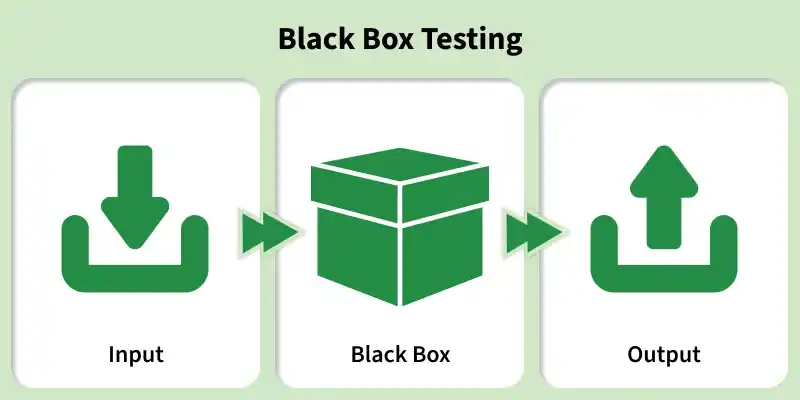
Black Box Testing is a software testing technique where the tester evaluates the functionality of an application without knowing its internal code structure. It focuses on inputs and expected outputs based on requirements.
- Tests system behavior without looking at internal logic
- Based on requirements and specifications
- Can be performed at all testing levels (functional, system, acceptance)
Types Of Black Box Testing
Testing an application without knowing its internal code or structure following are the various Types of Black Box Testing:
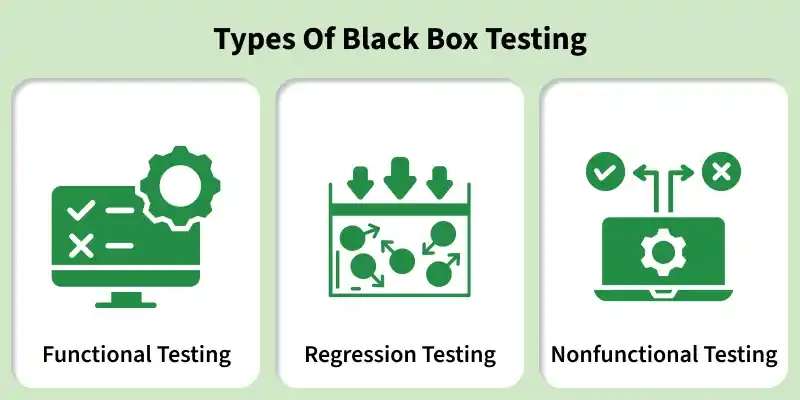
- Functional Testing: Verifies that the application functions according to defined requirements by validating inputs and expected outputs without considering internal code.
- Regression Testing: Ensures that new code changes or updates do not break existing functionality and that the system continues to work as expected.
- Non-functional Testing: Evaluates how well the application performs rather than what it does, ensuring quality attributes are met.
Black Box Testing Process
Black Box Testing works by providing inputs to the system, observing the actual output, and comparing it with the expected output without examining the internal code or implementation.
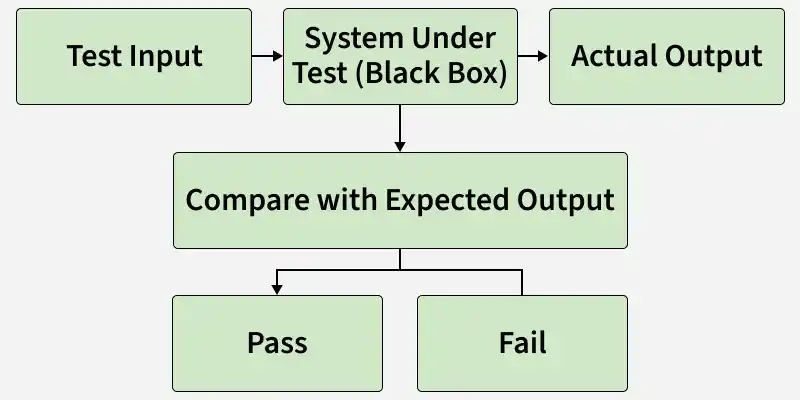
- Test Input: The tester provides valid, invalid, or boundary input data, such as usernames, passwords, or form values.
- System Under Test (Black Box): The application processes the input while its internal code and implementation remain hidden from the tester.
- Actual Output: The system generates a response, such as a success message, error message, or other result, which is recorded for validation.
- Compare with Expected Output: The actual output is compared with the expected result based on the requirements and specifications.
- Pass/Fail Result: The test is marked Pass if the actual output matches the expected result; otherwise, it is marked Fail.
Test Cases for Black Box Testing
Black Box Testing test cases are designed to verify the application's functionality by providing inputs and checking the resulting outputs without examining the internal code or implementation.
- Valid Credentials: Enter a valid username and password and verify that the user is successfully logged in.
- Invalid Username: Enter an incorrect username with a valid password and verify that an appropriate error message is displayed.
- Invalid Password: Enter a valid username with an incorrect password and verify that an appropriate error message is displayed.
- Empty Fields: Leave the username or password field blank and verify that the required-field validation message is displayed.
- Boundary Input: Enter values at the minimum and maximum allowed lengths and verify that the application handles them correctly.
- Special Characters: Enter special characters in the input fields and verify that the application handles them according to the requirements.
- Account Lockout: Enter incorrect credentials repeatedly and verify that the account is locked or restricted according to the specified requirements.
Tools Used for Black Box Testing
Black Box Testing tools help validate software functionality by checking inputs and outputs without accessing internal code. These tools support both manual and automated testing from an end-user perspective.
- Playwright: Modern automation tool for web testing that supports multiple browsers and fast execution
- Selenium 4: Widely used open-source automation tool that supports multiple languages and browsers
- Katalon Studio: Easy-to-use tool for web, API, and mobile testing with built-in features and reporting
- Cypress: Fast and developer-friendly testing framework ideal for modern web applications
- Testim: AI-powered automation tool that reduces maintenance effort and improves test stability
- Mabl: Intelligent test automation platform that enhances test reliability using AI
Black Box Testing Techniques
Black Box Testing techniques are systematic methods used to design test cases based on the application's requirements, inputs, outputs, and expected behavior, without examining its internal code or implementation.
- Equivalence Partitioning: Divides input data into valid and invalid groups to reduce the number of test cases while maintaining effective coverage.
- Boundary Value Analysis: Tests values at the boundaries of input ranges, where defects are more likely to occur.
- Decision Table Testing: Tests different combinations of conditions and actions to verify complex business rules.
- Use Case Testing: Designs test cases based on real-world user scenarios and interactions with the system.
- Error Guessing: Identifies potential defects based on the tester's experience, intuition, and knowledge of common errors.
Advantages of Black Box Testing
Black Box Testing validates the external behavior of an application without examining its internal code or implementation. It provides several advantages for verifying the software from the user's perspective.
- Testers do not need knowledge of the application's internal code or implementation.
- Testing focuses on user requirements and expected system behavior.
- It helps identify missing, incorrect, or unexpected functionality.
- It can be applied to different levels of testing, including integration, system, and acceptance testing.
- It can be automated using various testing tools and frameworks.
- It helps validate the application from an end-user perspective.
Limitations of Black Box Testing
Black Box Testing validates the external behavior of an application without examining its internal code or implementation. However, it has some limitations that can affect test coverage and debugging.
- Testers cannot directly verify internal code paths, branches, or conditions.
- When a test fails, identifying the exact cause of the defect can be difficult without knowledge of the internal implementation.
- It may be difficult to test every possible input, combination, and user scenario.
- Poorly defined or incomplete requirements can lead to ineffective test cases.
- Complex applications may require a large number of test cases to cover different inputs and scenarios.
- Defects that do not produce an observable difference in external behavior may remain undetected.
