

Test data is the collection of input values, files, records, or datasets used to verify whether a software application behaves as expected. It helps testers validate functionality, identify defects, and ensure the application performs correctly under different scenarios
- Verifies application behavior using different input values.
- Covers normal, invalid, boundary, and real-world scenarios.
- Improves test accuracy, coverage, and software quality.
Example: For a login page, entering a valid username and password should allow access, while incorrect or empty inputs should show an error message.
Types of Test Data
Different types of test data are used to verify application behavior under normal, invalid, boundary, and real-world conditions. Using a variety of test data helps improve test coverage and identify defects effectively.
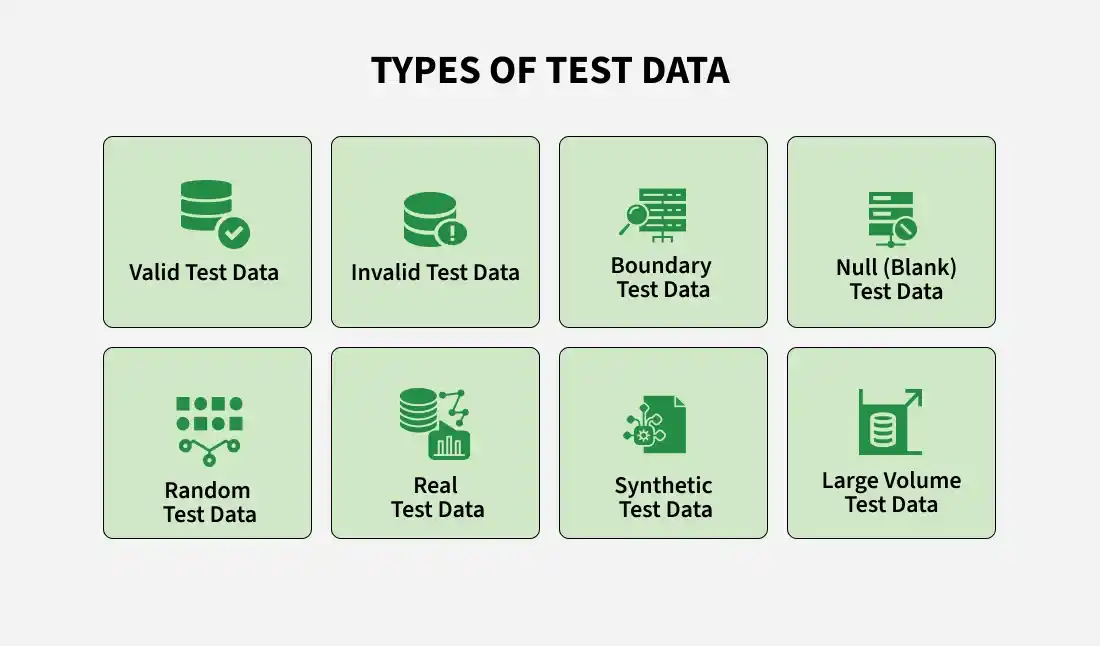
Valid Test Data
Valid test data consists of input values that satisfy all validation rules and produce the expected output. It verifies that the application functions correctly under normal conditions.
- Meets validation and business rules.
- Produces the expected result.
- Used for successful test scenarios.
Invalid Test Data
Invalid test data contains incorrect input values that violate validation or business rules. It ensures the application rejects invalid data appropriately.
- Violates validation rules.
- Displays appropriate error messages.
- Prevents incorrect data processing.
Boundary Test Data
Boundary test data includes values at the minimum, maximum, and just inside or outside the acceptable limits. It helps detect boundary-related defects.
- Tests minimum and maximum values.
- Identifies boundary condition defects.
- Supports Boundary Value Analysis (BVA).
Null (Blank) Test Data
Null test data uses empty or missing values to verify mandatory field validation. It ensures the application handles blank inputs correctly.
- Tests empty or missing values.
- Verifies required field validation.
- Checks appropriate validation messages.
Random Test Data
Random test data consists of randomly generated values used to evaluate application behavior under different conditions. It improves test coverage and reliability.
- Uses randomly generated inputs.
- Covers diverse test scenarios.
- Useful for automated testing.
Real Test Data
Real test data is production-like data used after masking sensitive information. It helps simulate actual business scenarios during testing.
- Represents real-world usage.
- Improves testing accuracy.
- Requires sensitive data protection.
Synthetic Test Data
Synthetic test data is artificially generated specifically for testing purposes. It provides realistic datasets without exposing confidential information.
- Created using data generation tools.
- Protects sensitive information.
- Suitable for automation and large-scale testing.
Large Volume Test Data
Large volume test data consists of massive datasets used to evaluate application performance, scalability, and database handling.
- Tests applications with large datasets.
- Evaluates scalability and performance.
- Commonly used in volume testing.
Test Data Preparation Process
Test data preparation is the process of identifying, creating, organizing, and maintaining the data required to execute test cases. Proper preparation ensures accurate, reliable, and comprehensive software testing.
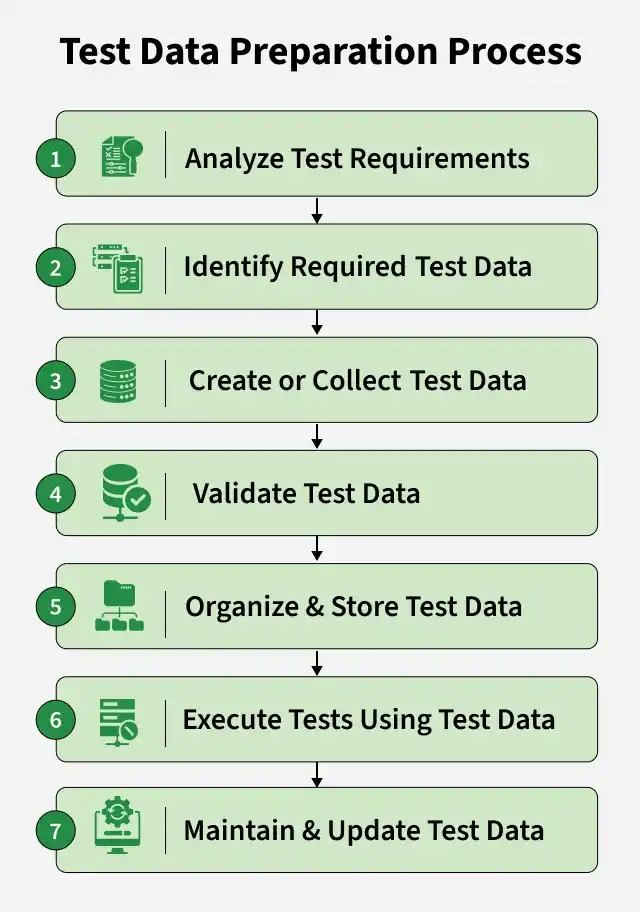
- Analyze Test Requirements: Identify the application's requirements, business rules, and test scenarios to determine the required test data.
- Identify Required Test Data: Determine the appropriate data types, such as valid, invalid, boundary, and null data, for each test case.
- Create or Collect Test Data: Generate new test data or collect production-like data after masking sensitive information.
- Validate Test Data: Verify that the prepared test data is accurate, complete, and suitable for executing the test cases.
- Organize and Store Test Data: Store the test data in a structured and secure location for easy access and reuse during testing.
- Execute Tests Using Test Data: Run the test cases with the prepared data and verify that the application produces the expected results.
- Maintain and Update Test Data: Regularly update, clean, and refresh test data to keep it relevant for future testing cycles.
Test Data Generation
Test data generation is the process of creating and preparing input data required for executing test cases effectively. It ensures that the application is tested under different scenarios, including normal, boundary, and error conditions.
- Supports effective testing by providing relevant data for validation
- Improves defect detection by including diverse data sets such as valid, invalid, and edge case inputs
- Enhances test coverage by ensuring all functionalities and conditions are properly tested
Test Data in Different Testing Types
Test data varies based on the type of testing to ensure proper validation of different aspects of the software.
- White Box Testing: Data is designed to cover code paths, conditions, and logic
- Black Box Testing: Data focuses on inputs and expected outputs without knowing internal code
- Performance & Security Testing: Data simulates high load, user behavior, and security threats
Popular Test Data Management Tools
- Delphix: Virtualizes, masks, and delivers secure test data for faster software testing.
- IBM InfoSphere Optim: Manages, subsets, archives, and masks enterprise test data securely.
- Informatica Test Data Management: Creates, provisions, and protects test data for different testing environments.
- Broadcom Test Data Manager: Generates, manages, and reuses test datasets across development and testing teams.
- GenRocket: Generates realistic synthetic test data on demand for automated testing.
- Mockaroo: Creates realistic sample datasets in multiple formats such as CSV, JSON, and SQL.
