Summary: When Google Antigravity Swarm sub-agents (workers) can’t see local changes in the main workspace, the issue usually comes down to three places: the workspace mode, the CLI version, and when the working copy was created. This article gives you a checklist you can run on both the parent workspace and the worker side.
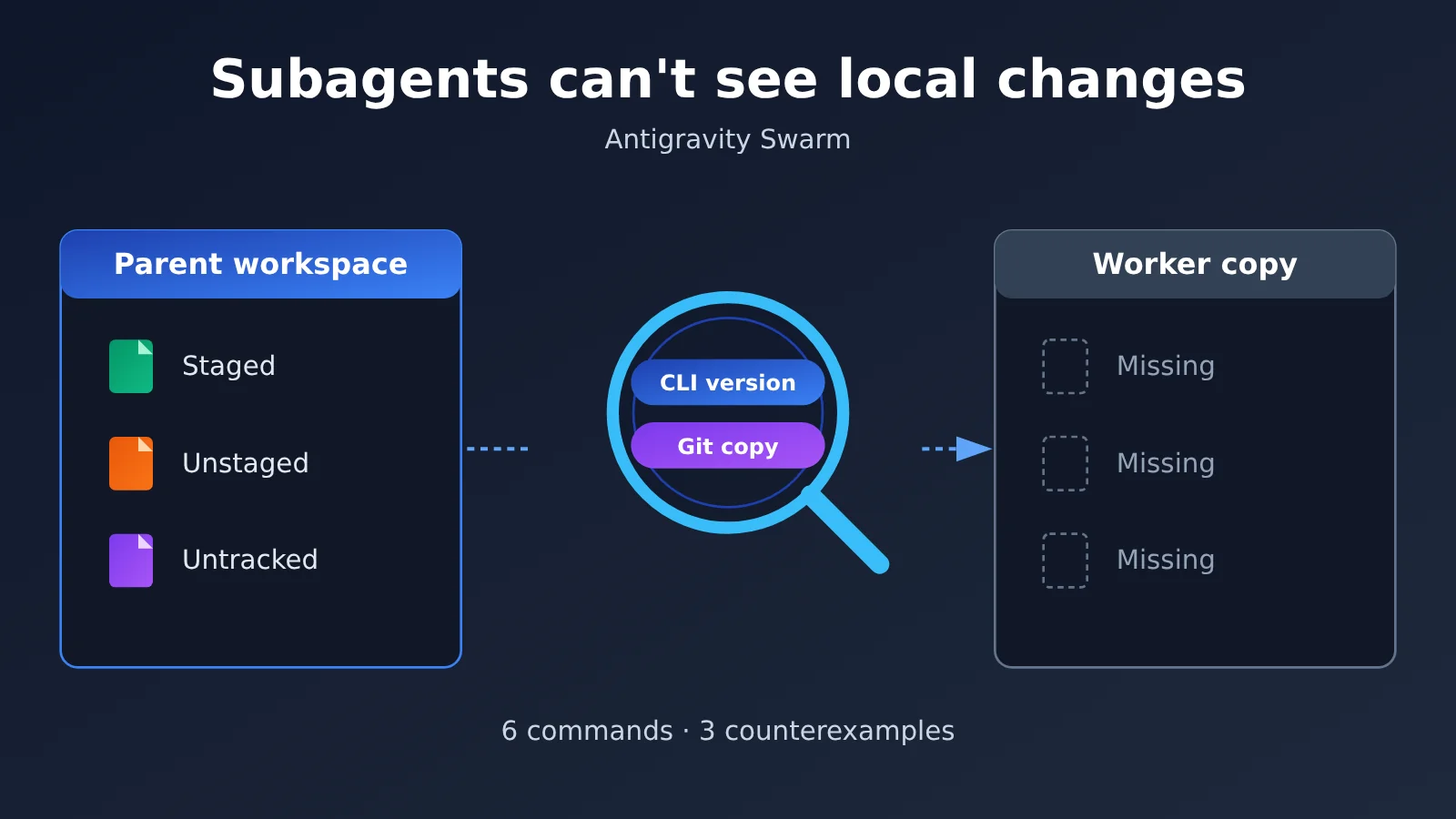
Bottom line first: 3 things to check when Swarm sub-agents can’t see local changes
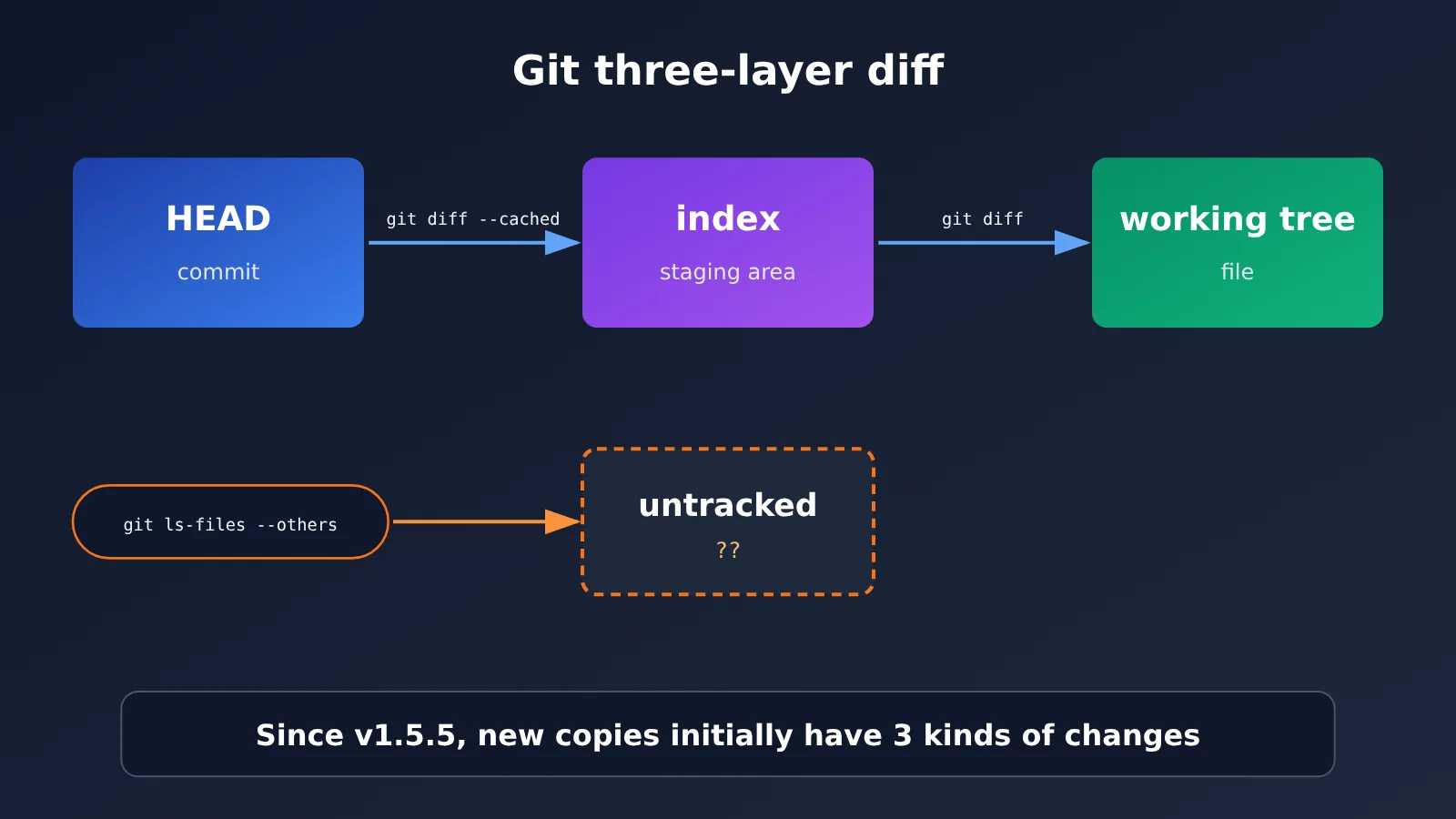
Let’s answer the question in the title first. The most common reason a worker can’t see uncommitted changes in the main workspace is that it’s running in a separate working copy, and that copy was created by an older version of the CLI. The official changelog for Google Antigravity CLI v1.5.5 states: in older setups, a separately cloned Git repository may start from the last commit, so uncommitted content in the main workspace never made it into the worker’s worktree. After the fix, newly created worktrees start out with all three types of changes: staged, unstaged, and untracked.
The conclusion also depends on three conditions. First, the worker has to be in separate-copy mode. The official docs say the default is to share the main workspace; if you can’t see changes in shared mode, look at paths, save state, and ignore rules. Second, the fix only applies at the moment the copy is created. The official docs don’t say that later edits keep syncing, that the Git indexes on both sides will match item by item, or that existing old copies will be filled in automatically. Third, the CLI version that actually runs is the one in the terminal that launched the swarm — the desktop app’s version number doesn’t count as a substitute.
So troubleshoot in this order: first pin down the mode, then verify the version, and finally compare both sides using the same set of read-only Git commands.
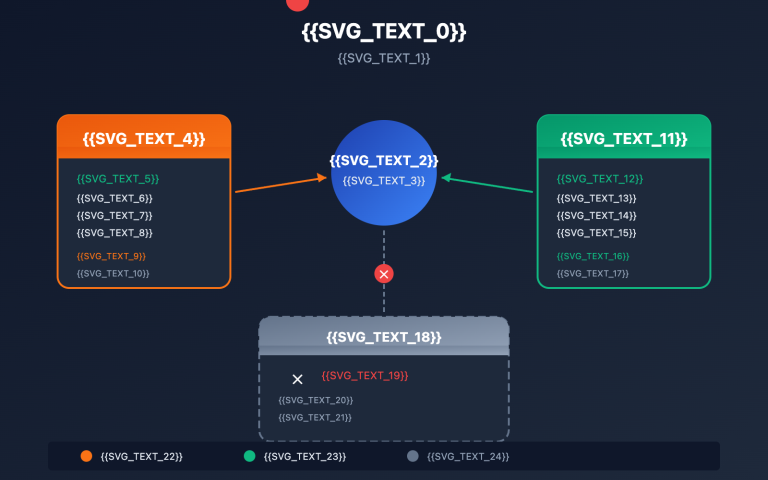
Knowledge Map for Troubleshooting Google Antigravity Swarm
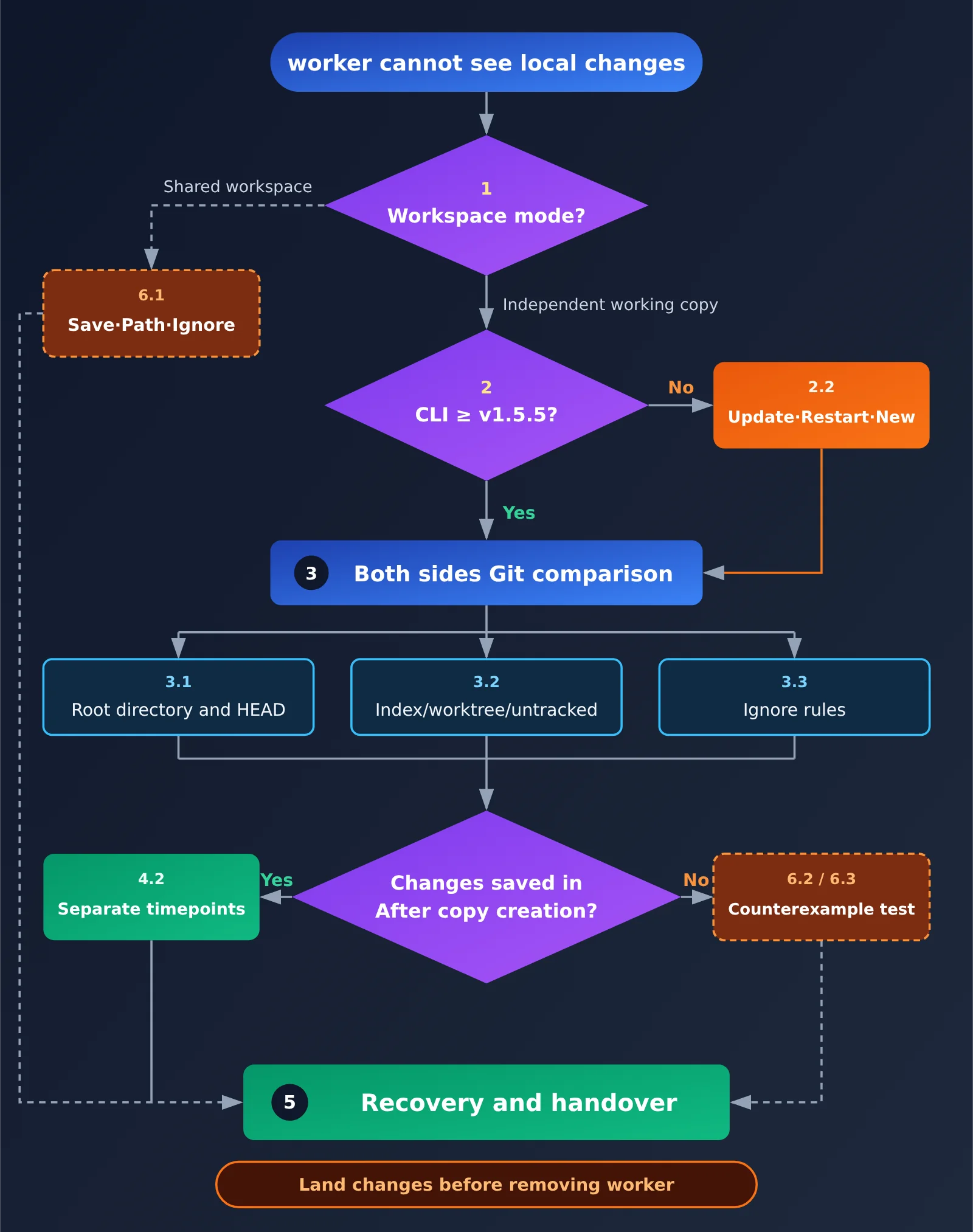
Diagram note: Read from the entry point downward. First determine whether you’re in shared mode or independent copy mode. Only independent copies need the CLI version check, because what v1.5.5 fixes is the initial content at the moment the copy is created. Once the version is confirmed, run the Git comparison from Section 3 on both ends. If you suspect the changes were saved later than the copy was created, go to Section 4 and use a test repository to control the time points. All paths finally converge in Section 5, Recovery and Handover.
Troubleshooting Index for Google Antigravity Swarm in This Article
| # | Section | What it gives you | How to read it |
|---|---|---|---|
| 1 | Confirm the workspace mode | Tells you whether you need to check the version later | Required starting point |
| 2 | Check the CLI version | Decides whether the copy was created by a version that contains the fix | Required for standalone copy mode |
| 3 | Compare Git on both ends | Yields evidence for the path, baseline, index, and worktree | Required |
| 4 | Test the repo control timestamps | Separates version problems from timing problems | Read when you need to reproduce |
| 5 | Recovery and handoff | Safely switch to the new copy | Read after you’ve confirmed the cause |
| 6 | Counterexample troubleshooting | Handles symptoms that don’t follow the main flow | Consult by symptom |
Sections 1 and 2 settle “should you suspect the version”; Section 3 supplies the evidence; Section 4 helps you reproduce things when the evidence isn’t enough. The three counterexamples in Section 6 stand on their own, so you can jump around as needed.
To Know: Swarm Sub-agents and Git Working Copy Terms
| Term | Plain explanation |
|---|---|
| Coordinator | The role in Swarm that dispatches tasks, creates workers, and aggregates results |
| worker | The member dispatched to carry out a subtask — the sub-agent this article talks about |
| working copy / worktree | Another working directory of the same repo; it has its own working files and can be checked out independently |
| HEAD | The currently checked-out commit, i.e., the commit baseline of the working copy |
| index (staging area) | The version saved after git add, sitting between HEAD and the working files |
| untracked file | A file that exists in the working directory but was never added to the index; shows up as ?? in git status |
1 Confirm the Swarm subagent workspace mode
1.1 Shared main workspace vs. independent working copies
Google’s Swarm documentation describes the default behavior as all members sharing the main workspace. When multiple members need to edit or build at the same time, the coordinator can create separate working copies of the repository for each member. In both modes, worker conversations can be independent. Independent conversations don’t mean independent file paths—that’s a common source of misdiagnosis.
| Aspect | Shared main workspace (default) | Independent working copy |
|---|---|---|
| File path | Same as the parent workspace | Each member has its own root directory |
| Visibility of uncommitted changes | Any content saved to disk is visible | Depends on the CLI version and the moment the copy was created |
| Relationship to the v1.5.5 fix | Unrelated | Directly related |
| Impact of removing a worker | Main workspace files are not deleted | The official documentation says its independent copy will be deleted |
1.2 Have the coordinator report the mode first
The first step in troubleshooting isn’t to change code—it’s to ask the coordinator to clearly report which mode the target worker is using. Then pick the same relative path, such as src/client/validate.ts, and have the parent workspace and the worker read it separately. If both sides have the same root directory but different contents, the problem is more likely in saved state or buffers—go straight to Section 6.1.
2 Verify Whether the Antigravity CLI Version Includes the Fix
2.1 Locate the CLI That Actually Runs with agy –version and command -v agy
Three situations can make the version you see differ from the one actually executing: one install in your local shell and another in the remote shell, different configurations across multiple terminals, and an old process still running after an update. Run the following in the same terminal where you launch the target swarm:
# Run in the same terminal you used to launch the swarm
agy --version     # version of the CLI that actually executes
command -v agy    # which executable PATH selects under Bash/Zsh
Record both outputs together. The desktop app version and the CLI version are two different fields — when judging whether the v1.5.5 fix is present, look only at the CLI.
2.2 Restart the CLI After Updating and Create a New Working Copy
If the version is below v1.5.5, update through the official installation channel, then restart the CLI. Copies already created in old sessions won’t be automatically filled in just because you upgraded. The right move is to create a new copy in a valid, writable test repository, so you avoid interference from leftover snapshots in old sessions.
The same changelog also mentions that non-version-controlled projects can copy the workspace directory, up to a maximum of 100,000 entries and 4 GiB. That limit applies to the isolation feature for non-Git folders, which is not the same thing as the Git repository copies discussed in this article — don’t use it to explain the missing content in the Git scenario.
3 Compare Git Working Copies Between the Parent Workspace and the Worker
3.1 Six Read-Only Git Commands
Run the following commands in the parent workspace and the worker’s working directory respectively, and record their output. Keep only filenames and summaries that can be made public or are suitable for local retention, and don’t paste anything containing keys into the report.
git rev-parse --show-toplevel                     # repository root directory
git rev-parse HEAD                                # commit baseline
git status --porcelain=v1 --untracked-files=all   # overview of index and working tree status
git diff --cached --name-status                   # index relative to HEAD
git diff --name-status                            # working tree relative to index
git ls-files --others --exclude-standard          # non-ignored untracked files
If you’d rather collect it all in one go, you can use a small read-only script to write the output to a local record file, then run it once on each side:
#!/usr/bin/env bash
# Read-only collection: run once in the parent workspace and once in the worker directory
label="${1:-side}"
{
  echo "== $label =="
  echo "agy: $(agy --version 2>/dev/null) @ $(command -v agy)"
  for cmd in \
    "git rev-parse --show-toplevel" \
    "git rev-parse HEAD" \
    "git status --porcelain=v1 --untracked-files=all" \
    "git diff --cached --name-status" \
    "git diff --name-status" \
    "git ls-files --others --exclude-standard" \
    "git worktree list --porcelain"; do
    echo "--- $cmd"
    eval "$cmd"
  done
} > "worktree-check-$label.txt"
3.2 What Can the Repository Root and HEAD Prove?
The first command returns the repository root, and the second returns the commit baseline. If the two roots differ while HEAD is the same, that only proves both directories are based on the same commit—it doesn’t prove that file contents outside the commit are identical. For real verification, read specific files from both roots using the same relative path, and if needed, compare a small sample that contains no sensitive values.
You can also run git worktree list --porcelain to see which worktrees are registered for the same repository. This list only provides the corresponding evidence if the worker’s copy is actually registered as a worktree in the same Git repository. The official documentation doesn’t state that Antigravity necessarily creates copies this way, so not seeing it in the list doesn’t let you draw a direct conclusion.
3.3 Look at the Index, Working Tree, and Untracked Files Separately
| Command | What it compares | Question it can answer |
|---|---|---|
git status --porcelain=v1 |
X column is the index, Y column is the working tree | Which layer each file is in |
git diff --cached |
Index vs. HEAD | What changes are staged |
git diff |
Working tree vs. index | What changes are still unstaged |
git ls-files --others --exclude-standard |
Untracked and not ignored | Whether newly created files exist |
git check-ignore -v -- 路径 |
Ignore rules | Why a file isn’t in the list |
In normal non-conflict entries, the X and Y columns in porcelain output show the index status and working tree status respectively, and ?? means untracked. A file can have one version staged and then be modified again, so reading the file directly only proves the final content of the working tree. Untracked files don’t appear in diff, so you must check them separately with ls-files; otherwise it’s easy to mistakenly assume the file doesn’t exist. Ignored config files aren’t in this list; when needed, use git check-ignore -v to inspect the rule, and verify with a sample file that contains no secrets.
4 Using a test repository to control the timing of Swarm sub-agents
4.1 Three markers verify the initial content at creation time
The following steps are for reproduction only—do this in your own practice repository. Don’t commit or check out content a colleague hasn’t delivered yet in a real project just for a demo.
- Prepare a Git practice repository with an initial commit, containing two tracked blank sample files, A and B.
- Modify A and stage it; modify B but don’t stage it; create a new file C that isn’t ignored. Write a distinguishable, non-secret short marker in each of the three.
- Before creating the worker, use the commands from Section 3 to confirm all three are present.
- Explicitly ask the coordinator to create a separate Git copy for a named worker and have it record the three markers and the repository root in read-only mode.
- In the first report, first verify the actual visible content of the three files; if you also need to audit the staged state, compare
git statusandgit diff --cachedon both sides.
The official changelog confirms that all three types of initial content make it into the worktree, but it doesn’t state how each file’s index flags are preserved after copying. So record “visible content” and “observed index status” in two separate columns in the report, and don’t treat the latter as an official promise.
4.2 A fourth marker distinguishes the creation-time baseline from later changes
If you want to verify the timing difference, after the first report append only a fourth short marker D to the parent workspace, then have the original worker read it again. Next, ask the coordinator to create another new copy after D is saved, and compare the new member’s first read result.
Based on the official description, you can infer that if the original worker can’t read D, that’s a post-creation modification, not a version defect; if the new member can read D, it means the copy at creation worked correctly. When recording the results, note which member was created first. Shared mode can use the same method too: first compare the root directory, then distinguish specific symptoms such as unsaved IDE buffers, different working directories, and ignored filenames.
5 Swarm Working Copy Recovery and Handover
Once you’ve confirmed the cause, work through the following steps in order so you don’t lose the work the worker has already done:
- Copies created by the old CLI: First preserve the artifacts and changes in the separate copy, then switch to the version that includes the fix, and create a new worker from the current baseline if needed.
- Sample saved to the parent workspace only after the copy was created: The coordinator should explicitly hand off this sample, or create a copy that uses the new baseline.
- Parallel division of labor: Split work by different files or test modules as much as possible. Record the commit baseline of the main workspace, each member’s incremental changes, and the local test entry point for subsequent runs.
- Conflict in the same place: Stop parallel writes first, make it clear who will move the changes to the consolidation workspace, and then have the coordinator verify the full test suite.
- Removing a worker: Google explicitly states that removing a worker deletes its separate copy, so have the member land their changes first, then remove it.
Take an API client as an example: the parent workspace has staged parameter validation, plus unstaged error message changes and an untracked local response sample. The worker’s tests need to read all three. During troubleshooting, check in order the paths it reads, whether the sample already existed when the copy was created, and which CLI version created the copy. This diagnosis has nothing to do with board status, quota, or the approval workflow.
6 Three Counterexamples to Git Working Copy Differences
6.1 Both sides have the same root directory, but only one side is missing files
This usually means the two sides are in shared mode and the issue isn’t version-related. First check whether the files were actually saved to disk, then verify the casing of the relative path and the workspace root. Also check whether you gave the worker a path under the repo root, a relative path inside a subdirectory, or a path to another repo with the same name.
If the repo has another Git repo nested inside it, run git rev-parse --show-toplevel in the directory containing the target file, and compare the result with the starting point of the parent process. If the levels don’t match, first figure out which repo is actually running the tests.
6.2 All source changes are present, but the newly created test samples are missing
First run git check-ignore -v -- 路径 to see whether the sample hits an ignore rule. If a file with the same name already exists in the copy, compare the contents too—don’t just check whether the file exists.
If the sample is written by a generator to a directory outside the repo, it was never in the scope of what gets copied. The three types of objects in the official fix all center on content inside the Git working area. You can deliberately put authorized, secret-free fixed input into the test repo, then compare both sides at the same version and the same point in time.
6.3 Both sides are reading files at different layers
One side reads from HEAD, another from the index, and another from the working tree, so you get three versions that each make sense on their own. This explains why one member can find a certain function while the assertion another member runs still fails.
The fix is to have both sides record three things for the same tracked file at the same time: the regular file content, a summary of the staged diff, and a summary of the unstaged diff. In the delivery report, state “which file the test process actually read”, so you don’t mistake identical characters in the index for identical runtime code.
7 Swarm Sub-Agent Troubleshooting: The Final Verification Method
After upgrading to v1.5.5, will existing workers automatically see the changes?
There’s no official statement to that effect. The fix applies at the moment a copy is created, so for an old copy you should preserve its artifacts first, then create a new one as needed.
After a new copy is created, if the parent workspace keeps changing, can the worker stay in sync?
Officially, continuous sync isn’t declared. Use the fourth marker in Section 4.2 to confirm whether syncing happens in your environment.
Both sides have the same HEAD, so why do the test results differ?
HEAD only represents the commit baseline. Uncommitted content has to be checked separately with diff, ls-files, and by reading the files directly.
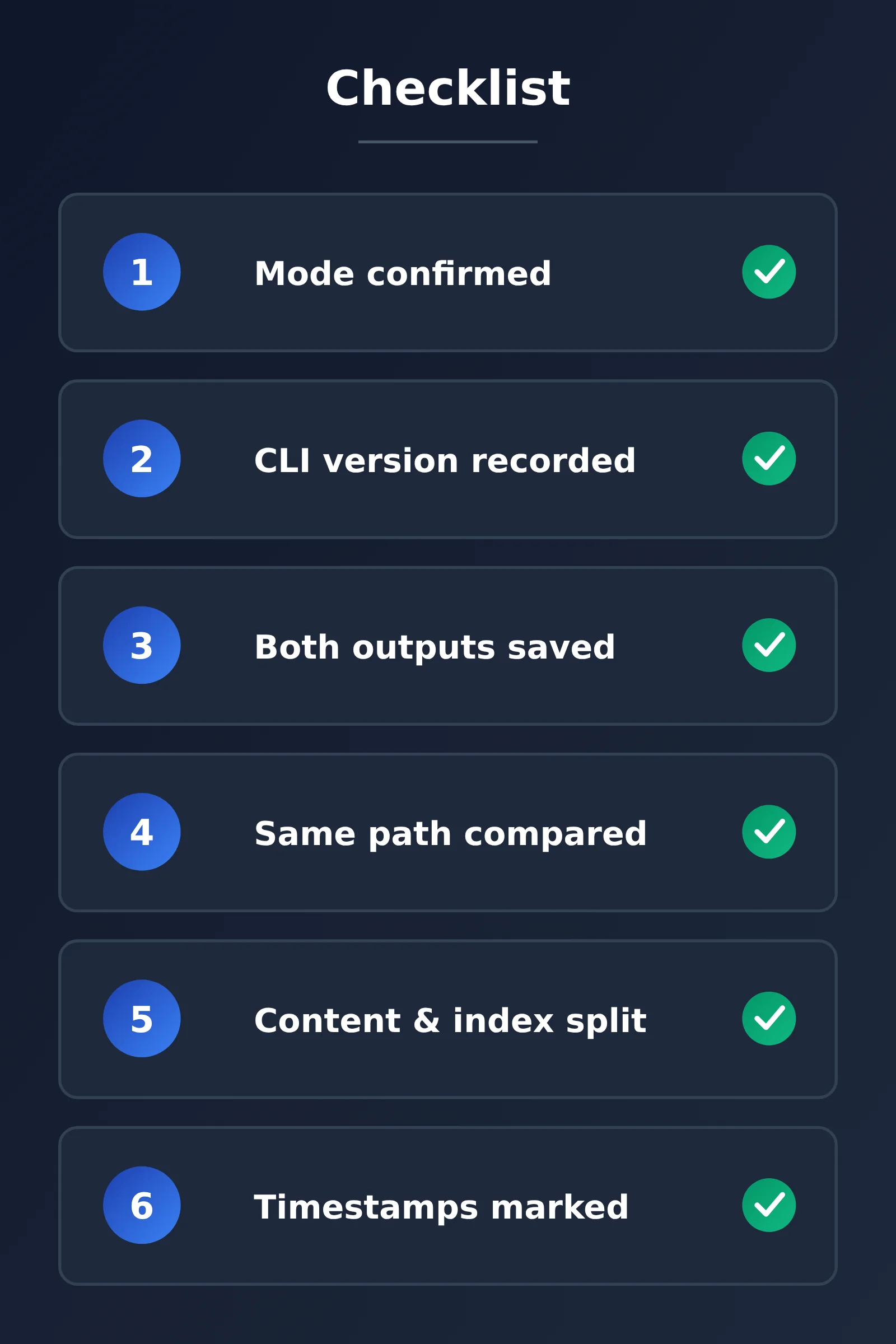
Before delivery, tick off each item on the checklist below. Once everything checks out, you can conclude whether the worker isn’t seeing changes because of version, timing, path, or ignore rules:
- The coordinator has reported the target worker’s workspace mode.
- The terminal that launched the swarm has recorded
agy --versionandcommand -v agy. - Both the parent workspace and the worker have saved the output of the six commands in Section 3.1.
- File contents at the same relative path have been read and compared on both sides.
- Visible content and index status are recorded in two separate columns, not conflated.
- It’s clearly noted which came first: when the copy was created, or when the change was saved.
References
- Google Antigravity Swarm workspace guide: worker mode, shared workspace vs. independent copies, and the impact of removing a worker
- Link:
antigravity.google/docs/swarm/
- Link:
- Antigravity CLI v1.5.5 changelog: fixes for the initial contents of independent Git copies
- Link:
github.com/google-antigravity/antigravity-cli/blob/main/CHANGELOG.md
- Link:
- Antigravity getting started and CLI troubleshooting: version commands, PATH, and update diagnostics
- Link:
antigravity.google/docs/getting-started - Link:
antigravity.google/docs/cli-troubleshooting
- Link:
- Official Git documentation: rev-parse, worktree, status, diff, ls-files, check-ignore
- Link:
git-scm.com/docs
- Link: