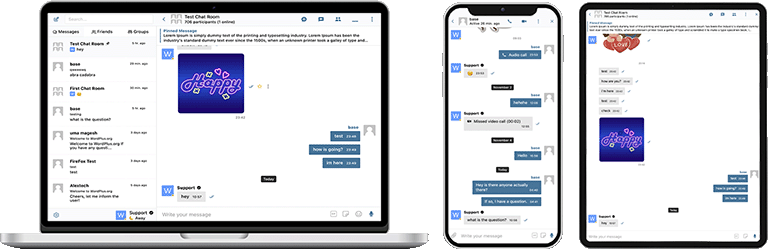

Περιγραφή
Το Better Messages είναι το πλουσιότερο σε λειτουργίες σύστημα ιδιωτικών μηνυμάτων πραγματικού χρόνου για το WordPress, με εγγενείς ενσωματώσεις για BuddyPress, BuddyBoss Platform, Ultimate Member, PeepSo και οποιονδήποτε άλλο ιστότοπο που τροφοδοτείται από WordPress.
Μετατρέψτε τον ιστότοπό σας WordPress σε μια ισχυρή πλατφόρμα επικοινωνίας με ιδιωτικά μηνύματα, αίθουσες συνομιλίας, βιντεοκλήσεις και ηχητικές κλήσεις, ομαδικές βιντεοσυνομιλίες, AI chat bots και εγγενείς εφαρμογές κινητών.
Είτε δημιουργείτε μια ιδιωτική ή δημόσια κοινότητα, κοινωνικό δίκτυο, intranet, ιστότοπο με δωμάτια συνομιλίας, marketplace, ιστότοπο συνδρομών, πλατφόρμα γνωριμιών ή ιστότοπο για τη δημιουργική οικονομία – το Better Messages προσφέρει λειτουργίες μηνυμάτων επιπέδου επιχείρησης με ένα εύχρηστο περιβάλλον.
Δοκιμάστε το Better Messages:
- Live Demo — πλήρως λειτουργικός δοκιμαστικός ιστότοπος
- Τεκμηρίωση & Βάση γνώσεων — οδηγοί ρύθμισης, λειτουργίες, συχνές ερωτήσεις
- Όλες οι Ενσωματώσεις — κάθε υποστηριζόμενο πρόσθετο και θέμα
- Τιμολόγηση — σύγκριση δωρεάν έναντι WebSocket version
- Blog & Tutorials — οδηγοί, walkthroughs, εμβαθύνσεις σε ενσωματώσεις
Για προγραμματιστές:
- REST API Reference — κάθε endpoint και παράμετρος
- PHP Hooks — actions, filters, βοηθητικές συναρτήσεις
- JavaScript Hooks — frontend events και API προσαρμογής
- Changelog — κάθε έκδοση και διόρθωση σφάλματος
- Roadmap — επερχόμενες λειτουργίες και ψηφοφορίες
Δημοφιλείς περιπτώσεις χρήσης:
Το Better Messages χρησιμοποιείται ευρέως για να τροφοδοτεί τα μηνύματα για:
- Ιδιωτικές κοινότητες — επί πληρωμή και αποκλειστικές για μέλη πλατφόρμες κοινοτήτων, ομάδες mastermind, δίκτυα αποφοίτων, cohorts μαθημάτων, κύκλοι coaching, μηνύματα με περιορισμό ρόλου, ομαδικές συνομιλίες, AI Chat Bots για onboarding και συχνές ερωτήσεις, end-to-end κρυπτογράφηση για ευαίσθητες συνομιλίες
- Δημόσιες κοινότητες και κοινωνικά δίκτυα — ανοιχτές κοινωνικές πλατφόρμες, κοινότητες χόμπι και ενδιαφερόντων, ιστότοποι με BuddyPress / BuddyBoss / PeepSo / FluentCommunity, ιδιωτικά μηνύματα, ομαδικές συνομιλίες, δωμάτια συνομιλίας, μικρά widgets συνομιλίας που ακολουθούν τους χρήστες σε όλο τον ιστότοπο
- Intranet και εταιρικοί ιστότοποι — εσωτερική επικοινωνία εργαζομένων, κανάλια ομάδων και τμημάτων, πρόσβαση με περιορισμό ρόλου WordPress, διαμοιρασμός αρχείων, φωνητικές και βίντεο κλήσεις για απομακρυσμένες ομάδες, self-hosted πλάνο για ιστότοπους με απαιτήσεις κυριαρχίας δεδομένων
- Ιστότοποι δωματίων συνομιλίας — ιστότοποι κατασκευασμένοι γύρω από δωμάτια συνομιλίας πραγματικού χρόνου ως κύρια λειτουργία, δημόσια και ιδιωτικά δωμάτια, συζήτηση βάσει θέματος, πρόσβαση επισκεπτών για μη εγγεγραμμένους χρήστες, παράδοση AJAX ή WebSocket
- Ιστότοποι γνωριμιών και matchmaking — ιδιωτική συνομιλία 1 προς 1, συνημμένα φωτογραφιών και βίντεο, φωνητικές και βίντεο κλήσεις, κουμπιά συνομιλίας από προφίλ σε προφίλ σε καταλόγους μελών, συνομιλία επισκεπτών για περιηγούμενους χρήστες, end-to-end κρυπτογράφηση για ιδιωτικές συνομιλίες
- Πλατφόρμες δημιουργικής οικονομίας και θαυμαστών — επί πληρωμή μηνύματα με χρέωση ανά μήνυμα και ανά κλήση μέσω GamiPress ή MyCRED, ιδιωτικές βίντεο κλήσεις, μαζικά μηνύματα προς θαυμαστές, πάντοτε ενεργά μικρά widgets συνομιλίας
- Premium και monetized πλατφόρμες DM — χρέωση ανά απευθείας μήνυμα ή ανά κλήση με τιμολόγηση ανά ρόλο, εμφάνιση υπολοίπου, μηνύματα με περιορισμό ρόλου, AI Συντονισμός Περιεχομένου για το φιλτράρισμα spam και απατηλών προσπαθειών
- Πλατφόρμες coaching και mentoring — DM πελάτη προς coach, προγραμματισμένες βίντεο κλήσεις, φωνητικά μηνύματα, διαμοιρασμός αρχείων, δωμάτια συνομιλίας μαθημάτων μέσω ενσωματώσεων LMS
- Διαδικτυακά καταστήματα (WooCommerce) — συνομιλία προ-πώλησης σε σελίδες προϊόντων, υποστήριξη παραγγελίας μετά την αγορά, μηνύματα με επίγνωση του πλαισίου καλαθιού, ενσωματωμένα εισερχόμενα στον Λογαριασμό μου
- Αγορές πολλαπλών πωλητών και αγγελίες — συνομιλία αγοραστή-πωλητή σε κάθε καταχώριση, νήματα ανά καταχώριση, συνομιλία επισκεπτών για μη εγγεγραμμένους χρήστες
- Διαδικτυακά μαθήματα (LMS) — δωμάτια συνομιλίας μαθημάτων, DM εκπαιδευτή προς μαθητή, ομαδικές συνομιλίες για μαθήματα ανά cohort
- Φόρουμ και κοινότητες Q&A — σύνδεσμος Ιδιωτικού Μηνύματος σε κάθε απάντηση, συνομιλία παρακολούθησης για τους συμμετέχοντες σε ένα νήμα
- Ιστότοποι ακινήτων και καταχωρίσεων — μηνύματα προς κτηματομεσίτες, νήματα συνομιλίας με πλαίσιο ακινήτου, συνομιλία επισκεπτών για περιηγούμενους χρήστες
- Ζωντανές εκδηλώσεις και webinars — δωμάτια συνομιλίας lobby εκδηλώσεων, πρόσβαση επισκεπτών για μη εγγεγραμμένους συμμετέχοντες, ομαδικές φωνητικές και βίντεο κλήσεις για AMA, καρφιτσωμένα μηνύματα με ατζέντες εκδηλώσεων
- Πλατφόρμες κρατήσεων και ραντεβού — μηνύματα από επισκέπτη προς οικοδεσπότη σε καταχωρίσεις και κρατήσεις, διαμοιρασμός αρχείων για έγγραφα, φωνητικές και βίντεο κλήσεις πριν από το check-in
- Κοινότητες Crypto και Web3 — δωμάτια συνομιλίας με πρόσβαση βάσει token μέσω προσθέτου συνδρομών και ρόλων WordPress, ομαδικές κλήσεις AMA, AI bots γνώσεων για ερωτήσεις σχετικά με whitepaper, εφαρμογές για κινητά για συμμετοχή εν κινήσει
Το πρόσθετο “Better Messages” ονομαζόταν προηγουμένως “BP Better Messages“.
Μεταφράστε το Better Messages στη γλώσσα σας
Βασικές Λειτουργίες Μηνυμάτων:
- Συνομιλίες σε πραγματικό χρόνο με AJAX ή WebSocket
- Ιδιωτικές συνομιλίες 1-προς-1
- Ομαδικές συνομιλίες με απεριόριστους συμμετέχοντες
- Αίθουσες Συνομιλίας με υποστήριξη πρόσβασης επισκεπτών
- Μηνύματα για Ομάδες BuddyPress, Ομάδες PeepSo, Ομάδες Ultimate Member, Ομάδες FluentCommunity
- Θέματα για συνομιλίες
- Αναζήτηση σε όλα τα μηνύματα
- Σημείωση μηνυμάτων ως αγαπημένα
- Καρφίτσωμα σημαντικών μηνυμάτων στην κορυφή της συνομιλίας
- Καρφίτσωμα αγαπημένων συνομιλιών στην κορυφή της λίστας
- Φιλτράρισμα λίστας συνομιλιών για εμφάνιση μόνο των μη αναγνωσμένων συνομιλιών
- Απάντηση σε συγκεκριμένα μηνύματα
- Επεξεργασία απεσταλμένων μηνυμάτων (με ένδειξη επεξεργασίας)
- Διαγραφή μηνυμάτων
- Προώθηση μηνυμάτων σε άλλες συνομιλίες
- Σίγαση ειδοποιήσεων συνομιλίας
- Αυτόματη αποθήκευση προσχεδίων μηνυμάτων με ανάκτηση
AI & Αυτοματισμός:
- AI Chat Bots με τεχνολογία OpenAI, Anthropic (Claude) και Google Gemini
- AI Chat Bots σε ομαδικές συνομιλίες με απαντήσεις βάσει αναφορών
- Σύνοψη συνομιλιών και προγραμματισμένες περιλήψεις με AI
- Παρακολούθηση χρήσης token με εκτίμηση κόστους
- Μεταγραφή φωνητικών μηνυμάτων με Better Messages Cloud AI ή OpenAI
- Δυνατότητα Αναζήτησης στο Web για AI bots
- Εργαλείο Αναζήτησης Αρχείων για AI bots
- Δημιουργία εικόνων με AI
- Υποστήριξη αρχείων PDF για συνομιλίες AI
Μέσα & Περιεχόμενο:
- Κοινή χρήση αρχείων με επαναληπτικές μεταφορτώσεις και δυνατότητα προστασίας αρχείων από άμεση πρόσβαση (εικόνες, βίντεο, έγγραφα)
- Βελτιστοποίηση εικόνων και βίντεο στην πλευρά του πελάτη για συμβατότητα μεταξύ προγραμμάτων περιήγησης και εξοικονόμηση χώρου αποθήκευσης (μετατροπή μορφής, έλεγχος ποιότητας, αφαίρεση μεταδεδομένων)
- Voice and Video Messages (available as addon)
- Ενσωματωμένοι σύνδεσμοι με μικρογραφίες και περιγραφές
- oEmbed support for YouTube, Vimeo, Spotify, SoundCloud, Flickr and 20+ services
- Επιλογέας Emoji
- Ενσωματωμένα πακέτα αυτοκόλλητων με πρόσβαση βάσει ρόλου και υποστήριξη ανά γλώσσα
- Ενσωμάτωση GIF με παρόχους GIPHY και Klipy
- Ενσωματωμένες προτάσεις αυτοκόλλητων κατά την πληκτρολόγηση
- Υποστήριξη μορφοποίησης κειμένου Markdown
Ειδοποιήσεις:
- Ειδοποιήσεις email για μη αναγνωσμένα μηνύματα (προσαρμόσιμα πρότυπα)
- Υποστήριξη συνδέσμου απεγγραφής σε email
- Ηχητικές ειδοποιήσεις για νέα μηνύματα
- Ειδοποιήσεις toast στον ιστότοπο οπουδήποτε στην ιστοσελίδα σας
Εποπτεία & Ασφάλεια:
- Εποπτεία περιεχομένου AI με δύο παρόχους:
- Better Messages Moderation AI — συμπεριλαμβάνεται στην άδεια WebSocket χωρίς επιπλέον κόστος, δεν απαιτούνται κλειδιά API τρίτων. Υποστηρίζεται από το Better Messages Cloud με εκτεταμένες κατηγορίες, προσαρμοσμένους κανόνες και επίγνωση πλαισίου συνομιλίας
- OpenAI Moderation API — δωρεάν χρήση, απαιτεί κλειδί OpenAI API
- Προσαρμοσμένοι κανόνες εποπτείας — ορίστε τους δικούς σας κανόνες σε απλό κείμενο
- Επίγνωση πλαισίου συνομιλίας — εντοπισμός προτύπων κατανεμημένων σε πολλά μηνύματα
- Επιλέξτε μεταξύ των ενεργειών εποπτείας «Μόνο επισήμανση» (συνιστάται) ή «Αναμονή για έλεγχο»
- Προ-εποπτευόμενα Μηνύματα – έλεγχος μηνυμάτων πριν την παράδοση
- Λειτουργία αναφοράς μηνυμάτων
- Φίλτρο ακατάλληλων λέξεων με προσαρμόσιμη λίστα αποκλεισμού
- Λειτουργία αποκλεισμού χρήστη
- Έλεγχος πρόσβασης βάσει ρόλου
- Λίστα επιτρεπόμενων/αποκλεισμένων χρηστών για εποπτεία
Λειτουργίες Δέσμευσης:
- Αντιδράσεις σε μηνύματα
- Αναφορές (@username)
- Μαζική αποστολή μηνυμάτων από το WP Admin με προγραμματισμό, συνημμένα αρχεία και επεξεργασία στο παρασκήνιο
- Προτεινόμενες συνομιλίες για νέους χρήστες
- Ενσωματώστε σημεία εισόδου συνομιλίας οπουδήποτε στον ιστότοπό σας χωρίς τη χρήση shortcodes
- Πέντε γκάτζετ: Φίλοι, Ομάδες, Χρήστες, AI Bots, Αίθουσες Συνομιλίας
- Δύο στυλ εμφάνισης: Κλασική Μπάρα ή Πλωτή Φούσκα (με κεφαλές συνομιλίας)
- Τρεις επιφάνειες τοποθέτησης: κάτω μπάρα, πλευρικό πάνελ, μπάρα καρτελών κινητού
- Επιλογέας εικονιδίου ανά γκάτζετ, πεδίο αναζήτησης, περιορισμοί ρόλων και διακόπτης «Απόκρυψη καρτέλας όταν είναι κενή»
- Γκάτζετ Χρηστών με τρεις λειτουργίες εμφάνισης (όλοι / ανά ρόλο / χειροκίνητη επιλογή) και ταξινόμηση κατά τελευταία δραστηριότητα ή ημερομηνία εγγραφής
- Προσαρμόσιμη σειρά καρτελών σε μίνι γκάτζετ, πλευρικό πάνελ και προβολή κινητού
Προσαρμογή:
- Μοντέρνος, πλήρως προσαρμόσιμος σχεδιασμός
- Εύκολη προσαρμογή χρωμάτων μέσω WP Customizer
- Προσαρμοσμένοι ήχοι ειδοποιήσεων
- Υποστήριξη διάταξης RTL
- Λύση white label
- Πλήρως μεταφράσιμο
- Επιλογή αυτόματης διαγραφής παλιών μηνυμάτων
Απόρρητο & GDPR:
- Αφιερωμένη σελίδα ρυθμίσεων Απορρήτου & GDPR
- Όλα τα δεδομένα μηνυμάτων αποθηκεύονται στον δικό σας διακομιστή
- Ο AI συντονισμός (όταν είναι ενεργοποιημένος) στέλνει το περιεχόμενο μηνυμάτων για ανάλυση — το Better Messages Cloud δεν αποθηκεύει δεδομένα, ελέγξτε την πολιτική δεδομένων του OpenAI εάν χρησιμοποιείτε τον πάροχο OpenAI
- Υποστήριξη εξαγωγής και διαγραφής προσωπικών δεδομένων WordPress (Εργαλεία Εξαγωγή/Διαγραφή προσωπικών δεδομένων)
- Προτεινόμενο κείμενο πολιτικής απορρήτου που προσαρμόζεται ανάλογα με τις ενεργοποιημένες λειτουργίες
- Επιλογή εικόνων emoji φιλοξενούμενων τοπικά — χωρίς εξωτερικά αιτήματα CDN
- Ενσωμάτωση βίντεο φιλική προς το απόρρητο — YouTube, Vimeo φορτώνουν μόνο μετά το κλικ του χρήστη
- Χωρίς cookies, χωρίς scripts ανάλυσης ή παρακολούθησης
- Τεκμηρίωση Απορρήτου & GDPR
Αυτή δεν είναι πλήρης λίστα λειτουργιών – Το Better Messages έχει πολλές ακόμη μικρές λειτουργίες και επιλογές που δεν αναφέρονται εδώ. Προσθέτουμε συνεχώς νέες λειτουργίες και βελτιώσεις βάσει των σχολίων των χρηστών.
Συμβατά πρόσθετα & θέματα — Πάνω από 35 εγγενείς ενσωματώσεις:
Το Better Messages λειτουργεί σε οποιονδήποτε ιστότοπο WordPress αμέσως μετά την εγκατάσταση. Εάν ο ιστότοπός σας ήδη εκτελεί ένα πρόσθετο κοινότητας, ένα LMS, ένα marketplace ή έναν κατάλογο, το Better Messages συνδέεται απευθείας μαζί του — κληρονομώντας μέλη, προφίλ, ομάδες, μαθήματα, καταχωρίσεις και δημοσιεύσεις ώστε οι επιφάνειες συνομιλίας να εμφανίζονται στα σωστά σημεία χωρίς ρύθμιση.
Πλατφόρμες Κοινοτήτων & Συνδρομών — αντικαθιστά τον ενσωματωμένο messenger και κληρονομεί μέλη, προφίλ, φίλους και ομάδες:
- BuddyPress
- BuddyBoss Platform — including BuddyBoss Theme and ReadyLaunch
- PeepSo
- Ultimate Member
- FluentCommunity — including Spaces and Courses
- SureDash
- ProfileGrid
- UsersWP
- WP User Manager
Συστήματα Διαχείρισης Μάθησης (LMS) — δωμάτια συνομιλίας μαθημάτων, μηνύματα εκπαιδευτή και συνομιλίες μαθητή προς μαθητή:
- LearnDash — including Instructor Role add-on
- LearnPress
- Tutor LMS
- MasterStudy LMS
- FluentCommunity Courses
E-commerce — WooCommerce — συνομιλία προ-πώλησης και υποστήριξης παραγγελιών για διαδικτυακά καταστήματα:
- WooCommerce — Κουμπιά επικοινωνίας στις σελίδες προϊόντος, καλαθιού, ταμείου και παραγγελίας. Τα περιεχόμενα του καλαθιού δημοσιεύονται αυτόματα στη συνομιλία ως πλούσιο μήνυμα ώστε ο εκπρόσωπος υποστήριξης να βλέπει αμέσως τι εξετάζει ο πελάτης, ενώ οι σελίδες παραγγελιών δημοσιεύουν μια δομημένη κάρτα πλαισίου παραγγελίας. Απλά URL προϊόντων που επικολλούνται σε οποιαδήποτε συνομιλία επεκτείνονται σε πλούσιες κάρτες προϊόντων. Τα ενσωματωμένα εισερχόμενα βρίσκονται μέσα στον Λογαριασμό μου του WooCommerce. Συμβατό με HPOS, συμβατό με θέματα μπλοκ, λειτουργεί με ταμείο επισκέπτη. Διαθέσιμο και στην δωρεάν και στην WebSocket έκδοση — η WebSocket version ανοίγει τις συνομιλίες ως αναδυόμενο mini-widget overlay αντί να μεταβαίνει σε άλλη σελίδα.
Αγορές & Πολλαπλοί Πωλητές — συνομιλία αγοραστή-πωλητή πάνω από το WooCommerce, με opt-in ανά πωλητή και κουμπιά επικοινωνίας σε καταστήματα πωλητών, σελίδες προϊόντων και λεπτομέρειες παραγγελιών:
Καταχωρίσεις, Κατάλογοι & Αγγελίες — κουμπιά επικοινωνίας σε κάθε καταχώριση, με νήματα ανά καταχώριση:
- HivePress
- Directorist
- GeoDirectory
- Classified Listing
- Motors – Car Dealer, Classifieds & Listing
- WP Job Manager
Θέματα Ακινήτων — μηνύματα προς πράκτορες και ερωτήματα σε καταχωρίσεις ακινήτων:
Φόρουμ — σύνδεσμος Ιδιωτικού Μηνύματος σε κάθε απάντηση:
- wpForo
- bbPress
Gamification, Πόντοι & Επί Πληρωμή Πρόσβαση — χρεώστε ανά μήνυμα ή κλήση με τιμολόγηση ανά ρόλο και εμφάνιση υπολοίπου:
Αυτοματισμός & Page Builders:
- Uncanny Automator — triggers and actions for chat events
- AutomatorWP — triggers and actions for chat events
- Crocoblock JetEngine Profile Builder — profile and chat shortcodes for JetEngine listings
Push & PWA:
- FluentNotify — web push through your own Firebase project
- OneSignal — web push notifications
- Progressify PWA — install-to-home-screen prompts on the messenger
Universal Shortcode Builder — προσθέστε συνομιλία σε οτιδήποτε άλλο:
Δεν βλέπετε το πρόσθετο ή το θέμα σας στη λίστα; Το Better Messages παρέχει έναν οπτικό Shortcode Builder στο WP Admin Better Messages Shortcodes που σας επιτρέπει να τοποθετήσετε ένα κουμπί Live Chat σε οποιονδήποτε προσαρμοσμένο τύπο δημοσίευσης, κατάλογο, καταχώριση marketplace, προφίλ πράκτορα ή μπλοκ page builder — χωρίς να γράψετε PHP. Στρέψτε το σε ένα δείγμα δημοσίευσης, επιλέξτε πώς προσδιορίζεται ο χρήστης-στόχος (συγγραφέας δημοσίευσης, ID χρήστη αποθηκευμένο στο postmeta, ή σταθερά εισερχόμενα), ορίστε στρατηγική νήματος και ετικέτα και αντιγράψτε το παραγόμενο shortcode. Το ίδιο shortcode στη συνέχεια λειτουργεί για κάθε δημοσίευση της ίδιας μορφής, με αυτόματη δημιουργία νημάτων ανά δημοσίευση και προαιρετικό banner στη συνομιλία. Επικολλήστε το στο Gutenberg, Elementor, Bricks, Divi ή απευθείας σε ένα πρότυπο θέματος.
Μη διστάσετε να αναφέρετε οποιαδήποτε ασυμβατότητα ή να ζητήσετε περισσότερες ενσωματώσεις — αυτό είναι πολύ σημαντικό και βοηθά στη βελτίωση του Better Messages!
Έκδοση WebSocket:
Η έκδοση WebSocket είναι επί πληρωμή, μπορείτε να αποκτήσετε κλειδί άδειας στον ιστότοπό μας.
Χρησιμοποιούμε τους αφιερωμένους διακομιστές μας για να υλοποιήσουμε την επικοινωνία WebSocket μεταξύ του ιστότοπού σας και των χρηστών. Οι διακομιστές μας είναι εντελώς ιδιωτικοί και δεν αποθηκεύουν ή παρακολουθούν κανένα ιδιωτικό δεδομένο — όλα τα μηνύματα παραμένουν στη βάση δεδομένων σας.
Απόδοση & Αξιοπιστία:
- Μειώνει σημαντικά το φορτίο στον διακομιστή σας (έως και 200 φορές λιγότερα αιτήματα)
- Άμεση παράδοση μηνυμάτων σε πραγματικό χρόνο
- Λειτουργεί με οποιοδήποτε hosting συμπεριλαμβανομένου του shared hosting
- Χωρίς όρια σε ταυτόχρονες συνδέσεις ή μηνιαίους ενεργούς χρήστες
Βιντεοκλήσεις & Ηχητικές Κλήσεις:
- Βιντεοκλήσεις HD (1-προς-1)
- Ηχητικές Κλήσεις HD (1-προς-1)
- Ομαδικές Βιντεοσυνομιλίες (έως 32 συμμετέχοντες)
- Ομαδικές Ηχητικές Συνομιλίες (έως 50 συμμετέχοντες)
- Κοινή χρήση οθόνης σε κλήσεις και ομαδικές συνομιλίες
Εφαρμογές Κινητών (Alpha):
- iOS Mobile App (build your own branded app) – Alpha
- Εφαρμογή Android (δημιουργήστε τη δική σας επώνυμη εφαρμογή) – Alpha
- Ειδοποιήσεις push για κλήσεις και μηνύματα
- Ειδοποιήσεις VoIP για εισερχόμενες κλήσεις
Σημείωση: Οι εφαρμογές για κινητά βρίσκονται προς το παρόν σε στάδιο alpha. Η βασική λειτουργικότητα λειτουργεί, αλλά ορισμένες λειτουργίες μπορεί να είναι περιορισμένες ή υπό ανάπτυξη.
Λειτουργίες σε Πραγματικό Χρόνο:
- Κατάσταση Παράδοσης Μηνυμάτων (απεστάλη, παραδόθηκε, αναγνώστηκε)
- Δείκτες δραστηριότητας πληκτρολόγησης, ηχογράφησης και μεταφόρτωσης αρχείων
- Δείκτης παρουσίας Σε σύνδεση/Εκτός σύνδεσης
- Καταστάσεις χρηστών (Σε σύνδεση, Απών, Μην ενοχλείτε)
- Μίνι Συνομιλίες – παράθυρα συνομιλίας οπουδήποτε στον ιστότοπό σας
- Γκάτζετ Μίνι Συνομιλιών – εμφάνιση και συνέχιση πρόσφατων νημάτων από οποιαδήποτε σελίδα
- Φίλτρο μόνο για συνδεδεμένους και ταξινόμηση με προτεραιότητα τους συνδεδεμένους για το μίνι γκάτζετ Χρηστών
Better Messages Cloud AI:
- Αυτόματη μετάφραση μηνυμάτων σε συνομιλίες ένας προς έναν — 53 γλώσσες, αυτόματη ανίχνευση
- AI Content Moderation — 23 κατηγορίες, προσαρμοσμένοι κανόνες, επίγνωση πλαισίου συνομιλίας
- Μεταγραφή φωνητικών μηνυμάτων — 99+ γλώσσες με αυτόματη ανίχνευση
- Δεν απαιτούνται κλειδιά API τρίτων — περιλαμβάνεται με την άδεια WebSocket χωρίς επιπλέον κόστος
Ασφάλεια & Κρυπτογράφηση:
- Προαιρετική End-to-End Κρυπτογράφηση (E2EE) — μπορεί να ενεργοποιηθεί σε επίπεδο ιστότοπου και ανά συνομιλία, τα μηνύματα και τα αρχεία κρυπτογραφούνται στους περιηγητές των χρηστών με AES-256-GCM, ο διακομιστής δεν βλέπει ποτέ απλό κείμενο
- Τοπική κρυπτογράφηση προγράμματος περιήγησης (AES256) για αποθήκευση μηνυμάτων εκτός σύνδεσης
- Ειδοποιήσεις Web Push (λειτουργούν ακόμα και όταν ο περιηγητής είναι κλειστός)
- Όλα τα δεδομένα κρυπτογραφούνται κατά τη μεταφορά, ώστε να μην μπορούμε να τα διαβάσουμε στους διακομιστές μας
Υποστήριξη:
- Υποστήριξη μέσω email με προτεραιότητα
- Τακτικές ενημερώσεις και νέες λειτουργίες
Γιατί τα WebSockets αλλάζουν τα δεδομένα;
Αποκτήστε κλειδί άδειας έκδοσης WebSocket | Όροι Χρήσης
Η διάταξη RTL είναι ενσωματωμένη στο πρόσθετο.
Μπορείτε να μεταφράσετε το πρόσθετο στη γλώσσα σας με το LocoTranslate ή συμμετέχετε στη μετάφραση του προσθέτου.
Στιγμιότυπα


Μπλοκς
Αυτό το πρόσθετο παρέχει 2 μπλοκς.
- Messages The user's messages, where they can open any conversation they are part of
- Chat Room Embed a Better Messages chat room
Εγκατάσταση
- Μεταφορτώστε τα αρχεία του προσθέτου στον κατάλογο
/wp-content/plugins/bp-better-messages, ή εγκαταστήστε το πρόσθετο απευθείας μέσω της οθόνης προσθέτων του WordPress. - Ενεργοποιήστε το πρόσθετο μέσω της οθόνης ‘Πρόσθετα’ στο WordPress
- Χρησιμοποιήστε τις Ρυθμίσεις -> Better Messages για να διαμορφώσετε το πρόσθετο
Συχνές Ερωτήσεις
-
Είναι δωρεάν το Better Messages;
-
Ναι — εγκαταστήστε τη δωρεάν έκδοση από το WordPress.org. Υποστηρίζει ιδιωτικές και ομαδικές συνομιλίες, δωμάτια συνομιλίας, κοινή χρήση αρχείων, προεπισκοπήσεις oEmbed, έξυπνα ομαδοποιημένες ειδοποιήσεις email, πρόσβαση βάσει ρόλων, guest chat και το βασικό σύνολο λειτουργιών messenger. Η έκδοση WebSocket είναι επί πληρωμή και ξεκλειδώνει την άμεση παράδοση, τις φωνητικές / βιντεοκλήσεις ένας προς έναν και ομαδικές, AI Chat Bots, AI Content Moderation, AI Message Translation, Voice Message Transcription, web push και κρυπτογράφηση από άκρο σε άκρο.
-
Με ποια πρόσθετα WordPress ενσωματώνεται το Better Messages;
-
Πάνω από 35 εγγενείς ενσωματώσεις σε πλατφόρμες κοινοτήτων (BuddyPress, BuddyBoss Platform, PeepSo, Ultimate Member, FluentCommunity, SureDash, ProfileGrid, UsersWP, WP User Manager), LMS (LearnDash, LearnPress, Tutor LMS, MasterStudy LMS), e-commerce (WooCommerce — συνομιλία προ-πώλησης και υποστήριξης παραγγελιών με κουμπιά επικοινωνίας στις σελίδες προϊόντος, καλαθιού, ταμείου και παραγγελίας), αγορές πολλαπλών πωλητών (Dokan, WCFM, WC Vendors, MultiVendorX), καταχωρίσεις και κατάλογοι (HivePress, Directorist, GeoDirectory, Classified Listing, Motors, WP Job Manager), θέματα ακινήτων (Houzez, RealHomes), φόρουμ (wpForo, bbPress), gamification (GamiPress, MyCRED), αυτοματισμός (Uncanny Automator, AutomatorWP), page builders (Crocoblock JetEngine) και push / PWA (OneSignal, Progressify). Εάν το πρόσθετό σας δεν αναφέρεται στη λίστα, ο ενσωματωμένος οπτικός Shortcode Builder σάς επιτρέπει να προσθέσετε ένα κουμπί Live Chat σε οποιονδήποτε προσαρμοσμένο τύπο δημοσίευσης χωρίς να γράψετε PHP. Δείτε την πλήρη λίστα ενσωματώσεων.
-
Υποστηρίζει ομαδικές συνομιλίες;
-
Ναι — ολοκληρωμένες ομαδικές συνομιλίες με κοινό ιστορικό, αναφορές, αντιδράσεις, μεταφορτώσεις αρχείων, απαντήσεις, επεξεργασία / διαγραφή / προώθηση και ομαδικές φωνητικές / βιντεοκλήσεις (έκδοση WebSocket). Οι ομαδικές συνομιλίες μπορούν να συνδυαστούν αυτόματα με ομάδες BuddyPress / BuddyBoss / PeepSo / Ultimate Member / FluentCommunity, με τα μέλη να εισέρχονται και να αποχωρούν από τη συνομιλία σε συγχρονισμό με την ομάδα της κοινότητας.
-
Μπορούν να συνομιλούν οι μη εγγεγραμμένοι επισκέπτες (επισκέπτες);
-
Ναι — το Guest Chat επιτρέπει στους μη εγγεγραμμένους επισκέπτες να συμμετέχουν σε δωμάτια συνομιλίας, να στέλνουν μηνύματα σε πωλητές σε marketplaces, να κάνουν ερωτήσεις σε καταχωρήσεις καταλόγων ή να συνομιλούν με την υποστήριξη του ιστοτόπου. Ο επισκέπτης εισάγει ένα όνομα εμφάνισης (και προαιρετικά ένα email) και στη συνέχεια συμμετέχει ως χρήστης-επισκέπτης. Το ιστορικό συνομιλιών του διατηρείται αν αργότερα δημιουργήσει λογαριασμό.
-
Υποστηρίζει φωνητικές κλήσεις και βιντεοκλήσεις στο WordPress;
-
Ναι (WebSocket version) — οι φωνητικές / βίντεο κλήσεις ένας προς έναν και ομαδικές πραγματοποιούνται μέσα στο νήμα του messenger, όχι ως ξεχωριστή ενσωμάτωση Zoom / Whereby. Το hosted media relay περιλαμβάνεται στην άδεια WebSocket, χωρίς ξεχωριστό λογαριασμό Twilio, χωρίς συνδρομή Daily / Whereby, χωρίς πρόγραμμα Zoom developer. Οι κλήσεις είναι σε πλήρη οθόνη στο κινητό και σε picture-in-picture στον υπολογιστή.
-
Είναι το Better Messages συμβατό με το GDPR;
-
Ναι. Όλα τα δεδομένα μηνυμάτων αποθηκεύονται μόνο στη βάση δεδομένων WordPress σας. Το cloud relay του WebSocket είναι «τυφλό» ως προς το περιεχόμενο των μηνυμάτων — δρομολογεί κρυπτογραφημένα συμβάντα, αλλά δεν διαβάζει, δεν αποθηκεύει ούτε επιθεωρεί ό,τι περνά από μέσα του. Το Better Messages ενσωματώνεται επίσης με τα ενσωματωμένα εργαλεία του WordPress για Εξαγωγή και Διαγραφή Προσωπικών Δεδομένων. Για ιστοτόπους με αυστηρότερες απαιτήσεις κυριαρχίας δεδομένων (GDPR άρθρο 9, παρόμοιες με HIPAA, ρυθμιζόμενα δεδομένα), διατίθεται πλάνο self-hosted — επικοινωνήστε με την υποστήριξη.
-
Διαθέτει λειτουργίες AI;
-
Ναι (WebSocket version, AI add-on). Τα AI Chat Bots (OpenAI, Anthropic Claude, Google Gemini) λειτουργούν ως πλήρεις συμμετέχοντες σε οποιοδήποτε νήμα, με προσαρμοσμένα system prompts και χρέωση πόντων ανά bot μέσω GamiPress / MyCRED. Το Better Messages Cloud AI παρέχει AI Συντονισμό Περιεχομένου (πάνω από 23 κατηγορίες, συμπεριλαμβανομένων spam, απάτης, doxxing, κοινής χρήσης στοιχείων επικοινωνίας), AI Μετάφραση Μηνυμάτων (53 γλώσσες με αυτόματη αναγνώριση) και Μεταγραφή Φωνητικών Μηνυμάτων (πάνω από 99 γλώσσες) — όλα περιλαμβάνονται στην άδεια WebSocket, χωρίς να απαιτείται κλειδί API τρίτου μέρους.
-
Διαθέτει εγγενείς εφαρμογές iOS και Android;
-
Ναι — το Better Messages διαθέτει εγγενείς εφαρμογές για iOS και Android κατασκευασμένες πάνω στο Capacitor, με push ειδοποιήσεις, παράδοση σε πραγματικό χρόνο, φωνητικές / βιντεοκλήσεις και πλήρη ισοτιμία λειτουργιών messenger με την έκδοση web. Για ιστοτόπους που επιθυμούν τη δική τους επώνυμη εφαρμογή στο App Store / Play Store κάτω από τους δικούς τους λογαριασμούς προγραμματιστή, διατίθεται ανακατασκευή σε white-label.
-
Μπορώ να μεταφράσω τη διεπαφή του messenger στη γλώσσα μου;
-
Ναι — το Better Messages μπορεί να μεταφραστεί πλήρως μέσω των τυπικών εργαλείων μετάφρασης του WordPress (Loco Translate, WPML, Polylang) χρησιμοποιώντας το text domain
bp-better-messages. Συνοδεύεται από πάνω από 30 μεταφράσεις της κοινότητας. Μπορείτε να συνεισφέρετε ή να βελτιώσετε μια μετάφραση στο translate.wordpress.org. -
Υποστηρίζει κρυπτογράφηση από άκρο σε άκρο;
-
Ναι (WebSocket version). Η end-to-end κρυπτογράφηση ενεργοποιείται ανά νήμα — τα μηνύματα και τα συνημμένα αρχεία κρυπτογραφούνται στον περιηγητή του αποστολέα με AES-256-GCM πριν τη μετάδοση, παραμένουν κρυπτογραφημένα κατά την αποθήκευση στη βάση δεδομένων και αποκρυπτογραφούνται μόνο στον περιηγητή του παραλήπτη. Ο διακομιστής αποθηκεύει μόνο το κρυπτογράφημα, κανένας διαχειριστής, μηχανικός φιλοξενίας ή επιτιθέμενος με πρόσβαση στη βάση δεδομένων δεν μπορεί να διαβάσει το περιεχόμενο μηνύματος ενός E2E νήματος.
-
Πού μπορώ να βρω αναλυτική τεκμηρίωση;
-
Η πλήρης τεκμηρίωση, οι οδηγοί ενσωμάτωσης, η αναφορά του REST API, η αναφορά των hooks, τα βίντεο εκμάθησης και πάνω από 80 αναρτήσεις του ιστολογίου βρίσκονται στο www.better-messages.com.
Κριτικές


Συνεισφέροντες & Προγραμματιστές
“Better Messages – Δωμάτια Συνομιλίας, Ομαδική Συνομιλία, Ιδιωτικά Μηνύματα & AI Chat Bots” είναι λογισμικό ανοιχτού κώδικα. Οι παρακάτω έχουν συνεισφέρει στη δημιουργία του.
Συντελεστές
Το “Better Messages – Δωμάτια Συνομιλίας, Ομαδική Συνομιλία, Ιδιωτικά Μηνύματα & AI Chat Bots” έχει μεταφραστεί σε 32 γλώσσες. Ευχαριστούμε τους μεταφραστές για τις συνεισφορές τους.
Ενδιαφέρεστε για την ανάπτυξη;
Περιηγηθείτε στον κώδικα, ανατρέξτε στο αποθετήριο SVN ή εγγραφείτε στο αρχείο καταγραφής αλλαγών ανάπτυξης μέσω RSS .
Σύνοψη αλλαγών
Better Messages 3.0 is coming soon — try it on the demo site and send your feedback to support.
2.15.33
- Added Unique Guest Names setting at Settings General — turn it off to let guests use a display name someone else already took
- Added
BetterMessages.openGroupCall()JavaScript function — take a member straight into a chat room’s group call from any page - Fixed an AI chat bot’s Conversations list failing with a critical error and reporting no conversations, when the bot was in a group or course
- Fixed a new encrypted conversation being created without a key when encryption was not yet set up on that device, leaving it unusable
- Fixed the other person’s video staying black in a one-to-one call answered in Firefox, while their audio and the call itself worked
- Fixed the default avatar at Settings Discussion being ignored on BuddyPress and BuddyBoss — users without a Gravatar showed the Gravatar logo
- Fixed a guest display name containing an underscore or percent sign being wrongly rejected as already taken
- Fixed unread counters bound to
better_messages_update_thread_unreadnever dropping back to zero once a conversation was read - Fixed text smiles containing
<,>or&, such as<3, never turning into an emoji, and the conversion staying on when it was switched off - Fixed a voice message shorter than a second arriving with no length shown, and the recording timer lagging up to a second behind
- Fixed a JavaScript error when an on-site notification was dismissed just as a new message reopened it
- Fixed conversations rendering blank when every emoji was removed from the reaction list
- Fixed the reaction picker still appearing on messages after reactions were switched off in the settings
- Fixed FluentCommunity’s pull to refresh reloading the page while scrolling a conversation in an installed iOS app
- Other minor bugfixes and improvements
2.15.32
- Chat rooms and conversations can now be exported as a transcript — plain text, a web page or a CSV spreadsheet
- Push notifications can now be delivered through FluentNotify, using a Firebase project you control
- Fixed a mini chat not opening for a chat room after the full screen view had been opened and closed
- Fixed incoming call notifications being hidden behind the full screen view, leaving no way to answer
- Added
get_group_call_participantsPHP function — read how many people are in a conversation’s group video or audio call - Added
BetterMessages.getGroupCallParticipants()JavaScript function — the same counts on the page, over the WebSocket, with no request to your own server - Added
better_messages_group_call_statusJavaScript action — fires whenever a group call’s participant count changes - Added
BetterMessages.subscribeGroupCallStatus()andunsubscribeGroupCallStatus()— watch the live count of any chat room, including one the visitor has not joined - Added
better_messages_group_call_participants_cache_timePHP filter — how long a group call participant count is cached - Added
better_messages_fluent_notify_integrationPHP filter — returnfalseto disable the FluentNotify integration - Other minor bugfixes and improvements
2.15.30 – 2.15.31
- Chat attachments are no longer listed by the WordPress media API
- Fixed guests being counted as BuddyPress members, which could report hundreds of members on a site with only a handful registered — updating clears the records already left behind
- Fixed a Send Message button in a members or friends list on a BuddyPress or Youzify profile page opening a conversation with the profile owner instead of the member it belongs to
- Fixed the Create encrypted conversation button being cut off at the bottom of a mini chat, with no way to scroll down to reach it
- Member and online counts in the chat rooms list no longer read “1 members” for a single member
- Presence-based chat rooms no longer carry an Open label in the chat rooms list
- The User Inbox block is now called Messages, and the settings that spoke of an “inbox” name the messages page or the conversation list instead
- Other minor bugfixes and improvements
2.15.29
- Fixed the messenger not loading at all on a site whose Ultimate Member Groups extension is too old for the installed Ultimate Member — the extension never starts up in that pairing, and the conversations list stayed permanently empty
- An Ultimate Member group with no picture of its own now shows a group marker, in place of an image that had been failing to load since the service hosting it shut down
- Fixed a chat room with no picture showing the generic person avatar in the chat rooms list, which made it look like a member — presence-based rooms, which keep no stored members, hit this every time
- A link to a chat room now opens the Chat Rooms tab only when that room is not in the conversations list — a room left in the inbox opens there, next to everything else the member is talking in
- Fixed the settings button missing from the messenger on phones — a site whose mobile tab bar comes from Chat Rooms, Users or AI Bots rather than Friends or Groups had no way to reach user settings there
- Fixed line breaks vanishing from messages typed over several lines when Enter starts a new line instead of sending — browser extensions that tag page elements, such as Bitdefender, were collapsing them into one run-on line
- Names decorated by the site keep that decoration in profile tooltips, as they did before 2.15.28 — only the avatar description, which is read aloud by screen readers, takes the name on its own
- Fixed a name decorated by the site through the username filters losing that decoration in the conversations and users lists — on a phone those lists are most of the messenger
- Fixed the confirmation for removing a participant, or for changing who moderates a conversation, spelling out the raw image markup of a badge the site attaches to member names — a PeepSo VIP icon printed as markup in the dialog, and in the notice that followed, in place of the plain name
- Fixed a desktop notification title breaking into placeholder text when the sender carries such a badge
- The Messages Window Roundness setting now also shapes the buttons inside the messenger and the name badges carried by the system messages and mentions, which stayed square whatever the setting was
- Other minor bugfixes and improvements
2.15.28
- Added Remember Last Tab at Settings Mini Widgets Layout — the messenger reopens on the tab each member used last, the way the mini widgets already do
- Users can now be given control over more of their own messenger — how Enter sends a message (Send on Enter Control, Settings Messaging), whether the new message popup appears (Popup Notification Control, Settings Notifications), and the sound played when they send one
- Sound switches are no longer offered to users for a sound that is silenced site-wide
- Fixed a “Send message” link from a forum or profile opening the side panel on the chat rooms list instead of the conversations list
- Fixed the call restriction at Settings Calls having no effect on guests — calls are now refused for every restricted role, not only hidden
- Fixed Auto-Delete Old Messages leaving an unread badge that could never be cleared, and conversations now refresh once the cleanup has run instead of keeping removed messages on screen
- Fixed guests losing their end-to-end encryption keys on every page load — a guest was asked for the password again on each visit
- Fixed the report reason arriving untranslated in the moderation email
- Fixed the sidebar collapse button doing nothing when Compact Mode was set to Always Expanded or Always Compact
- Fixed a name decorated by the site, such as a role badge, repeating itself in the avatar description and the profile tooltip
- Fixed a prefilled message on the new conversation screen being inserted as HTML instead of plain text
- Other minor bugfixes and improvements
2.15.27
- Added support for the gpt-image-2 image generation model in AI chat bots
- Added built-in pricing for the GPT-5.5 and GPT-5.6 models, and fixed gpt-5.4-mini / gpt-5.4-nano replies being charged at the full gpt-5.4 price
- The Context Messages Limit of an AI chat bot now also applies to OpenAI bots in one-to-one conversations, keeping long chats from getting more expensive with every message
- Fixed sending in a chat room getting slower with every member — in a room with tens of thousands of members a sticker took a minute to appear for the sender
- Fixed the AI chat bot model list offering models that cannot answer messages
- Fixed a bot whose model is no longer available answering with a generic error instead of saying the model needs to be changed
- Fixed the title and the YouTube logo on a shared video doing nothing when clicked
- Fixed shared videos not responding to clicks inside mini chats — they now open from a poster with a play button
- Fixed Privacy-friendly oEmbeds rendering a broken placeholder with the video title spilled into the message as text
- Video placeholders now start playback on the first tap, without a second click on the play button
- Fixed conversation list previews of video messages sometimes showing raw placeholder text
- Fixed the Conversations tab being listed last at Settings Mini Widgets Layout
- Fixed the unread counter on tabs covering the icon when tab labels are shown, and being unreadable in dark mode
- Stopped themes from reshaping the messenger’s own input fields — the side panel search box stays readable in dark mode
- Fixed the page appearing extremely tall while the messenger loads and then jumping once it is ready — the loading placeholder now fits the window exactly like the loaded messenger, including with Max Height set to a large value like 9999
- Renamed the Fixed Header Height setting to Window Height Offset, as it reserves window space for any fixed element on the page, not only a sticky header
- Other minor bugfixes and improvements
2.15.26
- Added
better_messages_push_notificationPHP filter — change the link, title and text of push notifications on every delivery path - Added
better_messages_mobile_push_contentPHP filter — change the wording of push notifications sent to the native mobile app - The messenger now opens on whichever tab is placed first at Settings Mini Widgets Layout, and the Conversations tab is now sortable like every other tab
- The collapsed side panel now keeps every tab usable as a vertical icon column, and on windows too narrow for the panel the tabs move to a strip at the top of the messenger
- Chat rooms now show unread and mention counters in the chat rooms list
- The Messages tab of the side panel and the mobile tab bar now shows an unread counter, configurable at Settings Mini Widgets Conversations
- The open conversation is now highlighted in every side panel list
- Fixed moderation in presence-based chat rooms — muting, banning and appointing moderators no longer fail with a permissions error, and bans and mutes are now enforced
- Fixed the muted and banned lists of a conversation returning expired bans and restrictions of other conversations
- Fixed the page scrolling to the chat on every conversation switch made from inside the messenger
- Fixed the Participants List Order setting being ignored by the online users sidebar and the participants list of presence-based rooms
- Fixed online counters not including the viewer right after logging in
- Fixed the browser tab title being emptied when an SEO plugin or theme outputs the title tag after the plugin scripts
- Fixed starting an end-to-end encrypted conversation failing with a “not on your friends list” error when messaging was restricted to friends or followers
- Fixed a new end-to-end encrypted conversation losing its encryption when the first message was held by pre-moderation — encrypted conversations now always skip the moderation queue
- Fixed AI chat bot replies occasionally left as unformatted, cut-off or garbled text after streaming finished, most often in the native mobile app
- Fixed tapping a shared YouTube or Vimeo video navigating the page to the video site instead of playing it — video players are now sandboxed, adjustable with the
better_messages_embed_sandboxPHP filter - Fixed links typed with a capitalised address, such as the
Https://phone keyboards produce, not being replaced by their preview - Fixed shared videos refusing to play in the mobile app on iPhone and iPad — video services now require the address of the embedding page, which an app cannot provide, so players are loaded through a small page served from your own site
- Fixed a conversation opening as an empty messenger when one of its messages quoted HTML or JSX source code, most often an AI chat bot reply — code in messages is now always shown as text
- User statuses, call messages and end-to-end encryption notices of the WebSocket version are now translatable on WordPress.org
- Other minor bugfixes and improvements
2.15.25
- Added
better_messages_thread_header_actionsJavaScript filter — the conversation header buttons (calls, minimize, maximize, the More menu) are now built as a single filterable list, so custom buttons can be added at any position and the built-in ones can be reordered, removed or replaced. Until now the header had no supported extension point: a button inserted into it by hand was moved or removed again whenever the header re-rendered. Custom buttons pick up the styling of the built-in ones, and the same filter also runs for mini chat headers - Added
better_messages_fluent_community_group_chat_membersandbetter_messages_fluent_community_course_chat_membersPHP filters — exclude specific users from the automatic membership sync of FluentCommunity Space and Course group chats: user IDs removed by the filter are taken out of the chat by the sync itself and are no longer re-added by later enrollment events - Fixed YouTube videos shared in messages staying locked inside the message bubble on iPhone and iPad — tapping one now opens the full screen player again, as it did before YouTube changed the default playback behaviour of its embeds
- Fixed link previews showing raw HTML codes such as
&in titles, and dropping the thumbnail when the image address contained one - Link previews now also find the page title when it is spread over several lines or carries attributes, and can no longer be spoofed by markup hidden inside a page’s scripts
- The minimum required WordPress version is now 6.3, matching what the Better Messages blocks have needed since they were introduced
- Added Button Icon setting at Settings Mobile Floating Chat Button — choose a preset icon or paste your own SVG for the floating chat button on mobile, which previously always used the built-in messages icon with no way to change it
- Fixed the “Chatting as” persona banner in the Houzez and RealHomes integrations briefly appearing to the other side of the conversation and vanishing from the persona side’s own view while messages were delivered in the WebSocket version — viewer-specific conversation details are no longer part of the shared realtime payloads
- Other minor bugfixes and improvements
2.15.20 – 2.15.24
- Added Chat Room Moderators — assign per-room moderators in the chat room editor: moderators can remove, mute and ban participants of their room, can reply while the room is closed, and see the participants list even when it is hidden from regular members
- Added Moderators can add participants per-room setting — moderators get an “Add new participants” action right in the chat interface, so room membership can be managed without contacting site administrators
- Added Presence-based chat rooms (WebSocket version) — a new chat room type where participants are only the users currently in the room: closing the page or navigating away removes them immediately, no membership is stored, and the participants list always shows who is really present
- Added per-room Group video calls and Group audio calls toggles to chat room settings — disable group calls in specific chat rooms while keeping them enabled globally
- Added Website Context setting to AI Content Moderation — describe what your website is used for and Better Messages Moderation AI will judge messages by your community norms, fixing overly aggressive moderation on dating sites and similar communities
- Added Roles that can send Bulk Messages setting — allow selected roles (for example HR or communications staff) to send bulk messages from the Administration page without full administrator access: they see and manage only their own bulk messages and cannot send on behalf of another user
- Added Roles that can access Administration setting — grant selected roles the Administration page and site-wide moderation powers without full administrator access, replacing the need for a role editor plugin to assign the moderation capability
- Added Markdown support to Bulk Messages — the bulk message editor now understands the same Markdown syntax as regular chat messages, so headings, bullet and numbered lists and links typed in the editor are delivered formatted
- Site administrators can now add participants to any regular chat room directly from the chat interface
- Fixed chat room moderators being unable to send messages in closed chat rooms
- Chat room moderators are never removed by Auto exclude users or Auto-remove inactive participants
- Fixed the Chat Rooms list showing only the first 100 rooms — rooms now load page by page as you scroll, search covers every room you have access to, and rooms you were added to are no longer missing from the list on sites with many chat rooms
- Fixed the Browser push notifications opt-in missing from the messenger user settings on sites where the email notification interval was set to 0 and Sound Notification Control was disabled, leaving users with no way to subscribe to web push
- Added
better_messages_onesignal_integrationPHP filter — returnfalseto fully disable the OneSignal integration, including the script which associates WordPress user IDs with OneSignal subscriptions - Added Open online users list by default per-room setting (WebSocket version) — when the online users sidebar is enabled, it can open automatically when users enter the chat room on desktop
- Added GTranslate integration — on GTranslate paid plans the messenger interface now follows the language of the page the visitor is on, instead of staying in the site default language on every translated sub-domain or sub-directory
- WebSocket version now stops AJAX fallback polling by default — when a visitor’s WebSocket connection cannot be established, their browser makes a single sync request per page load instead of polling the server every few seconds. The new Continuous Fallback Mode setting restores continuous fallback polling for the rare setups that need it, such as audiences behind country-level firewalls that block WebSocket traffic
- Improved settings page mobile menu layout
- Other minor bugfixes and improvements
2.15.13 – 2.15.19
- Added Automatic Message Cleanup for chat rooms
- Added Participants List Order setting at Settings Messaging Group Conversation Settings
- Better Messages Administration moderation area now showing message timestamps in the site timezone from Settings General
- Fixed user badge icons (e.g. PeepSo VIP icons) showing as HTML code instead of images in WP Admin user lists
- Fixed user badge icons (e.g. PeepSo VIP icons) appearing as raw HTML code in moderation and report email notifications
- Fixed encrypted conversations staying locked forever after a participant reset their encryption keys — the conversation key is now reliably re-shared as soon as any other participant visits the site or unlocks their encryption keys
- Fixed MasterStudy mobile bottom menu bar showing through the full-screen messenger on the student dashboard
- Fixed Better Messages mobile floating chat button and new-message notification being hidden behind the MasterStudy bottom menu bar on account pages
- Fixed SureDash integration message button on member profiles opening the messages page without starting a conversation with the selected member
- PeepSo integration: members banned in PeepSo can no longer send messages or start new conversations in Better Messages
- PeepSo integration: group chats are now accessible to group members only
- Fixed messenger failing to load with error 500 — infinite loop when an encrypted conversation awaiting encryption key sharing was deleted or no longer accessible
- Update Freemius SDK to 2.13.4
- Banned members in chat room cant join group video and audio calls anymore
- Added Weglot integration — the messenger interface now automatically follows the current Weglot language on multilingual sites
- Added
better_messages_i18n_localefilter to control which language the messenger interface loads - Fixed fatal PHP error (allowed memory size exhausted) when opening or starting a private conversation on sites with a very large accumulated history of no-reply bulk messages
- Fixed the LMS Courses tab (LearnPress, LearnDash, MasterStudy, TutorLMS, FluentCommunity) not showing in the mobile tab bar even when enabled — it now appears on mobile devices as it does on desktop
- Fixed MOV videos not playing in Safari on iPhone, iPad and macOS when File Protection Proxy is enabled
- Fixed OneSignal JavaScript error
- Other minor bugfixes and improvements
2.15.9 – 2.15.12
- Migration to new Roadmap
- Added Shortcode Builder — visual admin tool at Settings Shortcodes that configures the
[better_messages_live_chat_button]shortcode without code. - Added initial BuddyBoss ReadyLaunch theme integration
- Added new BuddyBoss settings group at Better Messages Settings Integrations BuddyPress — separate Full-page messenger, Full Width, Page Title, and Hide Mini Widget on Messages Page toggles for the ReadyLaunch theme and the classic BuddyBoss Theme
- Fixed FluentCommunity integration script throwing
Cannot read properties of nullon non-FluentCommunity pages - Hide the messenger Minimize button on the FluentCommunity
/messagesroute — the mini widgets are hidden there, so minimize had no surface to restore from - Fixed image download from the lightbox opening a stuck Quick Look preview when Better Messages is used in an iPhone PWA — now uses the native iOS share sheet
- Fixed guest authentication being silently dropped after long tab-idle periods in some websites
- Fixed BuddyBoss user-dropdown My Messages item not showing the unread counter on sites where the BuddyBoss Theme renders the user dropdown from a WordPress nav menu instead of the standard admin-bar nodes
- Fixed MultiVendorX vendor dashboard “Messages” sidebar link missing on some sites
- Fixed in-thread message Delivered tick rendering white in dark mode
- Added Settings Integrations WooCommerce MultiVendorX toggle “Hide Messages tab when vendor disables live chat” — off by default
- Fixed the “Sound Notification Control” setting not hiding the sound mute toggle from user settings when disabled
- Fixed the Guest Messages Page rendering the raw
[bp-better-messages]placeholder instead of the messenger when no main Messages Location page is set - Fixed user avatars and names not loading for not-yet-registered guests in chat rooms and the mini widget
- Other minor bugfixes and improvements
2.15.8
- Fixed pages with the slug
messagesreturning 404 on sites that use WooCommerce as the Messages Location - Fixed the compact-sidebar hover tooltip lingering on the conversation screen after tapping an avatar on mobile
- Added Guest Messages Page setting
- Added per-thread participant override mechanism — addons can display a participant under a different name, avatar and profile URL inside one specific thread without touching their real WordPress identity elsewhere. Same WP user can wear different identities in different threads at the same time. See the developer guide for the reusable pattern
- Added initial Houzez Real Estate Theme integration
- Added initial RealHomes Real Estate Theme integration
- Other minor bugfixes and improvements
2.15.7
- Added Send Message, Audio Call and Video Call buttons to the PeepSo user hovercard
- Added emoji search translations — admin can download per-locale annotations so emoji picker search works in 30+ languages (e.g. German “gesicht” finds 😀)
- Optimized emoji and stickers data delivery
- Fixed guest users seeing their own name and avatar in one-on-one conversation headers, mini chat heads, and thread list previews instead of the other participant in some cases
- Fixed MasterStudy LMS account mobile bottom menu overlapping the chat on the Messages page in full-screen mobile view
- Other minor bugfixes and improvements
2.15.6
- Added JavaScript filter slots in the guest authentication screen —
better_messages_auth_required_top,better_messages_auth_required_between, andbetter_messages_auth_required_bottom— for injecting custom HTML into the pre-chat popup, mini-widget banner, and full messages page wall - Added live unread counter badge to the BuddyBoss Theme profile dropdown Messages item
- Added Audio Call and Video Call buttons to the members directory and group member rows for both BuddyPress (Nouveau theme) and BuddyBoss Platform
- Added
better_messages_group_call_join_custom_errorPHP filter for blocking group audio/video call join with a custom error message, mirroring the existingbetter_messages_call_join_custom_errorfilter for 1-to-1 calls - Settings Integrations tab label and section titles now read “BuddyBoss” instead of “BuddyPress” when the BuddyBoss Platform is active
- Improved the bbPress reply Private Message link layout in BuddyBoss Theme
- Added initial Motors – Car Dealer, Classifieds & Listing integration
- Added initial Classified Listing integration
- Other minor bugfixes and improvements
2.15.5
- Added per-role filter for the auto-remove inactive chat room participants feature, so an admin can target guests or other specific roles only and leave members untouched
- Fixed new chat room participants could be remove if auto-removal option is enabled for users who did not wrote any message in the chat room
- Fixed online participant count in the chat rooms list not updating in real time when a user joined or was added to a room
- Fixed some group chats threads could reappear after the admin deleted them
- Other minor bugfixes and improvements
2.15.3
- Added System Messages
- Added per-role restrictions for group calls — Settings Group Calls Group Call Restrictions lets admins block specific WordPress roles from starting and / or joining group audio and video calls
- Group calls are now available to guest visitors
- Added possibility to auto-remove inactive chat room participants
- Added possibility to enable group audio/video calls button in mini chats
- Added support for LearnDash Instructor Role add-on
- Added shortcodes for every Send Message / Message Instructor button in the GeoDirectory, Directorist, LearnDash, LearnPress, Tutor LMS and MasterStudy LMS integrations, so they are possible to use with page builder. Check Integrations tab in plugin settings to find appropriate shortcode
- Reorganized Settings General tab — added a Quick Actions dashboard with shortcuts to the Chat Rooms, AI Chat Bots and Administration screens and added easy access to detected integrations
- End to end encryption is moved to Messaging settings tab
- Fixed PHP 8.5 deprecation notices
- Fixed sticker images pointing to the previous site URL after a domain migration
- Fixed guest visitors being redirected to wp-login after starting a chat from a WooCommerce
2.15.2
- Added initial MasterStudy LMS integration
- Added initial Directorist integration
- Added initial GeoDirectory integration
- Remake database displaying in plugin settings which make it easier to fix database if something not migrated properly
- LMS course chats are now their own thread type in database
- Added “Email Notifications” and “Push Notifications” toggles for LMS course chats under Settings Integrations LMS Shared Course Settings
- Other minor bugfixes and improvements
2.15.1
- Added initial LearnPress LMS integration
- Added initial Tutor LMS integration
- Added initial LearnDash LMS integration
- Added MultiVendorX 5.0+ integration alongside the existing < 5.0 support
- Older MultiVendorX 4.x sites are unaffected — the previous integration continues to load on those installations
- Added FluentCommunity Courses integration
- Added a dedicated Courses widget to the Mini Widgets which will be showing user enrolled courses in LMS
- Added “Maximum Message Length” setting (Settings Messaging) — cap the number of characters allowed in each message
- Other minor bugfixes and improvements
2.15.0
- Added three new widgets: Users (browse and message any site member, with optional online-only filtering, online-first ordering, sort by last activity or registration date, and three display modes — all / by role / hand-picked), AI Bots (start or continue conversations with configured AI chat bots), and Chat Rooms (browse public chat rooms with optional online-count badge)
- Redesigned the Settings Mini Widgets page into per-widget sub-tabs, with each widget exposing its own icon picker, search-box toggle, role restrictions matrix (mini bar / side panel / mobile bar), and widget-specific options
- Added “Hide Tab When Empty” toggle per widget — hides the Friends / Groups / AI Bots / Chat Rooms / Users tab entirely when the current user has nothing to show, instead of rendering an empty list
- Added AI Chat Bot welcome message — bots can greet users with a configurable opening message and placeholder
- Added dynamic placeholders which allows to dynamically change ai chat bots system prompts and welcome messages
- Renamed
better_messages_open_ai_bot_instructionfilter tobetter_messages_ai_bot_instructionsince it applies to all AI providers, and added new$thread_idand$message_idarguments so callbacks can read the conversation context and the triggering user message — the old name remains available as a deprecated alias - Added per-message edit time limit — restrict how long users can edit their own messages after sending
- Fixed fatal error when uploading attachments at the bulk messages screen
- Fixed
hideParticipantschat room setting being ignored when the attachments browser was enabled - Fixed stale sticker suggestions remaining visible in …
