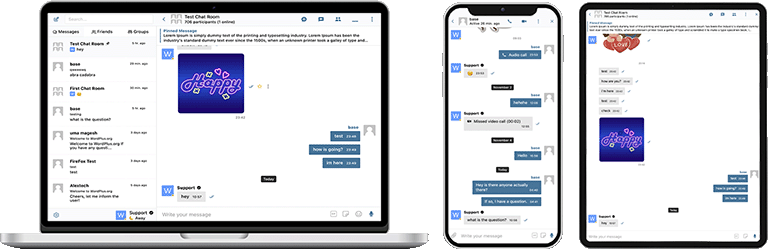

Beskrivning
Better Messages är det mest funktionsrika realtidssystemet för privata meddelanden för WordPress, med native integrationer för BuddyPress, BuddyBoss Platform, Ultimate Member, PeepSo och alla andra WordPress-drivna webbplatser.
Förvandla din WordPress-sajt till en kraftfull kommunikationsplattform med privata meddelanden, chattrum, video- och ljudsamtal, gruppvideochattar, AI-chattbottar och inbyggda mobilappar.
Oavsett om du bygger en privat eller offentlig gemenskap, ett socialt nätverk, ett intranät, en chattrumsida, en marknadsplats, en medlemssida, en dejtingplattform eller en creator economy-sida – tillhandahåller Better Messages meddelandefunktioner på företagsnivå med ett användarvänligt gränssnitt.
Prova Better Messages:
- Livedemo — fullt fungerande demosajt
- Dokumentation & kunskapsbas — installationsguider, funktioner, FAQ
- Alla integrationer — varje stött tillägg och tema
- Priser — jämförelse mellan fri och WebSocket version
- Blogg & handledningar — guider, genomgångar, fördjupade integrationer
För utvecklare:
- REST API-referens — varje endpoint och parameter
- PHP Hooks — åtgärder, filter, hjälpfunktioner
- JavaScript Hooks — frontend-händelser och anpassnings-API
- Ändringslogg — varje release och felrättning
- Roadmap — kommande funktioner och röster
Populära användningsfall:
Better Messages används flitigt för att driva meddelanden för:
- Privata gemenskaper — betalda och endast-för-medlemmar gemenskapsplattformar, mastermindgrupper, alumninätverk, kurskohorter, coachingkretsar, rollbegränsade meddelanden, gruppchattar, AI-chattbottar för introduktion och FAQ, end-to-end-kryptering för känsliga samtal
- Offentliga gemenskaper och sociala nätverk — öppna sociala plattformar, hobby- och intressegemenskaper, sajter drivna av BuddyPress / BuddyBoss / PeepSo / FluentCommunity, privata meddelanden, gruppsamtal, chattrum, mini-chattwidgets som följer användare över hela sajten
- Intranät och företagswebbplatser — intern medarbetarkommunikation, team- och avdelningskanaler, rollbegränsad åtkomst efter WordPress-roll, fildelning, röst- och videosamtal för distansteam, självhostad plan för sajter med datasuveränitetskrav
- Chattrumssajter — sajter byggda runt realtidschattrum som huvudfunktion, offentliga och privata rum, ämnesbaserad diskussion, gäståtkomst för oregistrerade besökare, AJAX- eller WebSocket-leverans
- Dejting- och matchningssidor — privat 1-mot-1-chatt, foto- och videobilagor, röst- och videosamtal, chatt-knappar mellan profiler i medlemskataloger, gästchatt för besökare som bläddrar, end-to-end-kryptering för privata samtal
- Creator economy- och fanplattformar — betalda meddelanden med fakturering per meddelande och per samtal via GamiPress eller MyCRED, privata videosamtal, massmeddelanden till fans, alltid aktiva mini-chattwidgets
- Premium- och monetariserade DM-plattformar — ta betalt per direktmeddelande eller per samtal med prissättning per roll, saldovisning, rollbegränsade meddelanden, AI-innehållsmoderering för att filtrera spam och bedrägeriförsök
- Coaching- och mentorskapsplattformar — DM mellan klient och coach, schemalagda videosamtal, röstmeddelanden, fildelning, kurs-chattrum via LMS-integrationer
- Onlinebutiker (WooCommerce) — chatt före försäljning på produktsidor, ordersupport efter köp, meddelanden som känner till varukorgskontext, inbäddad inkorg i Mitt konto
- Marknadsplatser med flera säljare och radannonser — chatt mellan köpare och säljare på varje annons, trådar per annons, gästchatt för oregistrerade besökare
- Onlinekurser (LMS) — kurs-chattrum, DM mellan instruktör och student, gruppsamtal för kohortbaserade kurser
- Forum och Q&A-gemenskaper — länk till privat meddelande på varje svar, uppföljningschatt för tråddeltagare
- Fastighets- och annonseringssidor — meddelanden om mäklarförfrågningar, chattrådar med fastighetskontext, gästchatt för besökare som bläddrar
- Liveevenemang och webbinarier — chattrum i evenemangsfoaje, gäståtkomst för oregistrerade deltagare, grupp- röst- och videosamtal för AMA, fastnålade meddelanden med evenemangsagendor
- Boknings- och tidsbokningsplattformar — meddelanden mellan gäst och värd på annonser och bokningar, fildelning för dokument, röst- och videosamtal före incheckning
- Krypto- och Web3-gemenskaper — tokenbaserade chattrum via medlemskapstillägg och WordPress-roller, AMA-gruppsamtal, AI-kunskapsbottar för whitepaper-frågor, mobilappar för engagemang på språng
Tillägget ”Better Messages” hette tidigare ”BP Better Messages”.
Översätt Better Messages till ditt språk
Kärnfunktioner för meddelanden:
- AJAX- eller WebSocket-drivna realtidskonversationer
- Privata en-till-en-konversationer
- Gruppkonversationer med obegränsat antal deltagare
- Chattrum med stöd för gäståtkomst
- Meddelanden för BuddyPress Groups, PeepSo Groups, Ultimate Member Groups, FluentCommunity Groups
- Ämnen för konversationer
- Sök bland alla meddelanden
- Markera meddelanden som favoriter
- Fäst viktiga meddelanden överst i konversationen
- Fäst favoritkonversationer överst i listan
- Filtrera konversationslistan för att visa enbart olästa konversationer
- Svara på specifika meddelanden
- Redigera skickade meddelanden (med redigeringsindikator)
- Radera meddelanden
- Vidarebefordra meddelanden till andra konversationer
- Tysta konversationsaviseringar
- Automatisk sparning av meddelandeutkast med återställning
AI & Automatisering:
- AI-chattbottar drivna av OpenAI, Anthropic (Claude) och Google Gemini
- AI-chattbottar i gruppkonversationer med omnämningsbaserade svar
- Konversationssammanfattning och schemalagda sammandrag med AI
- Spårning av tokenanvändning med kostnadsuppskattning
- Transkription av röstmeddelanden drivs av Better Messages Cloud AI eller OpenAI
- Webbsökningskapacitet för AI-bottar
- Filsökningsverktyg för AI-bottar
- Bildgenerering med AI
- PDF-filsstöd för AI-konversationer
Media & Innehåll:
- Fildelning med återupptagbara uppladdningar och möjlighet att skydda filer från direktåtkomst (bilder, videor, dokument)
- Klientsidig bild- och videooptimering för webbkompatibilitet och lagringsbesparingar (formatkonvertering, kvalitetskontroll, metadataborttagning)
- Voice and Video Messages (available as addon)
- Inbäddade länkar med miniatyrbilder och beskrivningar
- oEmbed-stöd för YouTube, Vimeo, Spotify, SoundCloud, Flickr och 20+ tjänster
- Emojiväljare
- Inbyggda klistermärkespaket med rollbaserad åtkomst och flerspråkigt stöd
- GIF-integration med GIPHY och Klipy leverantörer
- Inline-klistermärkesförslag medan du skriver
- Stöd för Markdown-textformatering
Aviseringar:
- E-postaviseringar för olästa meddelanden (anpassningsbara mallar)
- Stöd för avprenumerationslänk i e-post
- Ljudaviseringar för nya meddelanden
- Popup-aviseringar var som helst på din webbplats
Moderering & Säkerhet:
- AI-innehållsmoderering med två leverantörer:
- Better Messages Moderation AI — ingår i WebSocket-licensen utan extra kostnad, inga tredjeparts API-nycklar krävs. Drivs av Better Messages Cloud med utökade kategorier, anpassade regler och konversationskontextmedvetenhet
- OpenAI Moderation API — gratis att använda, kräver en OpenAI API-nyckel
- Anpassade modereringsregler — definiera dina egna regler i vanlig text
- Konversationskontextmedvetenhet — identifiera mönster uppdelade över flera meddelanden
- Välj mellan modereringsåtgärderna „Flagga endast” (rekommenderas) eller „Håll för granskning”
- Förmodererade meddelanden – granska meddelanden före leverans
- Funktion för rapportering av meddelanden
- Filter för oförskämda ord med anpassningsbar svartlista
- Funktion för blockering av användare
- Rollbaserad åtkomstkontroll
- Vitlista/svartlista för moderering
Engagemangsfunktioner:
- Reaktioner på meddelanden
- Omnämningar (@användarnamn)
- Massutskick från WP Admin med schemalagd sändning, filbilagor och bakgrundsbearbetning
- Föreslagna konversationer för nya användare
- Bädda in ingångspunkter för konversationer var som helst på din webbplats utan att använda shortcodes
- Fem widgetar: Vänner, Grupper, Användare, AI-bottar, Chattrum
- Två visningsstilar: Klassiskt fält eller Flytande bubbla (med chatthuvuden)
- Tre placeringsytor: nedre fält, sidopanel, mobil flikrad
- Ikonväljare per widget, sökruta, rollbegränsningar och växel för ”Dölj flik när tom”
- Användarwidget med tre visningslägen (alla / efter roll / handplockade) och sortering efter senaste aktivitet eller registreringsdatum
- Anpassningsbar ordning på flikar i miniwidgetar, sidopanel och mobilvy
Anpassning:
- Modern, helt anpassningsbar design
- Enkel färganpassning via WP Customizer
- Anpassade aviseringsljud
- Stöd för RTL-layout
- White label-lösning
- Helt översättningsbar
- Alternativ för automatisk radering av gamla meddelanden
Integritet & GDPR:
- Dedikerad sida för Integritet & GDPR-inställningar
- All meddelandedata lagras på din egen server
- AI-moderering (när aktiverad) skickar meddelandeinnehåll för analys — Better Messages Cloud lagrar inga data, granska OpenAI:s datapolicy om du använder OpenAI-leverantören
- WordPress stöd för export och radering av personuppgifter (Verktyg Exportera/Radera personuppgifter)
- Föreslagen integritetspolicytext som anpassas baserat på aktiverade funktioner
- Självvärdade emoji-bilder — inga externa CDN-förfrågningar
- Integritetsvänliga videoinfogningar — YouTube, Vimeo laddas först efter användarens klick
- Inga cookies satta, inga analys- eller spårningsskript
- Integritet & GDPR-dokumentation
Detta är inte en fullständig lista över funktioner – Better Messages har många fler små funktioner och alternativ som inte listas här. Vi lägger ständigt till nya funktioner och förbättringar baserat på användarfeedback.
Kompatibla tillägg & teman — 35+ native integrationer:
Better Messages fungerar på vilken WordPress-sajt som helst direkt ur kartongen. Om din sajt redan kör ett gemenskapstillägg, ett LMS, en marknadsplats eller en katalog ansluts Better Messages direkt — och ärver medlemmar, profiler, grupper, kurser, annonser och inlägg så att chattytor visas på rätt platser utan installation.
Gemenskaps- & medlemskapsplattformar — ersätter den inbyggda messengern och ärver medlemmar, profiler, vänner och grupper:
- BuddyPress
- BuddyBoss Platform — including BuddyBoss Theme and ReadyLaunch
- PeepSo
- Ultimate Member
- FluentCommunity — including Spaces and Courses
- SureDash
- ProfileGrid
- UsersWP
- WP User Manager
Lärplattformar (LMS) — kurs-chattrum, meddelanden till instruktörer och samtal mellan studenter:
- LearnDash — including Instructor Role add-on
- LearnPress
- Tutor LMS
- MasterStudy LMS
- FluentCommunity Courses
E-handel — WooCommerce — chatt före försäljning och ordersupport för onlinebutiker:
- WooCommerce — Kontaktknappar på produkt-, varukorg-, kassa– och order-sidor. Varukorgens innehåll skickas automatiskt in i samtalet som ett rikt meddelande så att din supportagent omedelbart ser vad kunden tittar på, ordersidor skickar ett strukturerat orderkontextkort. Vanliga produkt-URL:er som klistras in i en chatt utökas till rika produktkort. Inbäddad inkorg finns inuti WooCommerce Mitt konto. HPOS-kompatibel, block-tema-kompatibel, fungerar med gästkassan. Tillgänglig i både den fria och WebSocket versionerna — WebSocket versionen öppnar chattar som en popup-mini-widget-överlägg i stället för att navigera bort.
Marknadsplatser & flera säljare — chatt mellan köpare och säljare ovanpå WooCommerce, med opt-in per säljare och kontaktknappar på säljarbutiker, produktsidor och orderdetaljer:
Annonser, kataloger & radannonser — kontaktknappar på varje annons, med trådar per annons:
- HivePress
- Directorist
- GeoDirectory
- Classified Listing
- Motors – Car Dealer, Classifieds & Listing
- WP Job Manager
Fastighetsteman — meddelanden om mäklare och förfrågningar på fastighetsannonser:
Forum — länk till privat meddelande på varje svar:
- wpForo
- bbPress
Gamification, poäng & betald åtkomst — ta betalt per meddelande eller samtal med prissättning per roll och saldovisning:
Automatisering & sidbyggare:
- Uncanny Automator — triggers and actions for chat events
- AutomatorWP — triggers and actions for chat events
- Crocoblock JetEngine Profile Builder — profile and chat shortcodes for JetEngine listings
Push & PWA:
- FluentNotify — web push through your own Firebase project
- OneSignal — web push notifications
- Progressify PWA — install-to-home-screen prompts on the messenger
Universell Shortcode Builder — lägg till chatt till vad som helst annat:
Ser du inte ditt tillägg eller tema i listan? Better Messages levererar en visuell Shortcode Builder i WP Admin Better Messages Shortcodes som låter dig placera en live chatt-knapp på vilken anpassad inläggstyp, katalog, marknadsplatsannons, mäklarprofil eller sidbyggarblock som helst — utan att skriva PHP. Peka den mot ett exempelinlägg, välj hur målanvändaren bestäms (inläggsförfattare, användar-ID lagrat i postmeta eller en fast inkorg), ange en trådstrategi och etikett och kopiera den genererade shortcoden. Samma shortcode fungerar sedan för varje inlägg av samma form, med automatisk trådhantering per inlägg och en valfri banner i chatten. Klistra in den i Gutenberg, Elementor, Bricks, Divi eller direkt i en temamall.
Fullständig lista över integrationer
Du är välkommen att rapportera all inkompatibilitet eller begära fler integrationer — det är mycket viktigt och hjälper till att förbättra Better Messages!
WebSocket-version:
WebSocket-versionen är ett betalt alternativ, du kan hämta licensnyckeln på vår webbplats.
Vi använder våra dedikerade servrar för att implementera WebSocket-kommunikation mellan din sajt och användarna. Våra servrar är helt privata och lagrar eller spårar inga privata data — alla meddelanden förblir i din databas.
Prestanda & Tillförlitlighet:
- Minskar avsevärt belastningen på din server (upp till 200 gånger färre förfrågningar)
- Omedelbar meddelandeleverans i realtid
- Fungerar med alla hostinglösningar inklusive delad hosting
- Inga begränsningar på samtidiga anslutningar eller månatligt aktiva användare
Video- & Ljudsamtal:
- HD-videosamtal (1-till-1)
- HD-ljudsamtal (1-till-1)
- Gruppvideochattar (upp till 32 deltagare)
- Gruppljudchattar (upp till 50 deltagare)
- Skärmdelning i samtal och gruppchattar
Mobilappar (Alfa):
- iOS-mobilapp (bygg din egen märkesapp) – Alfa
- Android-mobilapp (bygg din egen märkesapp) – Alfa
- Pushnotiser för samtal och meddelanden
- VoIP-aviseringar för inkommande samtal
Observera: Mobilappar är för närvarande i alfastadiet. Grundläggande funktionalitet fungerar, men vissa funktioner kan vara begränsade eller under utveckling.
Realtidsfunktioner:
- Meddelandeleveransstatus (skickat, levererat, sett)
- Aktivitetsindikatorer för skrivning, röstinspelning och filuppladdning
- Online/Offline-närvaroindikator
- Användarstatusar (Online, Borta, Stör ej)
- Minichattar – chattfönster var som helst på din sajt
- Minikonversationswidget – lista och fortsätt senaste trådar från valfri sida
- Endast online-filter och online-först-sortering för användarminiwidgeten
Better Messages Cloud AI:
- Automatisk meddelandeöversättning i 1-till-1-konversationer — 53 språk, automatisk identifiering
- AI-innehållsmoderering — 23 kategorier, anpassade regler, samtalskontext-medvetenhet
- Transkription av röstmeddelanden — 99+ språk med automatisk identifiering
- Inga tredjeparts-API-nycklar krävs — ingår i WebSocket-licensen utan extra kostnad
Säkerhet & Kryptering:
- Valfri end-to-end-kryptering (E2EE) — kan aktiveras på webbplatsnivå och per samtal, meddelanden och filer krypteras i användarnas webbläsare med AES-256-GCM, servern ser aldrig klartext
- Lokal webbläsarkryptering (AES256) för offline-meddelandelagring
- Webb-pushnotiser (fungerar även när webbläsaren är stängd)
- All data krypteras under överföring, så vi kan inte läsa den på våra servrar
Support:
- Prioriterad e-postsupport
- Regelbundna uppdateringar och nya funktioner
Varför är WebSockets banbrytande?
Skaffa WebSocket-versionens licensnyckel | Användarvillkor
RTL-layout är inbyggd i tillägget.
Du kan översätta tillägget till ditt språk med LocoTranslate eller delta i tilläggsöversättningen.
Skärmdumpar


Block
Detta tillägg tillhandahåller 2 block.
- Messages The user's messages, where they can open any conversation they are part of
- Chat Room Embed a Better Messages chat room
Installation
- Ladda upp tilläggsfilerna till katalogen
/wp-content/plugins/bp-better-messages, eller installera tillägget direkt via WordPress-tilläggskärmen. - Aktivera tillägget via skärmen ’Tillägg’ i WordPress
- Använd Inställningar -> Better Messages för att konfigurera tillägget
Vanliga frågor
-
Är Better Messages gratis?
-
Ja — installera den kostnadsfria versionen från WordPress.org. Den stödjer privata konversationer och gruppkonversationer, chattrum, fildelning, oEmbed-förhandsvisningar, smart paketerade e-postaviseringar, rollbaserad åtkomst, guest chat och den standardiserade uppsättningen messengerfunktioner. WebSocket-versionen är betald och låser upp omedelbar leverans, röst- / videosamtal en mot en och i grupp, AI Chat Bots, AI Content Moderation, AI Message Translation, Voice Message Transcription, webbpush och totalsträckskryptering.
-
Vilka WordPress-plugin integrerar Better Messages med?
-
35+ native integrationer över gemenskapsplattformar (BuddyPress, BuddyBoss Platform, PeepSo, Ultimate Member, FluentCommunity, SureDash, ProfileGrid, UsersWP, WP User Manager), LMS (LearnDash, LearnPress, Tutor LMS, MasterStudy LMS), e-handel (WooCommerce — chatt före försäljning och ordersupport med kontaktknappar på produkt-, varukorg-, kassa- och ordersidor), marknadsplatser med flera säljare (Dokan, WCFM, WC Vendors, MultiVendorX), annonser och kataloger (HivePress, Directorist, GeoDirectory, Classified Listing, Motors, WP Job Manager), fastighetsteman (Houzez, RealHomes), forum (wpForo, bbPress), gamification (GamiPress, MyCRED), automatisering (Uncanny Automator, AutomatorWP), sidbyggare (Crocoblock JetEngine) och push / PWA (OneSignal, Progressify). Om ditt tillägg inte finns listat låter den inbyggda visuella Shortcode Builder dig lägga till en live chatt-knapp på vilken anpassad inläggstyp som helst utan att skriva PHP. Se den fullständiga listan över integrationer.
-
Stöder det gruppkonversationer?
-
Ja — förstklassiga gruppchattar med gemensam historik, omnämnanden, reaktioner, filuppladdningar, svar, redigera / radera / vidarebefordra och röst- / videogruppsamtal (WebSocket-versionen). Gruppchattar kan auto-parkopplas med grupper i BuddyPress / BuddyBoss / PeepSo / Ultimate Member / FluentCommunity, så att medlemmar går in i och lämnar chatten synkront med den underliggande communitygruppen.
-
Kan oregistrerade besökare (gäster) chatta?
-
Ja — Guest Chat låter oregistrerade besökare gå med i chattrum, skriva till säljare på marknadsplatser, ställa frågor på katalogannonser eller prata med sajtens support. Gästen anger ett visningsnamn (och valfritt en e-postadress) och deltar sedan som gästanvändare. Konversationshistoriken sparas om gästen senare registrerar sig.
-
Stöder det röst- och videosamtal i WordPress?
-
Ja (WebSocket version) — en-mot-en och grupp- röst- / videosamtal lever inuti messenger-tråden, inte som en separat Zoom / Whereby-integration. Värdtjänst för medierelä ingår med WebSocket-licensen, inget separat Twilio-konto, ingen Daily / Whereby-prenumeration, ingen Zoom-utvecklarplan. Samtal är helskärm på mobil och bild-i-bild på dator.
-
Är Better Messages GDPR-kompatibel?
-
Ja. All meddelandedata lagras enbart i din WordPress-databas. WebSocket-molnreläet är blint för meddelandeinnehållet — det dirigerar krypterade händelser, men läser, lagrar eller inspekterar inte det som passerar igenom. Better Messages integrerar också med WordPress inbyggda verktyg för export och radering av personuppgifter. För webbplatser med strängare krav på datasuveränitet (GDPR artikel 9, HIPAA-liknande, regulatoriskt känsliga datalaster) finns en self-hosted-plan — kontakta supporten.
-
Har det AI-funktioner?
-
Ja (WebSocket version, AI-tillägg). AI-chattbottar (OpenAI, Anthropic Claude, Google Gemini) agerar som fullvärdiga deltagare i vilken tråd som helst, med anpassade systemprompts och poängdebitering per bott via GamiPress / MyCRED. Better Messages Cloud AI tillhandahåller AI-innehållsmoderering (23+ kategorier inklusive spam, bedrägeri, doxxing, kontaktdelning), AI-meddelandeöversättning (53 språk med automatisk detektion) och röstmeddelandetranskription (99+ språk) — allt inkluderat med WebSocket-licensen, ingen tredjeparts-API-nyckel krävs.
-
Har det inbyggda appar för iOS och Android?
-
Ja — Better Messages levereras med inbyggda mobilappar för iOS och Android byggda på Capacitor, med push-aviseringar, leverans i realtid, röst- / videosamtal och full funktionsparitet med messengerns webbversion. För webbplatser som vill ha en egen varumärkesapp i App Store / Play Store under egna utvecklarkonton finns en white-label-ombyggnad tillgänglig.
-
Kan jag översätta messenger-gränssnittet till mitt språk?
-
Ja — Better Messages är fullt översättningsbart via WordPress standardverktyg för översättning (Loco Translate, WPML, Polylang) med text domain
bp-better-messages. Levereras med fler än 30 översättningar från gemenskapen. Bidra med eller förbättra en översättning på translate.wordpress.org. -
Stöder det totalsträckskryptering?
-
Ja (WebSocket version). End-to-end-kryptering är aktiverad per tråd — meddelanden och filbilagor krypteras i avsändarens webbläsare med AES-256-GCM före överföring, förblir krypterade i vila i databasen och dekrypteras endast i mottagarens webbläsare. Servern lagrar endast krypterad text, ingen administratör, värd-ingenjör eller angripare med databasåtkomst kan läsa meddelandeinnehållet i en E2E-tråd.
-
Var hittar jag detaljerad dokumentation?
-
Den fullständiga dokumentationen, integrationsguiderna, REST API-referensen, hook-referensen, videoinstruktionerna och fler än 80 blogginlägg finns på www.better-messages.com.
Recensioner


Bidragsgivare och utvecklare
”Better Messages – Chattrum, gruppchatt, privata meddelanden & AI-chattbottar” är programvara med öppen källkod. Följande personer har bidragit till detta tillägg.
Bidragande personer
”Better Messages – Chattrum, gruppchatt, privata meddelanden & AI-chattbottar” har översatts till 32 språk. Tack till översättarna för deras bidrag.
Intresserad av programutveckling?
Läs programkoden, kika på SVN-filförvaret eller prenumerera på utvecklarloggen via RSS.
Ändringslogg
Better Messages 3.0 is coming soon — try it on the demo site and send your feedback to support.
2.15.33
- Added Unique Guest Names setting at Settings General — turn it off to let guests use a display name someone else already took
- Added
BetterMessages.openGroupCall()JavaScript function — take a member straight into a chat room’s group call from any page - Fixed an AI chat bot’s Conversations list failing with a critical error and reporting no conversations, when the bot was in a group or course
- Fixed a new encrypted conversation being created without a key when encryption was not yet set up on that device, leaving it unusable
- Fixed the other person’s video staying black in a one-to-one call answered in Firefox, while their audio and the call itself worked
- Fixed the default avatar at Settings Discussion being ignored on BuddyPress and BuddyBoss — users without a Gravatar showed the Gravatar logo
- Fixed a guest display name containing an underscore or percent sign being wrongly rejected as already taken
- Fixed unread counters bound to
better_messages_update_thread_unreadnever dropping back to zero once a conversation was read - Fixed text smiles containing
<,>or&, such as<3, never turning into an emoji, and the conversion staying on when it was switched off - Fixed a voice message shorter than a second arriving with no length shown, and the recording timer lagging up to a second behind
- Fixed a JavaScript error when an on-site notification was dismissed just as a new message reopened it
- Fixed conversations rendering blank when every emoji was removed from the reaction list
- Fixed the reaction picker still appearing on messages after reactions were switched off in the settings
- Fixed FluentCommunity’s pull to refresh reloading the page while scrolling a conversation in an installed iOS app
- Other minor bugfixes and improvements
2.15.32
- Chat rooms and conversations can now be exported as a transcript — plain text, a web page or a CSV spreadsheet
- Push notifications can now be delivered through FluentNotify, using a Firebase project you control
- Fixed a mini chat not opening for a chat room after the full screen view had been opened and closed
- Fixed incoming call notifications being hidden behind the full screen view, leaving no way to answer
- Added
get_group_call_participantsPHP function — read how many people are in a conversation’s group video or audio call - Added
BetterMessages.getGroupCallParticipants()JavaScript function — the same counts on the page, over the WebSocket, with no request to your own server - Added
better_messages_group_call_statusJavaScript action — fires whenever a group call’s participant count changes - Added
BetterMessages.subscribeGroupCallStatus()andunsubscribeGroupCallStatus()— watch the live count of any chat room, including one the visitor has not joined - Added
better_messages_group_call_participants_cache_timePHP filter — how long a group call participant count is cached - Added
better_messages_fluent_notify_integrationPHP filter — returnfalseto disable the FluentNotify integration - Other minor bugfixes and improvements
2.15.30 – 2.15.31
- Chat attachments are no longer listed by the WordPress media API
- Fixed guests being counted as BuddyPress members, which could report hundreds of members on a site with only a handful registered — updating clears the records already left behind
- Fixed a Send Message button in a members or friends list on a BuddyPress or Youzify profile page opening a conversation with the profile owner instead of the member it belongs to
- Fixed the Create encrypted conversation button being cut off at the bottom of a mini chat, with no way to scroll down to reach it
- Member and online counts in the chat rooms list no longer read ”1 members” for a single member
- Presence-based chat rooms no longer carry an Open label in the chat rooms list
- The User Inbox block is now called Messages, and the settings that spoke of an ”inbox” name the messages page or the conversation list instead
- Other minor bugfixes and improvements
2.15.29
- Fixed the messenger not loading at all on a site whose Ultimate Member Groups extension is too old for the installed Ultimate Member — the extension never starts up in that pairing, and the conversations list stayed permanently empty
- An Ultimate Member group with no picture of its own now shows a group marker, in place of an image that had been failing to load since the service hosting it shut down
- Fixed a chat room with no picture showing the generic person avatar in the chat rooms list, which made it look like a member — presence-based rooms, which keep no stored members, hit this every time
- A link to a chat room now opens the Chat Rooms tab only when that room is not in the conversations list — a room left in the inbox opens there, next to everything else the member is talking in
- Fixed the settings button missing from the messenger on phones — a site whose mobile tab bar comes from Chat Rooms, Users or AI Bots rather than Friends or Groups had no way to reach user settings there
- Fixed line breaks vanishing from messages typed over several lines when Enter starts a new line instead of sending — browser extensions that tag page elements, such as Bitdefender, were collapsing them into one run-on line
- Names decorated by the site keep that decoration in profile tooltips, as they did before 2.15.28 — only the avatar description, which is read aloud by screen readers, takes the name on its own
- Fixed a name decorated by the site through the username filters losing that decoration in the conversations and users lists — on a phone those lists are most of the messenger
- Fixed the confirmation for removing a participant, or for changing who moderates a conversation, spelling out the raw image markup of a badge the site attaches to member names — a PeepSo VIP icon printed as markup in the dialog, and in the notice that followed, in place of the plain name
- Fixed a desktop notification title breaking into placeholder text when the sender carries such a badge
- The Messages Window Roundness setting now also shapes the buttons inside the messenger and the name badges carried by the system messages and mentions, which stayed square whatever the setting was
- Other minor bugfixes and improvements
2.15.28
- Added Remember Last Tab at Settings Mini Widgets Layout — the messenger reopens on the tab each member used last, the way the mini widgets already do
- Users can now be given control over more of their own messenger — how Enter sends a message (Send on Enter Control, Settings Messaging), whether the new message popup appears (Popup Notification Control, Settings Notifications), and the sound played when they send one
- Sound switches are no longer offered to users for a sound that is silenced site-wide
- Fixed a ”Send message” link from a forum or profile opening the side panel on the chat rooms list instead of the conversations list
- Fixed the call restriction at Settings Calls having no effect on guests — calls are now refused for every restricted role, not only hidden
- Fixed Auto-Delete Old Messages leaving an unread badge that could never be cleared, and conversations now refresh once the cleanup has run instead of keeping removed messages on screen
- Fixed guests losing their end-to-end encryption keys on every page load — a guest was asked for the password again on each visit
- Fixed the report reason arriving untranslated in the moderation email
- Fixed the sidebar collapse button doing nothing when Compact Mode was set to Always Expanded or Always Compact
- Fixed a name decorated by the site, such as a role badge, repeating itself in the avatar description and the profile tooltip
- Fixed a prefilled message on the new conversation screen being inserted as HTML instead of plain text
- Other minor bugfixes and improvements
2.15.27
- Added support for the gpt-image-2 image generation model in AI chat bots
- Added built-in pricing for the GPT-5.5 and GPT-5.6 models, and fixed gpt-5.4-mini / gpt-5.4-nano replies being charged at the full gpt-5.4 price
- The Context Messages Limit of an AI chat bot now also applies to OpenAI bots in one-to-one conversations, keeping long chats from getting more expensive with every message
- Fixed sending in a chat room getting slower with every member — in a room with tens of thousands of members a sticker took a minute to appear for the sender
- Fixed the AI chat bot model list offering models that cannot answer messages
- Fixed a bot whose model is no longer available answering with a generic error instead of saying the model needs to be changed
- Fixed the title and the YouTube logo on a shared video doing nothing when clicked
- Fixed shared videos not responding to clicks inside mini chats — they now open from a poster with a play button
- Fixed Privacy-friendly oEmbeds rendering a broken placeholder with the video title spilled into the message as text
- Video placeholders now start playback on the first tap, without a second click on the play button
- Fixed conversation list previews of video messages sometimes showing raw placeholder text
- Fixed the Conversations tab being listed last at Settings Mini Widgets Layout
- Fixed the unread counter on tabs covering the icon when tab labels are shown, and being unreadable in dark mode
- Stopped themes from reshaping the messenger’s own input fields — the side panel search box stays readable in dark mode
- Fixed the page appearing extremely tall while the messenger loads and then jumping once it is ready — the loading placeholder now fits the window exactly like the loaded messenger, including with Max Height set to a large value like 9999
- Renamed the Fixed Header Height setting to Window Height Offset, as it reserves window space for any fixed element on the page, not only a sticky header
- Other minor bugfixes and improvements
2.15.26
- Added
better_messages_push_notificationPHP filter — change the link, title and text of push notifications on every delivery path - Added
better_messages_mobile_push_contentPHP filter — change the wording of push notifications sent to the native mobile app - The messenger now opens on whichever tab is placed first at Settings Mini Widgets Layout, and the Conversations tab is now sortable like every other tab
- The collapsed side panel now keeps every tab usable as a vertical icon column, and on windows too narrow for the panel the tabs move to a strip at the top of the messenger
- Chat rooms now show unread and mention counters in the chat rooms list
- The Messages tab of the side panel and the mobile tab bar now shows an unread counter, configurable at Settings Mini Widgets Conversations
- The open conversation is now highlighted in every side panel list
- Fixed moderation in presence-based chat rooms — muting, banning and appointing moderators no longer fail with a permissions error, and bans and mutes are now enforced
- Fixed the muted and banned lists of a conversation returning expired bans and restrictions of other conversations
- Fixed the page scrolling to the chat on every conversation switch made from inside the messenger
- Fixed the Participants List Order setting being ignored by the online users sidebar and the participants list of presence-based rooms
- Fixed online counters not including the viewer right after logging in
- Fixed the browser tab title being emptied when an SEO plugin or theme outputs the title tag after the plugin scripts
- Fixed starting an end-to-end encrypted conversation failing with a ”not on your friends list” error when messaging was restricted to friends or followers
- Fixed a new end-to-end encrypted conversation losing its encryption when the first message was held by pre-moderation — encrypted conversations now always skip the moderation queue
- Fixed AI chat bot replies occasionally left as unformatted, cut-off or garbled text after streaming finished, most often in the native mobile app
- Fixed tapping a shared YouTube or Vimeo video navigating the page to the video site instead of playing it — video players are now sandboxed, adjustable with the
better_messages_embed_sandboxPHP filter - Fixed links typed with a capitalised address, such as the
Https://phone keyboards produce, not being replaced by their preview - Fixed shared videos refusing to play in the mobile app on iPhone and iPad — video services now require the address of the embedding page, which an app cannot provide, so players are loaded through a small page served from your own site
- Fixed a conversation opening as an empty messenger when one of its messages quoted HTML or JSX source code, most often an AI chat bot reply — code in messages is now always shown as text
- User statuses, call messages and end-to-end encryption notices of the WebSocket version are now translatable on WordPress.org
- Other minor bugfixes and improvements
2.15.25
- Added
better_messages_thread_header_actionsJavaScript filter — the conversation header buttons (calls, minimize, maximize, the More menu) are now built as a single filterable list, so custom buttons can be added at any position and the built-in ones can be reordered, removed or replaced. Until now the header had no supported extension point: a button inserted into it by hand was moved or removed again whenever the header re-rendered. Custom buttons pick up the styling of the built-in ones, and the same filter also runs for mini chat headers - Added
better_messages_fluent_community_group_chat_membersandbetter_messages_fluent_community_course_chat_membersPHP filters — exclude specific users from the automatic membership sync of FluentCommunity Space and Course group chats: user IDs removed by the filter are taken out of the chat by the sync itself and are no longer re-added by later enrollment events - Fixed YouTube videos shared in messages staying locked inside the message bubble on iPhone and iPad — tapping one now opens the full screen player again, as it did before YouTube changed the default playback behaviour of its embeds
- Fixed link previews showing raw HTML codes such as
&in titles, and dropping the thumbnail when the image address contained one - Link previews now also find the page title when it is spread over several lines or carries attributes, and can no longer be spoofed by markup hidden inside a page’s scripts
- The minimum required WordPress version is now 6.3, matching what the Better Messages blocks have needed since they were introduced
- Added Button Icon setting at Settings Mobile Floating Chat Button — choose a preset icon or paste your own SVG for the floating chat button on mobile, which previously always used the built-in messages icon with no way to change it
- Fixed the ”Chatting as” persona banner in the Houzez and RealHomes integrations briefly appearing to the other side of the conversation and vanishing from the persona side’s own view while messages were delivered in the WebSocket version — viewer-specific conversation details are no longer part of the shared realtime payloads
- Other minor bugfixes and improvements
2.15.20 – 2.15.24
- Added Chat Room Moderators — assign per-room moderators in the chat room editor: moderators can remove, mute and ban participants of their room, can reply while the room is closed, and see the participants list even when it is hidden from regular members
- Added Moderators can add participants per-room setting — moderators get an ”Add new participants” action right in the chat interface, so room membership can be managed without contacting site administrators
- Added Presence-based chat rooms (WebSocket version) — a new chat room type where participants are only the users currently in the room: closing the page or navigating away removes them immediately, no membership is stored, and the participants list always shows who is really present
- Added per-room Group video calls and Group audio calls toggles to chat room settings — disable group calls in specific chat rooms while keeping them enabled globally
- Added Website Context setting to AI Content Moderation — describe what your website is used for and Better Messages Moderation AI will judge messages by your community norms, fixing overly aggressive moderation on dating sites and similar communities
- Added Roles that can send Bulk Messages setting — allow selected roles (for example HR or communications staff) to send bulk messages from the Administration page without full administrator access: they see and manage only their own bulk messages and cannot send on behalf of another user
- Added Roles that can access Administration setting — grant selected roles the Administration page and site-wide moderation powers without full administrator access, replacing the need for a role editor plugin to assign the moderation capability
- Added Markdown support to Bulk Messages — the bulk message editor now understands the same Markdown syntax as regular chat messages, so headings, bullet and numbered lists and links typed in the editor are delivered formatted
- Site administrators can now add participants to any regular chat room directly from the chat interface
- Fixed chat room moderators being unable to send messages in closed chat rooms
- Chat room moderators are never removed by Auto exclude users or Auto-remove inactive participants
- Fixed the Chat Rooms list showing only the first 100 rooms — rooms now load page by page as you scroll, search covers every room you have access to, and rooms you were added to are no longer missing from the list on sites with many chat rooms
- Fixed the Browser push notifications opt-in missing from the messenger user settings on sites where the email notification interval was set to 0 and Sound Notification Control was disabled, leaving users with no way to subscribe to web push
- Added
better_messages_onesignal_integrationPHP filter — returnfalseto fully disable the OneSignal integration, including the script which associates WordPress user IDs with OneSignal subscriptions - Added Open online users list by default per-room setting (WebSocket version) — when the online users sidebar is enabled, it can open automatically when users enter the chat room on desktop
- Added GTranslate integration — on GTranslate paid plans the messenger interface now follows the language of the page the visitor is on, instead of staying in the site default language on every translated sub-domain or sub-directory
- WebSocket version now stops AJAX fallback polling by default — when a visitor’s WebSocket connection cannot be established, their browser makes a single sync request per page load instead of polling the server every few seconds. The new Continuous Fallback Mode setting restores continuous fallback polling for the rare setups that need it, such as audiences behind country-level firewalls that block WebSocket traffic
- Improved settings page mobile menu layout
- Other minor bugfixes and improvements
2.15.13 – 2.15.19
- Added Automatic Message Cleanup for chat rooms
- Added Participants List Order setting at Settings Messaging Group Conversation Settings
- Better Messages Administration moderation area now showing message timestamps in the site timezone from Settings General
- Fixed user badge icons (e.g. PeepSo VIP icons) showing as HTML code instead of images in WP Admin user lists
- Fixed user badge icons (e.g. PeepSo VIP icons) appearing as raw HTML code in moderation and report email notifications
- Fixed encrypted conversations staying locked forever after a participant reset their encryption keys — the conversation key is now reliably re-shared as soon as any other participant visits the site or unlocks their encryption keys
- Fixed MasterStudy mobile bottom menu bar showing through the full-screen messenger on the student dashboard
- Fixed Better Messages mobile floating chat button and new-message notification being hidden behind the MasterStudy bottom menu bar on account pages
- Fixed SureDash integration message button on member profiles opening the messages page without starting a conversation with the selected member
- PeepSo integration: members banned in PeepSo can no longer send messages or start new conversations in Better Messages
- PeepSo integration: group chats are now accessible to group members only
- Fixed messenger failing to load with error 500 — infinite loop when an encrypted conversation awaiting encryption key sharing was deleted or no longer accessible
- Update Freemius SDK to 2.13.4
- Banned members in chat room cant join group video and audio calls anymore
- Added Weglot integration — the messenger interface now automatically follows the current Weglot language on multilingual sites
- Added
better_messages_i18n_localefilter to control which language the messenger interface loads - Fixed fatal PHP error (allowed memory size exhausted) when opening or starting a private conversation on sites with a very large accumulated history of no-reply bulk messages
- Fixed the LMS Courses tab (LearnPress, LearnDash, MasterStudy, TutorLMS, FluentCommunity) not showing in the mobile tab bar even when enabled — it now appears on mobile devices as it does on desktop
- Fixed MOV videos not playing in Safari on iPhone, iPad and macOS when File Protection Proxy is enabled
- Fixed OneSignal JavaScript error
- Other minor bugfixes and improvements
2.15.9 – 2.15.12
- Migration to new Roadmap
- Added Shortcode Builder — visual admin tool at Settings Shortcodes that configures the
[better_messages_live_chat_button]shortcode without code. - Added initial BuddyBoss ReadyLaunch theme integration
- Added new BuddyBoss settings group at Better Messages Settings Integrations BuddyPress — separate Full-page messenger, Full Width, Page Title, and Hide Mini Widget on Messages Page toggles for the ReadyLaunch theme and the classic BuddyBoss Theme
- Fixed FluentCommunity integration script throwing
Cannot read properties of nullon non-FluentCommunity pages - Hide the messenger Minimize button on the FluentCommunity
/messagesroute — the mini widgets are hidden there, so minimize had no surface to restore from - Fixed image download from the lightbox opening a stuck Quick Look preview when Better Messages is used in an iPhone PWA — now uses the native iOS share sheet
- Fixed guest authentication being silently dropped after long tab-idle periods in some websites
- Fixed BuddyBoss user-dropdown My Messages item not showing the unread counter on sites where the BuddyBoss Theme renders the user dropdown from a WordPress nav menu instead of the standard admin-bar nodes
- Fixed MultiVendorX vendor dashboard ”Messages” sidebar link missing on some sites
- Fixed in-thread message Delivered tick rendering white in dark mode
- Added Settings Integrations WooCommerce MultiVendorX toggle ”Hide Messages tab when vendor disables live chat” — off by default
- Fixed the ”Sound Notification Control” setting not hiding the sound mute toggle from user settings when disabled
- Fixed the Guest Messages Page rendering the raw
[bp-better-messages]placeholder instead of the messenger when no main Messages Location page is set - Fixed user avatars and names not loading for not-yet-registered guests in chat rooms and the mini widget
- Other minor bugfixes and improvements
2.15.8
- Fixed pages with the slug
messagesreturning 404 on sites that use WooCommerce as the Messages Location - Fixed the compact-sidebar hover tooltip lingering on the conversation screen after tapping an avatar on mobile
- Added Guest Messages Page setting
- Added per-thread participant override mechanism — addons can display a participant under a different name, avatar and profile URL inside one specific thread without touching their real WordPress identity elsewhere. Same WP user can wear different identities in different threads at the same time. See the developer guide for the reusable pattern
- Added initial Houzez Real Estate Theme integration
- Added initial RealHomes Real Estate Theme integration
- Other minor bugfixes and improvements
2.15.7
- Added Send Message, Audio Call and Video Call buttons to the PeepSo user hovercard
- Added emoji search translations — admin can download per-locale annotations so emoji picker search works in 30+ languages (e.g. German ”gesicht” finds 😀)
- Optimized emoji and stickers data delivery
- Fixed guest users seeing their own name and avatar in one-on-one conversation headers, mini chat heads, and thread list previews instead of the other participant in some cases
- Fixed MasterStudy LMS account mobile bottom menu overlapping the chat on the Messages page in full-screen mobile view
- Other minor bugfixes and improvements
2.15.6
- Added JavaScript filter slots in the guest authentication screen —
better_messages_auth_required_top,better_messages_auth_required_between, andbetter_messages_auth_required_bottom— for injecting custom HTML into the pre-chat popup, mini-widget banner, and full messages page wall - Added live unread counter badge to the BuddyBoss Theme profile dropdown Messages item
- Added Audio Call and Video Call buttons to the members directory and group member rows for both BuddyPress (Nouveau theme) and BuddyBoss Platform
- Added
better_messages_group_call_join_custom_errorPHP filter for blocking group audio/video call join with a custom error message, mirroring the existingbetter_messages_call_join_custom_errorfilter for 1-to-1 calls - Settings Integrations tab label and section titles now read ”BuddyBoss” instead of ”BuddyPress” when the BuddyBoss Platform is active
- Improved the bbPress reply Private Message link layout in BuddyBoss Theme
- Added initial Motors – Car Dealer, Classifieds & Listing integration
- Added initial Classified Listing integration
- Other minor bugfixes and improvements
2.15.5
- Added per-role filter for the auto-remove inactive chat room participants feature, so an admin can target guests or other specific roles only and leave members untouched
- Fixed new chat room participants could be remove if auto-removal option is enabled for users who did not wrote any message in the chat room
- Fixed online participant count in the chat rooms list not updating in real time when a user joined or was added to a room
- Fixed some group chats threads could reappear after the admin deleted them
- Other minor bugfixes and improvements
2.15.3
- Added System Messages
- Added per-role restrictions for group calls — Settings Group Calls Group Call Restrictions lets admins block specific WordPress roles from starting and / or joining group audio and video calls
- Group calls are now available to guest visitors
- Added possibility to auto-remove inactive chat room participants
- Added possibility to enable group audio/video calls button in mini chats
- Added support for LearnDash Instructor Role add-on
- Added shortcodes for every Send Message / Message Instructor button in the GeoDirectory, Directorist, LearnDash, LearnPress, Tutor LMS and MasterStudy LMS integrations, so they are possible to use with page builder. Check Integrations tab in plugin settings to find appropriate shortcode
- Reorganized Settings General tab — added a Quick Actions dashboard with shortcuts to the Chat Rooms, AI Chat Bots and Administration screens and added easy access to detected integrations
- End to end encryption is moved to Messaging settings tab
- Fixed PHP 8.5 deprecation notices
- Fixed sticker images pointing to the previous site URL after a domain migration
- Fixed guest visitors being redirected to wp-login after starting a chat from a WooCommerce
2.15.2
- Added initial MasterStudy LMS integration
- Added initial Directorist integration
- Added initial GeoDirectory integration
- Remake database displaying in plugin settings which make it easier to fix database if something not migrated properly
- LMS course chats are now their own thread type in database
- Added ”Email Notifications” and ”Push Notifications” toggles for LMS course chats under Settings Integrations LMS Shared Course Settings
- Other minor bugfixes and improvements
2.15.1
- Added initial LearnPress LMS integration
- Added initial Tutor LMS integration
- Added initial LearnDash LMS integration
- Added MultiVendorX 5.0+ integration alongside the existing < 5.0 support
- Older MultiVendorX 4.x sites are unaffected — the previous integration continues to load on those installations
- Added FluentCommunity Courses integration
- Added a dedicated Courses widget to the Mini Widgets which will be showing user enrolled courses in LMS
- Added ”Maximum Message Length” setting (Settings Messaging) — cap the number of characters allowed in each message
- Other minor bugfixes and improvements
2.15.0
- Added three new widgets: Users (browse and message any site member, with optional online-only filtering, online-first ordering, sort by last activity or registration date, and three display modes — all / by role / hand-picked), AI Bots (start or continue conversations with configured AI chat bots), and Chat Rooms (browse public chat rooms with optional online-count badge)
- Redesigned the Settings Mini Widgets page into per-widget sub-tabs, with each widget exposing its own icon picker, search-box toggle, role restrictions matrix (mini bar / side panel / mobile bar), and widget-specific options
- Added ”Hide Tab When Empty” toggle per widget — hides the Friends / Groups / AI Bots / Chat Rooms / Users tab entirely when the current user has nothing to show, instead of rendering an empty list
- Added AI Chat Bot welcome message — bots can greet users with a configurable opening message and placeholder
- Added dynamic placeholders which allows to dynamically change ai chat bots system prompts and welcome messages
- Renamed
better_messages_open_ai_bot_instructionfilter tobetter_messages_ai_bot_instructionsince it applies to all AI providers, and added new$thread_idand$message_idarguments so callbacks can read the conversation context and the triggering user message — the old name remains available as a deprecated alias - Added per-message edit time limit — restrict how long users can edit their own messages after sending
- Fixed fatal error when uploading attachments at the bulk messages screen
- Fixed
hideParticipantschat room setting being ignored when the attachments browser was enabled - Fixed stale sticker suggestions remaining visible in …
