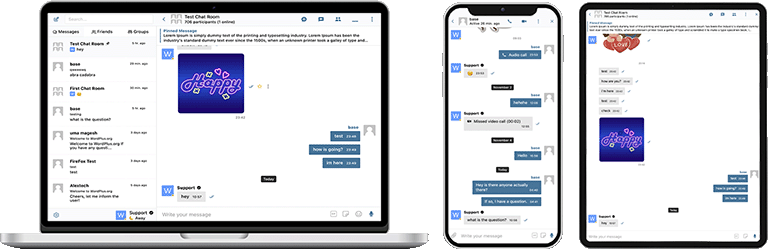

説明
Better Messagesは、BuddyPress、BuddyBoss Platform、Ultimate Member、PeepSoなどのネイティブ連携を備え、その他あらゆるWordPress製サイトに対応する、WordPress向けで最も機能が充実したリアルタイムプライベートメッセージングシステムです。
WordPressサイトをプライベートメッセージ、チャットルーム、ビデオ・音声通話、グループビデオチャット、AIチャットボット、ネイティブモバイルアプリを備えた強力なコミュニケーションプラットフォームに変えましょう。
プライベートまたはパブリックなコミュニティ、ソーシャルネットワーク、イントラネット、チャットルームサイト、マーケットプレイス、会員制サイト、出会い系プラットフォーム、クリエイターエコノミーサイトのいずれを構築する場合でも、Better Messagesは使いやすいインターフェースでエンタープライズレベルのメッセージング機能を提供します。
Better Messagesを試す:
- Live Demo — 機能をすべて備えたデモサイト
- ドキュメント & ナレッジベース — セットアップガイド、機能、FAQ
- すべての連携機能 — サポートされるすべてのプラグインとテーマ
- 価格 — 無料版とWebSocket versionの比較
- ブログ & チュートリアル — ガイド、ウォークスルー、連携機能の徹底解説
開発者向け:
- REST APIリファレンス — すべてのエンドポイントとパラメータ
- PHP Hooks — アクション、フィルタ、ヘルパー関数
- JavaScript Hooks — フロントエンドイベントとカスタマイズAPI
- 変更履歴 — すべてのリリースとバグ修正
- ロードマップ — 今後の機能と投票
主なユースケース:
Better Messagesは、次のようなメッセージング基盤として広く使われています:
- プライベートコミュニティ — 有料・会員限定のコミュニティプラットフォーム、マスターマインドグループ、卒業生ネットワーク、コースコホート、コーチングサークル、ロールで制限されたメッセージング、グループチャット、オンボーディングやFAQのためのAI Chat Bots、機密性の高い会話のためのエンドツーエンド暗号化
- パブリックコミュニティ・ソーシャルネットワーク — オープンなソーシャルプラットフォーム、趣味・関心ベースのコミュニティ、BuddyPress / BuddyBoss / PeepSo / FluentCommunityで構築されたサイト、プライベートメッセージング、グループ会話、チャットルーム、サイト全体を通じてユーザーに追従するミニチャットウィジェット
- イントラネット・企業サイト — 社内コミュニケーション、チームや部門ごとのチャンネル、WordPressロールによるアクセス制限、ファイル共有、リモートチーム向けのボイス・ビデオ通話、データ主権の要件があるサイト向けのセルフホスティングプラン
- チャットルームサイト — リアルタイムチャットルームを主機能として設計されたサイト、パブリック・プライベートルーム、トピックベースのディスカッション、未登録訪問者向けのゲストアクセス、AJAXまたはWebSocketによる配信
- 出会い系・マッチングサイト — プライベートな1対1チャット、写真・動画の添付、ボイス・ビデオ通話、メンバーディレクトリのプロフィール間チャットボタン、閲覧中の訪問者向けのゲストチャット、プライベート会話のためのエンドツーエンド暗号化
- クリエイターエコノミー・ファンプラットフォーム — GamiPressまたはMyCREDを通じたメッセージごと・通話ごとの課金に対応した有料メッセージング、プライベートビデオ通話、ファンへの一斉メッセージ、常時表示されるミニチャットウィジェット
- プレミアム・収益化DMプラットフォーム — ロールごとの料金設定によるダイレクトメッセージや通話ごとの課金、残高表示、ロールで制限されたメッセージング、スパムや詐欺の試みをフィルタするAIコンテンツモデレーション
- コーチング・メンターシッププラットフォーム — クライアントとコーチ間のDM、スケジュール済みのビデオ通話、ボイスメッセージ、ファイル共有、LMS連携を通じたコースのチャットルーム
- オンラインストア(WooCommerce) — 商品ページでの販売前チャット、購入後の注文サポート、カートのコンテキストを反映したメッセージ、マイアカウントに埋め込まれた受信トレイ
- マルチベンダーマーケットプレイス・クラシファイド — すべてのリスティングでの購入者と販売者間のチャット、リスティングごとのスレッド、未登録訪問者向けのゲストチャット
- オンラインコース(LMS) — コースのチャットルーム、講師と受講生のDM、コホート型コース向けのグループ会話
- フォーラム・Q&Aコミュニティ — すべての返信に表示されるプライベートメッセージリンク、スレッド参加者向けのフォローアップチャット
- 不動産・リスティングサイト — エージェントへの問い合わせメッセージング、物件コンテキスト付きのチャットスレッド、閲覧中の訪問者向けのゲストチャット
- ライブイベント・ウェビナー — イベントロビーのチャットルーム、未登録参加者向けのゲストアクセス、AMA向けのグループボイス・ビデオ通話、イベントアジェンダを記したピン留めメッセージ
- 予約・アポイントメントプラットフォーム — リスティングや予約におけるゲストとホスト間のメッセージング、書類のファイル共有、チェックイン前のボイス・ビデオ通話
- クリプト・Web3コミュニティ — 会員プラグインとWordPressロールによるトークンゲート式チャットルーム、AMAグループ通話、ホワイトペーパーに関する質問に答えるAI知識ボット、外出先でもエンゲージメントを保てるモバイルアプリ
「Better Messages」プラグインは以前「BP Better Messages」と呼ばれていました。
コアメッセージング機能:
- AJAXまたはWebSocketによるリアルタイム会話
- プライベートな1対1の会話
- 参加者数無制限のグループ会話
- ゲストアクセス対応のチャットルーム
- BuddyPress グループ、PeepSo グループ、Ultimate Member グループ、FluentCommunity グループ向けメッセージ
- 会話の件名
- すべてのメッセージを横断検索
- メッセージをお気に入りに登録
- 重要なメッセージを会話の上部にピン留め
- お気に入りの会話をリストの上部にピン留め
- 未読の会話のみを表示するように会話リストをフィルター
- 特定のメッセージに返信
- 送信済みメッセージの編集(編集インジケーター付き)
- メッセージを削除
- 他の会話にメッセージを転送
- 会話通知のミュート
- 復元機能付きのメッセージ下書き自動保存
AI & 自動化:
- OpenAI、Anthropic (Claude)、Google Geminiを搭載したAIチャットボット
- グループ会話でのメンションベースの応答を持つAIチャットボット
- AIによる会話の要約とスケジュールされたダイジェスト
- コスト見積もり付きのトークン使用量トラッキング
- Better Messages Cloud AIまたはOpenAIによる音声メッセージの文字起こし
- AIボット用のWeb検索機能
- AIボット用のファイル検索ツール
- AIによる画像生成
- AI会話でのPDFファイルサポート
メディア & コンテンツ:
- 再開可能なアップロードと直接アクセスからのファイル保護機能を備えたファイル共有(画像、動画、ドキュメント)
- クロスブラウザ互換性とストレージ容量節約のためのクライアント側画像・動画最適化(フォーマット変換、品質制御、メタデータ削除)
- Voice and Video Messages (available as addon)
- サムネイルと説明付きの埋め込みリンク
- oEmbed support for YouTube, Vimeo, Spotify, SoundCloud, Flickr and 20+ services
- 絵文字セレクター
- ロールベースのアクセス制御と言語別サポート付き内蔵スタンプパック
- GIPHYとKlipyプロバイダーによるGIF統合
- 入力中のインラインスタンプ候補
- Markdownテキストフォーマットサポート
通知:
- 未読メッセージのメール通知(カスタマイズ可能なテンプレート)
- メール内の配信停止リンクサポート
- 新着メッセージのサウンド通知
- ウェブサイト内のどこでもオンサイトトースト通知
モデレーション & セキュリティ:
- 2つのプロバイダーによるAIコンテンツモデレーション:
- Better Messages Moderation AI — WebSocketライセンスに追加費用なしで含まれており、サードパーティのAPIキーは不要です。拡張カテゴリ、カスタムルール、会話コンテキスト認識を備えたBetter Messages Cloudで動作します
- OpenAI Moderation API — 無料で利用可能、OpenAI APIキーが必要です
- カスタムモデレーションルール — 独自のルールをプレーンテキストで定義できます
- 会話コンテキストの認識 — 複数のメッセージにまたがるパターンを検出します
- モデレーションアクションとして「フラグのみ」(推奨)または「レビュー保留」から選択できます
- 事前モデレーションメッセージ – 配信前にメッセージを確認
- メッセージ報告機能
- カスタマイズ可能なブラックリスト付きNGワードフィルター
- ユーザーブロック機能
- ロールベースのアクセス制御
- モデレーション用のユーザーホワイトリスト/ブラックリスト
エンゲージメント機能:
- メッセージへのリアクション
- メンション (@username)
- スケジュール設定、ファイル添付、バックグラウンド処理を備えたWP Adminからの一斉メッセージ送信
- 新規ユーザー向けのおすすめ会話
- ショートコードを使わずにサイトのどこにでも会話のエントリーポイントを埋め込み可能
- 5つのウィジェット:友達、グループ、ユーザー、AIボット、チャットルーム
- 2つの表示スタイル:クラシックバーまたはフローティングバブル(チャットヘッド付き)
- 3つの配置場所:下部バー、サイドパネル、モバイルタブバー
- ウィジェットごとのアイコン選択、検索ボックス、ロール制限、「空の場合タブを非表示」切替
- 3つの表示モード(すべて / ロール別 / 手動選択)と最終アクティビティまたは登録日による並び替えを備えたユーザーウィジェット
- ミニウィジェット、サイドパネル、モバイル表示におけるタブの順序をカスタマイズ可能
カスタマイズ:
- モダンで完全にカスタマイズ可能なデザイン
- WP Customizerによる簡単な色のカスタマイズ
- カスタム通知サウンド
- RTLレイアウトサポート
- ホワイトラベルソリューション
- 完全に翻訳可能
- 古いメッセージの自動削除オプション
プライバシーとGDPR:
- プライバシーとGDPR専用設定ページ
- すべてのメッセージデータはご自身のサーバーに保存されます
- AIモデレーション(有効な場合)は解析のためにメッセージ内容を送信します。Better Messages Cloudはデータを保存しません。OpenAIプロバイダーを利用する場合はOpenAIのデータポリシーをご確認ください
- WordPress個人データのエクスポートと消去をサポート(ツール 個人データのエクスポート/消去)
- 有効な機能に基づいて適応するプライバシーポリシーの推奨テキスト
- 自己ホスト型絵文字画像オプション — 外部CDNリクエストなし
- プライバシーに配慮した動画埋め込み — YouTube、Vimeoはユーザーがクリックした後にのみ読み込み
- Cookieの設定なし、分析やトラッキングスクリプトなし
- プライバシーとGDPRドキュメント
これは機能の完全なリストではありません – Better Messagesには、ここに記載されていない多くの小さな機能やオプションがあります。ユーザーのフィードバックに基づいて、常に新しい機能や改善を追加しています。
互換性のあるプラグイン & テーマ — 35以上のネイティブ連携:
Better Messagesは、あらゆるWordPressサイトで導入してすぐに動作します。サイトですでにコミュニティプラグイン、LMS、マーケットプレイス、ディレクトリを運用している場合、Better Messagesはそれらに直接統合され、メンバー、プロフィール、グループ、コース、リスティング、投稿を引き継ぐため、設定なしで適切な場所にチャットが表示されます。
コミュニティ & 会員プラットフォーム — 組み込みのメッセンジャーを置き換え、メンバー、プロフィール、友達、グループを継承します:
- BuddyPress
- BuddyBoss Platform — including BuddyBoss Theme and ReadyLaunch
- PeepSo
- Ultimate Member
- FluentCommunity — including Spaces and Courses
- SureDash
- ProfileGrid
- UsersWP
- WP User Manager
学習管理システム(LMS) — コースのチャットルーム、講師とのメッセージング、受講生同士の会話:
- LearnDash — including Instructor Role add-on
- LearnPress
- Tutor LMS
- MasterStudy LMS
- FluentCommunity Courses
Eコマース — WooCommerce — オンラインストア向けの販売前および注文サポートチャット:
- WooCommerce — 商品、カート、チェックアウト、注文の各ページにコンタクトボタンを配置します。カートの内容はリッチメッセージとして会話に自動投稿されるため、サポート担当者は顧客が何を見ているかをすぐに把握でき、注文ページからは構造化された注文コンテキストカードが投稿されます。チャットに貼り付けたプレーンな商品URLは、リッチな商品カードに展開されます。組み込みの受信トレイはWooCommerceのマイアカウント内に表示されます。HPOS対応、ブロックテーマ対応、ゲストチェックアウトにも対応しています。無料版とWebSocket versionの両方で利用可能で、WebSocket versionではページ遷移ではなくポップアップミニウィジェットのオーバーレイとしてチャットを開きます。
マーケットプレイス & マルチベンダー — WooCommerce上に構築された購入者と出店者間のチャットで、出店者ごとのオプトインに対応し、出店者ストア、商品ページ、注文詳細にコンタクトボタンを表示:
リスティング、ディレクトリ & クラシファイド — すべてのリスティングにコンタクトボタンを表示し、リスティングごとにスレッドを作成:
- HivePress
- Directorist
- GeoDirectory
- Classified Listing
- Motors – Car Dealer, Classifieds & Listing
- WP Job Manager
不動産テーマ — 物件リスティング上でのエージェント・問い合わせメッセージング:
フォーラム — すべての返信にプライベートメッセージリンクを表示:
- wpForo
- bbPress
ゲーミフィケーション、ポイント & 有料アクセス — ロールごとの料金設定と残高表示によるメッセージごと・通話ごとの課金:
自動化 & ページビルダー:
- Uncanny Automator — triggers and actions for chat events
- AutomatorWP — triggers and actions for chat events
- Crocoblock JetEngine Profile Builder — profile and chat shortcodes for JetEngine listings
プッシュ & PWA:
- FluentNotify — web push through your own Firebase project
- OneSignal — web push notifications
- Progressify PWA — install-to-home-screen prompts on the messenger
ユニバーサルShortcode Builder — チャットを他のあらゆる場所に追加:
リストにお使いのプラグインやテーマが見当たりませんか?Better MessagesにはWP管理画面 Better Messages ShortcodesにビジュアルなShortcode Builderが付属しており、任意のカスタム投稿タイプ、ディレクトリ、マーケットプレイスリスティング、エージェントプロフィール、ページビルダーブロックに対してPHPを書かずにLive Chatボタンを配置できます。サンプル投稿を指定し、対象ユーザーの解決方法(投稿の著者、postmetaに保存されたユーザーID、または固定の受信トレイ)を選択し、スレッド戦略とラベルを設定して、生成されたショートコードをコピーするだけです。同じショートコードは同じ構造のすべての投稿で動作し、投稿ごとに自動でスレッドが作成され、オプションでチャット内バナーも表示できます。Gutenberg、Elementor、Bricks、Diviにそのまま貼り付けるか、テーマテンプレートに直接埋め込めます。
互換性の問題や連携機能の追加リクエストはお気軽にご報告ください。これはとても重要であり、Better Messagesの改善につながります!
WebSocket版:
WebSocket版は有料オプションです。ライセンスキーは当社ウェブサイトで取得できます。
サイトとユーザー間のWebSocket通信には専用サーバーを使用しています。当社のサーバーは完全にプライベートで、いかなる個人データの保存や追跡も行いません。すべてのメッセージはあなたのデータベースに保管されます。
パフォーマンス & 信頼性:
- サーバーの負荷を大幅に軽減します(リクエスト数を最大200分の1に削減)
- リアルタイムの即時メッセージ配信
- 共有ホスティングを含むあらゆるホスティングで動作
- 同時接続数や月間アクティブユーザー数の制限なし
ビデオ & 音声通話:
- HDビデオ通話(1対1)
- HD音声通話(1対1)
- グループビデオチャット(最大32名参加)
- グループ音声チャット(最大50名参加)
- 通話とグループチャットでの画面共有
モバイルアプリ(アルファ版):
- iOSモバイルアプリ(独自ブランドアプリを構築)- アルファ版
- Androidモバイルアプリ(独自ブランドアプリを構築)- アルファ版
- 通話とメッセージのプッシュ通知
- 着信通話のVoIP通知
注意:モバイルアプリは現在アルファ段階です。コア機能は動作しますが、一部の機能が制限されているか開発中の場合があります。
リアルタイム機能:
- メッセージ配信ステータス(送信済み、配信済み、既読)
- 入力中、音声録音中、ファイルアップロード中のアクティビティインジケーター
- オンライン/オフラインプレゼンスインジケーター
- ユーザーステータス(オンライン、離席中、おやすみモード)
- ミニチャット – サイト内のどこにでもチャットウィンドウを表示
- ミニ会話ウィジェット – どのページからでも最近のスレッドを一覧表示し継続できます
- ユーザーミニウィジェット用のオンライン限定フィルターとオンライン優先の並び替え
Better Messages Cloud AI:
- 1対1の会話における自動メッセージ翻訳 — 53言語、自動検出対応
- AIコンテンツモデレーション — 23カテゴリー、カスタムルール、会話コンテキスト認識
- 音声メッセージの文字起こし — 99以上の言語を自動検出対応
- サードパーティのAPIキー不要 — WebSocketライセンスに追加費用なしで含まれています
セキュリティ & 暗号化:
- オプションのエンドツーエンド暗号化(E2EE) — サイト単位および会話単位で有効化でき、メッセージとファイルはユーザーのブラウザ上でAES-256-GCMにより暗号化され、サーバーは平文を一切扱いません
- オフラインメッセージ保存のためのローカルブラウザ暗号化 (AES256)
- Webプッシュ通知(ブラウザが閉じていても動作します)
- すべてのデータは転送中に暗号化されるため、当社のサーバーで読み取ることはできません
サポート:
- 優先メールサポート
- 定期的なアップデートと新機能
RTLレイアウトはプラグインに組み込まれています。
LocoTranslateでプラグインをあなたの言語に翻訳するか、プラグインの翻訳に参加できます。
スクリーンショット


ブロック
このプラグインは2個のブロックを提供します。
- Messages The user's messages, where they can open any conversation they are part of
- Chat Room Embed a Better Messages chat room
インストール
- プラグインファイルを
/wp-content/plugins/bp-better-messagesディレクトリにアップロードするか、WordPressのプラグイン画面から直接インストールしてください。 - WordPressの「プラグイン」画面からプラグインを有効化してください
- 設定 -> Better Messages からプラグインを設定してください
FAQ
-
Better Messagesは無料ですか?
-
はい — WordPress.orgから無料版をインストールできます。プライベートおよびグループ会話、チャットルーム、ファイル共有、oEmbedプレビュー、スマートにまとめられたメール通知、ロールベースのアクセス、guest chat、標準的なメッセンジャー機能をサポートします。WebSocketバージョンは有料で、即時配信、1対1およびグループ音声 / ビデオ通話、AI Chat Bots、AI Content Moderation、AI Message Translation、Voice Message Transcription、ウェブプッシュ、エンドツーエンド暗号化が利用できるようになります。
-
Better Messagesはどのようなプラグインと連携できますか?
-
コミュニティプラットフォーム(BuddyPress、BuddyBoss Platform、PeepSo、Ultimate Member、FluentCommunity、SureDash、ProfileGrid、UsersWP、WP User Manager)、LMS(LearnDash、LearnPress、Tutor LMS、MasterStudy LMS)、Eコマース(WooCommerce — 商品・カート・チェックアウト・注文ページにコンタクトボタンを備えた販売前および注文サポートチャット)、マルチベンダーマーケットプレイス(Dokan、WCFM、WC Vendors、MultiVendorX)、リスティング・ディレクトリ(HivePress、Directorist、GeoDirectory、Classified Listing、Motors、WP Job Manager)、不動産テーマ(Houzez、RealHomes)、フォーラム(wpForo、bbPress)、ゲーミフィケーション(GamiPress、MyCRED)、自動化(Uncanny Automator、AutomatorWP)、ページビルダー(Crocoblock JetEngine)、プッシュ / PWA(OneSignal、Progressify)にわたる35以上のネイティブ連携を提供します。お使いのプラグインがリストにない場合でも、組み込みのビジュアルShortcode BuilderでPHPを書かずに任意のカスタム投稿タイプにLive Chatボタンを追加できます。連携機能の全リストをご覧ください。
-
グループ会話に対応していますか?
-
はい — 共通履歴、メンション、リアクション、ファイルアップロード、返信、編集 / 削除 / 転送、グループ音声 / ビデオ通話(WebSocketバージョン)を備えた本格的なグループチャットを提供します。グループチャットはBuddyPress / BuddyBoss / PeepSo / Ultimate Member / FluentCommunityのグループと自動的にペアリングでき、メンバーは元のコミュニティグループに同期してチャットに参加・退出します。
-
未登録の訪問者(ゲスト)もチャットできますか?
-
はい — Guest Chatを使うと、未登録の訪問者がチャットルームに参加したり、マーケットプレイスで出品者にメッセージを送ったり、ディレクトリリスティングで質問したり、サイトのサポートとチャットしたりできます。ゲストは表示名(任意でメールアドレス)を入力してから、ゲストユーザーとして参加します。後で登録すれば、それまでのスレッド履歴も保持されます。
-
WordPress上で音声・ビデオ通話に対応していますか?
-
はい(WebSocket version) — 1対1およびグループのボイス・ビデオ通話は、Zoom / Wherebyなどの外部連携ではなく、メッセンジャーのスレッド内で直接行えます。ホスト型のメディアリレーはWebSocketライセンスに含まれており、別途Twilioアカウント、Daily / Wherebyのサブスクリプション、Zoomのデベロッパープランは不要です。通話はモバイルではフルスクリーン、デスクトップではピクチャーインピクチャーで表示されます。
-
Better MessagesはGDPRに準拠していますか?
-
はい。すべてのメッセージデータはお客様のWordPressデータベース内にのみ保存されます。WebSocketクラウドリレーはメッセージ内容を見ることができません — 暗号化されたイベントをルーティングしますが、通過するデータを読み取ったり、保存したり、検査したりすることはありません。Better Messagesは、WordPressに組み込まれた個人データのエクスポートおよび削除ツールとも統合されています。より厳格なデータ主権要件(GDPR第9条、HIPAA相当、規制データのワークロード)を持つサイト向けには、セルフホスト型のプランも用意されています — サポートまでお問い合わせください。
-
AI機能はありますか?
-
はい(WebSocket version、AI add-on)。AI Chat Bots(OpenAI、Anthropic Claude、Google Gemini)は、カスタムシステムプロンプトを備え、GamiPress / MyCREDを介してボットごとにポイント課金が可能な、あらゆるスレッドの正規参加者として動作します。Better Messages Cloud AIは、AIコンテンツモデレーション(スパム、詐欺、ドキシング、連絡先共有を含む23以上のカテゴリ)、AIメッセージ翻訳(53言語、自動検出対応)、ボイスメッセージ文字起こし(99以上の言語)を提供します。すべてWebSocketライセンスに含まれており、サードパーティのAPIキーは不要です。
-
ネイティブのiOS / Androidアプリはありますか?
-
はい — Better MessagesはCapacitorで構築されたiOSおよびAndroidのネイティブモバイルアプリを提供し、プッシュ通知、リアルタイム配信、音声 / ビデオ通話、Web版と同等の完全なメッセンジャー機能を備えています。独自のブランドアプリを自社のデベロッパーアカウントでApp Store / Play Storeに公開したいサイト向けに、ホワイトラベルでの再ビルドにも対応します。
-
メッセンジャーのインターフェイスを自分の言語に翻訳できますか?
-
はい — Better Messagesは、テキストドメイン
bp-better-messagesを使用し、WordPressの標準的な翻訳ツール(Loco Translate、WPML、Polylang)で完全に翻訳可能です。30以上のコミュニティ翻訳が付属しています。翻訳の提供や改善はtranslate.wordpress.orgで行えます。 -
エンドツーエンド暗号化に対応していますか?
-
はい(WebSocket version)。エンドツーエンド暗号化はスレッドごとに有効化されます。メッセージとファイル添付は送信前に送信者のブラウザでAES-256-GCMによって暗号化され、データベース上でも暗号化されたまま保管され、受信者のブラウザでのみ復号されます。サーバーは暗号文のみを保管するため、管理者、ホスティングのエンジニア、データベースへのアクセス権を得た攻撃者のいずれも、E2Eスレッドのメッセージ内容を読むことはできません。
-
詳細なドキュメントはどこにありますか?
-
完全なドキュメント、統合ガイド、REST APIリファレンス、フックリファレンス、ビデオチュートリアル、80以上のブログ記事はwww.better-messages.comにあります。
評価


貢献者と開発者
Better Messages – チャットルーム、グループチャット、プライベートメッセージ & AI Chat Bots はオープンソースソフトウェアです。以下の人々がこのプラグインに貢献しています。
貢献者
変更履歴
Better Messages 3.0 is coming soon — try it on the demo site and send your feedback to support.
2.15.33
- Added Unique Guest Names setting at Settings General — turn it off to let guests use a display name someone else already took
- Added
BetterMessages.openGroupCall()JavaScript function — take a member straight into a chat room’s group call from any page - Fixed an AI chat bot’s Conversations list failing with a critical error and reporting no conversations, when the bot was in a group or course
- Fixed a new encrypted conversation being created without a key when encryption was not yet set up on that device, leaving it unusable
- Fixed the other person’s video staying black in a one-to-one call answered in Firefox, while their audio and the call itself worked
- Fixed the default avatar at Settings Discussion being ignored on BuddyPress and BuddyBoss — users without a Gravatar showed the Gravatar logo
- Fixed a guest display name containing an underscore or percent sign being wrongly rejected as already taken
- Fixed unread counters bound to
better_messages_update_thread_unreadnever dropping back to zero once a conversation was read - Fixed text smiles containing
<,>or&, such as<3, never turning into an emoji, and the conversion staying on when it was switched off - Fixed a voice message shorter than a second arriving with no length shown, and the recording timer lagging up to a second behind
- Fixed a JavaScript error when an on-site notification was dismissed just as a new message reopened it
- Fixed conversations rendering blank when every emoji was removed from the reaction list
- Fixed the reaction picker still appearing on messages after reactions were switched off in the settings
- Fixed FluentCommunity’s pull to refresh reloading the page while scrolling a conversation in an installed iOS app
- Other minor bugfixes and improvements
2.15.32
- Chat rooms and conversations can now be exported as a transcript — plain text, a web page or a CSV spreadsheet
- Push notifications can now be delivered through FluentNotify, using a Firebase project you control
- Fixed a mini chat not opening for a chat room after the full screen view had been opened and closed
- Fixed incoming call notifications being hidden behind the full screen view, leaving no way to answer
- Added
get_group_call_participantsPHP function — read how many people are in a conversation’s group video or audio call - Added
BetterMessages.getGroupCallParticipants()JavaScript function — the same counts on the page, over the WebSocket, with no request to your own server - Added
better_messages_group_call_statusJavaScript action — fires whenever a group call’s participant count changes - Added
BetterMessages.subscribeGroupCallStatus()andunsubscribeGroupCallStatus()— watch the live count of any chat room, including one the visitor has not joined - Added
better_messages_group_call_participants_cache_timePHP filter — how long a group call participant count is cached - Added
better_messages_fluent_notify_integrationPHP filter — returnfalseto disable the FluentNotify integration - Other minor bugfixes and improvements
2.15.30 – 2.15.31
- Chat attachments are no longer listed by the WordPress media API
- Fixed guests being counted as BuddyPress members, which could report hundreds of members on a site with only a handful registered — updating clears the records already left behind
- Fixed a Send Message button in a members or friends list on a BuddyPress or Youzify profile page opening a conversation with the profile owner instead of the member it belongs to
- Fixed the Create encrypted conversation button being cut off at the bottom of a mini chat, with no way to scroll down to reach it
- Member and online counts in the chat rooms list no longer read “1 members” for a single member
- Presence-based chat rooms no longer carry an Open label in the chat rooms list
- The User Inbox block is now called Messages, and the settings that spoke of an “inbox” name the messages page or the conversation list instead
- Other minor bugfixes and improvements
2.15.29
- Fixed the messenger not loading at all on a site whose Ultimate Member Groups extension is too old for the installed Ultimate Member — the extension never starts up in that pairing, and the conversations list stayed permanently empty
- An Ultimate Member group with no picture of its own now shows a group marker, in place of an image that had been failing to load since the service hosting it shut down
- Fixed a chat room with no picture showing the generic person avatar in the chat rooms list, which made it look like a member — presence-based rooms, which keep no stored members, hit this every time
- A link to a chat room now opens the Chat Rooms tab only when that room is not in the conversations list — a room left in the inbox opens there, next to everything else the member is talking in
- Fixed the settings button missing from the messenger on phones — a site whose mobile tab bar comes from Chat Rooms, Users or AI Bots rather than Friends or Groups had no way to reach user settings there
- Fixed line breaks vanishing from messages typed over several lines when Enter starts a new line instead of sending — browser extensions that tag page elements, such as Bitdefender, were collapsing them into one run-on line
- Names decorated by the site keep that decoration in profile tooltips, as they did before 2.15.28 — only the avatar description, which is read aloud by screen readers, takes the name on its own
- Fixed a name decorated by the site through the username filters losing that decoration in the conversations and users lists — on a phone those lists are most of the messenger
- Fixed the confirmation for removing a participant, or for changing who moderates a conversation, spelling out the raw image markup of a badge the site attaches to member names — a PeepSo VIP icon printed as markup in the dialog, and in the notice that followed, in place of the plain name
- Fixed a desktop notification title breaking into placeholder text when the sender carries such a badge
- The Messages Window Roundness setting now also shapes the buttons inside the messenger and the name badges carried by the system messages and mentions, which stayed square whatever the setting was
- Other minor bugfixes and improvements
2.15.28
- Added Remember Last Tab at Settings Mini Widgets Layout — the messenger reopens on the tab each member used last, the way the mini widgets already do
- Users can now be given control over more of their own messenger — how Enter sends a message (Send on Enter Control, Settings Messaging), whether the new message popup appears (Popup Notification Control, Settings Notifications), and the sound played when they send one
- Sound switches are no longer offered to users for a sound that is silenced site-wide
- Fixed a “Send message” link from a forum or profile opening the side panel on the chat rooms list instead of the conversations list
- Fixed the call restriction at Settings Calls having no effect on guests — calls are now refused for every restricted role, not only hidden
- Fixed Auto-Delete Old Messages leaving an unread badge that could never be cleared, and conversations now refresh once the cleanup has run instead of keeping removed messages on screen
- Fixed guests losing their end-to-end encryption keys on every page load — a guest was asked for the password again on each visit
- Fixed the report reason arriving untranslated in the moderation email
- Fixed the sidebar collapse button doing nothing when Compact Mode was set to Always Expanded or Always Compact
- Fixed a name decorated by the site, such as a role badge, repeating itself in the avatar description and the profile tooltip
- Fixed a prefilled message on the new conversation screen being inserted as HTML instead of plain text
- Other minor bugfixes and improvements
2.15.27
- Added support for the gpt-image-2 image generation model in AI chat bots
- Added built-in pricing for the GPT-5.5 and GPT-5.6 models, and fixed gpt-5.4-mini / gpt-5.4-nano replies being charged at the full gpt-5.4 price
- The Context Messages Limit of an AI chat bot now also applies to OpenAI bots in one-to-one conversations, keeping long chats from getting more expensive with every message
- Fixed sending in a chat room getting slower with every member — in a room with tens of thousands of members a sticker took a minute to appear for the sender
- Fixed the AI chat bot model list offering models that cannot answer messages
- Fixed a bot whose model is no longer available answering with a generic error instead of saying the model needs to be changed
- Fixed the title and the YouTube logo on a shared video doing nothing when clicked
- Fixed shared videos not responding to clicks inside mini chats — they now open from a poster with a play button
- Fixed Privacy-friendly oEmbeds rendering a broken placeholder with the video title spilled into the message as text
- Video placeholders now start playback on the first tap, without a second click on the play button
- Fixed conversation list previews of video messages sometimes showing raw placeholder text
- Fixed the Conversations tab being listed last at Settings Mini Widgets Layout
- Fixed the unread counter on tabs covering the icon when tab labels are shown, and being unreadable in dark mode
- Stopped themes from reshaping the messenger’s own input fields — the side panel search box stays readable in dark mode
- Fixed the page appearing extremely tall while the messenger loads and then jumping once it is ready — the loading placeholder now fits the window exactly like the loaded messenger, including with Max Height set to a large value like 9999
- Renamed the Fixed Header Height setting to Window Height Offset, as it reserves window space for any fixed element on the page, not only a sticky header
- Other minor bugfixes and improvements
2.15.26
- Added
better_messages_push_notificationPHP filter — change the link, title and text of push notifications on every delivery path - Added
better_messages_mobile_push_contentPHP filter — change the wording of push notifications sent to the native mobile app - The messenger now opens on whichever tab is placed first at Settings Mini Widgets Layout, and the Conversations tab is now sortable like every other tab
- The collapsed side panel now keeps every tab usable as a vertical icon column, and on windows too narrow for the panel the tabs move to a strip at the top of the messenger
- Chat rooms now show unread and mention counters in the chat rooms list
- The Messages tab of the side panel and the mobile tab bar now shows an unread counter, configurable at Settings Mini Widgets Conversations
- The open conversation is now highlighted in every side panel list
- Fixed moderation in presence-based chat rooms — muting, banning and appointing moderators no longer fail with a permissions error, and bans and mutes are now enforced
- Fixed the muted and banned lists of a conversation returning expired bans and restrictions of other conversations
- Fixed the page scrolling to the chat on every conversation switch made from inside the messenger
- Fixed the Participants List Order setting being ignored by the online users sidebar and the participants list of presence-based rooms
- Fixed online counters not including the viewer right after logging in
- Fixed the browser tab title being emptied when an SEO plugin or theme outputs the title tag after the plugin scripts
- Fixed starting an end-to-end encrypted conversation failing with a “not on your friends list” error when messaging was restricted to friends or followers
- Fixed a new end-to-end encrypted conversation losing its encryption when the first message was held by pre-moderation — encrypted conversations now always skip the moderation queue
- Fixed AI chat bot replies occasionally left as unformatted, cut-off or garbled text after streaming finished, most often in the native mobile app
- Fixed tapping a shared YouTube or Vimeo video navigating the page to the video site instead of playing it — video players are now sandboxed, adjustable with the
better_messages_embed_sandboxPHP filter - Fixed links typed with a capitalised address, such as the
Https://phone keyboards produce, not being replaced by their preview - Fixed shared videos refusing to play in the mobile app on iPhone and iPad — video services now require the address of the embedding page, which an app cannot provide, so players are loaded through a small page served from your own site
- Fixed a conversation opening as an empty messenger when one of its messages quoted HTML or JSX source code, most often an AI chat bot reply — code in messages is now always shown as text
- User statuses, call messages and end-to-end encryption notices of the WebSocket version are now translatable on WordPress.org
- Other minor bugfixes and improvements
2.15.25
- Added
better_messages_thread_header_actionsJavaScript filter — the conversation header buttons (calls, minimize, maximize, the More menu) are now built as a single filterable list, so custom buttons can be added at any position and the built-in ones can be reordered, removed or replaced. Until now the header had no supported extension point: a button inserted into it by hand was moved or removed again whenever the header re-rendered. Custom buttons pick up the styling of the built-in ones, and the same filter also runs for mini chat headers - Added
better_messages_fluent_community_group_chat_membersandbetter_messages_fluent_community_course_chat_membersPHP filters — exclude specific users from the automatic membership sync of FluentCommunity Space and Course group chats: user IDs removed by the filter are taken out of the chat by the sync itself and are no longer re-added by later enrollment events - Fixed YouTube videos shared in messages staying locked inside the message bubble on iPhone and iPad — tapping one now opens the full screen player again, as it did before YouTube changed the default playback behaviour of its embeds
- Fixed link previews showing raw HTML codes such as
&in titles, and dropping the thumbnail when the image address contained one - Link previews now also find the page title when it is spread over several lines or carries attributes, and can no longer be spoofed by markup hidden inside a page’s scripts
- The minimum required WordPress version is now 6.3, matching what the Better Messages blocks have needed since they were introduced
- Added Button Icon setting at Settings Mobile Floating Chat Button — choose a preset icon or paste your own SVG for the floating chat button on mobile, which previously always used the built-in messages icon with no way to change it
- Fixed the “Chatting as” persona banner in the Houzez and RealHomes integrations briefly appearing to the other side of the conversation and vanishing from the persona side’s own view while messages were delivered in the WebSocket version — viewer-specific conversation details are no longer part of the shared realtime payloads
- Other minor bugfixes and improvements
2.15.20 – 2.15.24
- Added Chat Room Moderators — assign per-room moderators in the chat room editor: moderators can remove, mute and ban participants of their room, can reply while the room is closed, and see the participants list even when it is hidden from regular members
- Added Moderators can add participants per-room setting — moderators get an “Add new participants” action right in the chat interface, so room membership can be managed without contacting site administrators
- Added Presence-based chat rooms (WebSocket version) — a new chat room type where participants are only the users currently in the room: closing the page or navigating away removes them immediately, no membership is stored, and the participants list always shows who is really present
- Added per-room Group video calls and Group audio calls toggles to chat room settings — disable group calls in specific chat rooms while keeping them enabled globally
- Added Website Context setting to AI Content Moderation — describe what your website is used for and Better Messages Moderation AI will judge messages by your community norms, fixing overly aggressive moderation on dating sites and similar communities
- Added Roles that can send Bulk Messages setting — allow selected roles (for example HR or communications staff) to send bulk messages from the Administration page without full administrator access: they see and manage only their own bulk messages and cannot send on behalf of another user
- Added Roles that can access Administration setting — grant selected roles the Administration page and site-wide moderation powers without full administrator access, replacing the need for a role editor plugin to assign the moderation capability
- Added Markdown support to Bulk Messages — the bulk message editor now understands the same Markdown syntax as regular chat messages, so headings, bullet and numbered lists and links typed in the editor are delivered formatted
- Site administrators can now add participants to any regular chat room directly from the chat interface
- Fixed chat room moderators being unable to send messages in closed chat rooms
- Chat room moderators are never removed by Auto exclude users or Auto-remove inactive participants
- Fixed the Chat Rooms list showing only the first 100 rooms — rooms now load page by page as you scroll, search covers every room you have access to, and rooms you were added to are no longer missing from the list on sites with many chat rooms
- Fixed the Browser push notifications opt-in missing from the messenger user settings on sites where the email notification interval was set to 0 and Sound Notification Control was disabled, leaving users with no way to subscribe to web push
- Added
better_messages_onesignal_integrationPHP filter — returnfalseto fully disable the OneSignal integration, including the script which associates WordPress user IDs with OneSignal subscriptions - Added Open online users list by default per-room setting (WebSocket version) — when the online users sidebar is enabled, it can open automatically when users enter the chat room on desktop
- Added GTranslate integration — on GTranslate paid plans the messenger interface now follows the language of the page the visitor is on, instead of staying in the site default language on every translated sub-domain or sub-directory
- WebSocket version now stops AJAX fallback polling by default — when a visitor’s WebSocket connection cannot be established, their browser makes a single sync request per page load instead of polling the server every few seconds. The new Continuous Fallback Mode setting restores continuous fallback polling for the rare setups that need it, such as audiences behind country-level firewalls that block WebSocket traffic
- Improved settings page mobile menu layout
- Other minor bugfixes and improvements
2.15.13 – 2.15.19
- Added Automatic Message Cleanup for chat rooms
- Added Participants List Order setting at Settings Messaging Group Conversation Settings
- Better Messages Administration moderation area now showing message timestamps in the site timezone from Settings General
- Fixed user badge icons (e.g. PeepSo VIP icons) showing as HTML code instead of images in WP Admin user lists
- Fixed user badge icons (e.g. PeepSo VIP icons) appearing as raw HTML code in moderation and report email notifications
- Fixed encrypted conversations staying locked forever after a participant reset their encryption keys — the conversation key is now reliably re-shared as soon as any other participant visits the site or unlocks their encryption keys
- Fixed MasterStudy mobile bottom menu bar showing through the full-screen messenger on the student dashboard
- Fixed Better Messages mobile floating chat button and new-message notification being hidden behind the MasterStudy bottom menu bar on account pages
- Fixed SureDash integration message button on member profiles opening the messages page without starting a conversation with the selected member
- PeepSo integration: members banned in PeepSo can no longer send messages or start new conversations in Better Messages
- PeepSo integration: group chats are now accessible to group members only
- Fixed messenger failing to load with error 500 — infinite loop when an encrypted conversation awaiting encryption key sharing was deleted or no longer accessible
- Update Freemius SDK to 2.13.4
- Banned members in chat room cant join group video and audio calls anymore
- Added Weglot integration — the messenger interface now automatically follows the current Weglot language on multilingual sites
- Added
better_messages_i18n_localefilter to control which language the messenger interface loads - Fixed fatal PHP error (allowed memory size exhausted) when opening or starting a private conversation on sites with a very large accumulated history of no-reply bulk messages
- Fixed the LMS Courses tab (LearnPress, LearnDash, MasterStudy, TutorLMS, FluentCommunity) not showing in the mobile tab bar even when enabled — it now appears on mobile devices as it does on desktop
- Fixed MOV videos not playing in Safari on iPhone, iPad and macOS when File Protection Proxy is enabled
- Fixed OneSignal JavaScript error
- Other minor bugfixes and improvements
2.15.9 – 2.15.12
- Migration to new Roadmap
- Added Shortcode Builder — visual admin tool at Settings Shortcodes that configures the
[better_messages_live_chat_button]shortcode without code. - Added initial BuddyBoss ReadyLaunch theme integration
- Added new BuddyBoss settings group at Better Messages Settings Integrations BuddyPress — separate Full-page messenger, Full Width, Page Title, and Hide Mini Widget on Messages Page toggles for the ReadyLaunch theme and the classic BuddyBoss Theme
- Fixed FluentCommunity integration script throwing
Cannot read properties of nullon non-FluentCommunity pages - Hide the messenger Minimize button on the FluentCommunity
/messagesroute — the mini widgets are hidden there, so minimize had no surface to restore from - Fixed image download from the lightbox opening a stuck Quick Look preview when Better Messages is used in an iPhone PWA — now uses the native iOS share sheet
- Fixed guest authentication being silently dropped after long tab-idle periods in some websites
- Fixed BuddyBoss user-dropdown My Messages item not showing the unread counter on sites where the BuddyBoss Theme renders the user dropdown from a WordPress nav menu instead of the standard admin-bar nodes
- Fixed MultiVendorX vendor dashboard “Messages” sidebar link missing on some sites
- Fixed in-thread message Delivered tick rendering white in dark mode
- Added Settings Integrations WooCommerce MultiVendorX toggle “Hide Messages tab when vendor disables live chat” — off by default
- Fixed the “Sound Notification Control” setting not hiding the sound mute toggle from user settings when disabled
- Fixed the Guest Messages Page rendering the raw
[bp-better-messages]placeholder instead of the messenger when no main Messages Location page is set - Fixed user avatars and names not loading for not-yet-registered guests in chat rooms and the mini widget
- Other minor bugfixes and improvements
2.15.8
- Fixed pages with the slug
messagesreturning 404 on sites that use WooCommerce as the Messages Location - Fixed the compact-sidebar hover tooltip lingering on the conversation screen after tapping an avatar on mobile
- Added Guest Messages Page setting
- Added per-thread participant override mechanism — addons can display a participant under a different name, avatar and profile URL inside one specific thread without touching their real WordPress identity elsewhere. Same WP user can wear different identities in different threads at the same time. See the developer guide for the reusable pattern
- Added initial Houzez Real Estate Theme integration
- Added initial RealHomes Real Estate Theme integration
- Other minor bugfixes and improvements
2.15.7
- Added Send Message, Audio Call and Video Call buttons to the PeepSo user hovercard
- Added emoji search translations — admin can download per-locale annotations so emoji picker search works in 30+ languages (e.g. German “gesicht” finds 😀)
- Optimized emoji and stickers data delivery
- Fixed guest users seeing their own name and avatar in one-on-one conversation headers, mini chat heads, and thread list previews instead of the other participant in some cases
- Fixed MasterStudy LMS account mobile bottom menu overlapping the chat on the Messages page in full-screen mobile view
- Other minor bugfixes and improvements
2.15.6
- Added JavaScript filter slots in the guest authentication screen —
better_messages_auth_required_top,better_messages_auth_required_between, andbetter_messages_auth_required_bottom— for injecting custom HTML into the pre-chat popup, mini-widget banner, and full messages page wall - Added live unread counter badge to the BuddyBoss Theme profile dropdown Messages item
- Added Audio Call and Video Call buttons to the members directory and group member rows for both BuddyPress (Nouveau theme) and BuddyBoss Platform
- Added
better_messages_group_call_join_custom_errorPHP filter for blocking group audio/video call join with a custom error message, mirroring the existingbetter_messages_call_join_custom_errorfilter for 1-to-1 calls - Settings Integrations tab label and section titles now read “BuddyBoss” instead of “BuddyPress” when the BuddyBoss Platform is active
- Improved the bbPress reply Private Message link layout in BuddyBoss Theme
- Added initial Motors – Car Dealer, Classifieds & Listing integration
- Added initial Classified Listing integration
- Other minor bugfixes and improvements
2.15.5
- Added per-role filter for the auto-remove inactive chat room participants feature, so an admin can target guests or other specific roles only and leave members untouched
- Fixed new chat room participants could be remove if auto-removal option is enabled for users who did not wrote any message in the chat room
- Fixed online participant count in the chat rooms list not updating in real time when a user joined or was added to a room
- Fixed some group chats threads could reappear after the admin deleted them
- Other minor bugfixes and improvements
2.15.3
- Added System Messages
- Added per-role restrictions for group calls — Settings Group Calls Group Call Restrictions lets admins block specific WordPress roles from starting and / or joining group audio and video calls
- Group calls are now available to guest visitors
- Added possibility to auto-remove inactive chat room participants
- Added possibility to enable group audio/video calls button in mini chats
- Added support for LearnDash Instructor Role add-on
- Added shortcodes for every Send Message / Message Instructor button in the GeoDirectory, Directorist, LearnDash, LearnPress, Tutor LMS and MasterStudy LMS integrations, so they are possible to use with page builder. Check Integrations tab in plugin settings to find appropriate shortcode
- Reorganized Settings General tab — added a Quick Actions dashboard with shortcuts to the Chat Rooms, AI Chat Bots and Administration screens and added easy access to detected integrations
- End to end encryption is moved to Messaging settings tab
- Fixed PHP 8.5 deprecation notices
- Fixed sticker images pointing to the previous site URL after a domain migration
- Fixed guest visitors being redirected to wp-login after starting a chat from a WooCommerce
2.15.2
- Added initial MasterStudy LMS integration
- Added initial Directorist integration
- Added initial GeoDirectory integration
- Remake database displaying in plugin settings which make it easier to fix database if something not migrated properly
- LMS course chats are now their own thread type in database
- Added “Email Notifications” and “Push Notifications” toggles for LMS course chats under Settings Integrations LMS Shared Course Settings
- Other minor bugfixes and improvements
2.15.1
- Added initial LearnPress LMS integration
- Added initial Tutor LMS integration
- Added initial LearnDash LMS integration
- Added MultiVendorX 5.0+ integration alongside the existing < 5.0 support
- Older MultiVendorX 4.x sites are unaffected — the previous integration continues to load on those installations
- Added FluentCommunity Courses integration
- Added a dedicated Courses widget to the Mini Widgets which will be showing user enrolled courses in LMS
- Added “Maximum Message Length” setting (Settings Messaging) — cap the number of characters allowed in each message
- Other minor bugfixes and improvements
2.15.0
- Added three new widgets: Users (browse and message any site member, with optional online-only filtering, online-first ordering, sort by last activity or registration date, and three display modes — all / by role / hand-picked), AI Bots (start or continue conversations with configured AI chat bots), and Chat Rooms (browse public chat rooms with optional online-count badge)
- Redesigned the Settings Mini Widgets page into per-widget sub-tabs, with each widget exposing its own icon picker, search-box toggle, role restrictions matrix (mini bar / side panel / mobile bar), and widget-specific options
- Added “Hide Tab When Empty” toggle per widget — hides the Friends / Groups / AI Bots / Chat Rooms / Users tab entirely when the current user has nothing to show, instead of rendering an empty list
- Added AI Chat Bot welcome message — bots can greet users with a configurable opening message and placeholder
- Added dynamic placeholders which allows to dynamically change ai chat bots system prompts and welcome messages
- Renamed
better_messages_open_ai_bot_instructionfilter tobetter_messages_ai_bot_instructionsince it applies to all AI providers, and added new$thread_idand$message_idarguments so callbacks can read the conversation context and the triggering user message — the old name remains available as a deprecated alias - Added per-message edit time limit — restrict how long users can edit their own messages after sending
- Fixed fatal error when uploading attachments at the bulk messages screen
- Fixed
hideParticipantschat room setting being ignored when the attachments browser was enabled - Fixed stale sticker suggestions remaining visible in …
